 NexScrm官方博客
When two customer service agents follow the same customer simultaneously, it's rarely a discipline issue—it's that the system doesn't recognize them as the same customer. To fully prevent this, set up four gates in sequence: First, dedupe contacts and tickets with a stable unique identifier. Then, assign a single owner per customer with reclamation rules. Third, show others are handling the session and block concurrent sends when it opens. Finally, hand over via internal notes and formal transfers. The order can't be reversed because the last three depend on the first to identify the right person.
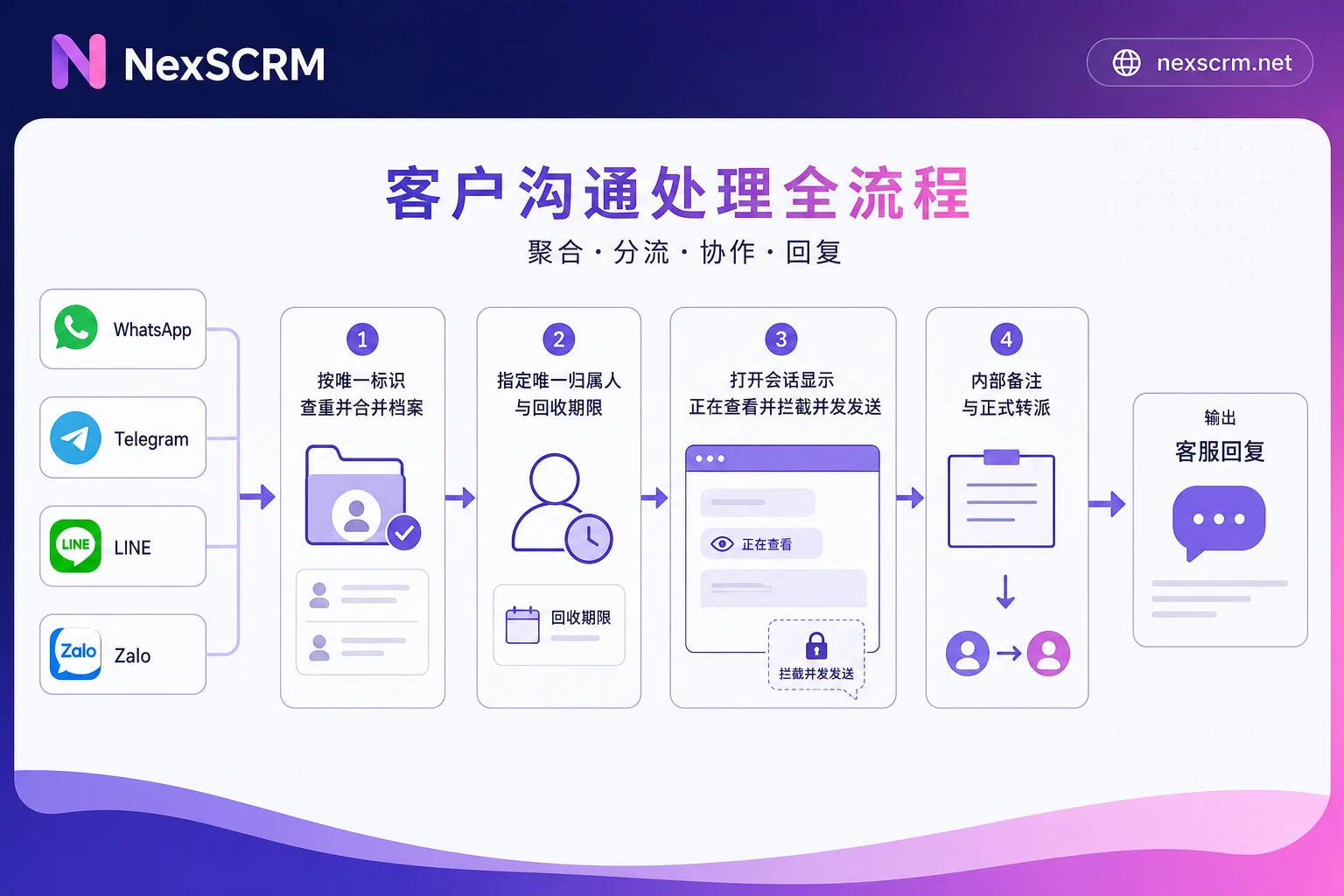
Gate One: Define "Same Customer" First
The basis of deduplication is selecting the right key. For cross-platform operations with overseas customers, the reliability varies by platform:
- WhatsApp uses phone numbers as the account identity, making them relatively stable keys.
- Telegram usernames (@xxx) can be changed anytime or even cleared; the stable part is the numeric user ID.
- LINE contacts usually don't expose phone numbers, so you must use the platform's account identifier.
- Zalo is mostly phone-registered, but the same person might also create a secondary account.
So don't rely on nicknames or notes as deduplication criteria—nicknames, renames, and added emojis can all break deduplication, which is the most common entry point for collisions. The proper use of notes is for segmentation and retrieval, not identity recognition; that layer can have a separate tagging system (see How to tag customers on Telegram beyond notes).
Once the key is set, the rule is simple: incoming messages first check, then decide whether to create a ticket. When a new message arrives, retrieve existing customer profiles or open tickets by that key; if found, attach the message to that conversation, otherwise create a new one. Conversely, if every new message generates an independent ticket in the pool for first-come-first-served, then two agents working the same person in parallel is just a matter of time.
When the same person reaches out from two platforms or with both main and secondary accounts, you need to merge these into one person at the customer profile level while retaining all source accounts. This is the most overlooked step for cross-platform teams: there are two conversations, but only one customer.
In NexSCRM, this step maps to Contact deduplication and customer profiles—multiple accounts of the same customer merge into one profile, and tags and follow-up records follow along. For which fields to match and whether to merge automatically or prompt for manual confirmation, features vary by version; I recommend testing with two known duplicate contacts during a trial to confirm the matching logic aligns with your keys before configuring ownership and assignment.
Gate Two: Each Customer Has Only One Owner
Deduplication solves "is it the same person," while ownership solves "whose is it." Three common assignment logics:
- Original owner priority: Repeat customers go straight back to the agent who handled them last.
- Round-robin: New customers are distributed evenly in sequence.
- Idle-based: Assign to the agent with the lightest current load.
The practical mix for multi-timezone teams is often "original owner priority, and if that agent is off shift, transfer to the duty agent with owner record." Pure round-robin in businesses with repeat purchases and long-cycle inquiries actually causes collisions, because returning customers get assigned to new agents.
Ownership must also have time limits and reclamation rules, or it becomes queue squatting: set how many days of no effective follow-up trigger automatic release back to the pool, and such releases must be logged in the system, not announced in a group chat. Another point to specify clearly is the transition point—when moving from pre-sales to after-sales, or from trial to major account—at the moment of owner change, there must be a clear definition, otherwise both sides assume the customer is theirs.
These rules are defined by your own team; the tool simply enforces and records them.
Gate Three: Show "Someone Is Here" the Moment a Session Opens
The first two gates prevent duplicate ticket creation; the third prevents two agents replying to the same conversation simultaneously. Mature ticketing and conversation systems offer conflict detection: when an agent opens a session, others see "[Agent] is viewing" or "typing" indicators. If a second agent tries to send, the system prompts a warning or blocks the send. Another type is stale-response alerts—if someone else handled the session since you opened it, the system prompts you to refresh before sending, avoiding contradictory replies to the customer.
Here's a crucial exception: Conflict detection locks that conversation, not that person. If the same customer adds two of your company's accounts separately, those are two independent conversations in the system; as long as profiles aren't merged, no "typing" indicator will appear. So Gate One deduplication is the prerequisite—don't rely on popups as a fallback.
Similarly, auto and manual replies can conflict. Keyword auto-replies are appropriate for the window before a customer is assigned; once an agent is handling, automatic triggers should stop, otherwise the customer gets both a template and a human response with different info (for how far automation should go, see Customer service automation: what to automate first).
Gate Four: Use Internal Notes and Transfers, Not Private Parallel Work
When multiple people are genuinely needed, the right approach is internal private notes plus formal transfer: tech, after-sales, and supervisors leave notes visible only to the team within the ticket, while the customer has only one external contact. The worst case is a second agent bypassing the ticket and directly messaging the customer to confirm, which appears to the customer as two conflicting voices.
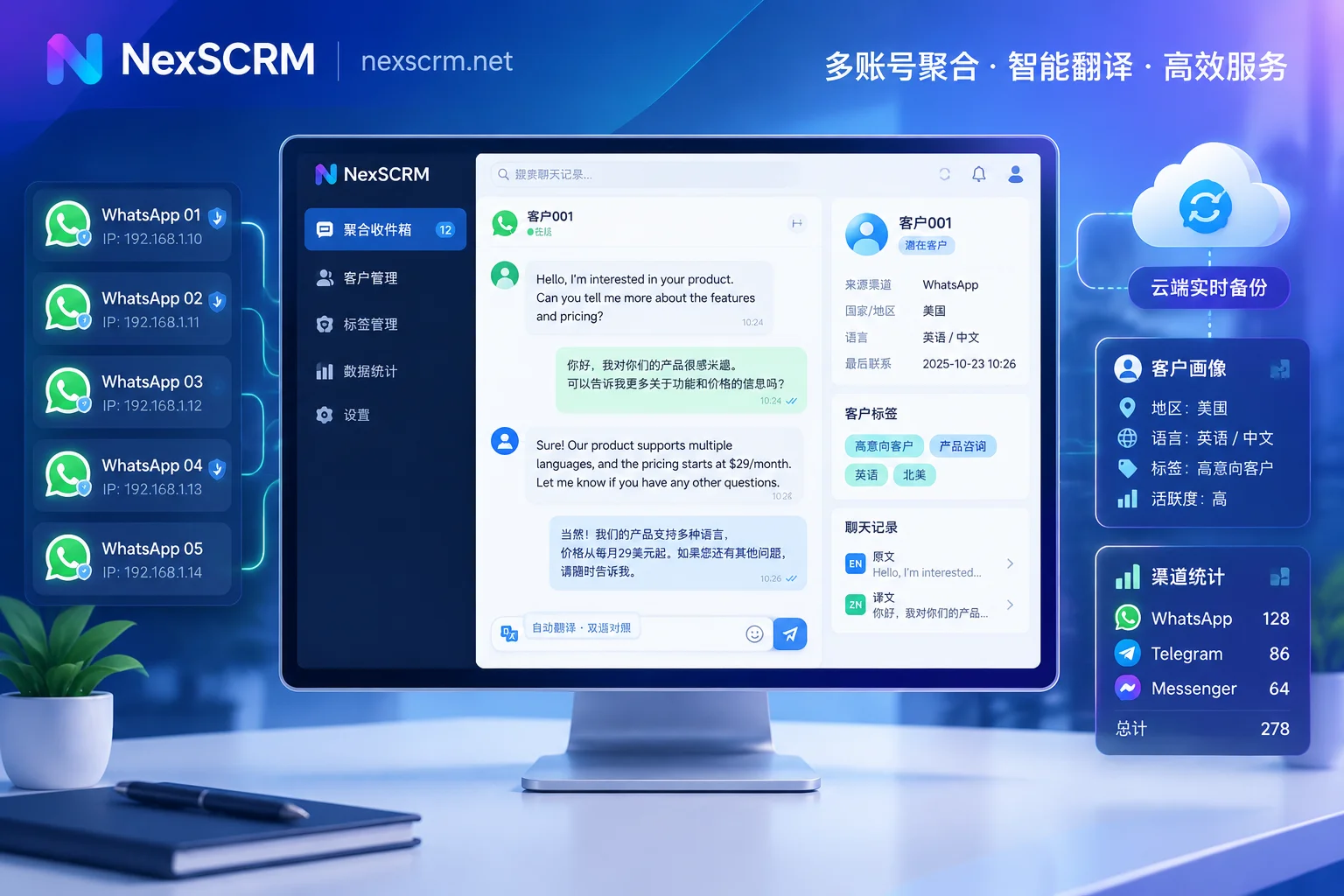
The success of a handoff depends on whether the next person can see the context. Practical requirements: searchable chat history, and in cross-language scenarios, both original and translated text. Teams that keep only translations lose the nuance of the customer's original words—whether the price is "too expensive" or "we'll reconsider the budget" leads to a different next step. In NexSCRM, Cloud chat backup and retrieval works with ticket counters at this stage: after personnel or device changes, records can still be searched, so handoffs don't depend on the previous agent writing a summary. For how to organize team-level records, see WhatsApp chat logs: team sharing and customer asset accumulation.
Common Collision Scenarios and Which Gate Blocks Each
- The same person clicks two different channel links from ads: Gate One dedupes by merging, but keep both sources in the traffic split stats; don't erase channel data for deduplication (see How to count followers per channel with split links).
- Returning customer changes phone number or platform: Merge profiles plus original owner priority. This type hurts most because new agents often treat it as a brand-new lead and reintroduce from scratch.
- Night shift inherits day shift's conversation: Use ticket status and shift handoff rules, not conflict detection (see Shift schedules for cross-border ecommerce customer service).
- Two agents see a question in the group and both DM the customer: Before DM, check if the customer profile already has an owner; this can only be enforced by setting a process rule beforehand.
Boundaries of Status and Statistics
At minimum, separate ticket lifecycle states into "Unassigned / In Progress / Pending Customer / Resolved." Teams with high collision rates often don't distinguish "In Progress" from "Pending Customer," so no one can tell if a ticket is being actively worked or waiting for the customer, leading to unnecessary intervention.
Ticket counters answer "who handled how many, how many are still open, and how long they take on average." It shouldn't be used directly as revenue attribution—there are variables like quotes, price comparisons, and payment terms in between; converting ticket counts to revenue can mislead scheduling and performance reviews.
Pre-Launch Self-Check
- Are the deduplication keys for each platform written down, and is anyone still using nicknames as identity?
- Can one person's multiple platform accounts merge into a single profile?
- When a customer returns, do they go back to the original owner or get reassigned?
- After how many days of no follow-up does ownership auto-release, and is the release logged?
- When two agents open the same conversation, can they see it in the interface?
- Can the receiving agent see all history and the customer's original words when transferred?
- Once an agent is handling, do auto-replies still trigger?
Any of these seven you can't answer is where you're currently losing tickets. Start by defining the first and third items—collisions will drop by half immediately, and the rest can be refined with status norms over time.


Comments(0)