 NexScrm官方博客
LINE Official Account friend count is mainly driven by three things:
- Put add-friend entry points where customers already pass by;
- Give customers a specific reason to add you;
- Deliver on that reason immediately after they add you.
Paid add-friend ads are suitable for supplementing volume after organic traffic is working. In addition, each channel should use its own independent entry point; otherwise, even if friend count grows, you cannot tell where it came from.
If you are starting now, launch in the following order:
- Set up the Greeting Message and Rich Menu in the backend.
- Generate the add-friend link, QR Code, website button code, and confirm the account ID.
- Assign a separate entry point for each channel and each salesperson, and record the mapping clearly.
- Place the entry points on your website, social media, emails, trade show materials, and packaging.
- After organic friend growth stabilizes, evaluate whether to run add-friend ads.
Below is what to pay attention to at each step in this order.
Set Up the Welcome Message and Rich Menu Before Promoting
Many accounts experience “add then block.” A common reason is that when customers scan the code, they were promised a discount, materials, or dedicated consultation, but after adding they receive nothing. So first set up the Greeting Message in the backend so that the moment a customer scans or clicks to add, they automatically receive the promised content.
The greeting message should include these items:
- Deliver on the promise: coupons, product catalogs, how to request a quote, or an extended warranty registration entry;
- Reception details: human customer service hours and how long it takes to reply when offline;
- Next action: Ask customers to directly send information such as model, quantity, and destination country to facilitate follow-up.
The Rich Menu can include common self-service entries, such as product categories, FAQs, after-sales registration, and contact a salesperson. When customers can find answers themselves, they are less likely to leave while waiting for a reply. For how to draw the line between welcome messages and automated replies, and when to hand over to a human, refer to How to Implement Multilingual Automated Customer Service Without Hurting Customer Experience.
Get Four Add-Friend Entry Points from the Backend
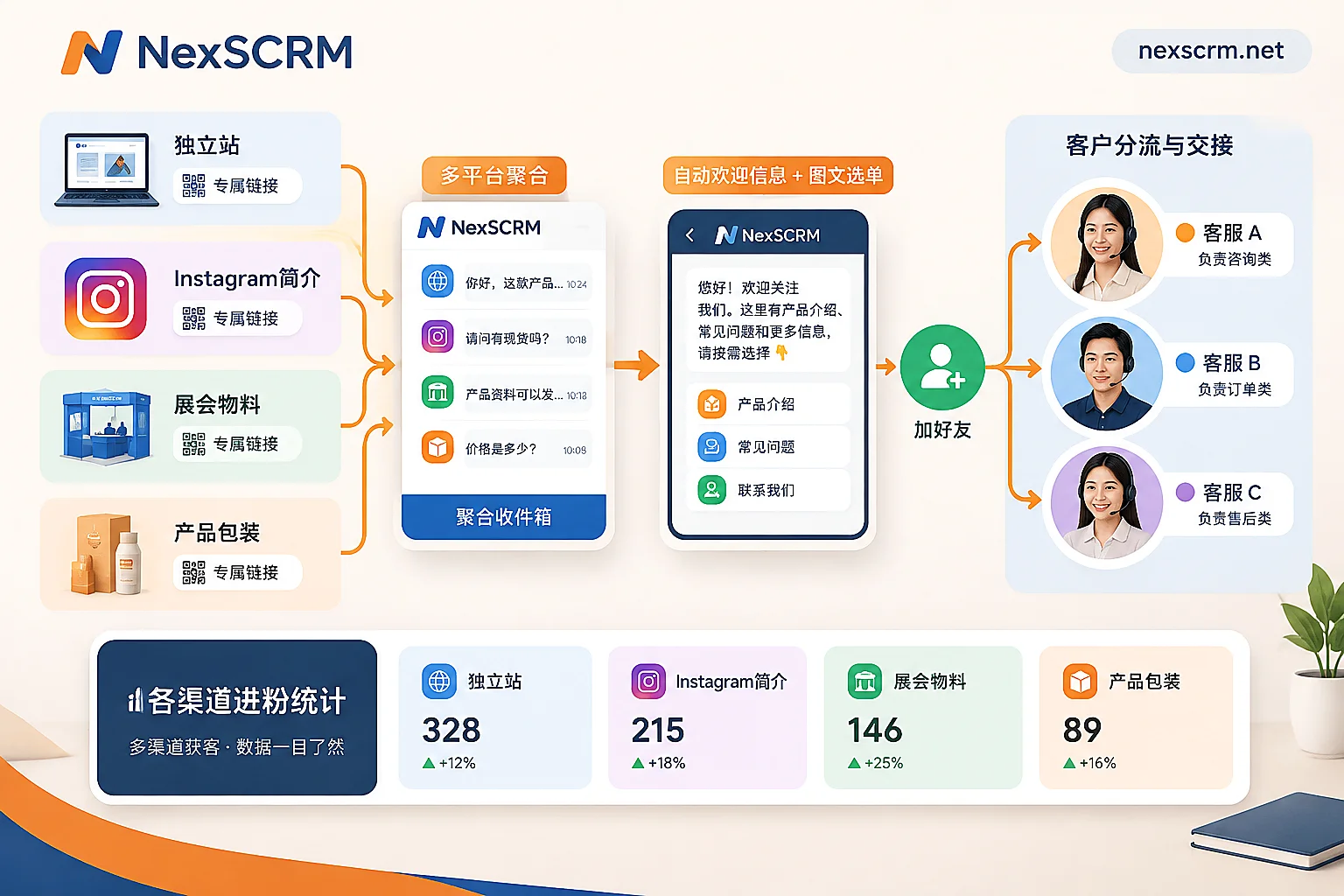
In LINE Official Account Manager under “Increase Friends” (Add Friends Guide), the platform provides several basic entry points:
- Add-friend link (URL): place it in social media bios, emails, SMS, and website buttons;
- QR Code: print it on trade show materials, packaging, after-sales cards, and also put it on web pages for easy scanning with a phone;
- HTML button code for websites: embed directly into your standalone site pages;
- Account LINE ID: suitable for verbal sharing or printing on business cards so customers can search for it themselves.
These entry points lead to the same account, but placing them in different locations makes a big difference in results.
Online: Place Them Where Customers Are Already Looking for You
Entry points should be visible when customers need to contact you, not just placed in the footer waiting to be discovered:
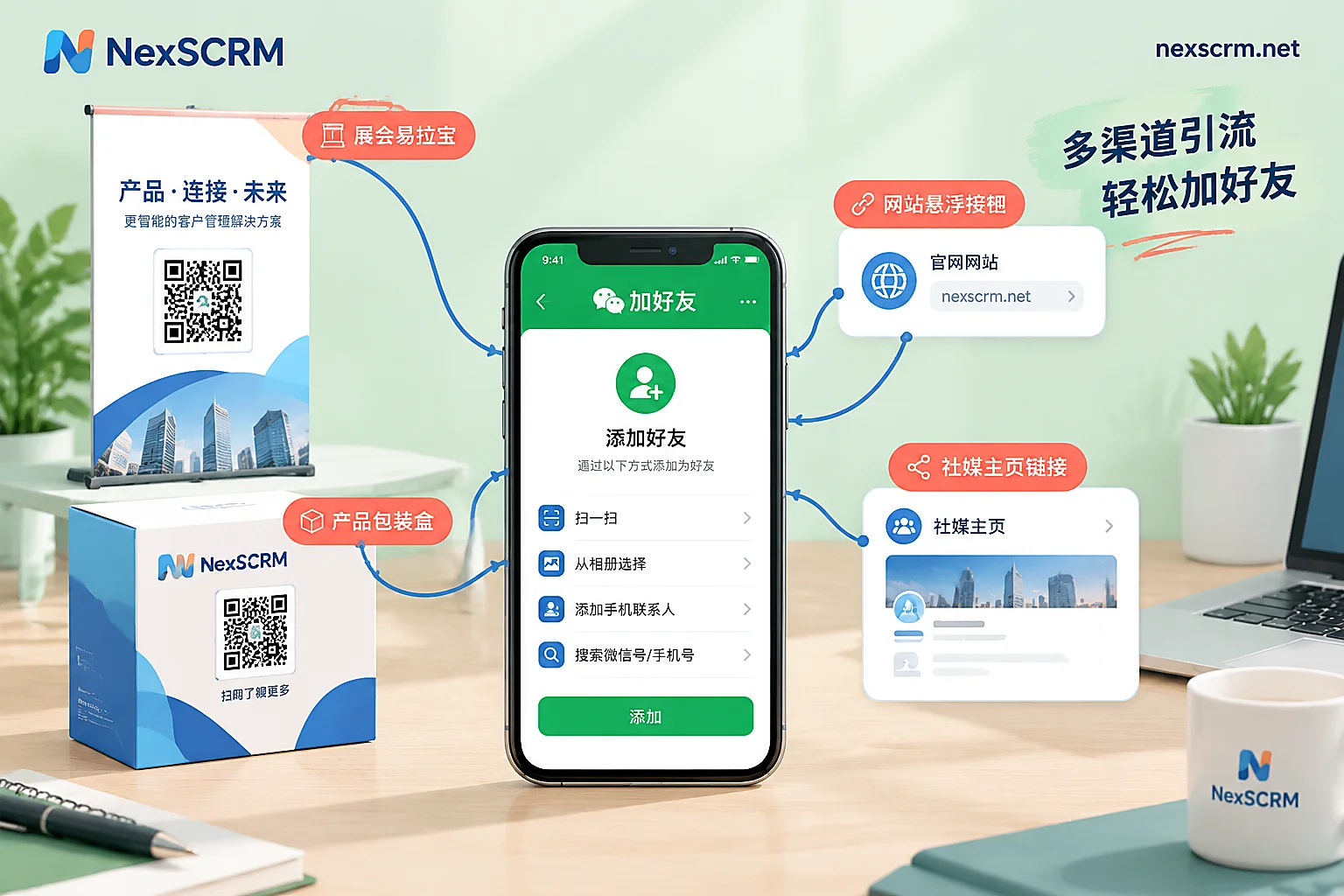
- Standalone site: customer service floating window, next to inquiry buttons on product pages, checkout or inquiry submission completion page, footer. The completion page is great for entry points because customers have just ordered or left an inquiry and most need a channel to follow up anytime.
- Social media profiles: Instagram bio link, Facebook page action button, and posts can also guide clicks to add.
- EDM and SMS: Include direct add-friend links in order notifications, shipping notifications, and campaign emails, and clearly state what they get by adding, such as logistics progress reminders or exclusive consultation.
If you have your own membership system or mini-app, consider combining LINE Login or LIFF to guide users to add the official account with one click when they log in or use the app. This requires development involvement and suits teams that already have services within the LINE ecosystem; teams that only handle inquiries can simply set up the links above.
Offline: Trade Shows, Packaging, and After-Sales Cards
The main offline tool is printed QR Codes, commonly placed at:
- Trade show booth roll-ups, product brochures, back of business cards;
- Product packaging bags or boxes, after-sales cards included with shipments;
- Store checkout counters, or confirmation forms in service appointment processes.
Printing only one code usually leads to few scans. Next to the code, write a benefit they can get immediately, such as “Scan to get catalog and quote template,” “Scan to register extended warranty,” or “Scan to connect directly with the contact for this show.” The stated benefit must match what is automatically sent in the welcome message so customers see it immediately after scanning.
When Organic Traffic Is Not Enough: Add-Friend Ads
The LINE Ads platform offers “add-friend ads,” charged per friend acquired (Cost-Per-Friend, CPF bidding). After users click the ad, they can add your official account with one click. Before using it, confirm two points:
- Creating add-friend ads directly in the LINE Official Account backend usually requires the account to be officially verified (verified account, blue badge);
- You need to operate on the web version of the backend; mobile cannot complete the setup.
Eligibility for verified accounts, required business licenses, and review periods may vary by country and region; the cost per friend also varies by industry and market. Before running ads, check LINE’s official documentation for your market, then test with a small budget to see your actual cost before deciding whether to scale.
Before running ads, make sure the welcome message and Rich Menu are set up. Friends from ads may not know much about you, and if they receive no response after adding, the block rate is often higher than with organic growth.
Each Channel Needs Its Own Entry Point to Measure Accurately
The backend shows overall friend growth and decline. But if you promote on multiple social media profiles, multiple ad placements, multiple salespeople’s business cards, and trade show materials at the same time, looking only at the total makes it hard to tell what works and what is wasted.
The approach is to assign a separate routing link to each channel and each salesperson, generate individual QR Codes, and track clicks and friend additions by link. A few notes:
- Name links so the channel and owner are identifiable, e.g., “IG Bio-Japan Site,” “Trade Show A-Zhang San”;
- Clarify the measurement scope: here we count clicks and friend additions, not transactions or revenue; do not directly use it to attribute revenue credit to channels;
- Web clicks can be tracked by GA4 and short links, while friend additions are tracked on the reception side. For details, see How to Set Up Data Tracking Tools for Driving Traffic from Standalone Sites and Overseas Social Media to Private Domains.
If your team has multiple salespeople handling conversations with their own accounts, you can use NexSCRM’s routing link statistics and fan counter to view friend additions by link and by account; the same workspace also has ticket counting and cloud backup of chat records for easy data verification. For feature details, see Counter and Backup.
After Friends Grow, Don’t Let Reception Break Down
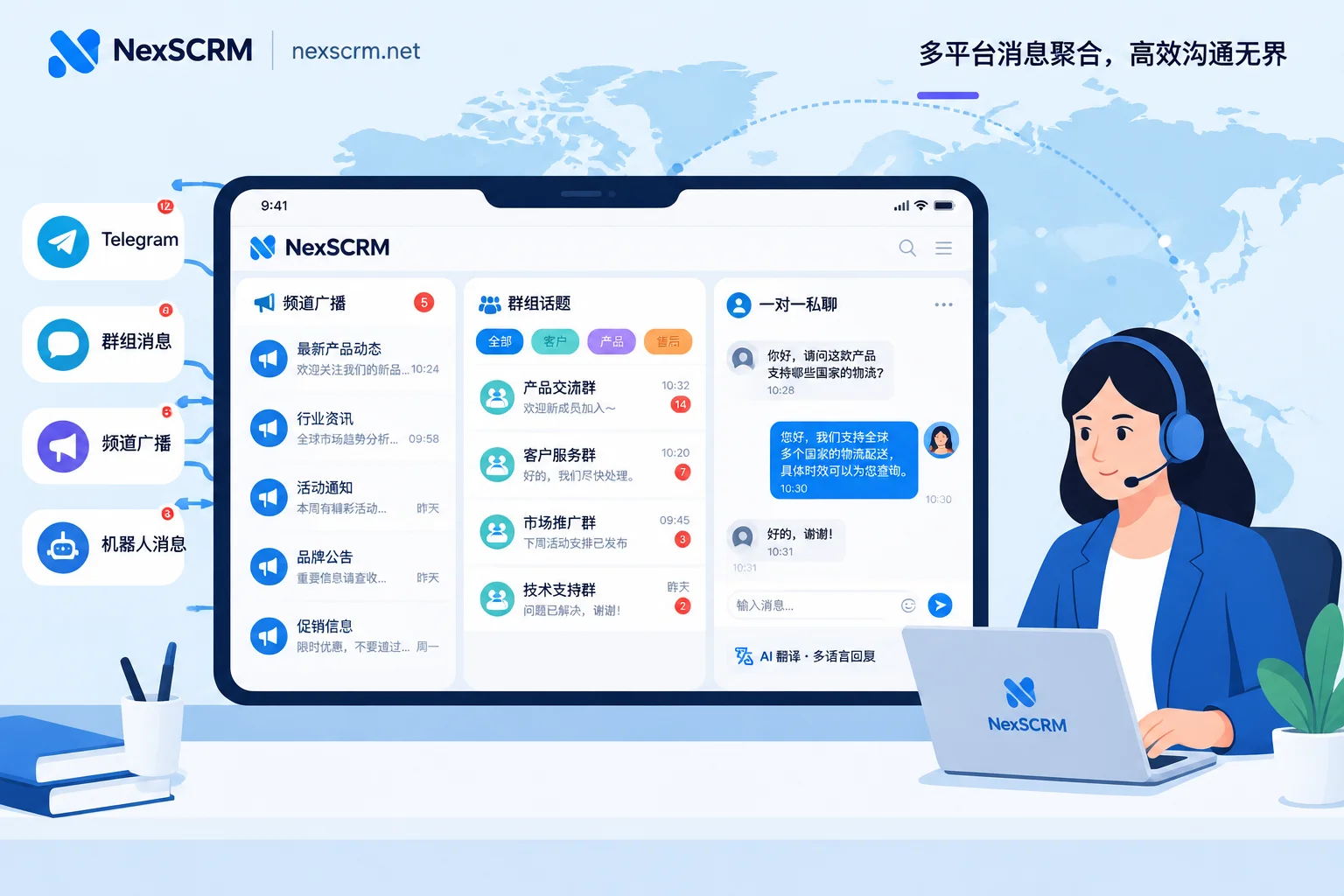
After friend growth, a common problem is that messages pile up with a few people, or customers have to start over after being transferred. If multiple accounts handle follow-up separately, you can put these accounts into one workspace to send and receive messages and assign reception by person. During handover, the new receptionist can see previous chat history and customer tags without re-learning the situation.
NexSCRM’s Multi-Account Aggregation allows centralized management of multiple accounts across multiple platforms in the Windows client, with each account using an independent environment. When overseas customers ask in other languages, you can enable two-way translation, keeping both the original and translated text. For supported platforms and account types, and how many ports you need, please refer to the official website; you can also apply for a free trial to see if it fits your workflow.
For how to turn friend reception, tagging, handover, and internal controls into a team process, continue reading How to Write a Cross-border B2B Overseas Private Domain Operations SOP.


Comments(0)