 NexScrm官方博客
Just typing "cross-border customer service software" into the search box, the rankings you see will most likely put Zendesk, Intercom, Duoke, Shopee customer service tools, and NexSCRM in the same table, making you more confused about which standard to use when placing an order.
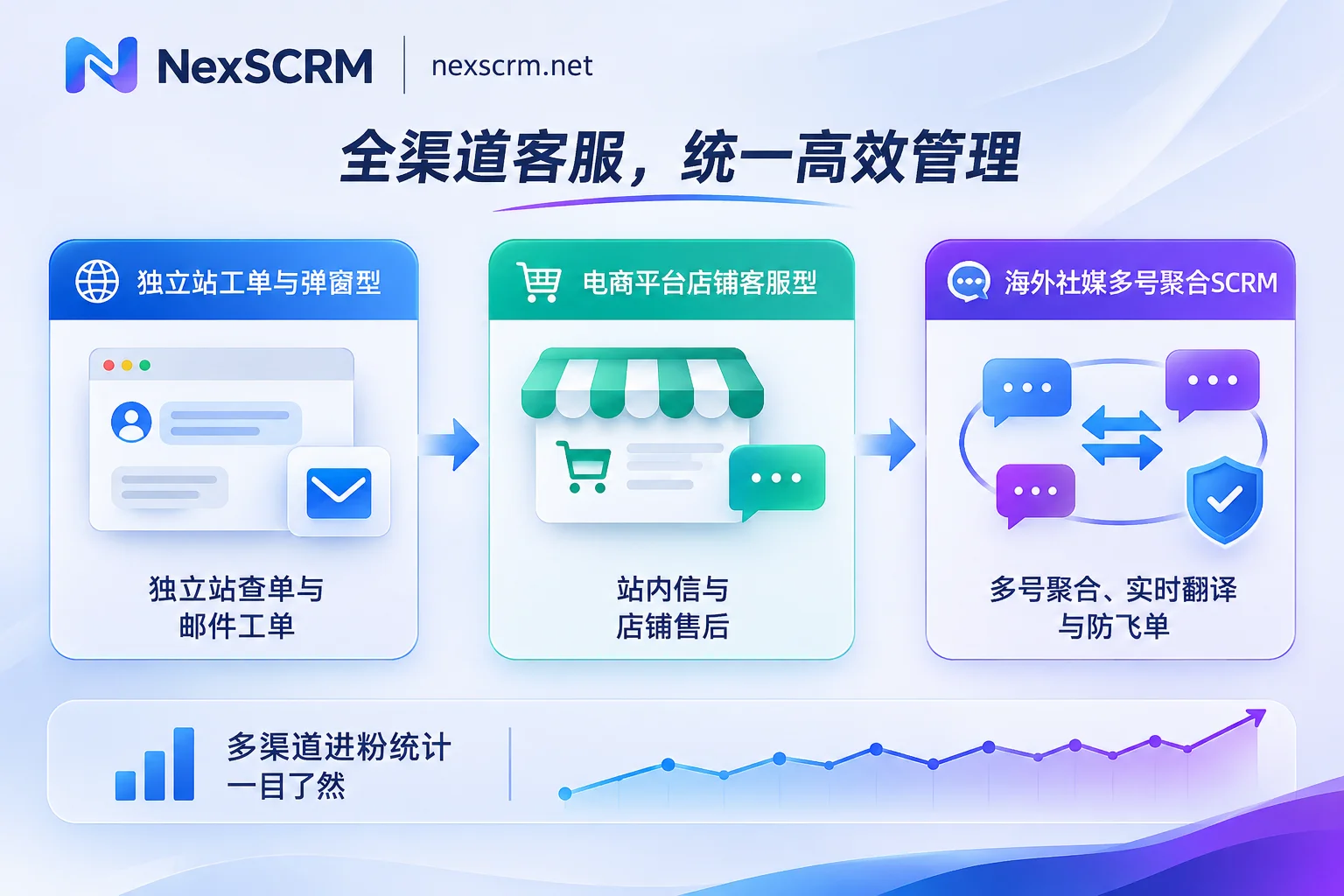
Here's the direct answer: The tools called "cross-border customer service software" on the market actually belong to three completely different business lines — independent site ticketing and web popup type, e-commerce platform multi-store in-site message type, and overseas social multi-account aggregation type (cross-border SCRM). The first step in selection is not comparing whose feature list is longer, but first looking at where your customers mainly talk: if they only send emails and popup inquiries on your independent site, choose the first type; if they only reply to buyers through in-site messages on Shopee, Lazada, etc., choose the second type; if a large number of customers land in WhatsApp, Telegram, LINE, Zalo, Instagram, or TikTok private messages to discuss quotes, view samples, and make repeat purchases, the first two types can't handle it — you must use the third type: a social multi-account aggregation workbench.
Why does buying the wrong category of "cross-border customer service software" lead to idle tools?
The first pitfall many teams fall into is not that the software is bad, but that it's used in the wrong scenario. The three types of software don't solve the same link at all:
| Software Type | Core Channels Handled | Problems It Excels At Solving | Common Boundaries and Unsuitable Scenarios |
|---|---|---|---|
| Independent Site Ticketing and Popup Type | Independent site web chat window, Support email | Help center self-service inquiries, ticket workflow, connecting to independent site order returns and exchanges | Weak support for multi-account social private chats, usually only through official APIs, high peak-season costs when billing by agent plus AI/ticket count |
| E-commerce Platform Store Customer Service Type | Amazon, Shopee, Lazada, TikTok Shop in-site messages | Centralized replies to multi-store in-site messages, linking products and logistics tracking numbers | Once buyers jump out of the site and add WhatsApp or LINE to discuss customization and repeat purchases, the data chain breaks immediately |
| Social Multi-Account Aggregation Type (Cross-Border SCRM) | WhatsApp, Telegram, LINE, Zalo, IG, Messenger and other multi-accounts | Multi-platform multi-account aggregation, built-in real-time two-way translation, environment isolation, lead deduplication and order-snatching prevention | Does not replace e-commerce platform in-site message backends, nor does it do independent site order amount-level financial ROI attribution |
In actual business, many sellers also encounter a "semi-hybrid" state: for example, after advertising on an independent site or TikTok, customers are guided to WhatsApp or LINE private chats to close deals, then payment is collected on the independent site or offline. At this point, if you only buy ticketing software, you'll find that customer service still needs to use several phones or open a bunch of web windows to manually switch accounts and copy translations; conversely, if 90% of your after-sales happens in platform in-site return and exchange workflows, directly using social aggregation software will also lack the store order sidebar. For the underlying differences between traditional CRM/ticketing systems and social SCRM, you can also read What's the difference between traditional CRM and cross-border social SCRM.
Making do with "browser multi-open + translation plugin + spreadsheet" often costs more than buying software
Some teams, after comparing several cross-border customer service software options, find the pricing complicated and first use a patchwork solution of "anti-association browser running web-version social media + free translation plugin + Excel for lead tracking" as a transition. After running for a month or two, they usually get stuck on the following four things:
- Translation drops off at any time and leaves no trace: When the front-end structure of web-version social media updates, third-party translation plugins easily misalign or even fail; more troublesome is that plugins usually directly overwrite the display, so the original text and translation cannot be retained simultaneously. When haggling over prices, delivery times, and material parameters, digging through history records simply doesn't match the original context.
- Multi-account repeated QR code scanning and environment risks: After browser cache clearing, computer restarts, or network fluctuations, login states often drop, and dozens of accounts require operations staff to scan QR codes daily; multiple accounts operating in the same device environment means that once a single account triggers risk control due to mass messaging or being reported, it easily affects other accounts.
- Channel advertising and lead acquisition don't reconcile: The ad backend shows clicks, and the routing links also redirect, but exactly how many real new leads each channel brought in, whether two agents are following the same customer simultaneously, and whether old customers are re-entering with new accounts — manual Excel entry by customer service makes omissions and double-counting almost inevitable. For splitting this statistical scope, you can refer to How to set up data statistics tools for driving traffic from independent sites and overseas social media to private domains.
- Employees leaving take customers and hidden private deals: If accounts are scattered across personal phones or local browsers, it's hard for supervisors to detect in real time whether customer service is privately sending personal contact info or collecting payments privately in chats; once staff leave, historical conversations and customer follow-up threads scatter as well.
For social private domain and foreign trade teams choosing cross-border customer service software, focus on these 5 practical details
If your customer communication mainly happens on overseas social apps, don't just look at demo screenshots when choosing — verify each of the following five real actions one by one.
1. Check "true aggregation" and account isolation: can multiple accounts stay stable without QR code scanning
Many so-called aggregation tools are essentially just stuffing a few web pages into tabs, and messages still need to be opened one by one. A qualified desktop solution should aggregate unread messages from all platforms and accounts into unified notifications, and each account should have an independent operating environment.
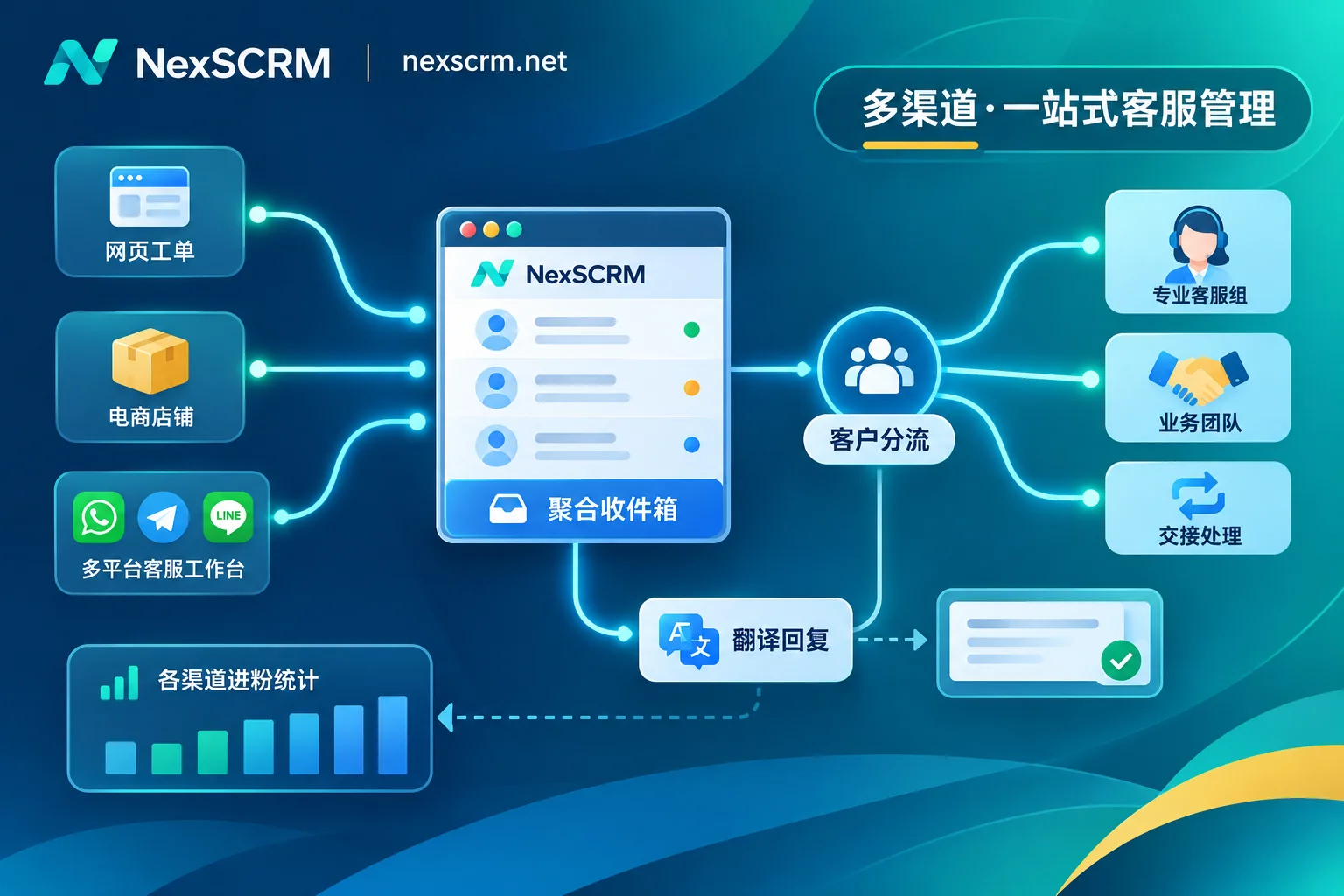
Taking the cross-border customer service software NexSCRM, which focuses on overseas social communication, as an example, it aggregates multiple platforms and multiple accounts — including WhatsApp (both regular and Business accounts supported), Telegram, LINE, Zalo, Facebook, Messenger, Instagram, TikTok, X, Discord, Signal, etc. — into one interface through a desktop workbench, with chat windows supporting splitting, merging, and hiding. Login states are automatically saved, and no QR code re-scanning is needed after software restart; each account runs in an independent fingerprint environment and supports binding session-level proxy IPs (proxy IPs need to be provided by the team). For team collaboration, the main account can uniformly allocate ports and visibility permissions, and sub-accounts support multi-device login and viewing corresponding conversations by role. To further investigate fake aggregation pitfalls, see How to choose a social aggregation customer service system? Avoid the "fake aggregation" trap.
2. Check whether translation is built-in, multi-line switchable, and compatible with images and voice
Foreign trade and cross-border customer service have different translation requirements for daily pleasantries and quote negotiations: greetings value speed, while verifying contract terms, sizes, materials, and payment methods values contextual accuracy — there should be no obvious machine translation misleading.
NexSCRM has multilingual real-time translation built directly into the desktop client, without relying on browser plugins. Messages are automatically translated in both directions, while retaining both original text and translation for verification; it supports automatic recognition of the other party's language, and can also lock the translation language for individual contacts to avoid language mixing when one account serves customers from multiple countries. For engines, it offers free switching among multiple lines including Google, Microsoft, DeepL, and AI large models, with image and voice message translation available by version — when customers directly send voice messages or screenshot quotes, you don't need to switch out to find recognition tools.
3. Check whether AI assistance can "send after manual confirmation," balancing efficiency and tone
Fully automated AI bots are suitable for handling standard Q&As like "business hours" and "shipping location," but in high-ticket foreign trade inquiries or customer complaint appeasement scenarios, AI making random promises about discounts or delivery times can backfire.
In NexSCRM's AI scripts and auto-reply design, when new customers are driven to private messages, the system can automatically send welcome messages, trigger auto-replies by keywords, or have AI automatically greet to complete the first response; after entering substantive communication, AI generates reply suggestions based on customer questions and historical conversations, which customer service confirms before sending. Polished opening lines and response templates can also be edited and stored in a public script library, paired with quick replies supporting variable substitution, so new customer service can maintain a unified professional tone from the start.
4. Check lead counting, customer asset accumulation, and sensitive behavior internal control
After traffic comes in, management really cares about three things: how many net new leads each channel adds daily, whether customers who have chatted have tag profiles, and whether employees have crossed boundaries.
NexSCRM connects these three segments in the data analysis and employee internal control module: the built-in lead generation (ticket) counter supports main account and group fan counting, single or all sub-account ticket deduplication, system duplicate checking, routing link statistics, ticket sharing, and fan supplementary entry, with statistical results exportable for review; chat records and media files are automatically backed up to the cloud, supporting global search by time, contact, and keywords, and the data dashboard directly presents conversation volume, lead count, response timeliness, and customer service performance. It also supports data desensitization, sensitive word and sensitive behavior monitoring (such as privately adding contact info or collecting payments privately), payment control, operation log auditing, and custom alerts. Customer profiles, tags, and follow-up records all stay on the enterprise side, so customer assets won't be taken away when employees leave.
5. Check whether billing method and device system match — don't ignore hardware thresholds
What's most easily discovered as unsuitable after payment in selection is "billing basis" and "computer system." Some software charges by customer service headcount, some by monthly tickets or AI-resolved items; others only provide web versions or only adapt to a single desktop system.
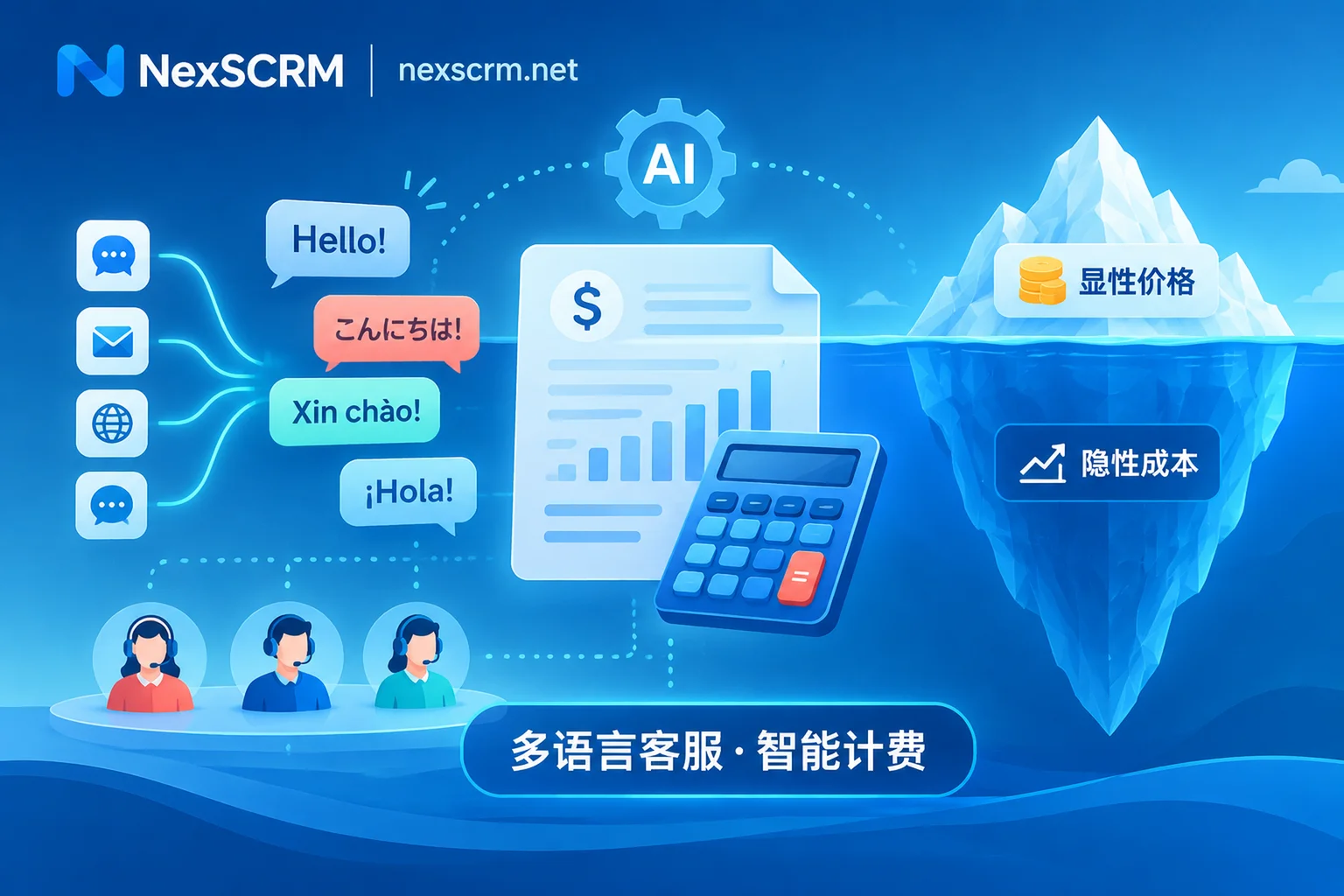
Here we need to honestly verify NexSCRM's boundaries: currently NexSCRM provides a Windows desktop client (the official download page notes that a macOS client is coming soon; if the whole team uses Mac computers, devices need to be arranged in advance); functionally it focuses on social private domain communication, lead acquisition, and conversion statistics, and does not include e-commerce order amount attribution and ROI financial accounting, nor does it cover peripheral tools like number screening or proxy IP purchasing. Billing uses a "per-port subscription" model, where a port refers to the number of simultaneously online accounts, supporting upgrades or downgrades at any time, and can be stacked with unlimited-time translation character packs. New teams can first apply for a limited-time free trial (no credit card required). For the port basis and differences between tiers, you can read What does port mean? How many ports does one customer service agent occupy and How multilingual customer service systems should charge to avoid pitfalls. For specific prices and version lists, refer to the NexSCRM official pricing page.
10-minute self-check list before deciding: 4 steps to determine the most suitable solution for you
Before contacting sales or swiping your card to subscribe to any cross-border customer service software, spend 10 minutes doing the following four-step subtraction:
- Inventory the proportion of message sources: In the past 30 days, were more than 60% of closed conversations happening in independent site email/popups, platform in-site messages, or social accounts like WhatsApp/Telegram/LINE/Zalo? Decide the category first, then look at brands.
- Inventory "number of accounts × number of online customer service agents": If 3 agents take turns managing 30 social accounts, a system billed by "port (number of simultaneously online accounts)" with person-account decoupling will be more cost-effective; if 20 agents only monitor 1 independent site email, a ticketing system billed by seat is more suitable.
- Check device and network conditions: Confirm whether the customer service team's daily main machines are Windows or macOS, and whether independent proxy IPs for multi-accounts have been prepared with lines in the corresponding regions.
- Use 3 real scenarios for trial stress testing: Don't just click through the interface to admire its looks. Use a trial account to actually test three things — send an image with a foreign-language specification table and a spoken voice message to see translation performance, use routing links to bring in two test leads to see if deduplication and counting are accurate, and switch sub-accounts to see if customer desensitization and sensitive word alerts take effect.
If your business focus is exactly multi-platform overseas social media traffic capture, foreign trade private domain chatting, and cross-language team collaboration, you can go directly to the NexSCRM download page to install the Windows client and run through a free trial. First use real customer messages to verify response and translation feel and team internal control logic, then match the appropriate port tier according to your current number of online accounts.