 NexScrm官方博客
Many foreign trade salespeople and cross-border e-commerce customer service reps have noticed a change: WhatsApp on mobile phones has gradually introduced a native long-press "Translate" option for messages. This has led many team leaders to wonder—since the official app now offers translation, do teams still need specialized WhatsApp translation software?
But when customer service reps actually sit down at their computers to handle peak-season inquiries or follow up with major clients, they quickly discover the gap between ideal and reality: the WhatsApp web version on computers has no translation button at all, and the WhatsApp Business accounts they use daily cannot enable this feature either. Browser translation plugins installed as a stopgap often suddenly fail after official front-end page updates.
Facing high-frequency, multi-language, multi-account overseas private domain communication scenarios, how should cross-border teams evaluate and choose truly reliable translation and reception solutions? We can break this down from three dimensions: the actual boundaries of official features, the underlying risks of web plugins, and the collaboration standards of desktop-level workstations.
1. WhatsApp Official Native Translation Is Live—Why Do Foreign Trade Teams Still Find It "Insufficient"?
According to WhatsApp's official help center and product announcements, in-app message translation is mainly designed for personal daily social use. Once placed in high-intensity cross-border business scenarios, it directly hits four hard limitations:
- Desktop (Web and Desktop) Completely Absent
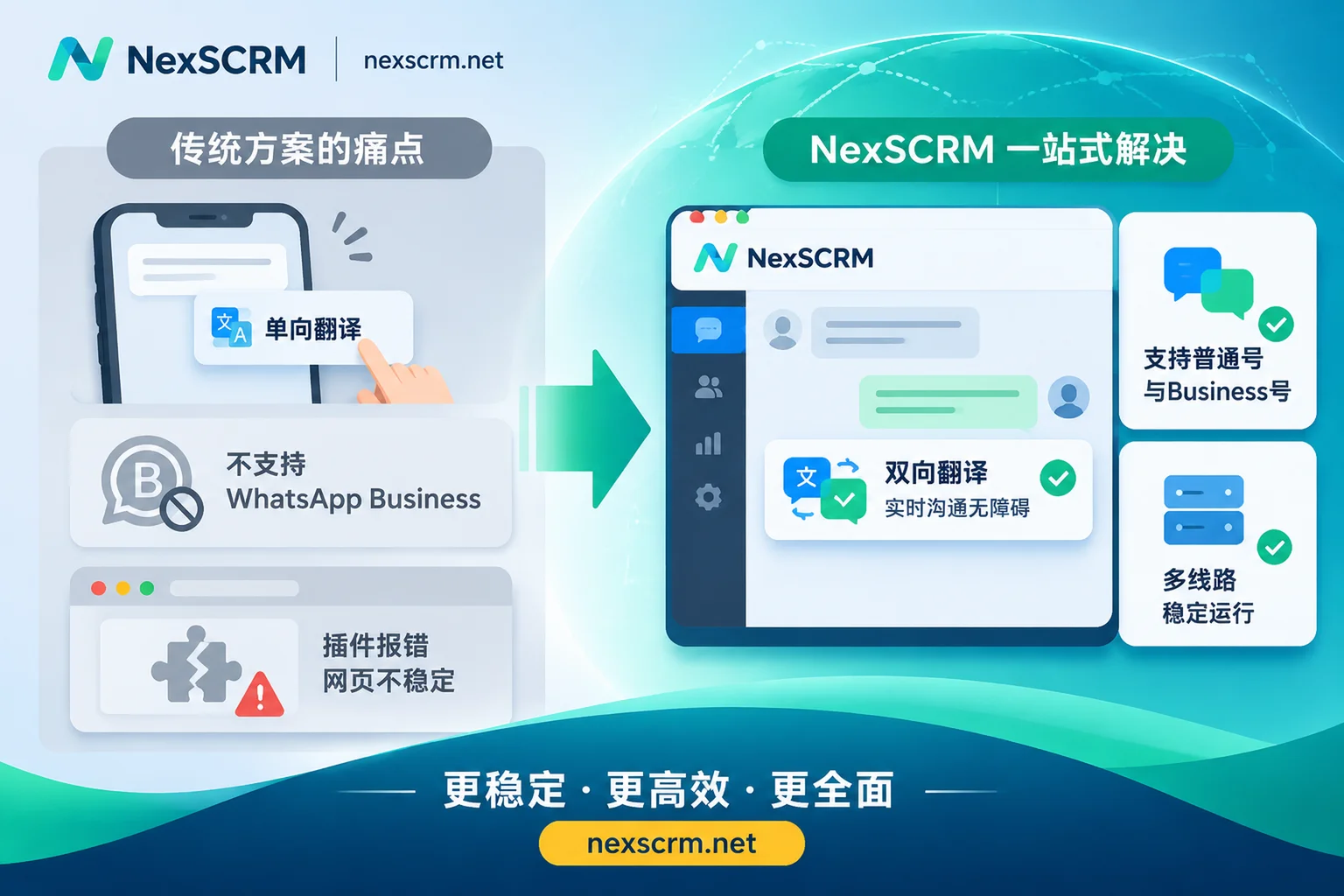
Official native message translation works by downloading language packs locally on the phone and running on-device. Currently, it is only rolled out to Android and iOS mobile devices. For foreign trade sales and customer service who need to handle a dozen conversation windows simultaneously at their computers every day and frequently send product materials and quotations, there is still no native translation support on desktop. - Not Supported on WhatsApp Business App
WhatsApp's official help documentation explicitly states that this native translation feature currently does not support WhatsApp Business App. In cross-border business, many teams rely precisely on Business accounts to display business directories, set labels, and receive ad traffic. This means their primary business accounts cannot enjoy the benefits of official updates. - Only "Comprehension," Not "Composition" (Lack of Outbound Translation)
The core logic of the official feature is "reading comprehension"—after receiving a foreign-language message, long-press to view the translation (Android supports enabling auto-translation of received messages in one-on-one chats). But when salespeople reply to customers, the input box does not have the ability to automatically convert Chinese into the target foreign language. To reply idiomatically in the customer's native language, they still cannot escape the tedious copy-paste process. (Further reading: Still Manually Copying and Translating WhatsApp? The Real-Time Multilingual Communication Revolution for Foreign Trade Private Domain Teams) - Limited Minority Language Coverage; Voice and Images Remain Blind Spots
The first batch of official local language packs on Android supports only 6 languages: English, Spanish, Portuguese, Russian, Arabic, and Hindi, while iOS supports only 19 common languages. In addition, foreign trade customers habitually send long dialect voice notes, packaging drawings with foreign-language annotations, or payment receipt images—none of which official translation can handle.
2. The "Hidden Pitfalls" of Web Translation Plugins: Why Do They Always Fail at Critical Moments?
Since the official app doesn't support desktop, many teams' first reaction is to search for free WhatsApp web translation extensions in the Chrome browser. This approach does work for single-account, low-frequency communication, but when the team grows to more than 3 people and the number of accounts reaches a dozen or more, the fragility of browser plugins erupts:
- Slight Page Structure Changes Cause Total Breakdown: Browser translation plugins work by reading the web page DOM nodes of
web.whatsapp.comand forcibly inserting translated text next to message bubbles. Once WhatsApp officially tweaks the underlying web code structure without notice, the plugin instantly cannot find insertion points, resulting in "no response when clicking translate," "input box freezing," or garbled translations. The team can only passively wait for the plugin developer to release a patch days later. - Multiple Instances and Plugin Overlap Cause Severe Lag: To manage multiple numbers, customer service reps often switch between a dozen browser profiles, each running translation plugins and proxy extensions. Soaring memory usage not only causes message delays but also frequent disconnections requiring re-scanning due to abnormal browser environments. (For troubleshooting stability in multi-instance environments, see: WhatsApp Multi-Instance Lagging and Disconnecting? Avoid Browser Profile and Plugin Conflicts to Build a High-Concurrency Customer Service Workstation)
- Single Free API Struggles with Technical Terms and Slang: Lightweight plugins mostly call a single public free translation API. Facing Latin American customers' Portuguese abbreviations, Middle Eastern customers' industry jargon, or rigorous industrial product parameters, literal translations are often stiff or even opposite in meaning, easily causing misunderstandings in quotations and after-sales.
3. Four Hard Criteria for Choosing Professional WhatsApp Translation Software
To break free from reliance on fragile plugins, mature going-global teams, when selecting WhatsApp translation software, usually choose desktop-level SCRM workstations that embed translation capabilities directly into the underlying client. Take NexSCRM as an example—a cross-language communication tool that can truly withstand business pressure should achieve a closed loop in the following four practical aspects:
| Evaluation Dimension | Official Mobile Native Translation | Browser Web Translation Plugin | NexSCRM Desktop Client |
|---|---|---|---|
| Supported Terminals and Accounts | Mobile standard numbers only; no desktop or Business accounts | Browser web only; laggy with multiple instances | Independent desktop workstation; both standard and Business accounts can log in |
| Translation Direction and Interaction | Only inbound message translation; replies left to your own devices | Two-way translation, but subject to web DOM updates and failures | Native built-in two-way real-time translation; original and translated text preserved on same screen |
| Multimedia Message Support | Text messages only | Mostly text only; few support voice with extra fees | Supports text, image, and voice message translation (available by version) |
| Translation Engine Channels | Mobile local offline language packs; limited languages | Mostly a single public translation API | Google, Microsoft, DeepL, and AI large models with free switching |
1. Client-Embedded Two-Way Translation with Original and Translated Text Side by Side
True efficiency gains come from letting customer service communicate in their native language completely seamlessly. In NexSCRM's multilingual real-time translation workspace, the translation module is built directly into the software's core, requiring no browser extension installation. When a customer sends a foreign-language message, the system automatically detects the language and displays a Chinese translation; when customer service types Chinese in the input box, it can be automatically translated into the target language before sending. More importantly, the chat window retains both original and translated text, making it easy for salespeople with some foreign language skills to verify key figures and model numbers at any time, avoiding errors.
2. Switch Between Multiple Engine Channels Anytime, Lock Exclusive Languages per Contact
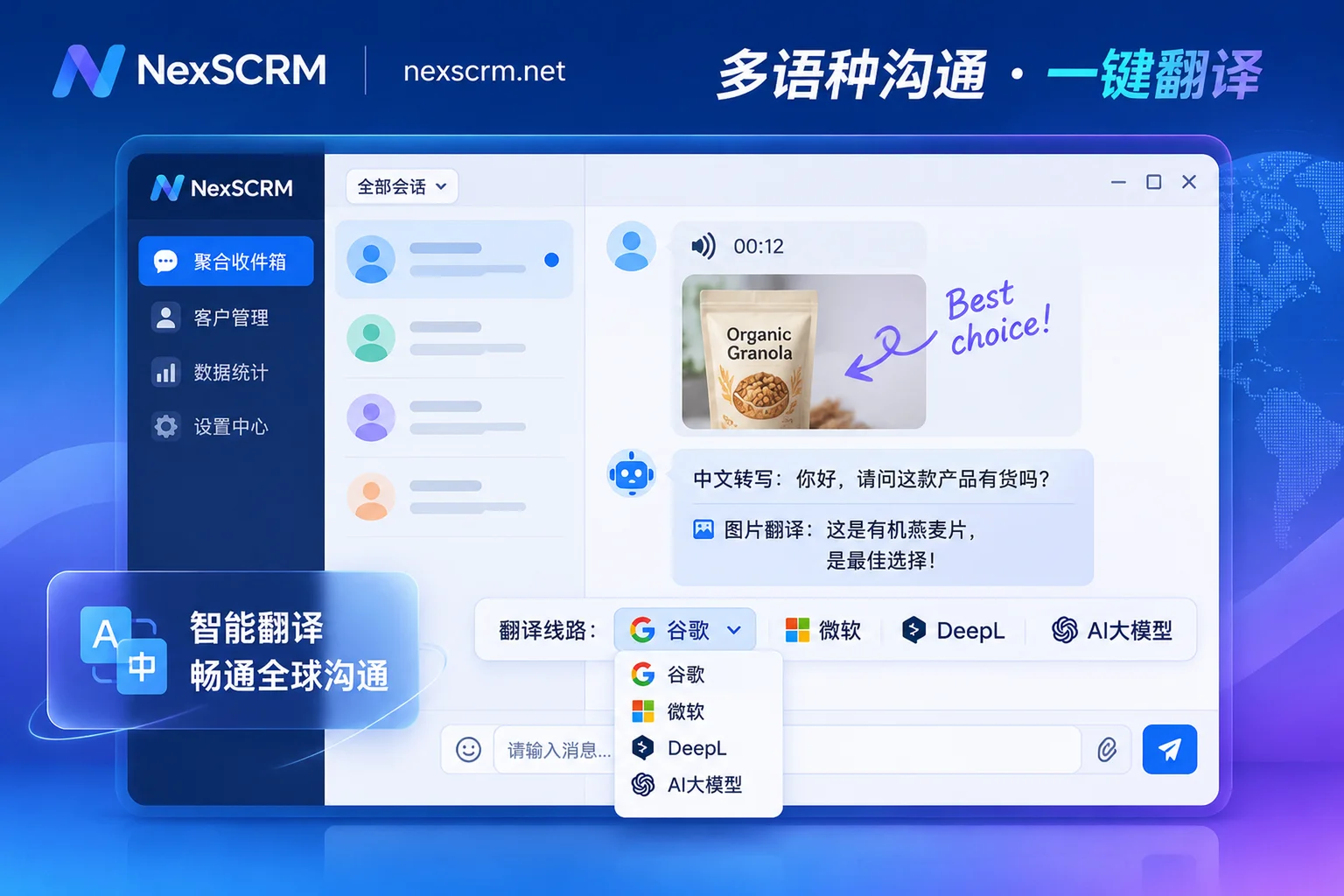
Different languages and business scenarios have vastly different requirements for translation engines. For example, DeepL often produces more natural results for long European and American business sentences, while for Southeast Asian minority languages or colloquial expressions, AI large models or Google channels that consider context may be more accurate. NexSCRM supports flexible switching among Google, Microsoft, DeepL, and AI large models; it also supports setting translation languages individually per contact—even if the same WhatsApp account serves customers from Brazil (Portuguese), Mexico (Spanish), and Saudi Arabia (Arabic) simultaneously, the system can match the corresponding target language when switching conversation windows, avoiding the embarrassment of sending in the wrong language.
3. Handle Direct Voice and Image Translation to Bridge Multimedia Communication Gaps
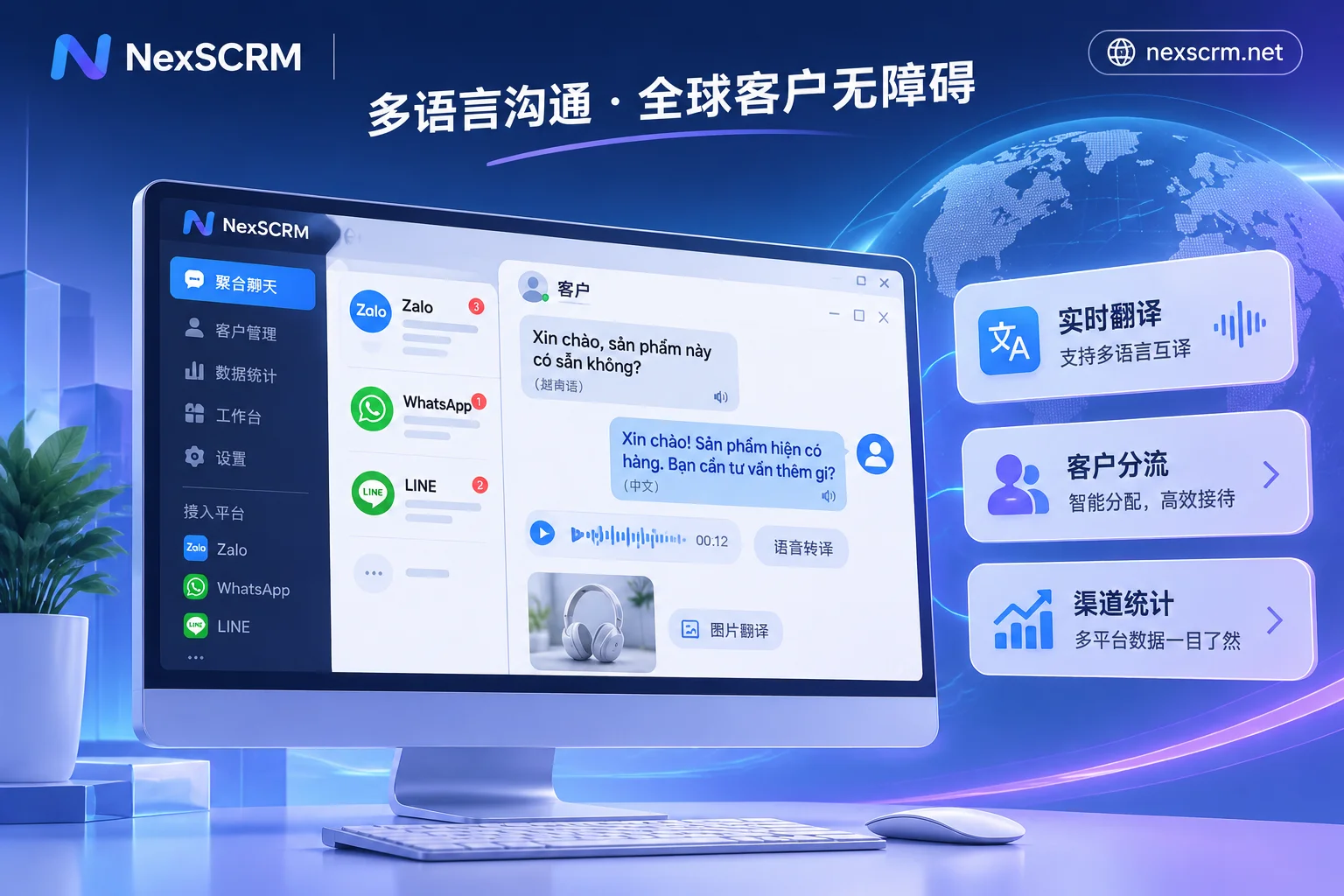
Overseas customers strongly prefer sending voice messages and real-shot images when chatting on mobile. If customer service has to record voice from computer speakers into text with a phone each time, or save images and throw them into image recognition tools, the golden response time is long gone. By supporting image and voice message translation (available by version), foreign-language voice messages from customers can be directly transcribed and translated into Chinese in the conversation flow, and product images or documents with foreign-language labels can be recognized and understood directly within the workstation, greatly shortening inquiry qualification time.
4. Beyond Understanding Foreign Languages: Embedding "Real-Time Translation" into the Complete Foreign Trade Follow-Up Loop
In actual business, "understanding what the customer says" is only the first step. How to respond quickly, manage accounts, and turn chat-generated intent into team assets is key to conversion rates. (Further reading: More Than Translation: Why Are Today's Cross-Border Teams Seeking Full-Chain "Real-Time Chat Translation+" Solutions?)
When teams migrate daily reception to NexSCRM, translation capabilities naturally mesh with the underlying SCRM operations and risk control modules:
- Secure Multi-Account Aggregation: Say Goodbye to Frequent Disconnections and QR Code Scanning
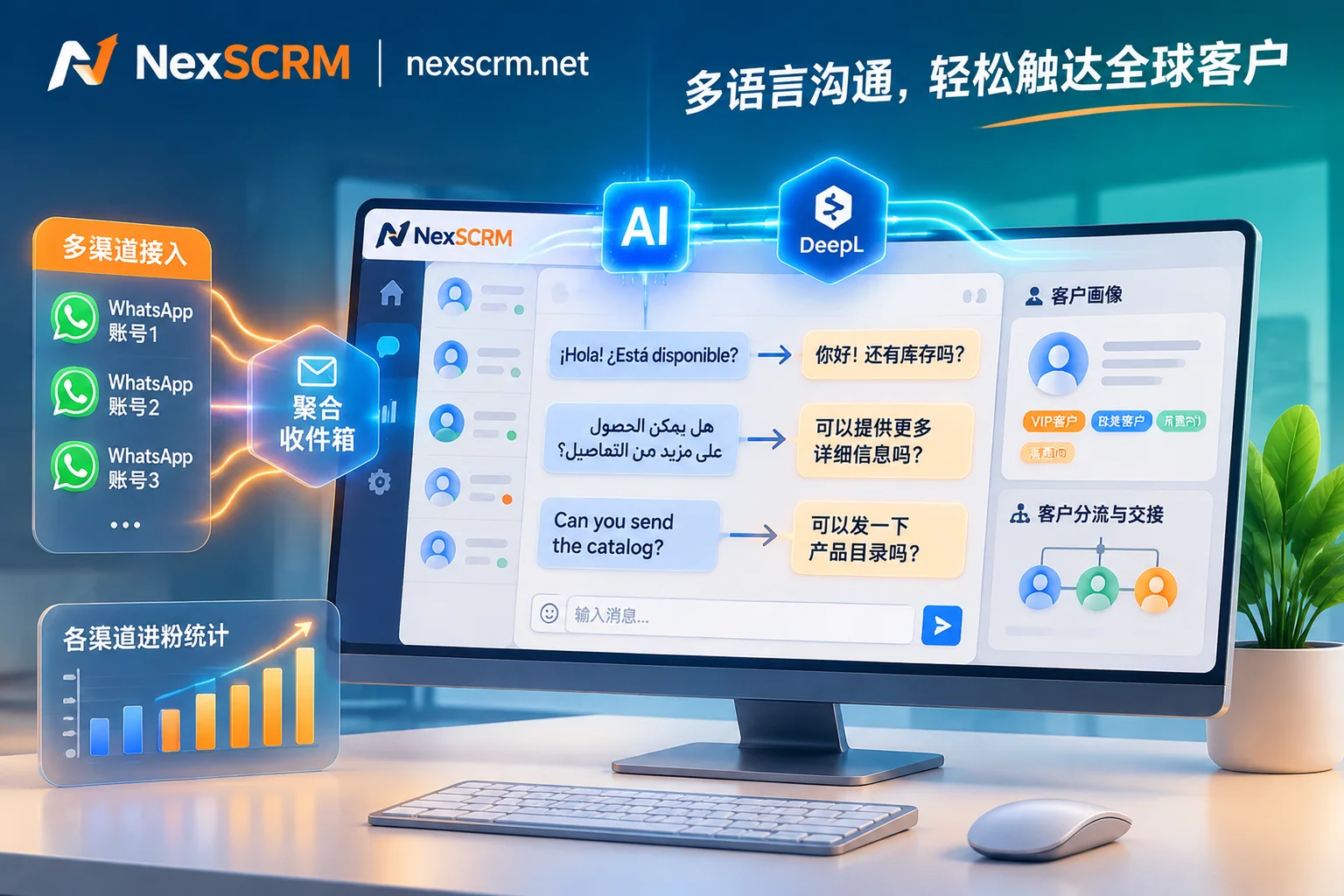
Whether WhatsApp standard or Business accounts, or cross-platform accounts like Telegram, LINE, Zalo, Instagram, etc., all can be managed in one workstation through multi-account aggregation for unified message sending and receiving, with centralized reminders for unread messages. Each account runs in an independent fingerprint environment, supports binding session-level proxy IPs, and automatically saves login status—no need to re-scan with a phone when restarting the software the next day. - AI Script Collaboration + Quick Templates: Eliminate the "I Know What It Means But Can't Reply" Block
Translation solves language barriers, but new customer service reps often don't know how to write high-conversion business replies. With AI scripts and auto-replies, AI can generate reply suggestions based on customer questions and historical conversations, which customer service can confirm and send via translation; when new customers come in, welcome messages can be automatically triggered or AI can greet automatically. Combined with personal and public quick reply templates (supporting variable replacement) in customer operations and real-time customer profiles on the right (tags, notes, source channels, and follow-up records), any customer service rep can instantly grasp the context. - Minority Language Chats No Longer a Management Black Box; Anti-Fraud and Lead Counting Implemented Simultaneously
Previously, when salespeople chatted privately with customers in minority languages, supervisors found it hard to spot-check in real time, easily leading to fraud or service attitude issues (see: Foreign Trade Anti-Fraud Can't Rely Only on Post-Event Record Review: A Guide to In-Process Interception of Private Payments, Minority Language Blind Spots, and Sensitive Behavior). After enabling automatic two-way translation and chat record backup and employee internal control, all conversations and media files are automatically backed up to the cloud, and supervisors can directly search Chinese or foreign-language keywords in the backend for review; combined with data masking, sensitive word and private payment monitoring, and an accurate deduplication lead counter, the entire process from "traffic entry—multilingual reception—risk control retention" becomes transparent and controllable.
Conclusion: Leave Your Energy for Negotiation, Let Tools Handle Language Barriers
WhatsApp's official mobile long-press translation solves the reading needs of personal light social use; what foreign trade and cross-border teams face on desktop is a business game of high concurrency, multiple accounts, and strong conversion. Rather than consuming customer service patience with frequent web plugin failures and shuffling between phone and computer, it's better to directly build a desktop-level SCRM workstation with built-in multi-engine translation.
NexSCRM adopts a flexible per-port subscription model and supports stacking unlimited-time translation character packs. If you are looking for a stable WhatsApp translation and multi-instance solution that supports desktop, covering both standard and Business accounts, you can now visit the NexSCRM download page to get the client (limited-time free trial available, no credit card required), or check the pricing and version plans to configure an exclusive efficient communication workstation for your team.