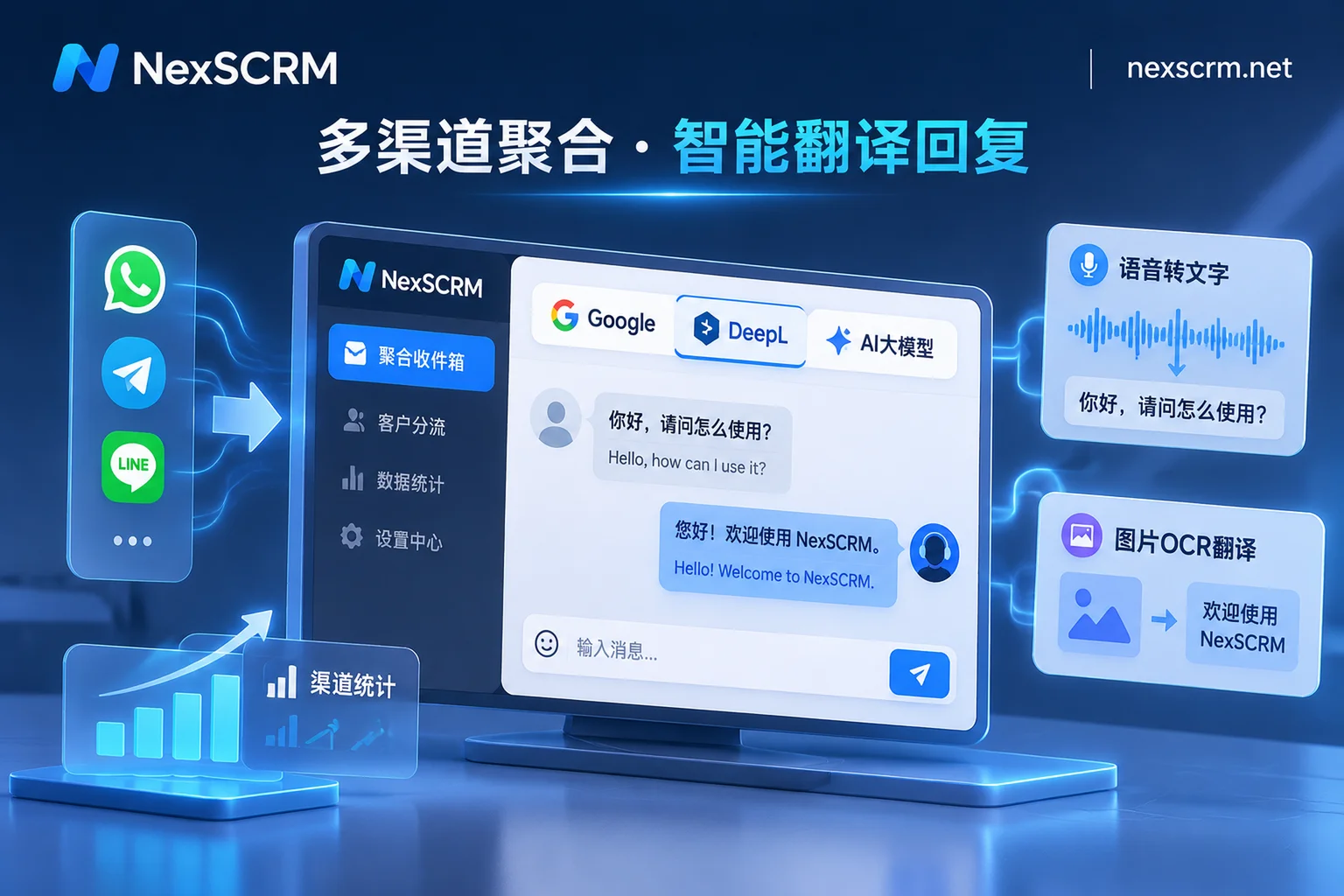
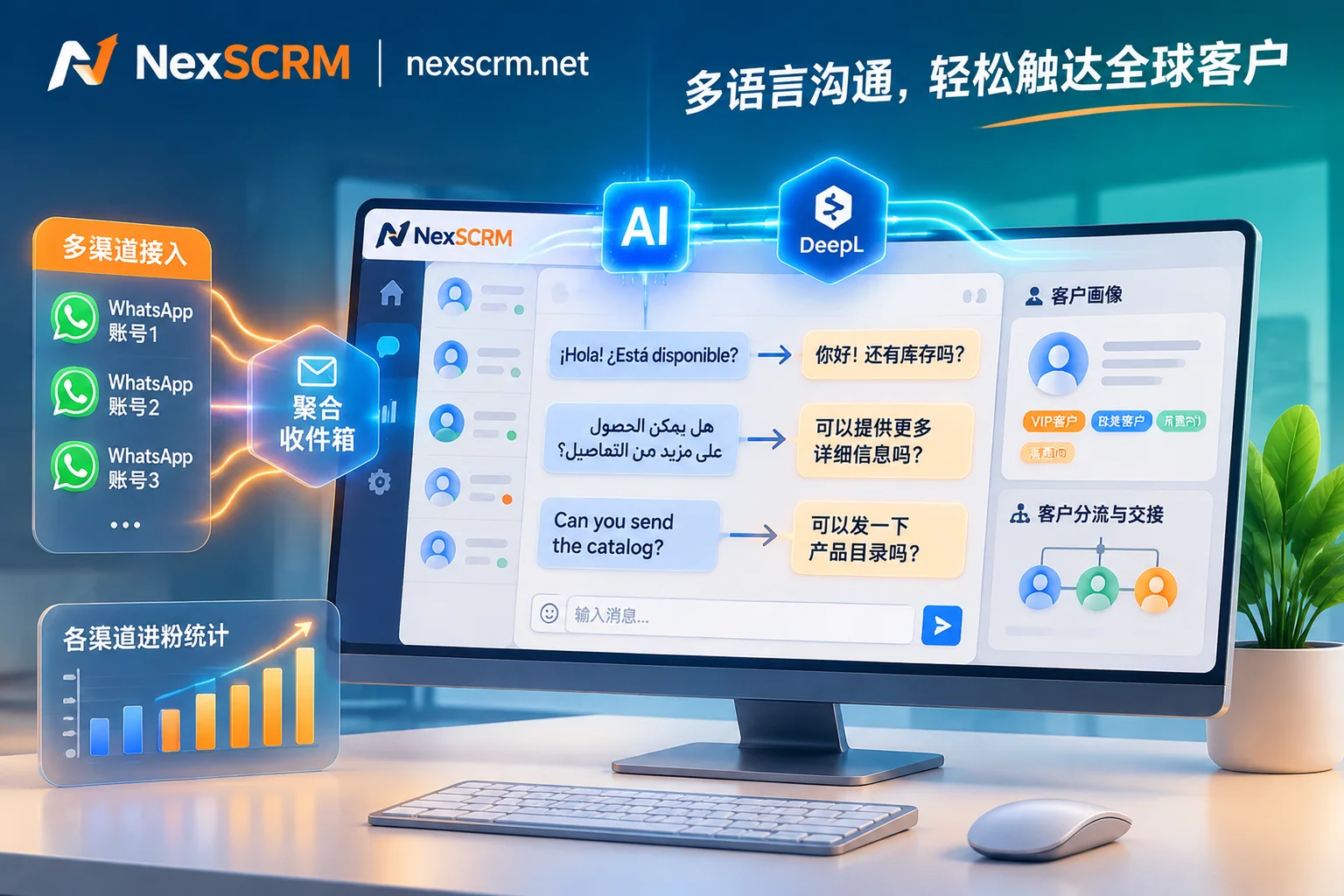
 NexScrm官方博客
In foreign trade B2B negotiations and cross-border e-commerce private domain engagement, real-time chat translation has long evolved from a "nice-to-have" into infrastructure for customer service and sales workbenches. Yet many cross-border teams still run into frustrating conversion bottlenecks in daily operations: every message gets auto-translated in seconds, but the customer stops replying mid-conversation; or when confirming customized specifications or after-sales return details, a stiff literal translation causes misunderstanding and even directly loses the deal.
As global buyers' social media communication habits become increasingly fragmented and colloquial, foreign trade teams' demand for real-time chat translation has moved past the early stage of "being able to understand the literal meaning" and is heading deep into "eliminating the machine translation feel, mastering business nuance, and handling voice and image across all modalities."
Starting from real business pain points, this article breaks down how cross-border teams can escape the limitations of a single translation plugin and build a high-conversion cross-language communication defense line using multi-route engine routing and contextual collaboration.
1. Why Does Your "Real-Time Chat Translation" Always Feel Off to Overseas Customers?
Many cross-border sellers discover when reviewing chat logs that what their customer service sent looks polite and thoughtful in Chinese, but after translation into the target language it reads mechanical, stiff, and even carries a strong "commanding tone." The causes of this cross-language communication loss usually cluster around the following three blind spots:
1. A Single Translation Engine Cannot Cover All Languages and Industry Contexts
Mainstream translation engines each have their strengths. Traditional neural machine translation (such as Google Translate) stands out in language coverage and response speed, but when handling long, complex sentences or subtle business expressions from European and American buyers, it tends to produce stiff word-for-word translations; DeepL is more natural in grammatical structure and idiomatic expression for European languages; and when facing internet slang, unpunctuated abbreviations, and e-commerce vertical jargon (such as free shipping, pre-sale, tiered pricing) from young buyers in Southeast Asia and Latin America, AI large models can often leverage stronger contextual reasoning to deliver translations that better fit the context. If the whole team is locked onto a single translation route from start to finish, it will inevitably encounter "cultural mismatch" in some markets.
2. "Language Detection Drift" Caused by Short Sentences and Mixed-Language Chats
In fast-paced private chats on WhatsApp, Telegram, or Instagram, customers often split messages into multiple extremely short sentences, or even mix English words into their native language (for example, Vietnamese or Middle Eastern customers mixing "MOQ," "FOB," or "OK" into local languages). Ordinary web translation plugins triggered on a per-sentence basis (for plugin instability issues, see How to Choose WhatsApp Translation Software? Avoid the Web Plugin Failure Trap) are prone to language detection drift when encountering short phrases, mistranslating a reply that should be in Arabic or Spanish into English and disrupting the entire conversation rhythm.
3. Voice and Images Become "Dead Ends" in Real-Time Communication
Buyers in Latin America, the Middle East, and Southeast Asia strongly prefer sending long voice messages, or directly snapping a photo of a handwritten purchase order, a competitor's packaging, or a faulty part and sending it over. If the workbench only supports plain text translation, customer service must download the image locally, open a third-party OCR tool to recognize it, or hold a phone up to the computer screen to record and translate voice. This few-minute operational gap is enough to lose a high-intent buyer who is comparing prices across multiple vendors.
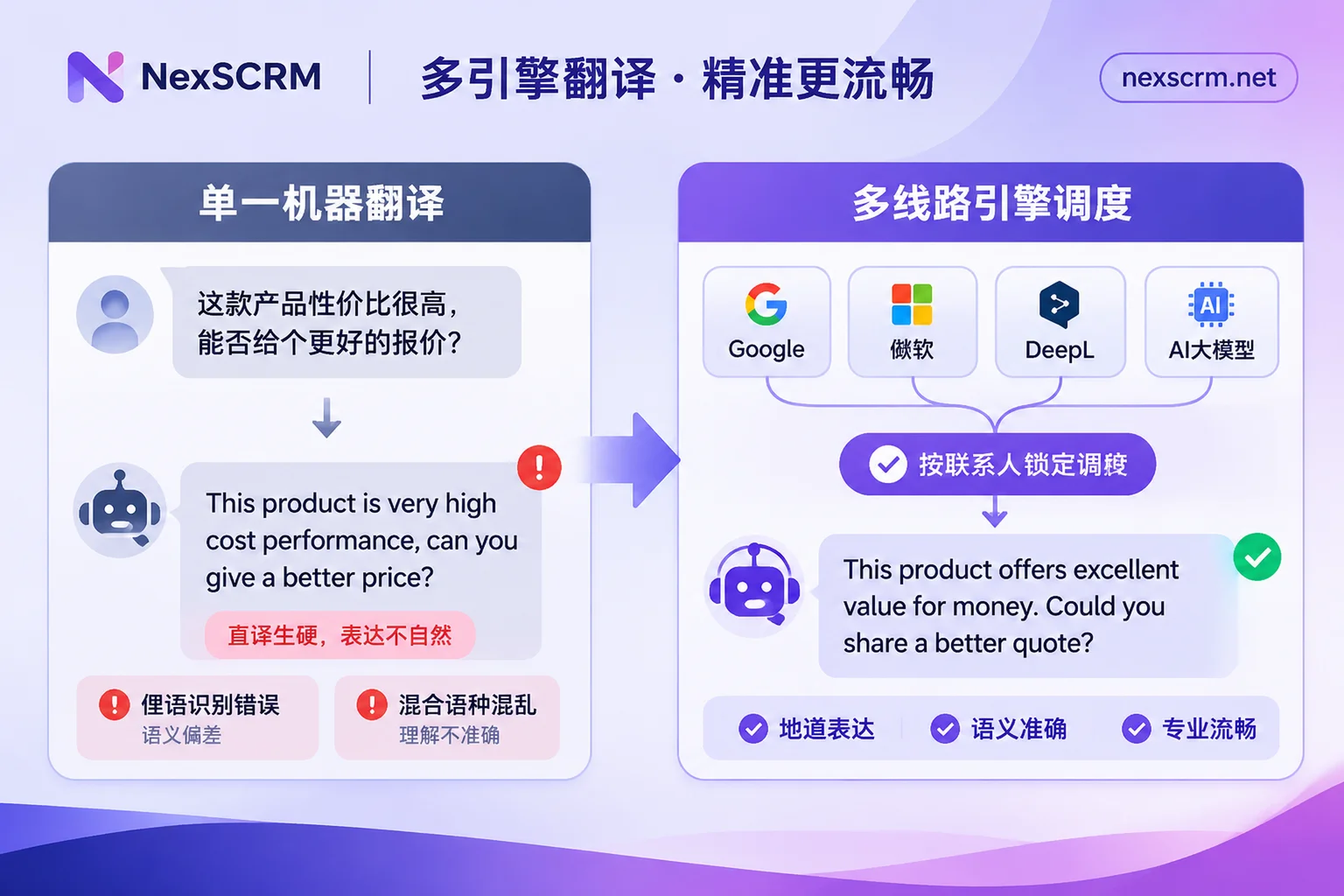
2. The Core Breakthrough: Multi-Route Engine Routing and "Personalized" Language Locking
For real-time chat translation to truly serve high-ticket inquiries and refined private domain operations, the translation tool cannot just be a script hanging on a browser; it must be deeply embedded in the client's underlying layer with flexible routing capabilities.
Take the cross-language social SCRM desktop software NexSCRM as an example. Its built-in multilingual real-time translation system requires no browser plugin installation and provides teams with refined translation control directly within the client:
1. Free Switching Among Google, Microsoft, DeepL, and AI Large Model Routes
To overcome the limitations of a single engine, NexSCRM integrates Google, Microsoft, DeepL, and AI large models and other translation routes within the client:
- Daily high-frequency quick messages and broad language screening: When customer service handles routine greetings and logistics inquiries from a large influx of new followers, they can use the Google or Microsoft route to ensure ultra-fast bidirectional automatic response.
- Rigorous European and American business negotiations: When following up with B2B wholesalers in Germany, France, Spain, and other European countries and needing to discuss contract terms and custom craftsmanship, switch to the DeepL route with one click to ensure the translation conforms to local rigorous business etiquette.
- Slang decoding and high-EQ after-sales reassurance: When encountering colloquial complaints or slang haggling from Latin American or Southeast Asian customers (such as practical handling of inaccurate Instagram DM slang translation), switch to the AI large model route and leverage the model's contextual understanding to defuse customer resistance.
2. Set Translation Language Per Contact to Eliminate Detection Drift
In the NexSCRM workbench, the system not only automatically detects the language of incoming messages but also supports setting and locking the translation language separately for each contact. Once it is confirmed that a WhatsApp or Zalo customer comes from a specific country, the salesperson only needs to fix that contact's conversation to the target language. Even if the customer later sends short letter abbreviations or mixed Chinese-English industry terms, the system will strictly translate bidirectionally according to the preset language, completely ending the awkwardness of "Spanish in one sentence, then English suddenly popping up in the next."
3. Original Text and Translation Retained on the Same Screen, Balancing Efficiency and Internal Verification
While automatically translating messages bidirectionally, NexSCRM retains both the original text and the translation in the chat interface. On one hand, this design makes it easy for salespeople with some foreign language foundation to verify key figures, model numbers, and trade terms at any time; on the other hand, when team supervisors monitor chat records in the backend or review the causes of lost deals, they can intuitively compare the original text with the translation to check for semantic deviations.
3. Full-Modal Handling: Bringing Voice and Images into the Real-Time Translation Pipeline
In real cross-border social scenarios, "being able to understand text" only solves half the problem. For the multimedia communication methods overseas customers frequently use, teams need to complete a full-modal translation loop.
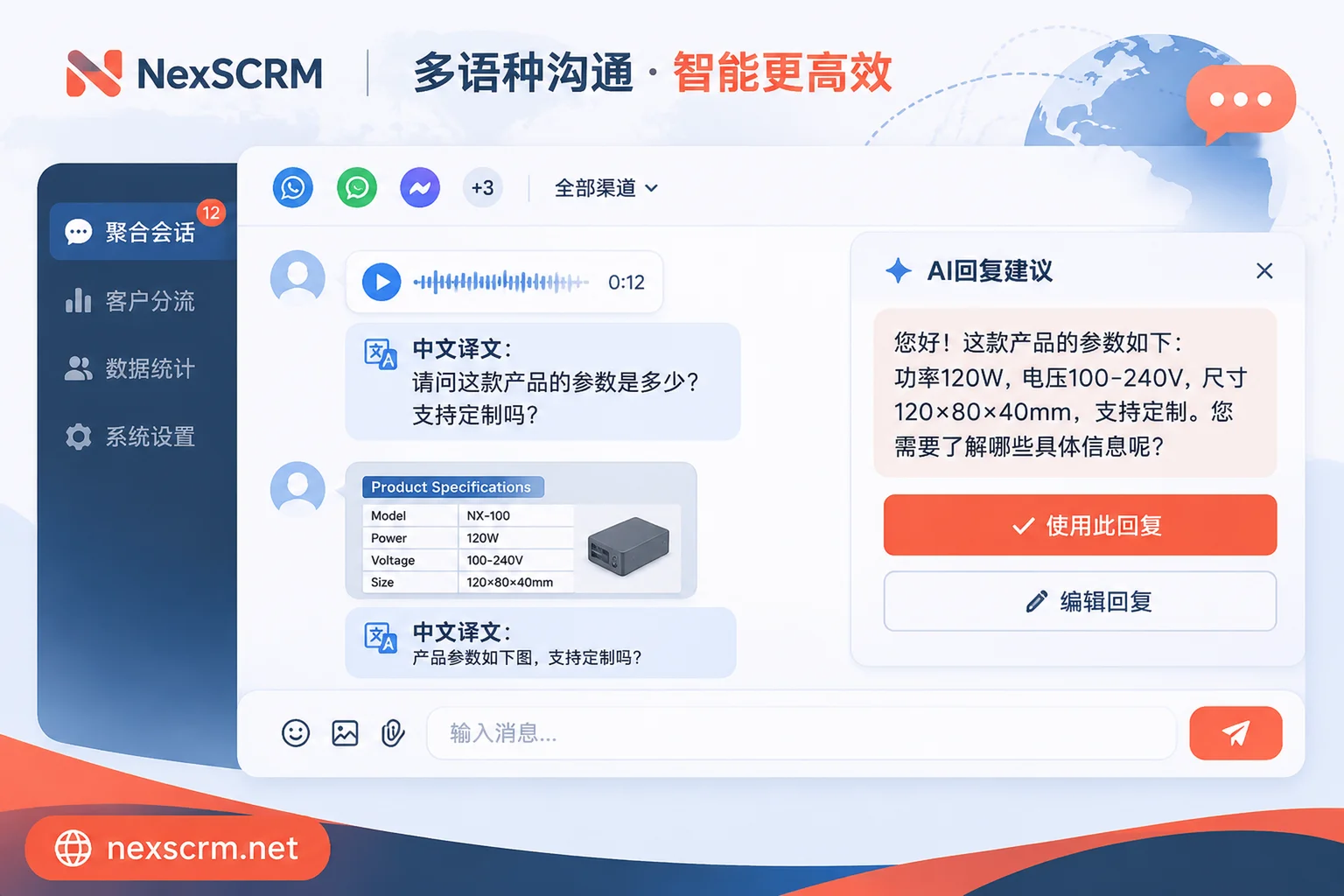
In NexSCRM (image and voice translation available by version), in addition to basic bidirectional text translation in seconds, customer service can handle multimedia messages directly within the chat window:
- Voice message translation: When facing long voice messages from Middle Eastern or Latin American customers, there is no need to play the recording aloud; the client directly completes speech recognition and converts it into Chinese text, allowing customer service to quickly grasp customer needs even in a noisy office environment.
- Image message translation: When a customer sends a parameter table, error screenshot, or photo of an offline store containing foreign text, complete the image text translation directly within the workbench, quickly verify the details, and provide a professional quote (for more platform details, see Practical Guide to Zalo Image and Voice Translation on Desktop).
4. From "Accurate Translation" to "High-Conversion Replies": A Collaborative Loop Between Translation and AI Scripts
Accurately translating what customers say into Chinese and accurately translating customer service's Chinese into foreign languages essentially solves the "information transfer" problem. But to equip the customer service team (especially new hires) with top-sales-level communication conversion rates, it is also necessary to combine real-time chat translation with script libraries and AI-assisted replies (further reading: Why Cross-Border Teams Are Seeking a Full-Chain "Real-Time Chat Translation +" Solution).
In NexSCRM's one-stop workbench, cross-language communication can run efficiently along the following standard operating flow:
- Omnichannel multi-account aggregated handling: Whether inquiries come from WhatsApp, Telegram, LINE, Zalo, or Messenger, Instagram, TikTok, they are all gathered into the same desktop workbench with unified unread message alerts. Each account runs in an independent fingerprint environment and supports binding session-level proxy IPs, saving the time of repeatedly switching accounts and windows.
- AI generates reply suggestions based on context: When a customer raises complex product questions or after-sales objections through multilingual real-time translation, customer service doesn't need to rack their brains over wording. NexSCRM's AI scripts and auto-reply feature intelligently generates appropriate reply suggestions based on the current customer's question and historical conversation records, which customer service can confirm, fine-tune, and send with one click (for boundary control in human-AI collaboration, see How Cross-Border Teams Can Make Good Use of AI Customer Service Assistants).
- Public script library and variable quick replies: Teams can store proven high-conversion multilingual opening lines, payment reminder scripts, and logistics explanations in the public template library, supporting variable substitution and keyword triggers. Combined with the customer profile and tag notes in the right sidebar, customer service can instantly pull up the most matching image-text materials and professional answers while understanding customer intent.
- Flexible resource allocation and asset retention: On cost control, NexSCRM supports subscription by port (i.e., the number of simultaneously online accounts) and comes with non-expiring translation character packs that can be stacked with the subscription. All cross-language chat records and media files are automatically backed up to the cloud. Combined with employee internal control mechanisms such as sensitive word monitoring and private payment monitoring, this ensures that overseas customer assets acquired through heavy investment in traffic remain securely within the team.
Conclusion
In today's increasingly fierce global competition, the contest in cross-language communication is no longer about "whether you have a translation tool," but about "whose communication is more natural, whose response is more coherent, and whose collaboration is tighter." Saying goodbye to rigid single-browser translation plugins and arming your team with a professional SCRM workbench that supports multi-route engine routing, per-contact language locking, and full-modal voice and image parsing is the way to truly turn every cross-border conversation into a real order.
If you'd like to personally test the smoothness of multi-route real-time chat translation and the multi-account aggregation workbench, visit the NexSCRM download page to get the Windows client and start a limited-time free trial (no credit card required).