 NexScrm官方博客
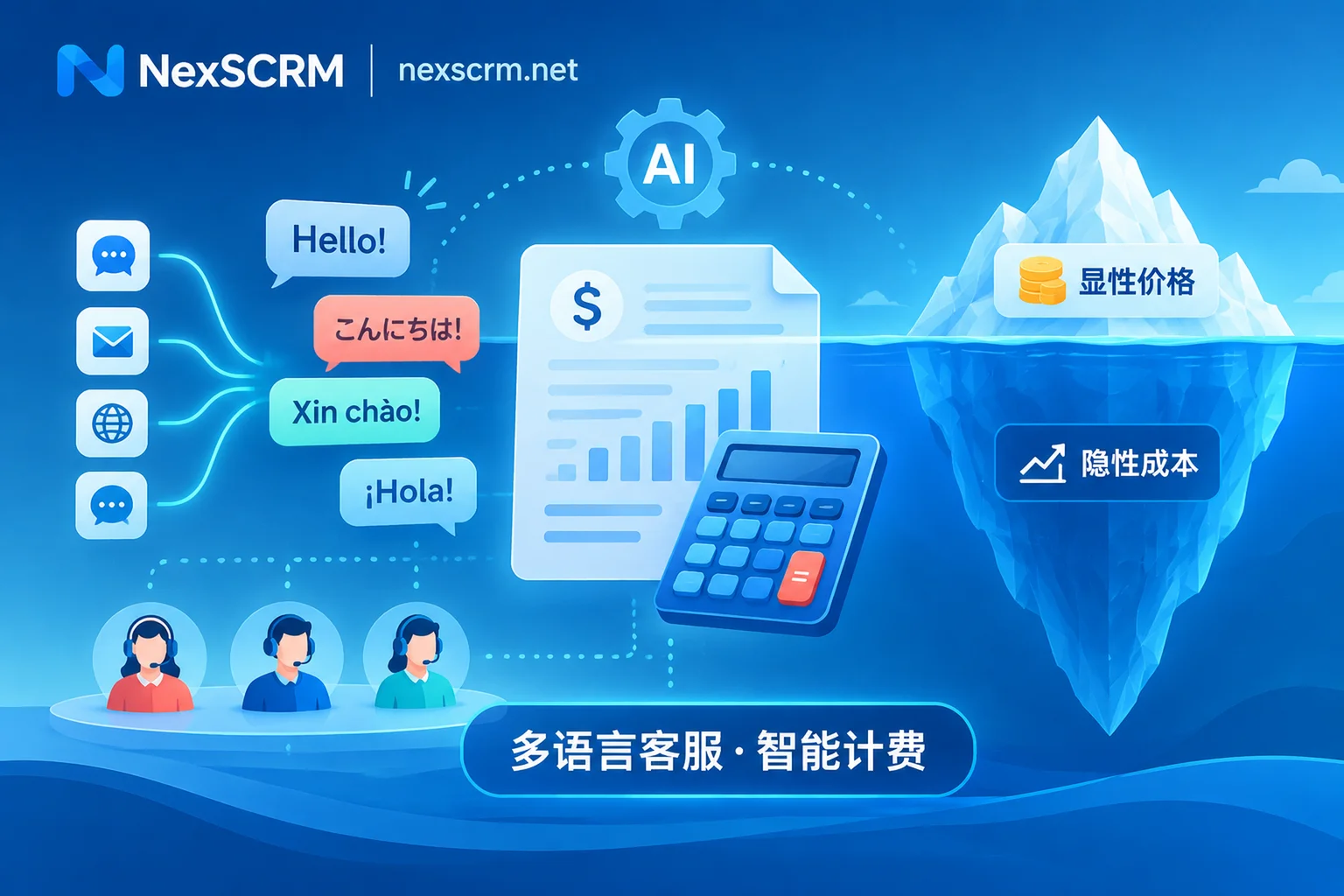
Teams just about to purchase a multilingual customer service system often get more confused the more they browse vendor websites: for the same job of serving overseas customers, some quote tens of yuan per port, some charge hundreds of yuan per agent per month, some charge nearly one dollar per AI resolution, and others directly push "open-source free self-hosting."
Here's the direct conclusion: No single billing model is absolutely the cheapest; the key depends on your "person-to-account ratio" and "communication channels" —
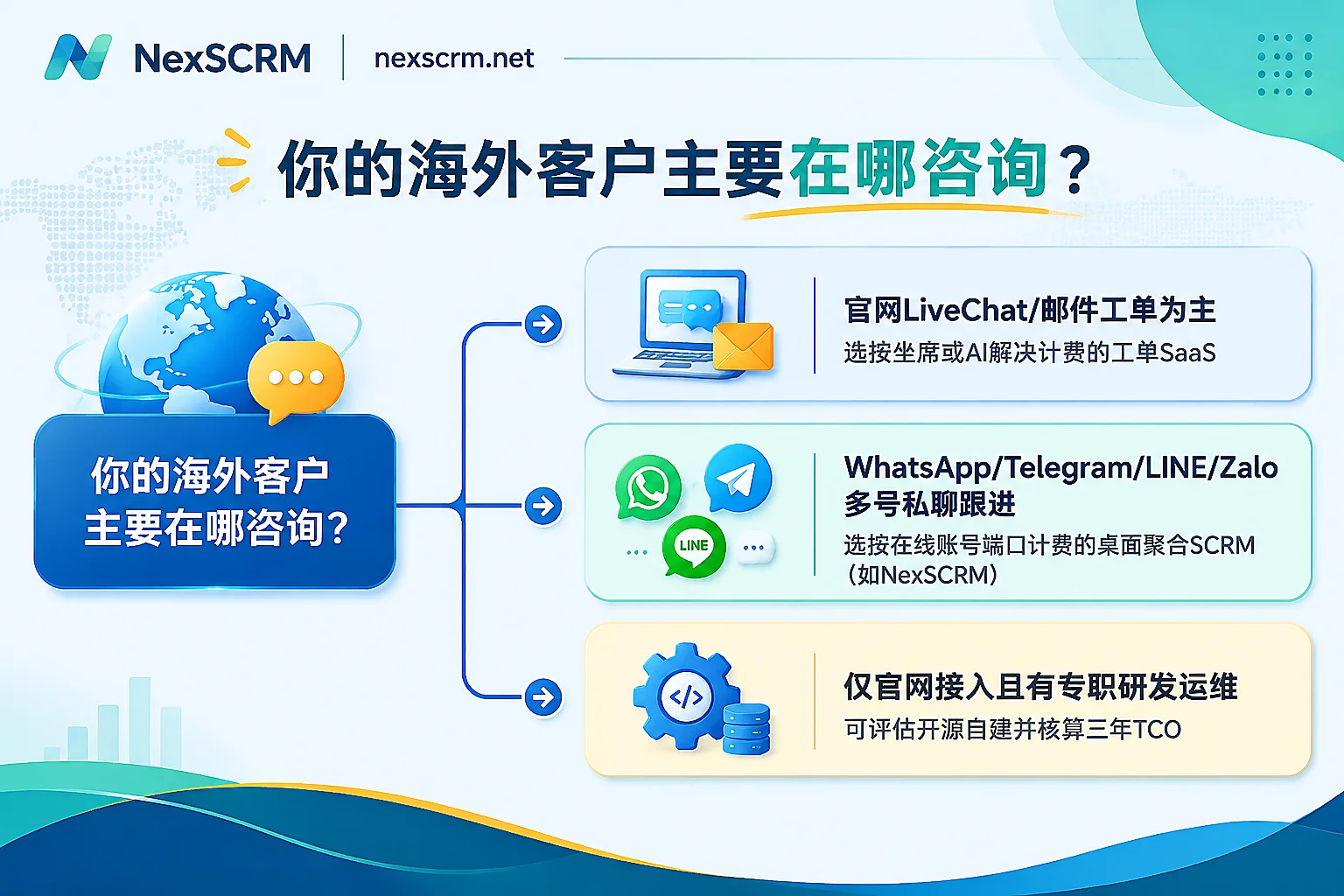
- Mainly handling website LiveChat, email, and after-sales tickets, with few people but heavy ticket processes: Choose a per-agent billed omnichannel ticketing SaaS, and buy fewer idle agent seats.
- Mainly taking orders via social media private chats like WhatsApp, Telegram, LINE, Zalo, with one person managing multiple accounts: Choose a per-port (number of simultaneously online accounts) billed desktop aggregation client for the best value, avoiding being constrained by high per-agent prices and official API message fees.
- Standardized pre-sales/logistics Q&A accounts for a very high proportion (e.g., independent site promotions): Consider adding an AI agent billed per resolution or usage, but you must lock down the definition of "resolved" for billing in advance.
- Want to save on software fees via open-source self-hosting: Unless the company has a dedicated R&D and operations team and only connects to web channels, the labor cost of interface maintenance and multi-account anti-ban usually far exceeds buying a ready-made product.
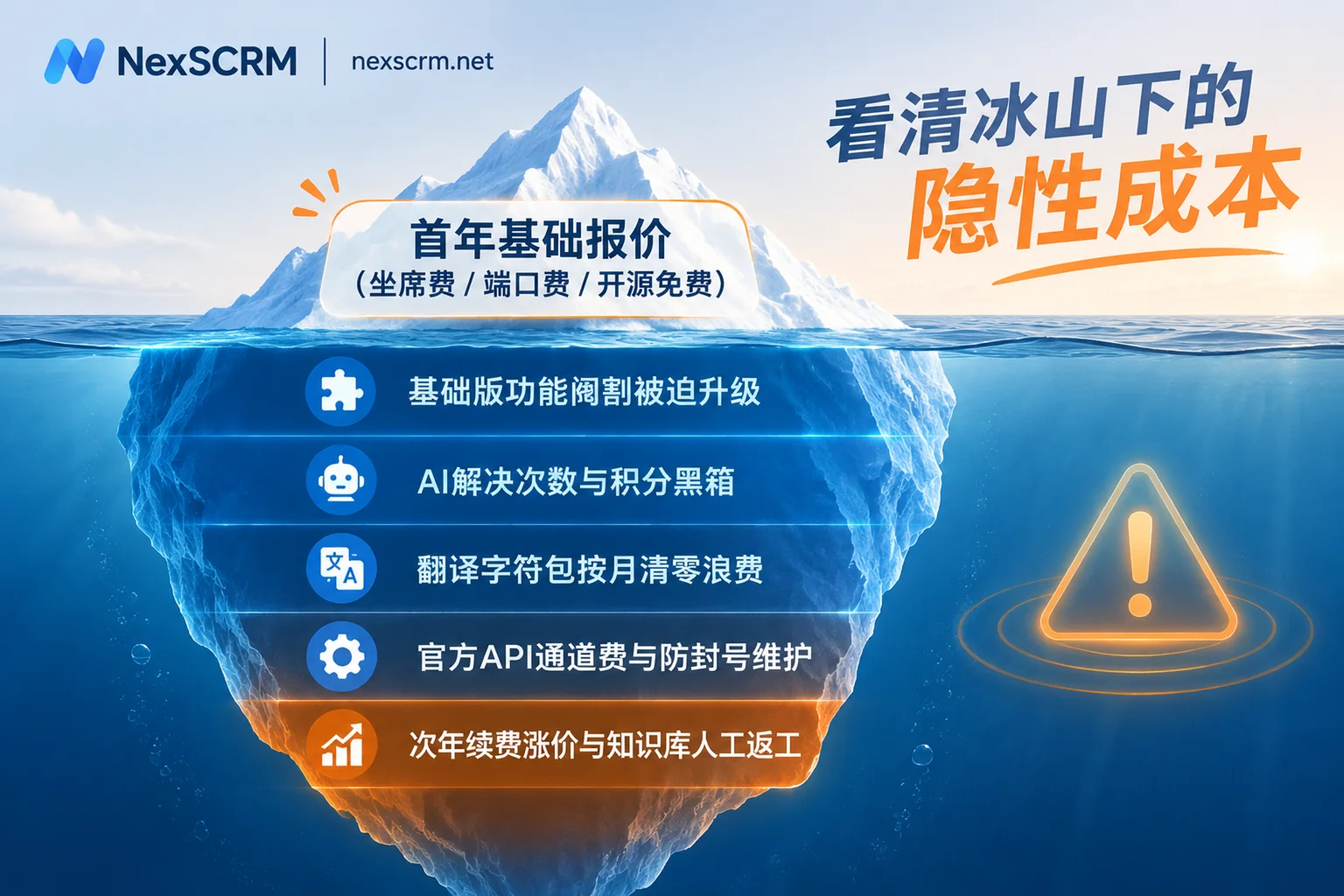
The real waste of money when buying a multilingual customer service system is never the number on the first-year contract, but the five hidden costs that gradually emerge three months after going live.
1. Understand 4 Mainstream Billing Models in One Table: Where Does the Money Actually Go?
Laying out the solutions on the market, behind the quotes are actually four completely different business logics:
| Billing Model | Typical Product Form | How Charges Are Calculated | Best For | Most Common Hidden Extra Cost |
|---|---|---|---|---|
| Per-agent billing | Ticketing-based omnichannel customer service SaaS | Monthly/annual fee per customer service agent simultaneously logged into the backend | Mainly website, email, and in-store messages, with fixed customer service staff | Forced to buy high-priced tiers or extra seats to unlock advanced translation or AI |
| Per-port billing | Cross-platform social media aggregation desktop SCRM | Charged by the number of social accounts simultaneously online | Foreign trade/cross-border teams, one person managing multiple accounts, multiple shifts sharing several account groups | Unlimited accounts but limited multi-device collaboration, or translation characters reset monthly |
| Per AI resolution/credits | Conversational AI Agent platform | Charged per AI-resolved conversation, AI reply count, or credits consumed | Teams with extremely high inquiry volume and high proportion of returns and logistics queries | Vague definition of "resolved," repeated credit deductions for multi-turn calls, high overage unit prices |
| Open-source self-hosting | Open-source customer service framework + translation/LLM API | Software free, pay for servers, model tokens, and development/operations | Teams with dedicated technical staff, strong intranet compliance, and only web/email channels | Frequent maintenance of social media API changes, development of anti-association environments and troubleshooting |
If your team hasn't figured out whether to hire small-language customer service staff, outsource, or implement a system, you can first refer to the three accounts of self-hiring small-language staff, outsourcing, and system procurement to lay out the labor baseline, then look at how to pay for software.
2. Five Hidden Costs to Check Before Buying: Why Actual Costs Often Double
Many teams only compare the "first-year base quote" during selection, only to find total spending exceeding budget by double after six months. Before ordering, be sure to include the following five items in your comparison table:
1. Basic Version "Crippled Features" Force You to Pay More for Upgrades
Many low-price packages state on the pricing page "supports multilingual real-time translation," but a closer look at the terms reveals: the free or basic version only opens a single basic translation route, chat records are kept for only 30 days, and even the number of simultaneous receptions and report exports are limited. By the time small-language customers complain that "machine translation sounds too stiff," or supervisors need to check operation logs and sensitive word audits, you have to upgrade the entire package to the high-priced enterprise version, or buy unnecessary seats just to get AI quota.
2. The Black Box of AI "Per Resolution" and "Credit System" Definitions
In recent years, overseas and domestic vendors have started charging by AI resolution results (some mainstream overseas platforms charge around $0.99 to $2 per resolution), or using an "AI Credits pool" to uniformly deduct for replies, summaries, and image recognition. Before estimating costs, you must clarify three details:
- If the customer doesn't speak again after the AI reply, does it count as "resolved" and get charged?
- Is there a charge when the AI transfers the issue to a human agent?
- Do unused monthly credits or translation character quotas reset to zero at the end of the month?
3. Translation Character Packages Reset Monthly, Losing on Both Peak and Off-Peak
Cross-border businesses often have obvious peak and off-peak seasons. If translation character quotas are tied to a monthly subscription and "expire," buying high tiers in off-peak is wasteful, and during Black Friday or new product launches, a surge in orders leads to high overage charges. A more reasonable approach is to pay for basic software by scale, with translation character packages that support stacking without expiration, deducting as you use.
4. Overseas Official Channel Fees and "Pseudo-Aggregation" Anti-Ban Costs
Traditional ticketing SaaS connecting to WhatsApp usually requires enterprises to use the official WhatsApp Business API, which, besides platform seat fees, also requires additional per-message or per-conversation template fees to channel providers, and cannot directly attach the ordinary personal or local social media accounts that salespeople are using to follow up on orders. If you choose an open-source framework to save money (e.g., self-deploying an open-source customer service system and connecting third-party unofficial bridges and translation APIs), it looks like zero software cost, but overseas social media platforms update frequently, and the labor cost of maintaining API disconnections, fingerprint isolation, and anti-ban in practice is often several times higher than directly purchasing vertical commercial software.
5. Second-Year Renewal Price Increases and Rework Costs of "Low-Priced AI"
Some vendors use low-price "thousands of yuan per year" contracts to attract customers in the first year, then no longer offer discounts on renewal, or add extra interface call fees and storage expansion fees. The more hidden cost is: if you choose a low-priced bot with weak underlying semantic capabilities to save money, after going live, operations have to spend hours manually cleaning the knowledge base every day, customers still frequently complain about irrelevant answers, and ultimately you still have to hire additional human agents to fill the gap.
3. Match Your Business Form: How to Configure for Maximum Savings
After calculating hidden costs, selection actually only requires clearly seeing where your customers mainly chat and how your team divides work.
Scenario A: Mainly Independent Site LiveChat, Email, and Store After-Sales
If customers rarely add private social accounts, most issues center on "checking logistics tracking numbers, changing shipping addresses, requesting returns/exchanges," and you need deep integration with the order system to automatically execute after-sales actions, then a per-agent billed ticketing customer service system is more suitable. Focus on knowledge base maintenance difficulty, AI's true independent resolution rate (excluding inflated data where "a welcome message is sent but ultimately transferred to a human"), and whether context is complete when a human takes over.
Scenario B: Foreign Trade/Cross-Border Teams Taking Orders on Multiple Accounts on WhatsApp, Telegram, LINE, Zalo
For teams that acquire, nurture, and follow up with customers long-term using overseas social apps, the pain point is often not ticket flow, but "many accounts, mixed languages, fear of bans, fear of employees leaving and taking customers."
If such teams buy traditional per-agent SaaS, not only is it difficult to stabilize a dozen ordinary WhatsApp, LINE, or Zalo accounts in one interface simultaneously, but they also have to pay high monthly fees for each agent and API channel. At this point, using a cross-platform desktop multilingual customer service system like NexSCRM makes the math much easier:
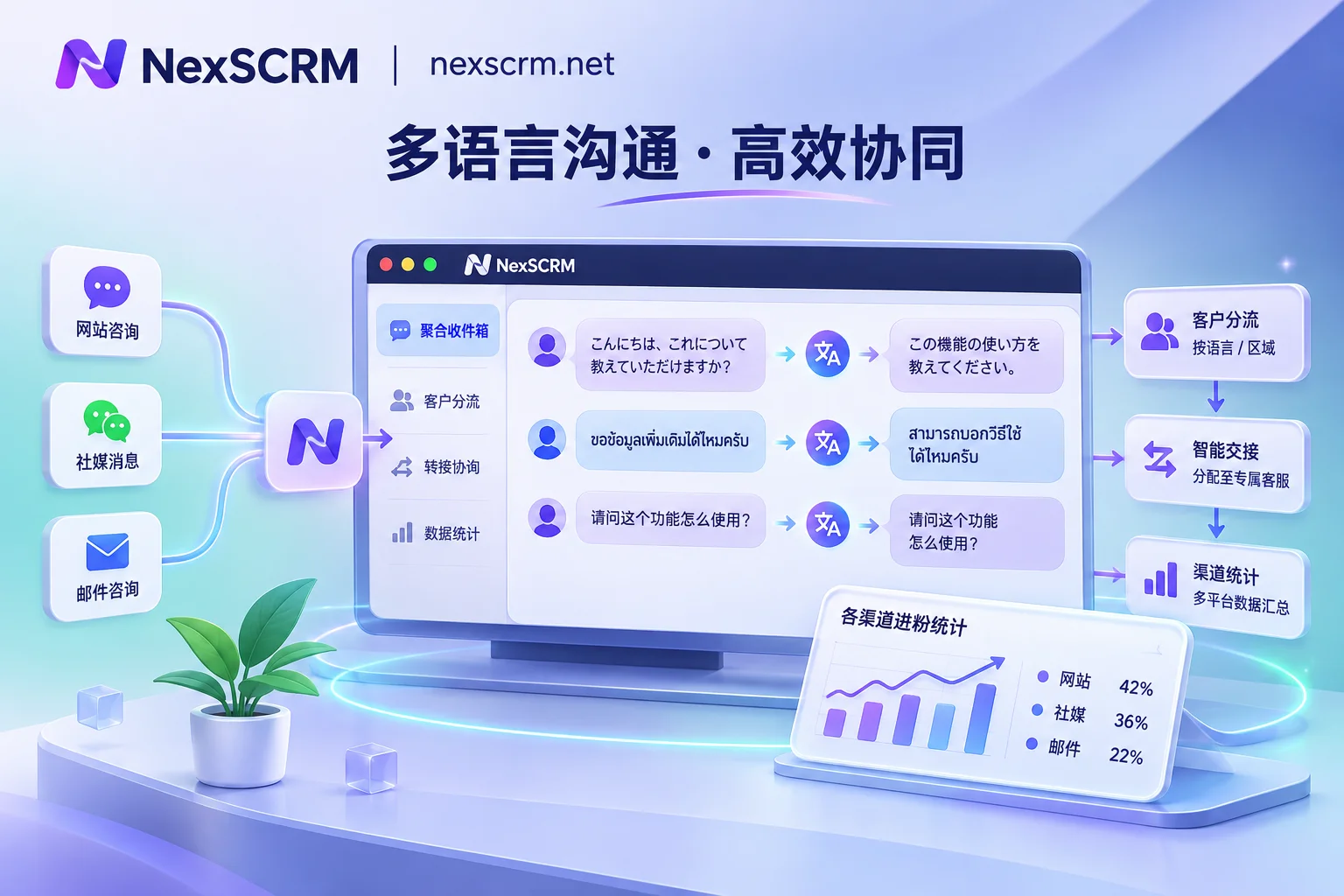
- Subscription billed per port, decoupling people and accounts without waste: In NexSCRM, ports are calculated by the "number of simultaneously online social accounts" (for specific conversion methods, see what ports mean and account number conversion), supporting upgrades or downgrades at any time. The main account assigns ports and permissions, and sub-accounts support multi-device login with role-based visibility control. Whether one salesperson manages 5 accounts simultaneously or 3 customer service staff take shifts watching the same batch of main accounts, you only pay for the ports of accounts actually online.
- Built-in multi-route translation, character packs stack without expiration: Translation is built directly into the Windows client, no need for easily failing browser plugins, supports simultaneous display of original and translated text, automatic language recognition, and can lock translation language per contact and switch between Google, Microsoft, DeepL, or AI large model routes at any time (for how to choose routes at different communication stages, see multi-route translation engine scheduling guide). The accompanying translation character packs have no expiration and can be stacked with subscriptions; buy more in peak season without waste, and no waste in off-peak. Image and voice message translation are also available by version.
- Bundle "anti-ban, anti-fly-order, and counting" into the same workbench: Each account runs in an independent fingerprint environment and can bind session-level proxy IPs, automatically retaining login status on restart to avoid repeated QR code scans; built-in AI reply suggestions (generated then confirmed by customer service before sending, avoiding fully automatic random promises), lead counting and split link statistics, cloud backup of chat records, as well as data masking and monitoring of private contact/private payment, so customer assets remain on the enterprise side after customer service staff leave.
When evaluating, also clearly see the product boundaries: currently NexSCRM offers a Windows client (the macOS client is marked as coming soon on the download page), focusing on mainstream overseas social platforms and not covering WeChat or WeCom; the data dashboard focuses on lead acquisition, tickets, response, and conversion statistics, and does not provide order revenue attribution or ROI accounting. For specific port tiers, feature differences between versions, and character pack rules, refer to the NexSCRM official pricing page.
4. Before Signing a Contract or Paying, Use These 4 Steps for a Zero-Risk Trial Calculation
No matter which type of multilingual customer service system you ultimately lean toward, go through the following four steps before paying the annual fee, and you can basically avoid 90% of budget失控 problems:
- First pull the real baseline from the past 30 days: Count "number of accounts simultaneously online per day," "actual number of scheduled staff," "average monthly message characters sent/received," "proportion of image and voice messages." Without these four numbers, any package recommendation from sales is just guesswork.
- Send the same three-year total cost of ownership (TCO) inquiry sheet: Ask each candidate vendor to specify under the same terms—what the basic package includes, whether the second-year renewal returns to original price, how translation overage or AI overage is charged, and whether exporting historical chat records is charged.
- Use 15 real tricky historical conversations for a blind test: Don't just test with "Hello, how much." Find real records with negations ("Can't I return it if unopened?"), currencies and size units, Southeast Asian colloquialisms or abbreviations, and customers sending image quotation sheets, and run them through (for detailed verification methods, refer to foreign trade multilingual chat translation software selection and verification).
- First use a limited-time free trial for 1 to 2 weeks of real combat: Don't rush to pay for the whole year and full team. NexSCRM offers a limited-time free trial without a credit card; it is recommended to first pick a group of high-frequency test accounts, verify account online stability, multilingual translation accuracy, sub-account permissions, and counting statistics, and after confirming it's smooth, expand according to actual port count.
Put the explicit unit price and these five hidden costs in one table and calculate clearly, and you can immediately tell which multilingual customer service system is "looks cheap, expensive to use" and which is truly long-term infrastructure that fits your team's communication style.