 NexScrm官方博客
When operating cross-border businesses in markets such as Japan, Thailand, or Taiwan, LINE is an indispensable communication tool. However, for teams, the biggest headache is often not how to attract traffic, but how to achieve "low-latency, high-accuracy" cross-language communication in LINE chats.
Many salespeople still use the "five-step" manual translation method: copy, switch to translator, paste, copy translation, return to LINE. This not only severely slows down response times but also easily leads to information errors during copy-paste, and even missing the best conversion opportunities due to repeatedly switching windows.
Why do you need a professional LINE translation software?
Simple plugin-based translation often cannot meet complex cross-border business needs. What you need is a solution that integrates "translation" into your "workflow." NexSCRM is born for this purpose; it is not just a translation tool but your cross-border business efficiency workbench.
1. Built-in real-time bidirectional translation, no more manual copying
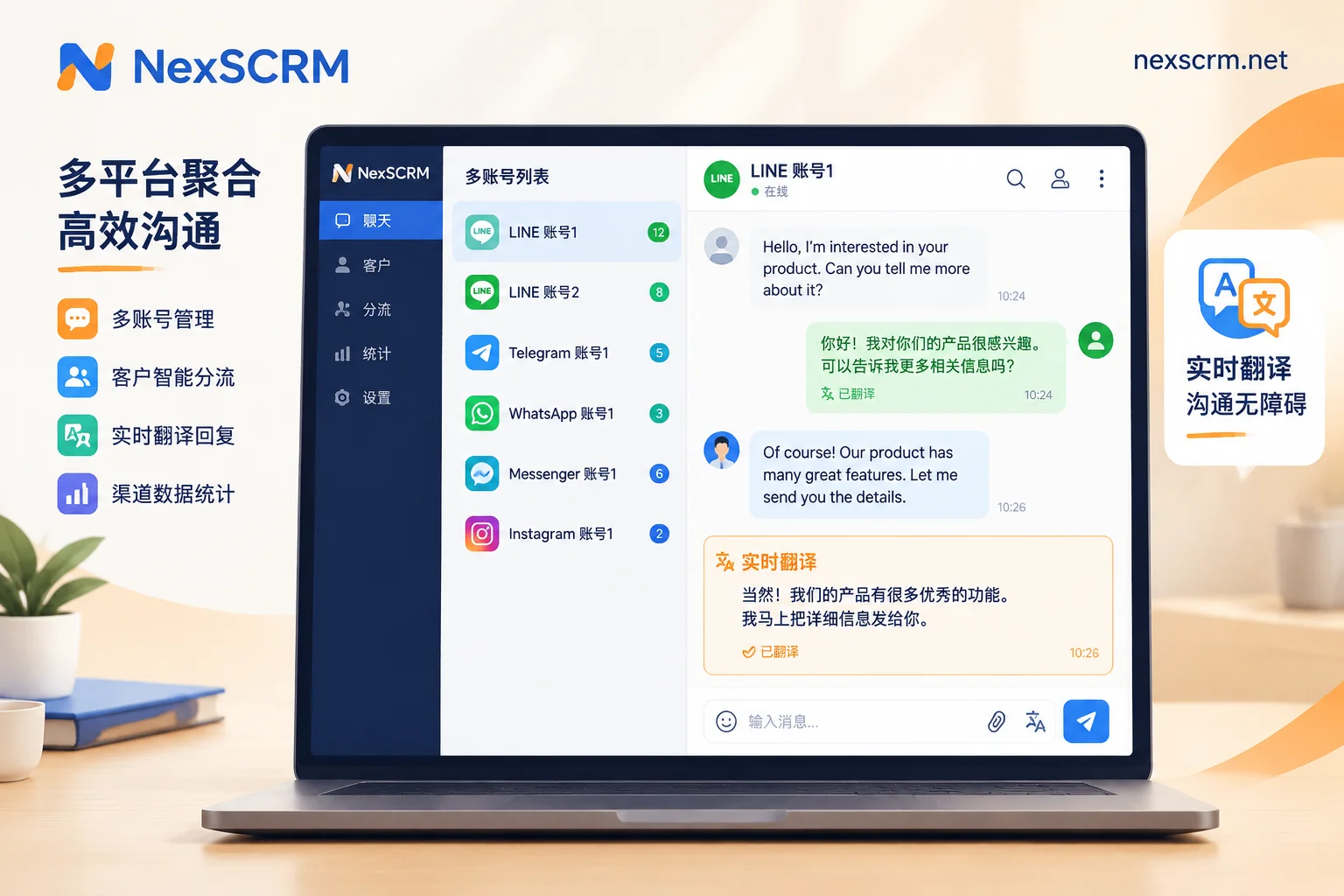
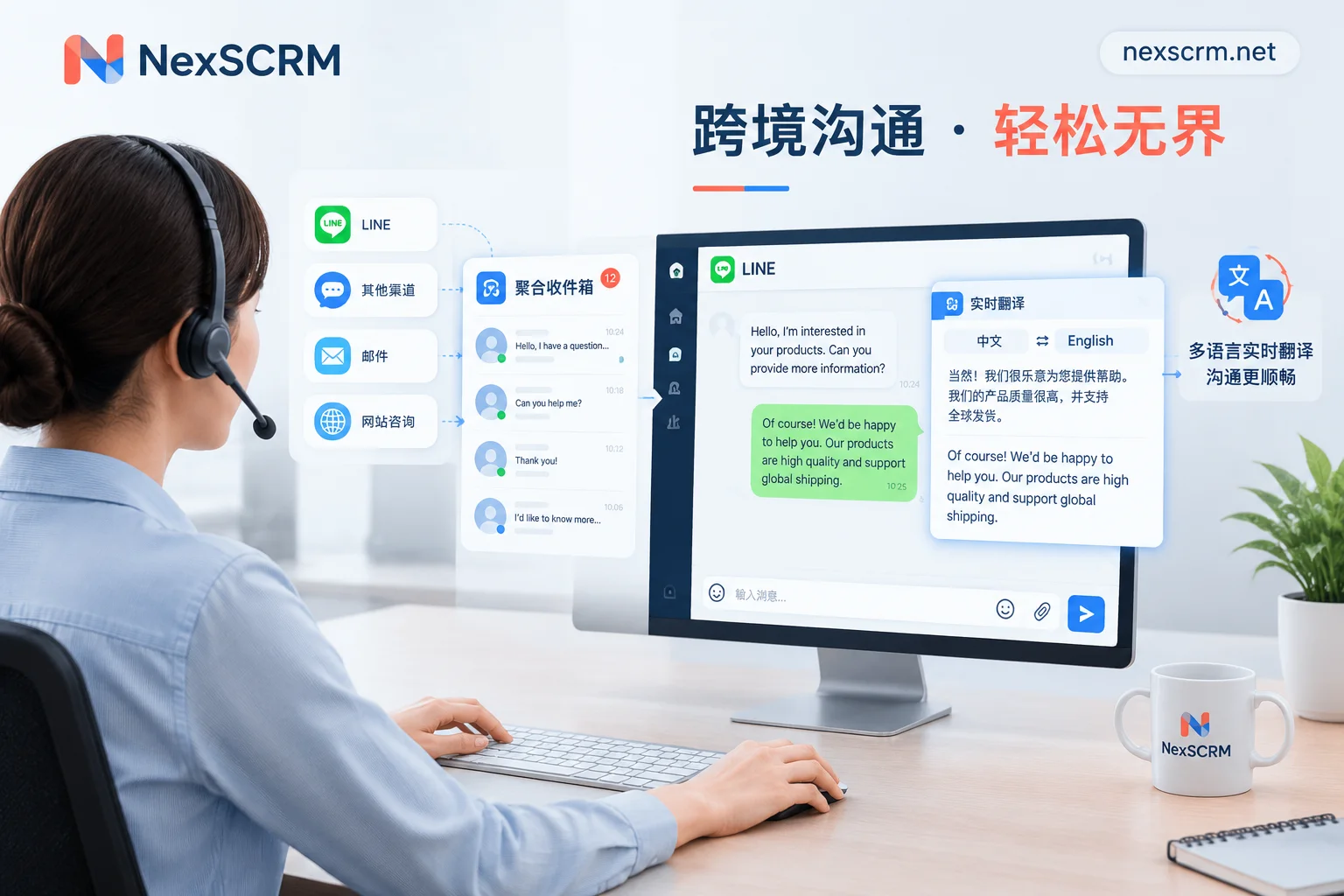
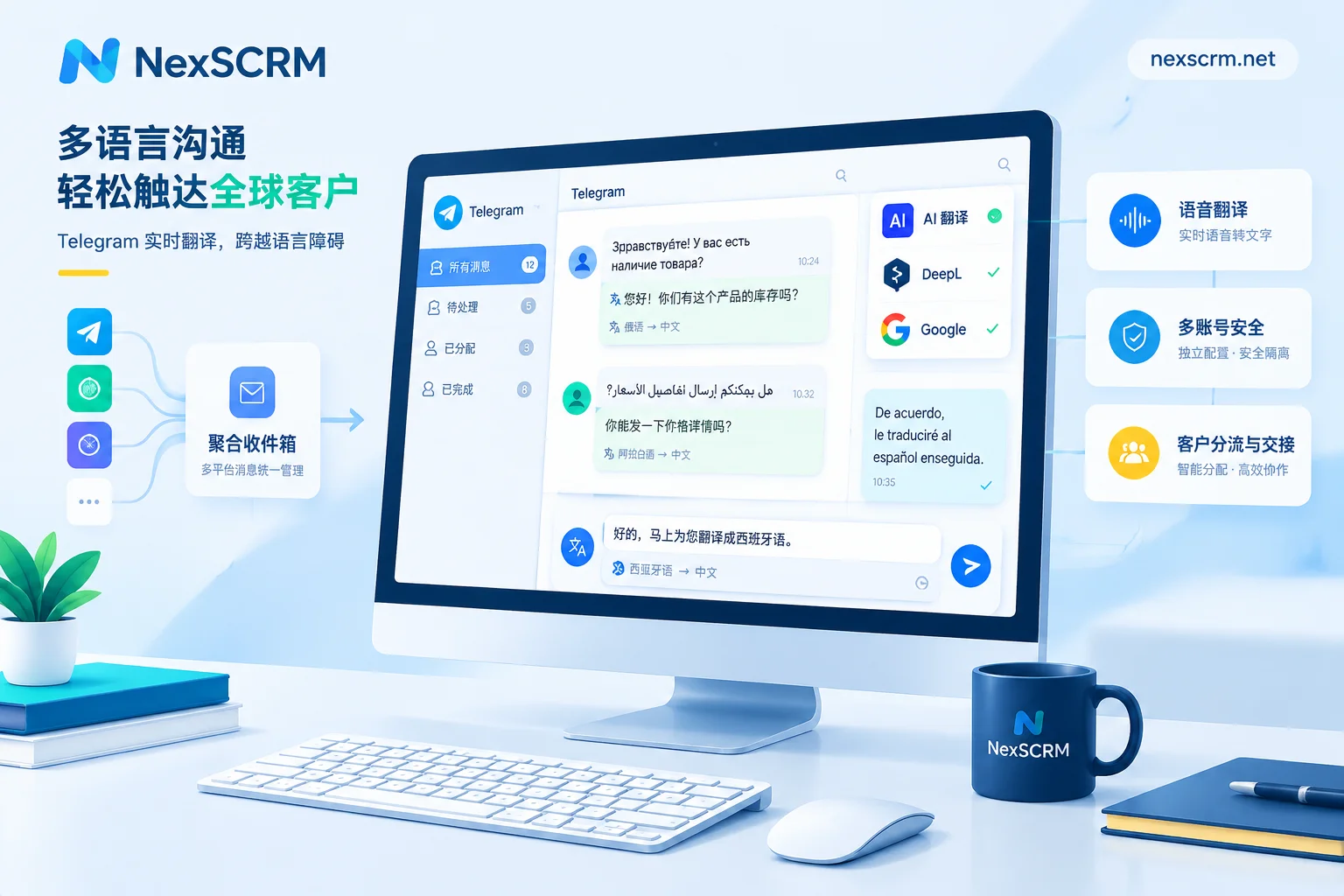
NexSCRM embeds multilingual real-time translation directly into the desktop client. When you receive a Japanese or Thai message from a LINE customer, the system automatically detects the language and displays the Chinese translation below the original text. Similarly, when you type a Chinese reply, the system automatically translates it into the other party's language.
This means you no longer need browser plugins; all work is completed in a closed loop within one window. It supports switching between multiple translation engines such as Google, Microsoft, DeepL, and mainstream AI large models to ensure translation accuracy aligns with business communication habits.
2. Multi-account aggregation, control everything from one workbench
Cross-border teams often face the need to operate multiple accounts. NexSCRM allows you to aggregate and send/receive multiple accounts on platforms such as LINE, WhatsApp, Telegram, and Zalo within the same workbench. Even with multiple LINE accounts online simultaneously, unified unread reminders ensure you never miss any inquiry. More importantly, chat windows can be split and hidden, ensuring independence and privacy between accounts.
3. The "added value" from translation to conversion
Smooth communication is only the first step; retaining customers is the core. NexSCRM not only provides translation but also comes with comprehensive operational auxiliary functions:
- AI script suggestions: Based on customer history, AI assists in generating reply suggestions, greatly reducing customer service pressure.
- Fan counting and duplicate check: Accurately track the number of new fans for each account to avoid harassment from repeated follow-ups.
- Employee internal control and monitoring: Protect enterprise data assets and prevent sales from taking customer resources when they leave. Check customer operation feature details to learn how to better manage your private domain traffic.
Conclusion
The competition in cross-border business is essentially a competition in efficiency. Instead of spending a lot of time on basic manual translation, let tools handle these tedious tasks and focus your energy on high-quality interactions with customers.
If you are still looking for a LINE translation software suitable for team collaboration, we recommend directly downloading the NexSCRM Windows client and trying it out. No credit card required to start a limited-time free trial, making your overseas customer communication go from "laborious" to "smooth."
For more tips on LINE operations, we recommend reading:
- How to set up multilingual versions of LINE rich menus: The backend cannot automatically separate languages, choose from these three methods based on team conditions
- What to send in the first message after adding a friend on LINE Official Account: Four-part structure, message count rules, and directly editable templates


Comments(0)