 NexScrm官方博客
In foreign trade B2B and overseas community operations in Russian-speaking regions, the Middle East, Latin America, and Southeast Asia, Telegram (TG) not only hosts large groups and public channels with thousands of people but is also the main battlefield for high-frequency private chats that drive transactions. However, when facing conversation windows mixed with Russian, Arabic, Spanish, Vietnamese, and various industry jargon, language barriers often directly reduce inquiry response speed and conversion rates.
Many teams, when looking for Telegram translation software, often first try Telegram's official translation button or subscribe to Premium membership, or they add various free translation bots to groups, or install translation plugins in browsers. But when they truly enter high-frequency, multi-account customer service and sales scenarios, these solutions quickly expose their shortcomings.
This article will directly dissect the four mainstream Telegram translation solutions, help overseas teams understand their applicable boundaries, and sort out a practical workflow that balances "two-way translation for sending and receiving, multi-account anti-association, lead counting, and customer retention."
I. Official Translation, Bots, Plugins, and Standalone Software: A Practical Comparison of Four Solutions
Why is it that the same translation function feels sufficient for personal daily channel browsing, but frequently fails when it comes to foreign trade order tracking and community reception? The core reason is that "reading comprehension" and "two-way business communication" are two different things.
1. Telegram Built-in Translation and Premium Membership: Only "Understand" but Cannot "Reply"
Telegram officially provides basic manual translation of individual messages, and after subscribing to Telegram Premium, you can enable "real-time automatic translation of entire chats/channels."
- Core Pain Point 1 (One-way translation): The official function only translates the foreign language sent by the other party into your native language, but the Chinese you type in the input box will not automatically become the other party's language. Customer service still needs to open a third-party translator, translate Chinese into Russian or Spanish, and then copy and paste it back to Telegram to send.
- Core Pain Point 2 (Cost and management): Premium membership is subscribed per individual Telegram account. If the team has dozens of lead generation accounts and customer service accounts, not only is the cost of subscribing each account high, but once an account is restricted, the membership benefits cannot be transferred across accounts.
- Core Pain Point 3 (Lack of multimodality): Overseas customers love to send voice messages or directly send a quotation or product defect image with foreign language annotations. Although the official app offers voice-to-text for some members, to translate the transcribed content into Chinese or directly recognize foreign languages in images, you still need to switch out of the software and operate step by step.
2. Telegram Translation Bots: Spam Noise, Stability, and Privacy Concerns
Many community operators are used to adding third-party translation bots to groups or attaching them to conversations.
- Spam disrupts conversation flow: The bot's working logic is usually to post the translation as a new message immediately below the original message. In a group mixed with English, Russian, and Spanish, every sentence is followed by a string of machine repetitions in different languages, turning normal communication into a spam information stream.
- Disconnections and rate limits: Free or cheap bots often suddenly go silent, report errors, or even stop service due to API overages. If they fail during peak promotion or lead generation periods, customer service is crippled.
- Data leakage risk: Adding external bots to private business groups or customer communication groups means all quotations, contract details, and customer contact information pass through uncontrolled third-party servers.
3. Web Translation Plugins: Only Support Web, Prone to Disconnections, and No Multi-Account Isolation
Solutions that rely on Chrome browser extensions mounted on Telegram Web do not require complex configuration, but they are limited by the browser's underlying mechanisms:
- Once Telegram official or web frontend updates the DOM structure, the plugin may "miss translations" or "freeze the input box";
- Opening multiple Telegram accounts in browser tabs easily mixes cookies and local caches, and frequent browser restarts require re-scanning QR codes to log in, making it unsuitable for multi-account matrix teams.
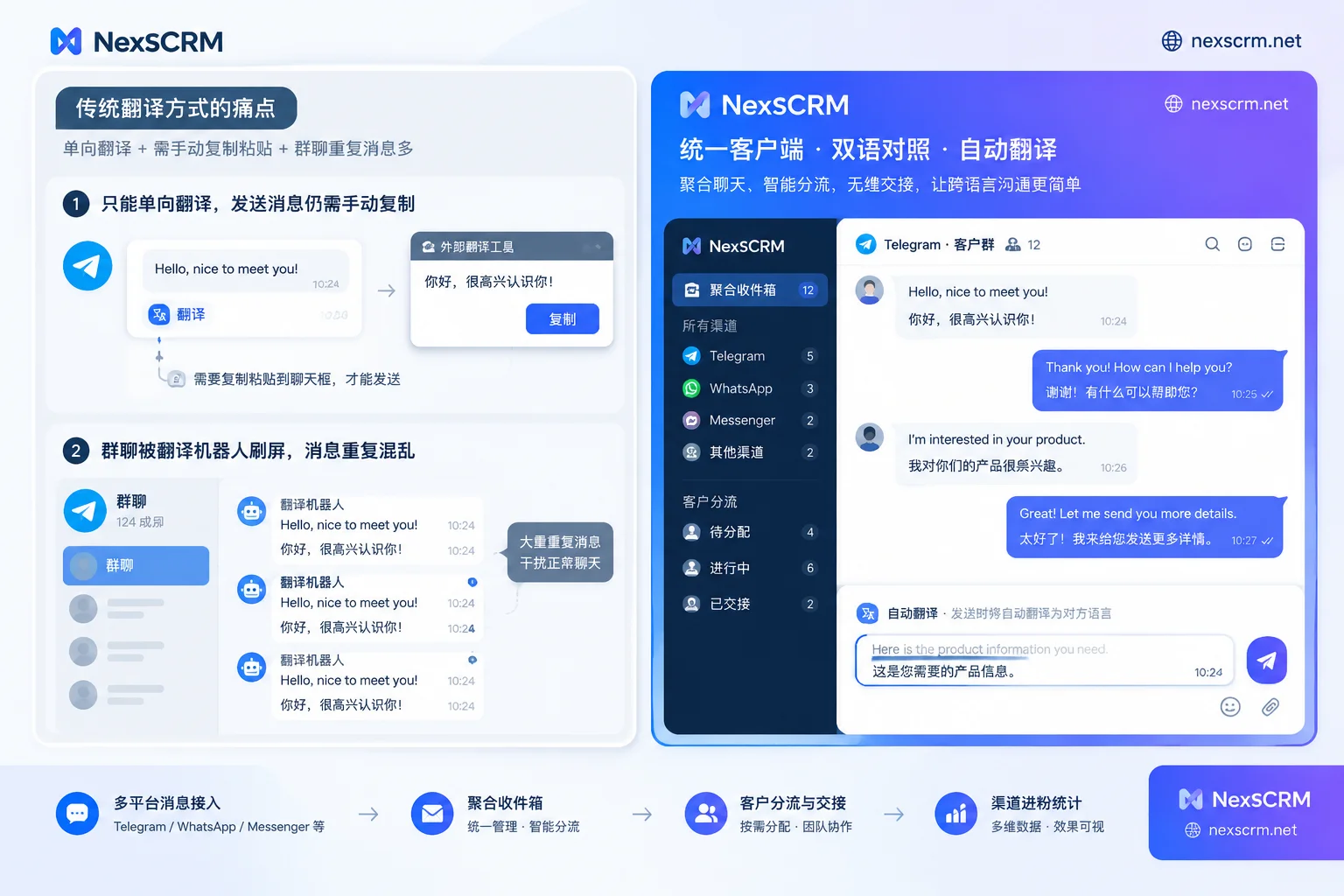
4. Horizontal Comparison Table of Four Telegram Translation Solutions
| Evaluation Dimension | Telegram Official / Premium | Third-party Translation Bots | Browser Web Translation Plugins | Desktop-level SCRM Translation Software (e.g., NexSCRM) |
|---|---|---|---|---|
| Receiving Message Translation | Free version manual tap; Premium version automatic translation | Bot automatically follows up and reposts translation | Automatically replaces or displays bilingual web text | Automatic real-time translation, original and translation preserved on same screen |
| Sending Message Translation | ❌ Not supported (requires manual external tools) | Requires inputting specific command prefix to trigger | Relies on plugin input box interception, occasionally fails | Typing Chinese automatically converts to foreign language for sending, supports translation preview and verification |
| Translation Engine Routes | Single default engine (mainly Google underlying) | Depends on bot developer's fixed interface | Most bind to a single free interface | Google, Microsoft, DeepL, and AI large models freely switchable |
| Image and Voice Translation | Voice only for Premium transcription, no direct image-text translation | Most only support plain text | ❌ Does not support media files and voice | Supports text, image, and voice message translation (available by version) |
| Multi-Account and Environment Isolation | Requires purchasing membership per account, no anti-association | Requires configuring permissions per group/conversation | Browser tabs easily mix environments, frequent disconnections | Independent fingerprint environment + session-level proxy IP, login state automatically saved |
| Customer Retention and Internal Control | ❌ No enterprise-level backup and permission control | ❌ Chat data flows through unknown external servers | ❌ Only local temporary cache | Cloud backup of chats, ticket counting, sensitive behavior monitoring |
II. Four Practical Details That Professional Telegram Translation Software Must Solve
If a team treats Telegram as a core customer acquisition and conversion channel, when selecting Telegram translation and multi-account software, they should not only look at "whether it can translate words" but focus on the following four details that directly affect conversion rates:
1. Side-by-Side Original and Translation, Verifiable Context Before Sending
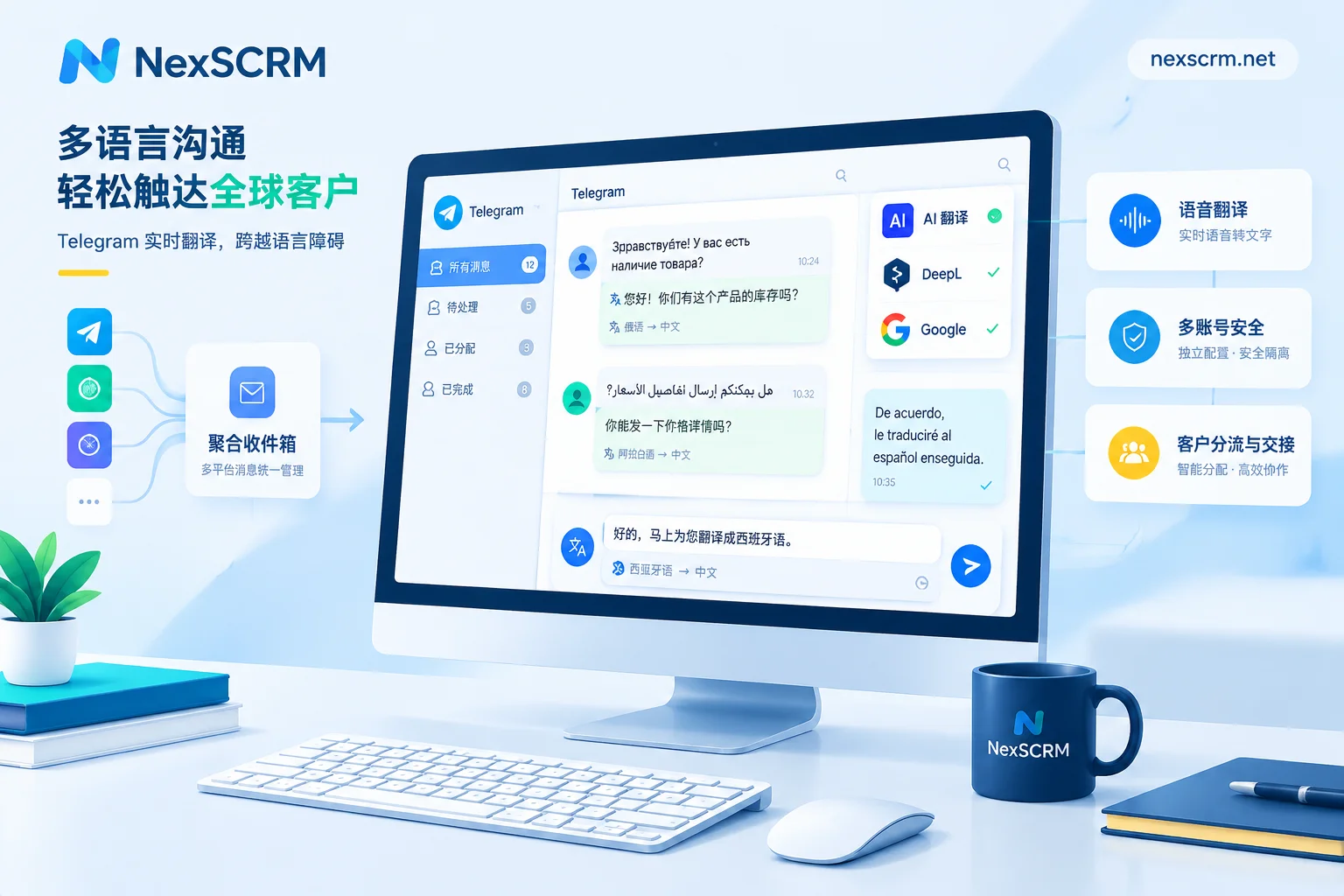
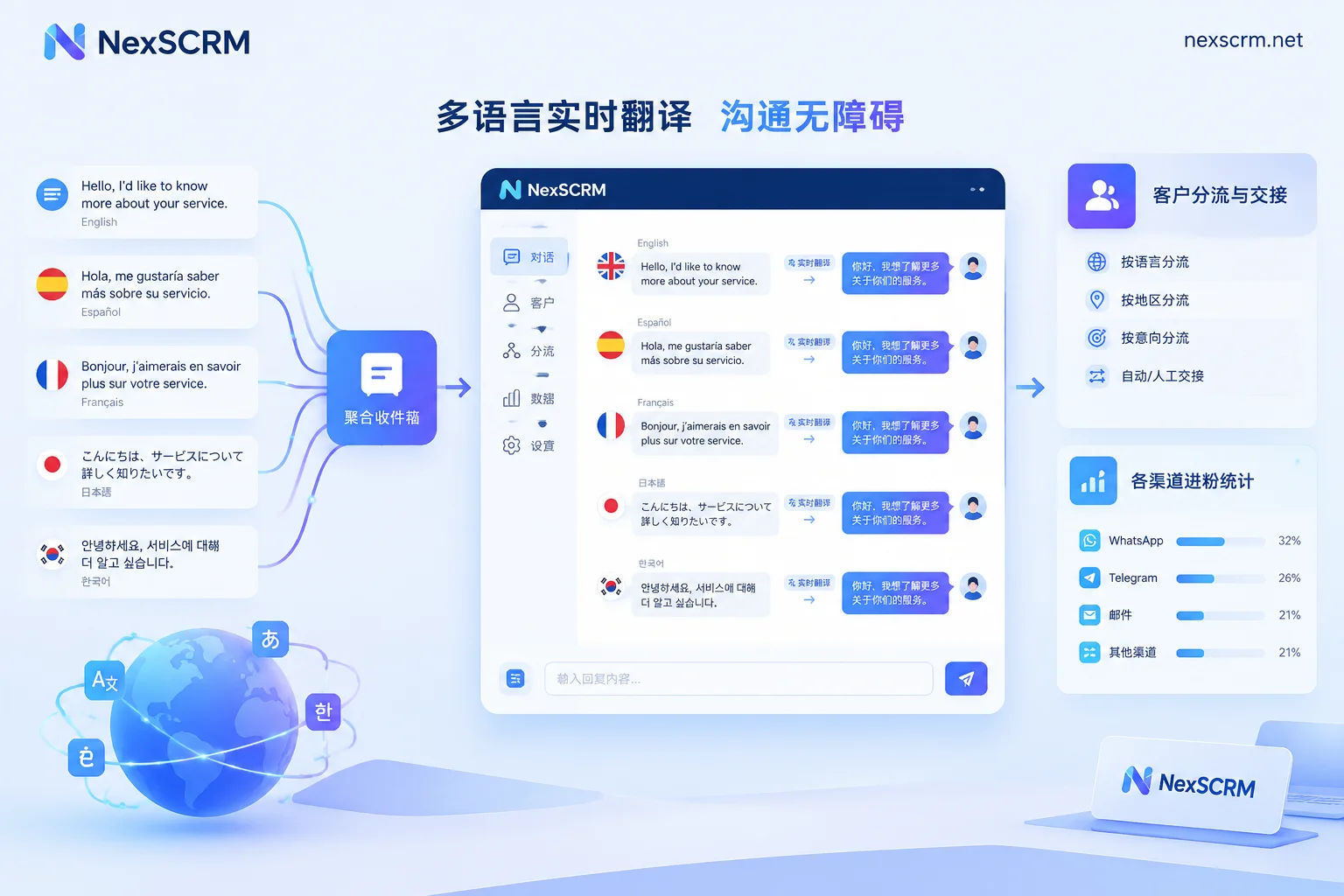
In business negotiations, mistranslating a delivery date, minimum order quantity (MOQ), or payment method can lead to disputes. Professional multilingual real-time translation does not crudely overwrite the original text with the translation, but adopts a presentation that preserves both original and translation. Customer service can understand the general meaning in Chinese at a glance and can check the customer's original English/foreign words at any time; when typing Chinese to send, it can also be quickly converted to the target language through real-time two-way translation without leaving the current chat window.
2. Multiple Translation Routes and AI Large Models Switchable on Demand
A single translation engine cannot cover the global market. For example, Google Translate covers a wide range of languages, but for business wording in European languages, DeepL is often more natural; while facing the large number of abbreviations, slang, crypto, or foreign trade industry jargon in Telegram channels and groups, traditional machine translation easily produces incomprehensible literal meanings.
In the NexSCRM client, the translation module directly integrates multiple routes: Google, Microsoft, DeepL, and AI large models. For routine greetings and basic price inquiries, you can use the high-speed standard route for instant replies; for complex customer complaints, long technical parameters, or highly colloquial slang, switch to the AI large model route with one click to accurately capture the tone with context.
3. Lock Translation Language per Contact to Handle Mixed-Language Chats
As we mentioned in "Are Telegram Community Features Suitable for Enterprises? Channel, Group, and Topic Division, Private Chat Reception Needs Additional Support", many overseas companies' Telegram public groups gather buyers from different countries, and customers coming through private chats are also diverse: Customer A uses Arabic, Customer B uses Russian, and Customer C, although in Dubai, is used to communicating in English.
If the software can only set a global translation language, customer service would have to change the configuration every time they switch windows. NexSCRM supports automatic detection of the other party's language and allows setting translation language individually per contact. Chatting with a Russian customer automatically uses Chinese-Russian translation, and switching to a Latin American customer window automatically becomes Chinese-Spanish translation, without interference.
4. Cover Image and Voice Translation to Bridge Communication Gaps
In Latin American and Middle Eastern markets, customers rarely type long texts; they often send dozens of seconds of voice messages or directly take a photo of a handwritten purchase order or competitor's packaging. NexSCRM supports translation of text, image, and voice messages (image and voice translation available by version). Customer service no longer needs to use a phone to photograph the computer screen for text recognition; they can directly understand the customer's image and voice requests within the workbench.
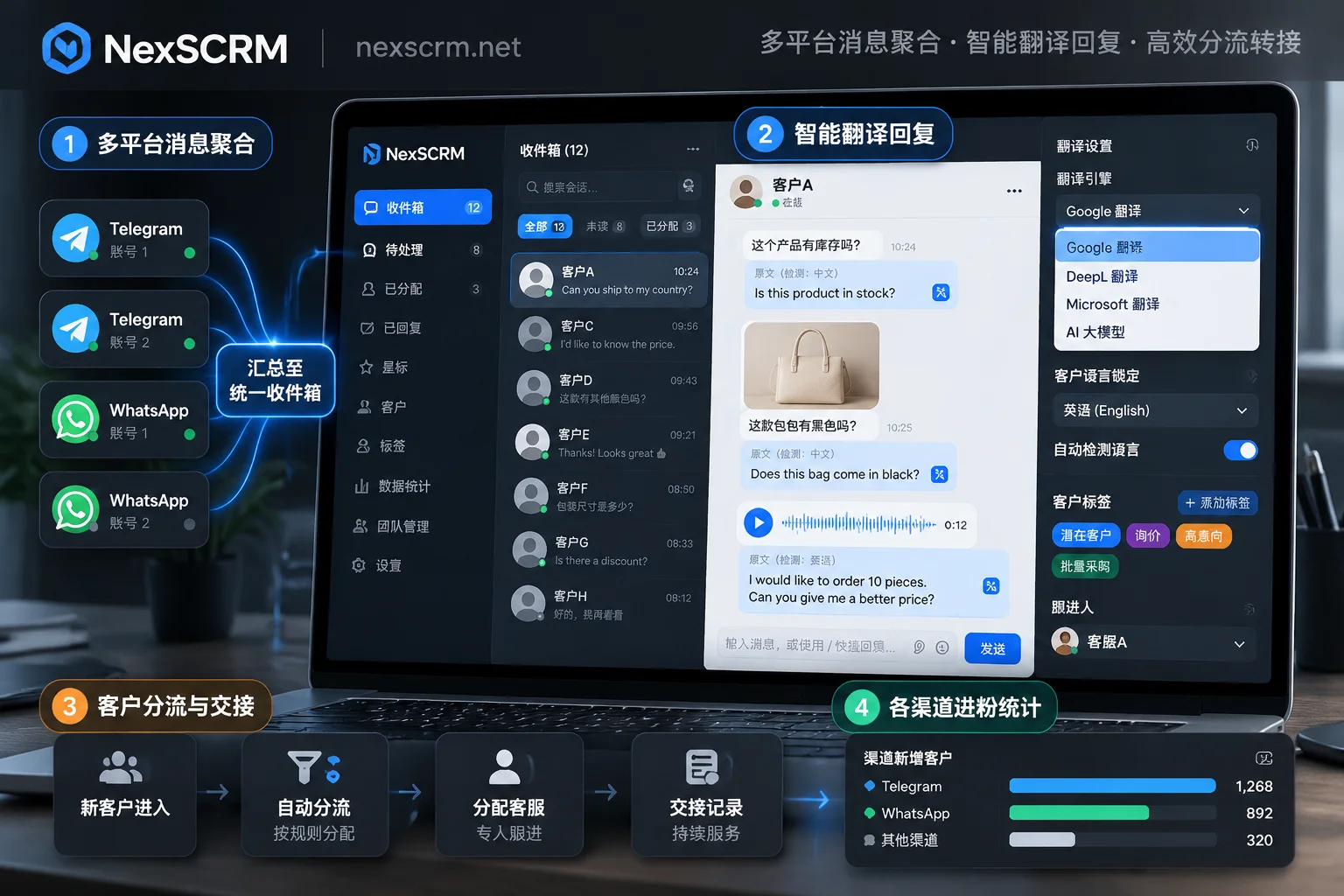
III. Beyond Translation: Putting Telegram Multi-Account, AI Scripts, and Customer Management into One Workbench
Many teams initially just look for a good Telegram translation software, but as they use it, they realize: after translation becomes smooth, the ensuing pain points are inability to switch accounts, inaccurate new lead counting, slow customer service replies, and customers taken away by departing employees. For details, please refer to "More Than Translation: Why Are Cross-border Teams Now Seeking a Full-Chain Solution of "Real-time Chat Translation+"?".
With the NexSCRM desktop client, teams can solve translation challenges while managing the entire Telegram private domain operation chain:
1. Multi-Account Independent Environment Aggregation, Say Goodbye to Bans and Tedious QR Codes
Teams doing Telegram matrix lead generation often have a dozen or even dozens of accounts simultaneously. Previous discussions on "Will Telegram Multi-Account Operations Get Banned? Multi-Account Itself Is Not a Violation; Problems Mostly Arise from Reports and Environment" have made it clear that identical hardware fingerprints and mixed IPs are the main triggers for batch risk control.
Through the multi-account aggregation workbench, you can not only centralize multiple Telegram accounts (as well as accounts on WhatsApp, LINE, Zalo, Instagram, Discord, and other platforms) in one interface to send and receive messages and uniformly remind of unread messages, but also configure an independent fingerprint environment for each account and bind session-level proxy IPs. The software supports automatic saving of login status, so restarting the computer or client does not require repeated QR code scanning or verification codes; the chat window can also be freely split, merged, or hidden according to customer service habits.
2. AI Script Suggestions and Quick Templates for Fast and Accurate Foreign Language Replies
What if you understand the customer's question but don't know how to respond with appropriate business foreign language?
- AI-assisted reply generation: After enabling AI scripts and auto-replies, AI will automatically generate reply suggestions based on the customer's current question and historical conversation context. Customer service can confirm or fine-tune before sending with one click; when new customers come from channels or ads to private messages, AI can automatically greet or trigger new customer welcome messages.
- Public script library accumulation: Store proven high-conversion opening lines and payment reminder scripts from top sales in a public template library, supporting variable substitution and quick keyword triggers. Combined with real-time translation, new customer service can respond fluently on their first day.
3. Lead Deduplication Counting and Enterprise Internal Control to Protect Traffic Assets
Spending heavily on overseas ads or channel lead generation, how many real new leads come in each day? Are different sub-accounts adding the same customer repeatedly?
- Accurate lead counting: The built-in lead counter supports main account fan counting, Telegram group fan counting, and ticket deduplication and system duplicate checking for single or all sub-accounts. Missed customers can be recovered through fan supplementary recording, and all statistical data can be exported with one click.
- Anti-fraud and cloud retention: Through data dashboard and employee internal control functions, supervisors can enable desensitization of contact information, monitoring of sensitive words and behaviors (such as private number adding or private collection alerts). All chat records, media files, and customer profiles (tags, notes, follow-up records) are automatically synced to enterprise cloud backups. Even if the salesperson responsible for the Telegram account leaves, the customer context remains intact within the team, and a replacement can take over seamlessly.
IV. How to Quickly Get Started and Test?
Rather than having salespeople switch back and forth thousands of times a day among chat software, web translators, and spreadsheet tools, it's better to directly use a natively integrated desktop workbench to improve communication efficiency.
NexSCRM integrates real-time translation directly into the client's underlying layer, eliminating the need for browser plugins that easily fail, and avoiding polluting the customer's chat interface like group translation bots. The software adopts a flexible billing model based on ports (number of simultaneous online accounts) and comes with non-expiring translation character packs that can be stacked.
If you are troubled by Telegram foreign language communication or matrix account management, you can now visit the NexSCRM client download page to get the Windows desktop version and start a limited-time free trial without binding a credit card; you can also check the pricing and version description page for detailed port tiers and feature configurations, and build an efficient and secure global social media communication workbench.


Comments(0)