 NexScrm官方博客
Although WhatsApp has long allowed dual-account switching on Android phones, the official native desktop client on Windows still only permits logging into one account at a time. For foreign trade salespeople, cross-border e-commerce customer service reps, and social media marketing teams who sit in front of computers handling overseas inquiries daily, achieving WhatsApp multi-account on the same computer often requires finding workarounds to bypass the single-window limit.
But 'being able to log in multiple accounts' and 'being able to stably and efficiently handle orders' are completely different matters. Many teams get by with free workarounds when they only have two or three accounts. But when the number of regular and Business accounts grows to five or six, or even dozens, the desktop turns into a disaster scene: wrong window switches leading to mis-sent goods, cache clearing forcing everyone to re-scan QR codes, shared local network triggering batch risk control, or two customer service reps contacting the same client without knowing.
This article compares the three mainstream approaches to WhatsApp multi-account on PC based on the number of accounts you have, helping you determine when to use free solutions and when to upgrade to isolated environments and an aggregation workbench.
Solution 1: 1 to 2 accounts — Official desktop app + browser web version
If you just need to separate 'personal life account' and 'work business account', or have only one main account plus one backup, you don't need any external tools—just use the official channels combined.
Steps:
- Install the official WhatsApp Desktop client on your computer and scan the QR code to log in to your first main account.
- Open your usual browser (e.g., Chrome or Edge), visit
web.whatsapp.com, and scan the QR code to log in to the second account. - If you have a third temporary account, you can open an Incognito window in the browser, or download the WhatsApp Beta client from the Windows Store to handle it.
What are the limitations?
This combination is zero-cost and complies with the official Linked Devices rules, but its ceiling is 2 to 3 accounts. First, once the Incognito window is closed, the login state is lost, and you'll need to re-scan with your phone next time. Second, all windows run directly under the same local network IP on the computer, with no environment isolation whatsoever.
Solution 2: 3 to 5 accounts — Browser 'Profiles' separation
When the number of accounts increases to 3 to 5 (e.g., numbers for different regions like Europe/US, Southeast Asia, Latin America), a single browser plus one client is no longer enough. Many people then use the 'Add Profile' feature built into Chrome or Edge.
Steps:
Click the avatar in the top right corner of the browser, create multiple independent local profiles (e.g., named 'WA-US-1', 'WA-Brazil-2'), and generate shortcuts on the desktop. Since cookies and local storage are isolated between profiles, each window can independently open a WhatsApp Web and stay logged in long-term.
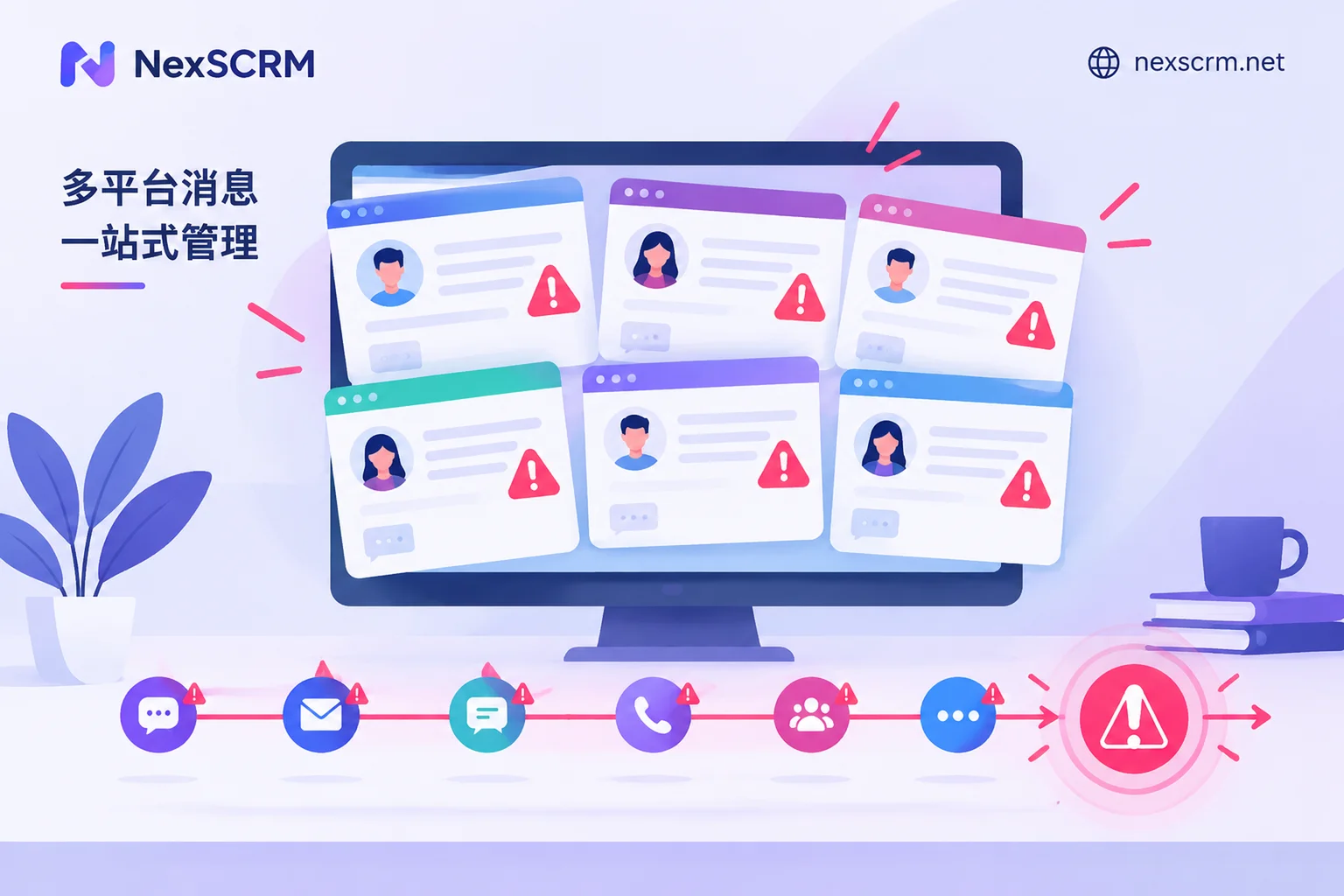
Why does browser profile separation drag down efficiency as accounts increase?
While browser profiles solve the 'simultaneous online' problem, in real cross-border reception scenarios, they bring four tricky hidden costs:
- Underlying fingerprint and IP still overlap: Browser multi-user mode only isolates cache, not the computer's underlying hardware fingerprint (Canvas, WebGL, OS characteristics, etc.), and by default still uses the same system-wide proxy. Once one new account gets banned due to aggressive cold outreach, old accounts on the same computer are easily implicated as associated accounts.
- Desktop window proliferation and missed messages: 5 accounts mean 5 independent browser windows, consuming lots of memory and causing taskbar flashing when messages arrive. Salespeople spend all day 'finding windows and switching tabs', easily missing high-intent inquiries.
- Fragmented translation and quick replies: If customers speak Spanish or Arabic, you have to install translation plugins in each browser profile repeatedly, or frequently copy-paste to external translation tools—communication flow is severely disrupted.
- No team collaboration or asset accumulation: Accounts are locked in individual salespeople's computer browsers; supervisors can't see follow-up quality. If the hard drive fails, cache is accidentally cleared, or an employee leaves, chat history and customer relationships are lost.
Solution 3: 5+ accounts and team collaboration — Independent fingerprint aggregation workbench
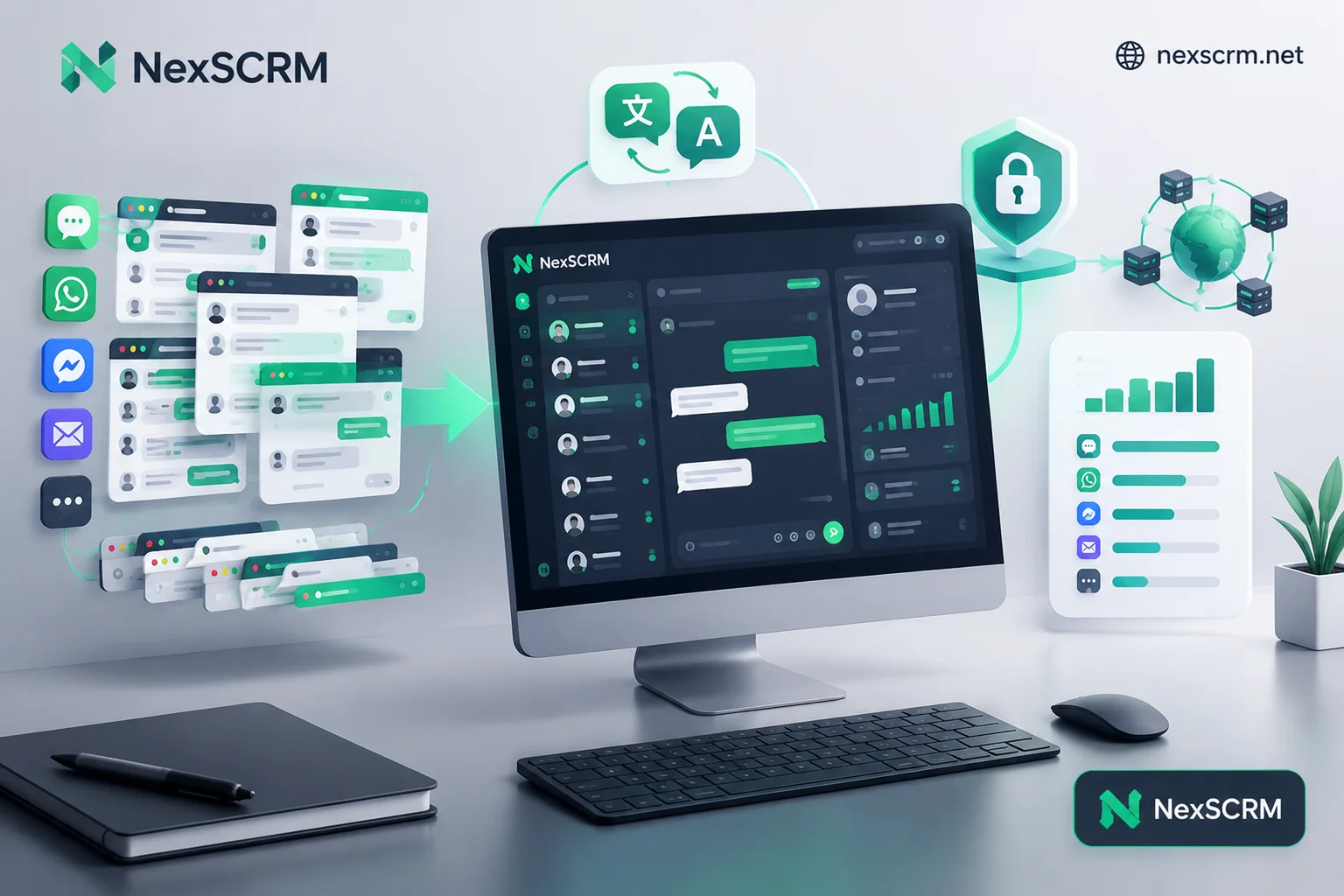
When your business enters matrix operations, with one person needing to monitor 5+ WhatsApp accounts (including regular and WhatsApp Business accounts), or a team of customer service reps needing to collaborate on lead reception and unified management, stitching browser windows no longer works. At this point, you need to switch to a multi-account solution like the NexSCRM WhatsApp platform solution, a cross-language social SCRM desktop workbench.
It's not just a shell around the web version; it addresses the pain points of multi-account operations from underlying environment isolation to interface aggregation and team internal control.
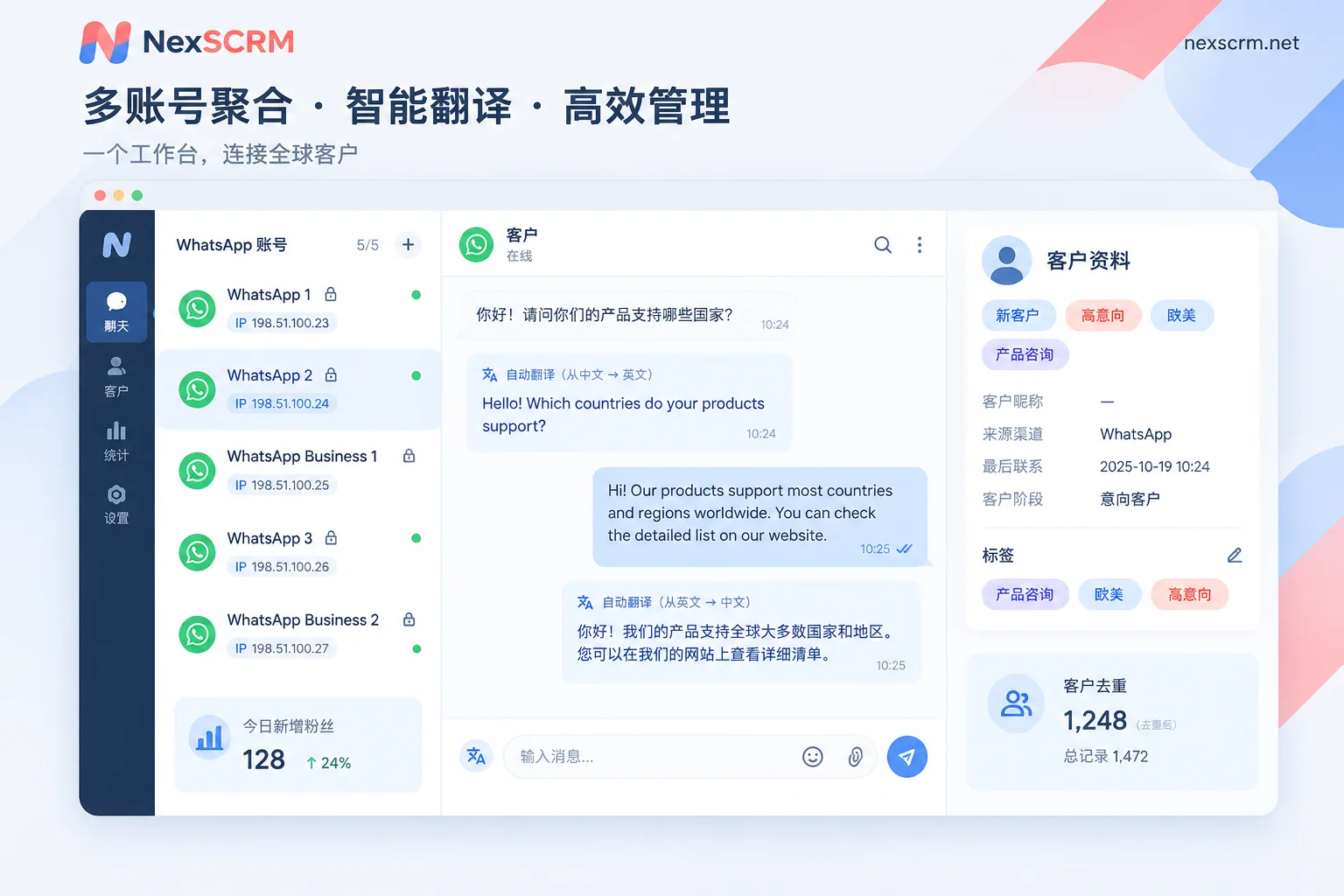
1. Independent fingerprint environment + session-level proxy IP, cutting association links
In our previous article 'How to Choose a WhatsApp Multi-Account Two-Way Translation Customer Service Tool: Anti-Association First, Then Translation Lines and Ports', we discussed in detail that the prerequisite for multi-account without bans is a clean environment.
In the NexSCRM multi-account aggregation workbench, each WhatsApp account you add runs in its own independent fingerprint environment, completely isolated from each other. Additionally, the system supports binding a separate session-level proxy IP for each account (for configuration details, see 'How to Configure Different Proxy IPs for Each Social Account: Four Parameters, Four Steps, and Three Easily Missed Checks'). This way, US accounts use US fixed IPs, Brazil accounts use Brazil IPs, login states are saved automatically, and you don't need to re-scan with your phone when restarting the computer or software.
2. Single-window aggregated sending and receiving, no more tab hunting
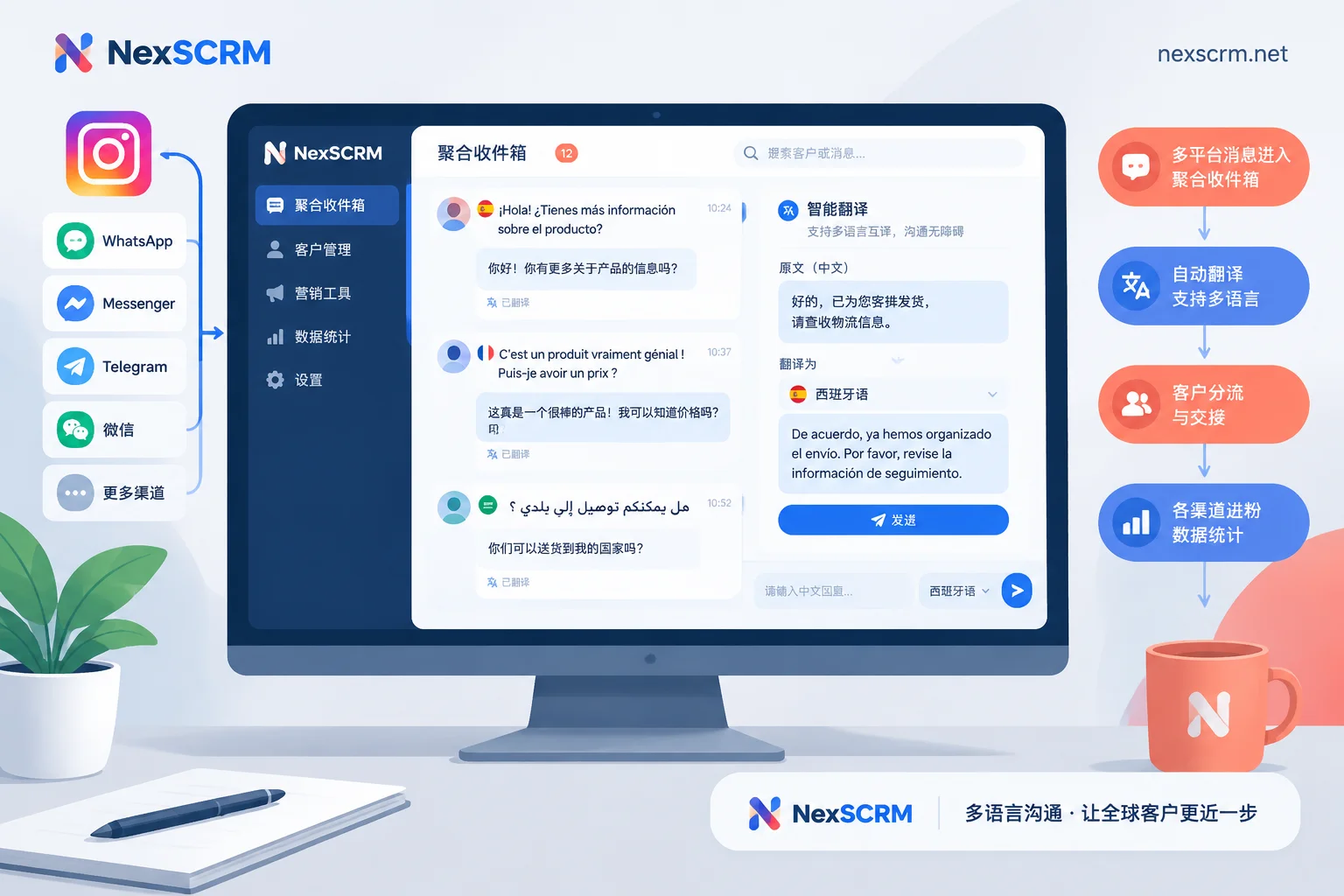
No more rows of browser icons in the taskbar. All WhatsApp accounts (and even other supported platforms your team uses like Telegram, LINE, Zalo, Instagram, Messenger) are collected in the left-side list of the same client:
- Unified unread message alerts: See at a glance which account has new inquiries, click to switch, greatly improving response speed.
- Free window splitting and merging: For key large customers, you can split the chat window separately for focused monitoring; for daily reception, merge management, and group sessions by business line.
3. Built-in real-time two-way translation and AI scripts, cross-language order handling without hiccups
Teams doing WhatsApp multi-account often face multiple country markets. NexSCRM integrates multilingual real-time translation directly into the client's core, eliminating the need for any browser plugins:
- Automatic bilingual display for sent and received messages: Incoming messages in foreign languages are automatically recognized and translated into Chinese, with both original and translation kept in the bubble; when you type Chinese and press Enter, it's automatically translated into the recipient's language and sent. You can also lock the target language for each contact individually.
- Multimodal and multi-line switching: Besides text, images and voice messages from customers can also be translated directly (available by version); built-in multiple lines including Google, Microsoft, DeepL, and AI large models, allowing you to switch between casual greetings and formal quotations anytime.
- AI assistance and script library: With AI scripts and auto-replies, new leads can automatically receive welcome messages, and AI can generate reply suggestions based on context for customer service to confirm and send; common product introductions and quotation templates can be stored in the customer operations public quick reply library, supporting variable replacement and one-click access for the whole team.
4. Deduplication counting and cloud backup, turning scattered accounts into enterprise assets
The biggest fears with multiple accounts: first, the same customer from ad campaigns adds three of your different accounts, causing duplicate ad spend and customer service conflicts; second, an account gets banned suddenly or an employee leaves, and chat history vanishes.
With NexSCRM's lead counter and data backup features, managers can fully control the foundation:
- Cross-sub-account ticket deduplication: The system includes main account and group fan counters; whether leads come to a single account or all sub-accounts, automatic deduplication is performed, with support for distribution link statistics and data export, so every cent of lead generation budget is accounted for.
- Automatic cloud backup of chat history: Chat history and media files from all accounts are synced to the cloud in real-time. Even if a WhatsApp account is unfortunately restricted or a customer service rep leaves, historical communication details, customer profile tags, and follow-up records remain intact in the enterprise backend, searchable by keyword or time for handover.
- Main/sub-account permissions and internal control: The main account purchases and allocates ports uniformly (for port calculation, see 'What Does Port Mean? How Many Ports Does One Customer Service Rep Need, Calculated by Simultaneously Online Accounts'), with visibility divided by role; combined with number masking, sensitive word monitoring, and alerts for sensitive behaviors like private collection, it empowers frontline multi-account order handling while safeguarding company customer assets.
How to Choose Among the Three WhatsApp Multi-Account Solutions? See This Table
To help you decide based on your team's current situation, we've condensed the core differences of these three approaches in the comparison table below:
| Comparison Dimension | Official Desktop + Web | Browser Multi-Profile (Profiles) | NexSCRM Multi-Account Aggregation Workbench |
|---|---|---|---|
| Suitable account count | 1-2 accounts | 3-5 accounts | 5 to hundreds of accounts, team collaboration |
| Anti-association and network isolation | No isolation, shared local environment and IP | Only cookie isolation, underlying fingerprint and IP still shared | Independent fingerprint environment + account-level independent proxy IP |
| Window management experience | Switching between 2 different interfaces | Multiple browser windows stacked, easy to miss, memory-intensive | Unified aggregation in single workbench, centralized unread alerts |
| Multilingual translation capability | None, requires manual copy-paste | Need to install plugins for each profile, easily fails | Native built-in, two-way translation for text/images/voice |
| Lead counting and deduplication | Manual spreadsheet recording, no conflict prevention | No cross-window data sharing, duplicate leads hard to detect | Automatic lead counting, cross-sub-account ticket deduplication |
| Chat history and customer asset security | Lost with local device or account ban | Stored on personal computer, cleared with cache or departure | Enterprise-side automatic cloud backup, with internal control masking and auditing |
Conclusion: Don't Let 'How to Log In Accounts' Consume Your Order-Handling Energy
In summary, if you're just an individual managing two numbers, 'official client + browser web version' is sufficient. But as soon as your team starts using multiple WhatsApp accounts to handle overseas traffic, foreign trade development, or cross-border customer service, the core demand for multi-account is no longer just 'finding a place to scan QR codes', but stable accounts with anti-association, second-level customer response, eliminating cross-language barriers, and accumulating customer asset data.
You can now visit the NexSCRM download page to get the Windows client (limited-time free trial, no credit card required), or check the pricing and versions page for flexible subscription plans based on online ports. Centralize your WhatsApp accounts scattered across browser windows into a secure workbench with real-time translation, and let your team focus on negotiating and closing deals.


Comments(0)