 NexScrm官方博客
For teams doing overseas social media lead generation and private domain reception, the biggest headache before leaving work every day is often not replying to messages, but reconciling accounts.
A media buyer or external channel says they sent 300 fans today, but the customer service team leader puts together screenshots from a dozen accounts and only counts 230; upon closer inspection, 40 customers added three customer service accounts simultaneously, and dozens more came in during an afternoon network fluctuation when the connection dropped—no one knows whether to count them as new for the day.
In our previous discussion on how to build data statistics tools for independent sites and overseas social media lead generation to private domain, we mentioned the division of labor principle: "front-end clicks go to analytics tools, back-end fan acquisition goes to the reception side." But when it comes to the reception side, to account for every incoming fan clearly, manual screenshots and Excel simply can't handle multiple accounts concurrently. At this point, it's necessary to establish the rules for a ticket counter (also commonly called a fan counter in the industry).
A ticket counter is not simply "add one for each person who comes in." Whether it counts accurately depends on whether you've managed these four checks: criteria, deduplication, supplementary recording, and reconciliation.
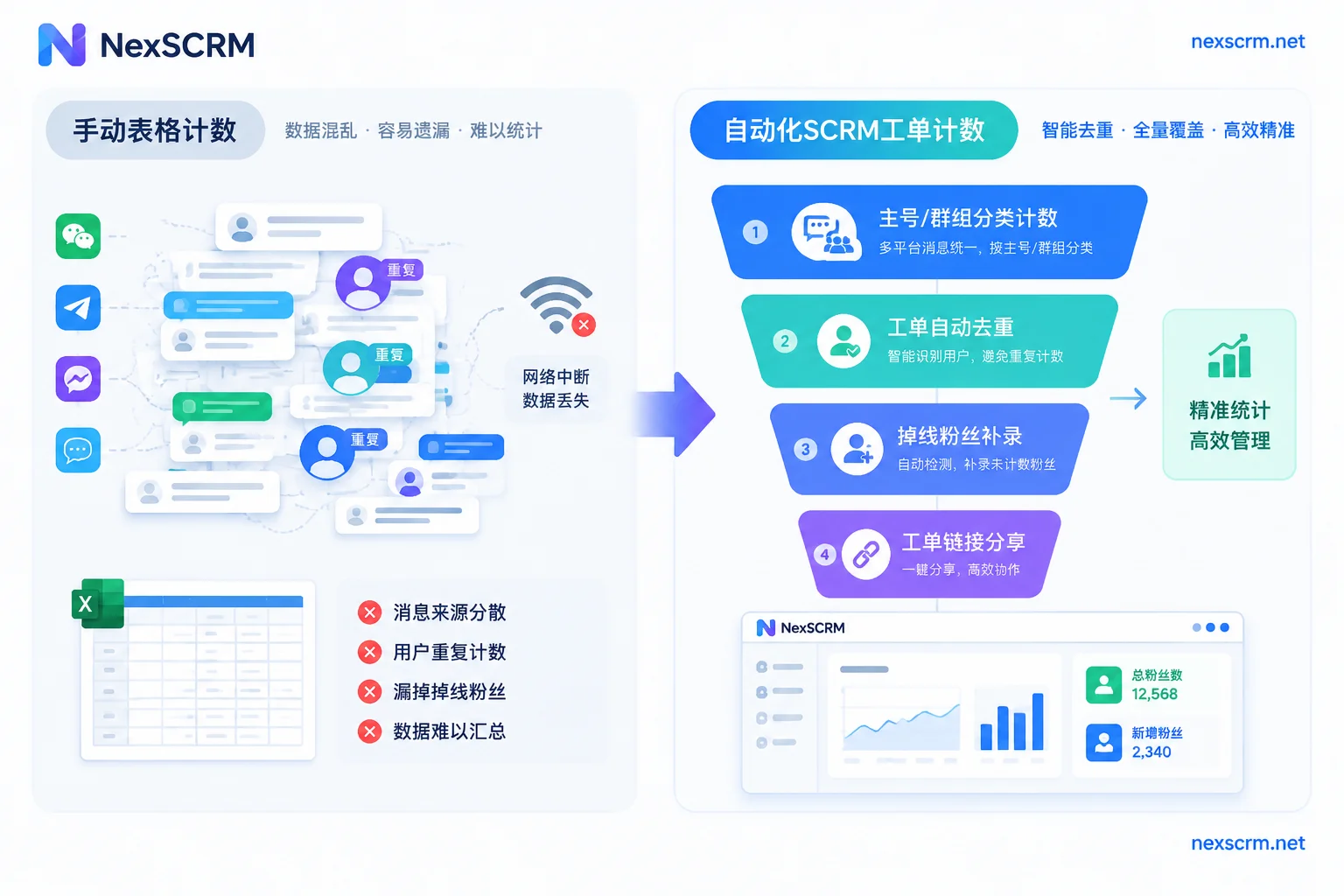
1. Why do manual statistics and ordinary spreadsheets always fail to reconcile?
When running multiple accounts to receive fans on platforms like WhatsApp, Telegram, LINE, and Zalo, data distortion usually occurs in four places:
- The same customer repeatedly adds accounts (duplicate fans within the same ticket): A customer clicks links multiple times on a landing page or in comments, and adds customer service A and then B. When reporting numbers manually, each counts as a new fan, but in reality, it's only one valid lead.
- Old customers come back through a different channel (cross-batch duplicates): An old customer who added the team's account last month sees a new campaign today and clicks in again. Without system-level comparison, they are easily counted as new today.
- Private chats and group joins are mixed together: Some campaigns involve directly adding the main customer service account for private chat, while others, like Telegram private domain three-tier reception, first direct to a large group for filtering. With many group members, it's impossible to tell by eye who joined today and who left and rejoined.
- Brief account offline periods cause missed records: During peak fan reception, if proxy network switching or software restart occurs, fans who come in during those few minutes do not trigger real-time pop-ups, leading to a messy reconciliation afterwards.
To plug these loopholes, when configuring ticket counter and data statistics, it's necessary to break down the statistical granularity.
2. First Check: Distinguish Between "Main Account Fan Acquisition" and "Group Fan Acquisition"
Before creating tickets, separate counting modes by reception method—don't use the same ruler for two different businesses:
- Main account fan counting: Suitable for one-on-one private chat consultation scenarios (e.g., foreign trade inquiries, high-ticket product follow-ups). Customers add the main customer service account via diversion links or direct search, and the counter records new contacts in real time by main account dimension.
- Group fan counting: Suitable for community fission, event预热, or channel diversion scenarios. The counter specifically monitors the number of new members joining the target group, distinguishing group member changes from private chat friends.
If the front-end ad delivery uses diversion active links, you can also directly combine diversion link statistics with diversion allocation mechanisms in customer operations. Diversion links generated for different channels assign customers to corresponding customer service reps based on source, tags, and history, while archiving them separately in the counter. You can see at a glance which link brings people quickly and which main account is at capacity.
3. Second Check: Set Deduplication Rules Before Sending Links
"Whether duplicate fans count" is the most common point of contention between teams and external channels. A qualified fan counter must be able to lock down the deduplication scope in the backend.
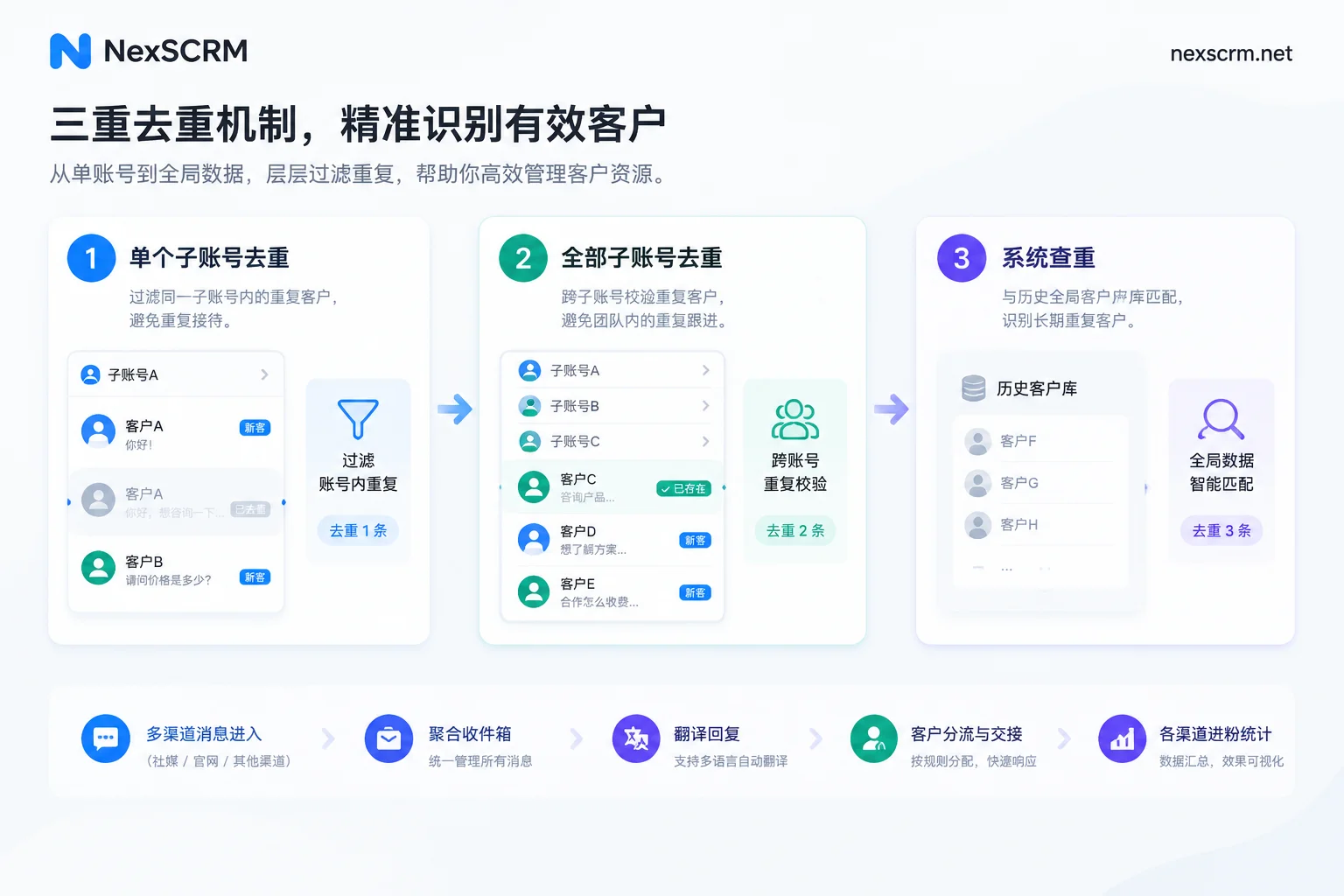
In NexSCRM's fan counter feature, deduplication is divided into three selectable levels, corresponding to different accounting requirements:
| Deduplication Method | Comparison Scope Description | Applicable Business Scenarios | Role in Reconciliation and Management |
|---|---|---|---|
| Single sub-account ticket deduplication | Only compares duplicates within tickets handled by the current customer service sub-account | Sales teams independently accounting for individual output | Prevents the same customer from being counted multiple times as new fan under the same customer service rep |
| All sub-account ticket deduplication | Cross-compares tickets across all sub-accounts under the current team | Shared traffic pool where multiple customer service reps take turns receiving fans | Identifies duplicate leads that added both customer service A and B, squeezing out water from the same batch |
| System deduplication | Compares against historical fans and global records accumulated in the system | Mature private domains with long-term re-investment and high proportion of old customers | Identifies old fans who added before and came again today, revealing pure new additions |
Moreover, deduplication is not just for accounting; it also reduces the burden on customer service. Combined with contact deduplication, when multiple accounts are found chatting with the same customer, the team can merge follow-ups in time, avoiding two customer service reps quoting different prices to the same overseas customer.
4. Third Check: Use "Fan Supplementary Recording" and "Ticket Sharing" to Eliminate Reconciliation Time Gaps
After solving the "overcounting" problem, you also need to solve "undercounting" and "slow reconciliation."
1. Fan supplementary recording during offline or abnormal periods
When multiple accounts are online simultaneously, it's inevitable that a sub-account switches session-level proxy IP, or the computer restarts temporarily. If you rely entirely on real-time online packet capture, customers who come in during those offline ten minutes become a statistical blind spot.
Through the fan supplementary recording mechanism in the ticket counter, when the account reconnects or omissions are verified, fans actually added during the offline period can be supplemented into the corresponding ticket report. This neither shortchanges the output of the ad delivery team nor ensures that the reception list in the customer service's hands matches the backend numbers exactly.
2. Ticket sharing and data export
Previously, when reconciling with external partners or management, the customer service supervisor had to take screenshots of each ticket and send them to the group, and the other party would wonder if a time period was missed.
Now you can directly use the ticket sharing feature to share the real-time statistical results of the current ticket, so both parties look at the same real-time updated total fan count and deduplicated count to check progress. At the end of the month for performance review, directly export statistical data into a standard spreadsheet, and combine with conversation volume, response time, and customer service performance in the data dashboard to fully evaluate the reception quality of this batch of traffic.
5. Accurate Fan Counting Is Only the First Step; Effective Reception Makes It a Valid Ticket
Many teams use the ticket counter as an isolated "accounting plugin." The accounts are clear, but incoming fans are lost after a few messages because of language barriers or slow replies.
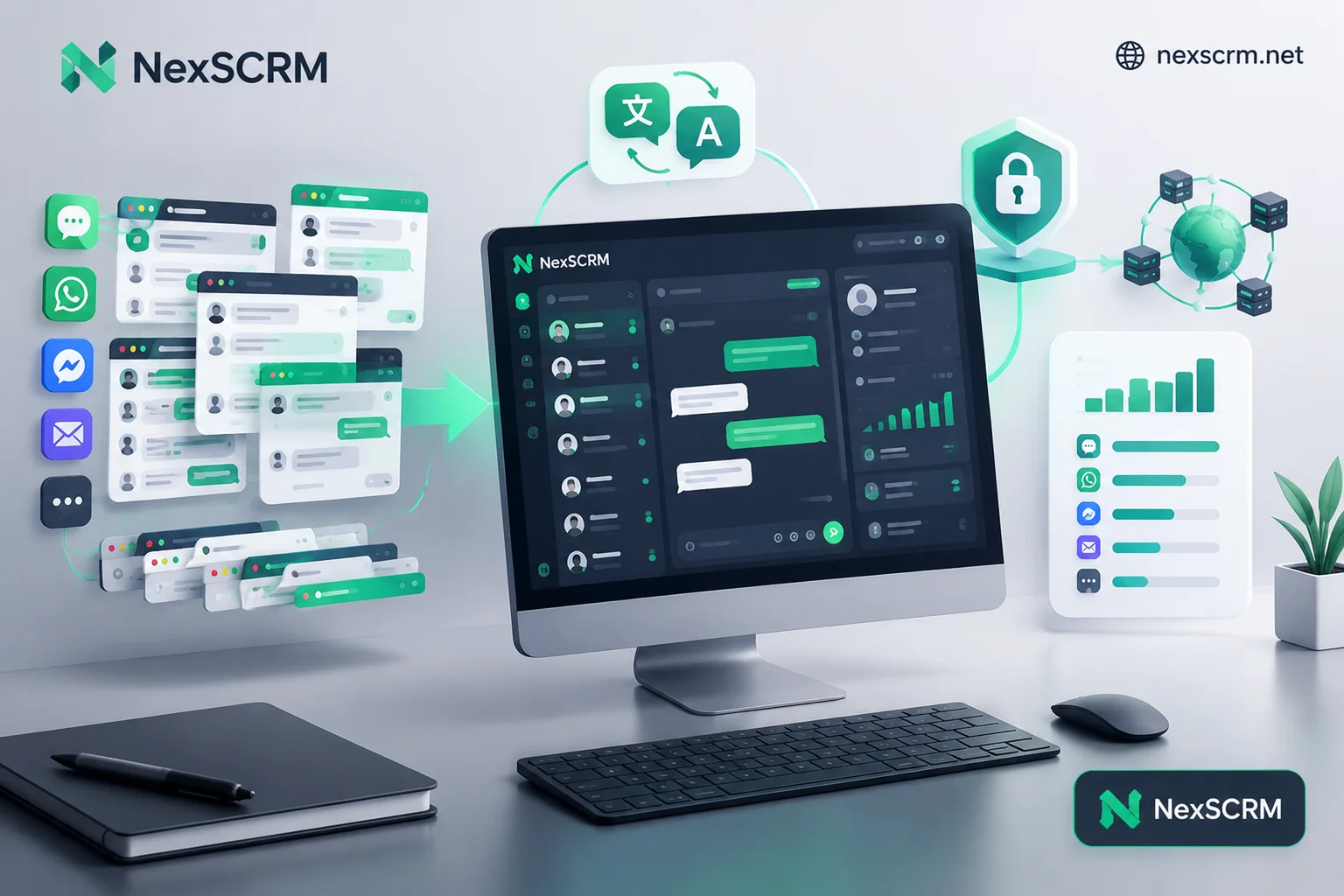
The truly efficient approach is to integrate the counter with the daily reception workbench. In NexSCRM, the ticket counter is not a separate webpage detached from chat, but directly built into the multi-account aggregation workbench and translation system:
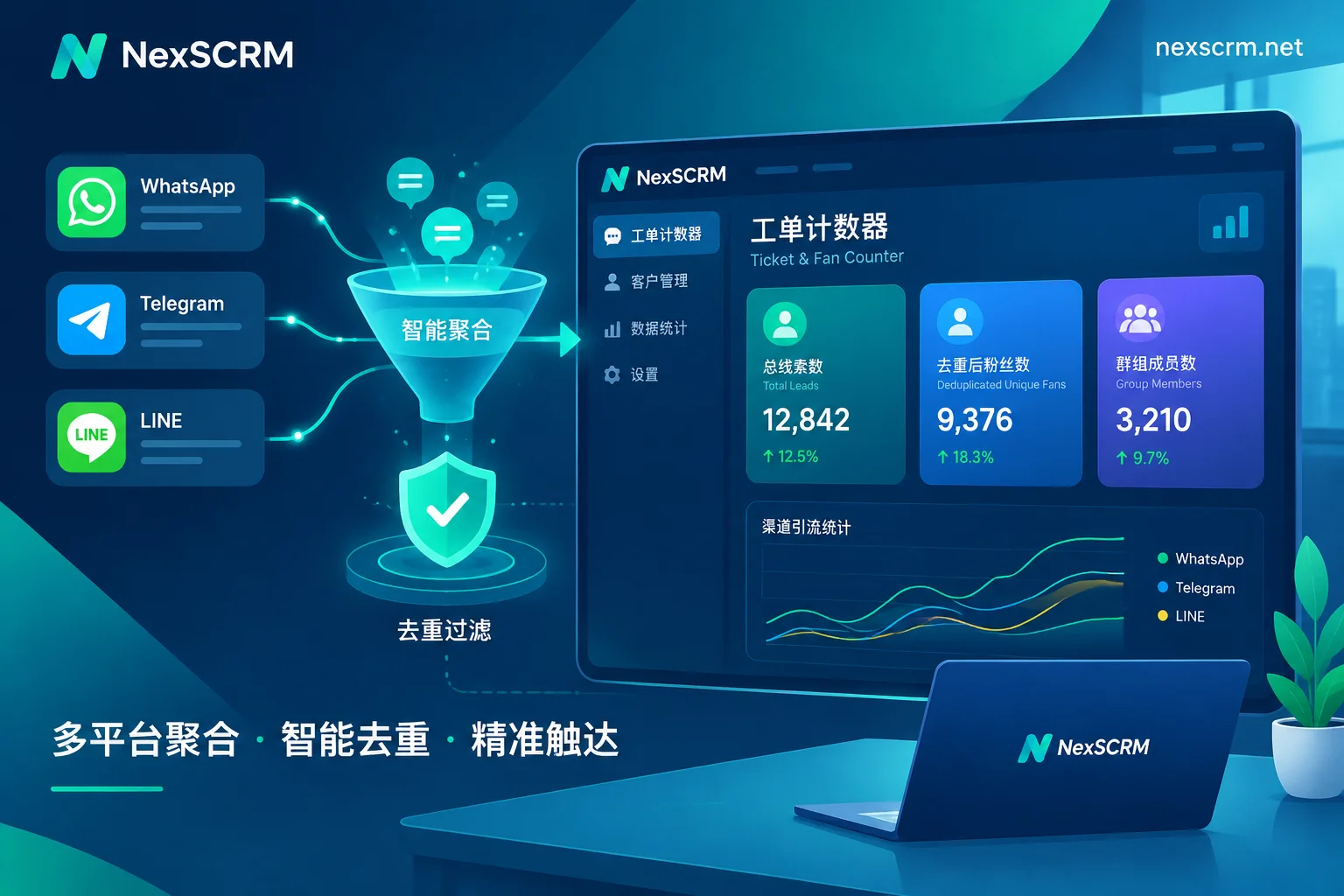
- Translate upon entry, no delay in first response: Whether new fans come in via WhatsApp, Telegram, or LINE, while the counter ticks up, keyword auto-replies and new customer welcome messages can be triggered automatically; when customers send foreign language text, images, or voice, the built-in multilingual real-time two-way translation automatically detects the language and converts it, keeping the original and translation on the same screen, so customer service doesn't need to switch windows to look up dictionaries.
- More stable environment isolation: The biggest fear during fan reception is account abnormalities when many people come in at once. Each account in the workbench runs in an independent fingerprint environment, supports binding independent proxy IPs, and automatically saves login status; for specific configuration on preventing chaos with multiple instances, refer to our previous PC WhatsApp multi-instance practical guide.
- Customer assets stay within the team: After fan count is confirmed, customer service can conveniently add customer profile tags, record source channels, and follow-up notes in the chat sidebar; all chat records and media files are automatically backed up to the cloud, and combined with employee internal control data desensitization and sensitive behavior monitoring, even if customer service staff turnover occurs, the fans gained through hard work remain securely on the enterprise side.
If you want to clarify your team's daily fan accounting and let customer service handle multi-platform fan reception, real-time translation, and follow-ups in one window, you can directly visit the NexSCRM official website download center to get the Windows client. The system charges flexibly based on the number of simultaneous online ports (see pricing and version description), and offers a limited-time free trial without binding a card—why not create a test ticket first and run through your team's own deduplication and counting process.


Comments(0)