 NexScrm官方博客
To put it bluntly: a high LINE block rate usually comes down to five areas.
- The acquisition channel attracts people who only want freebies.
- The welcome message doesn't show people a reason to stay.
- Broadcasts ignore segmentation, so everyone gets the same ad.
- Pushes are too frequent, or sent at the wrong times.
- When customers reach out proactively, replies are slow, off-topic, or in the wrong language.
These five causes often coexist, so don't focus on fixing just one. A more efficient approach is to first see when blocks are concentrated, then look for problems in the corresponding stage.
First, Distinguish Between the Two Types of "Blocks"
When operations staff say "high block rate," they might mean two different things, and the solutions are completely different.
- Users blocked your official account. Friends added your official account to their block list in LINE. This is the main focus of this article.
- Your account was restricted or suspended by LINE. This usually happens to personal or operations accounts. Common causes include sending identical promotional copy to many people in a short time, or proactively adding strangers and being reported as spam by them in the chat interface. Once reports accumulate to a certain level, the account may be restricted or suspended. LINE does not publicly disclose specific thresholds, so don't try to guess "how many messages is safe." The last section covers this separately.
Use Three Numbers to Determine at Which Stage Blocks Occur
A LINE official account backend has three friend-related metrics. They should be viewed together when diagnosing.
- Join friend count: the cumulative number of times friends were added.
- Target reach: valid friends who have not blocked or deleted the account. Broadcast messages can actually be delivered to these people, and broadcast billing is calculated based on this number.
- Block count: the number of people who have blocked you.
Once a block occurs, you can no longer send any one-on-one or broadcast messages to that user, and they rarely unblock on their own. So an elevated block rate means friends you paid to acquire are continuously churning, and most won't come back.
For a rough estimate, you can use "block count ÷ join friend count" to estimate the overall block ratio. But looking at this ratio alone isn't very meaningful. More useful is matching changes in block count against your operational actions:
- If blocks rise right after a campaign or channel acquisition: the problem is likely in the channel and welcome message.
- If blocks rise one or two days after a broadcast: the problem is likely in push content, audience, and timing.
- If blocks are scattered among customers who have had conversations: the problem is likely in the reception experience.
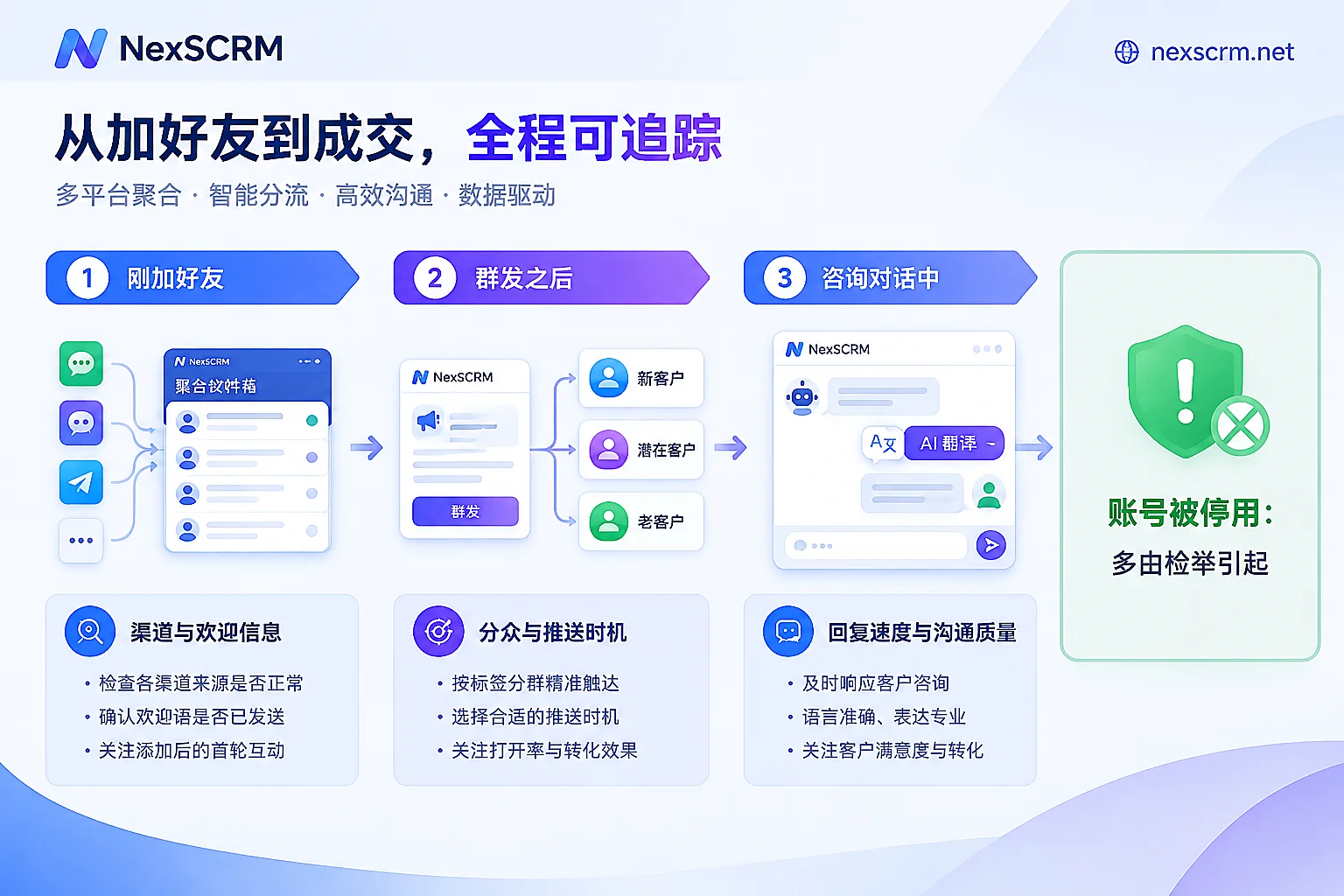
Blocked Right After Adding: Check Acquisition Channel and Welcome Message
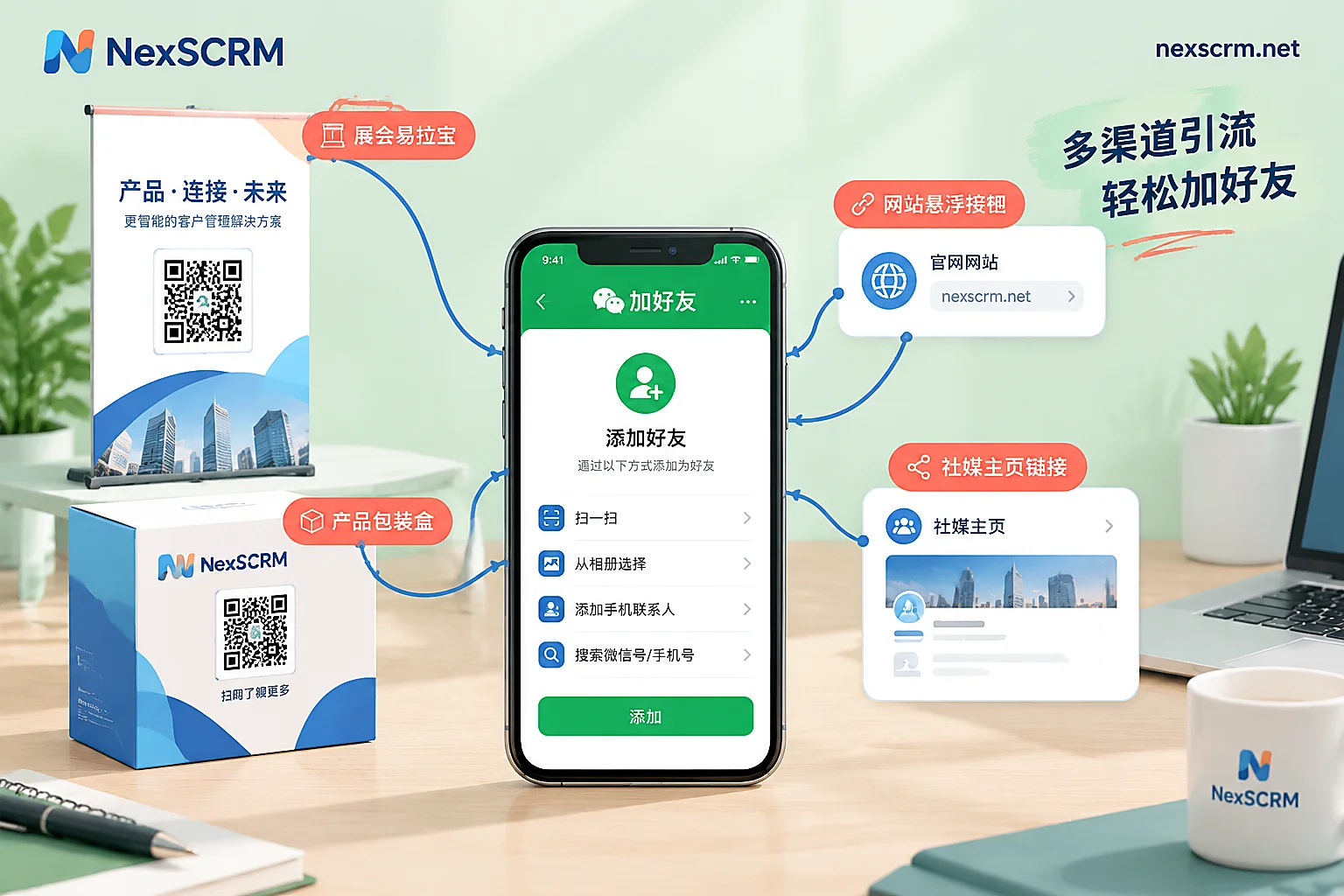
The people brought in by the channel aren't a good fit. Many accounts rely on giveaways, free stickers, or one-time coupons to gain friends. These users have a clear purpose: once the prize is drawn or the perk is claimed, and they know little about your brand, they will block immediately. This type of campaign isn't forbidden, but after running it, you should track this group of friends separately from other channels. If a channel brings many joins but also many blocks, recalculate its actual cost, because target reach is what really counts.
The welcome message doesn't do its job. The first message a new friend receives determines whether they will block you within the first minute. There are three common problems: messy layout, too many emojis, and promotional information stuffed in right away. A more reliable approach is:
- Use one or two sentences to explain what this account can do for them, such as checking orders, asking for quotes, or getting after-sales support.
- Point to the Rich Menu so they know where common features are.
- Tell them roughly what types of messages they will receive later, so they have expectations.
For specific ways to set up the acquisition entry point and welcome message, see How to Increase LINE Official Account Friends.
Blocks Rise After Broadcast: Check Segmentation, Frequency, and Timing
Undifferentiated broadcasts. Sending the same promotion to all friends means many people receive content unrelated to them. For example, pushing women's clothing to male users, or pushing the same product to customers who just bought it. To them, this is harassment, and the most direct reaction is to block. LINE officially recommends using attribute filters for segmented broadcasts. Available conditions include join time, gender, age, region, and tags. After segmentation, each message reaches fewer people, but those who receive it are more likely to find it useful.
Pushes are too frequent or poorly timed. LINE Taiwan's official guidance notes that over 90% of users dislike overly frequent advertising pushes. Receiving pushes late at night or at other inconvenient times also increases the urge to block. There is no universal standard for frequency; it depends on your industry and your customers' purchase cycles. You can calibrate with backend data: if block count jumps after every broadcast, first reduce all-user pushes and switch to smaller segmented pushes, then observe how blocks change.
Blocked During a Conversation: Check Response Speed and Communication Quality
LINE is a one-on-one instant messaging tool. When a customer proactively sends an inquiry, it means they want an answer at that moment. The following situations can exhaust a customer's patience and lead directly to a block:
- No one replies for a long time.
- The reply doesn't answer the question.
- Overseas customers speak a different language, and several rounds of back-and-forth still don't clarify things.
In this stage, check three things:
- Is anyone available at night and on weekends? When no one is on duty, at least use an auto-reply to say when someone will handle it, and provide an entry point for common questions.
- Are there unified answers for common questions? Questions about pricing, lead times, and returns are the most likely to produce contradictions if everyone answers differently.
- Can foreign-language inquiries be understood and answered on the spot? Don't make customers wait for translation, and don't answer based on guesses.
If your team uses multiple LINE accounts to serve overseas customers, you can connect these accounts to NexSCRM for unified sending and receiving, so messages in a given account aren't missed. Supported account types are subject to the official website. In the same chat window, NexSCRM can provide real-time two-way translation for text, images, and voice. Translation routes can be switched, and both the original and translated text are retained, so support agents can check terms and numbers against the original before replying. Common questions can be organized into quick reply templates so different agents answer consistently. For details, see the real-time translation feature page. If you plan to let auto-replies handle some minor-language inquiries, first define the scope they can answer, then leave a clear path to hand off to a human. See How to Implement Minor-Language Automated Customer Service Without Hurting Customer Experience.
Account Suspended: Most Likely Due to Reports
If the problem is that a personal or operations account itself has been restricted or suspended, the most common cause is user reports. Repeated promotional copy sent in bulk to many people, or proactively adding strangers who don't know you, easily gets marked as spam.
The preventive mindset is to let customers come to you, not for you to approach strangers. Use this account to serve customers who have already expressed interest, not for cold outreach. If the account has already been suspended, check the LINE Help Center for suspension explanations and appeal entry points, and follow the official process.
Follow This Order When Taking Action
- Export the block count for a recent period, and mark campaign, broadcast, and channel launch times alongside it.
- If blocks are concentrated shortly after acquisition: first improve the welcome message, then evaluate friend quality by channel.
- If blocks are concentrated after broadcasts: first switch all-user pushes to segmented pushes, then adjust sending times and frequency.
- If blocks are scattered among customers who have had conversations: check response time, common-question scripts, and foreign-language reception capability.
- If the account itself is restricted: stop bulk-sending identical content and proactively adding strangers, and follow the official appeal process.
Change only one item at a time, then observe how target reach and block count change. That's the only way to know which item actually made a difference.


Comments(0)