NexScrm官方博客
Let's put the conclusion first: in the billing context of cross-border multi-platform customer service software, one port = one social media account that can remain online simultaneously. It is neither a TCP port in computer networking nor a traditional seat sold per employee in customer service systems.
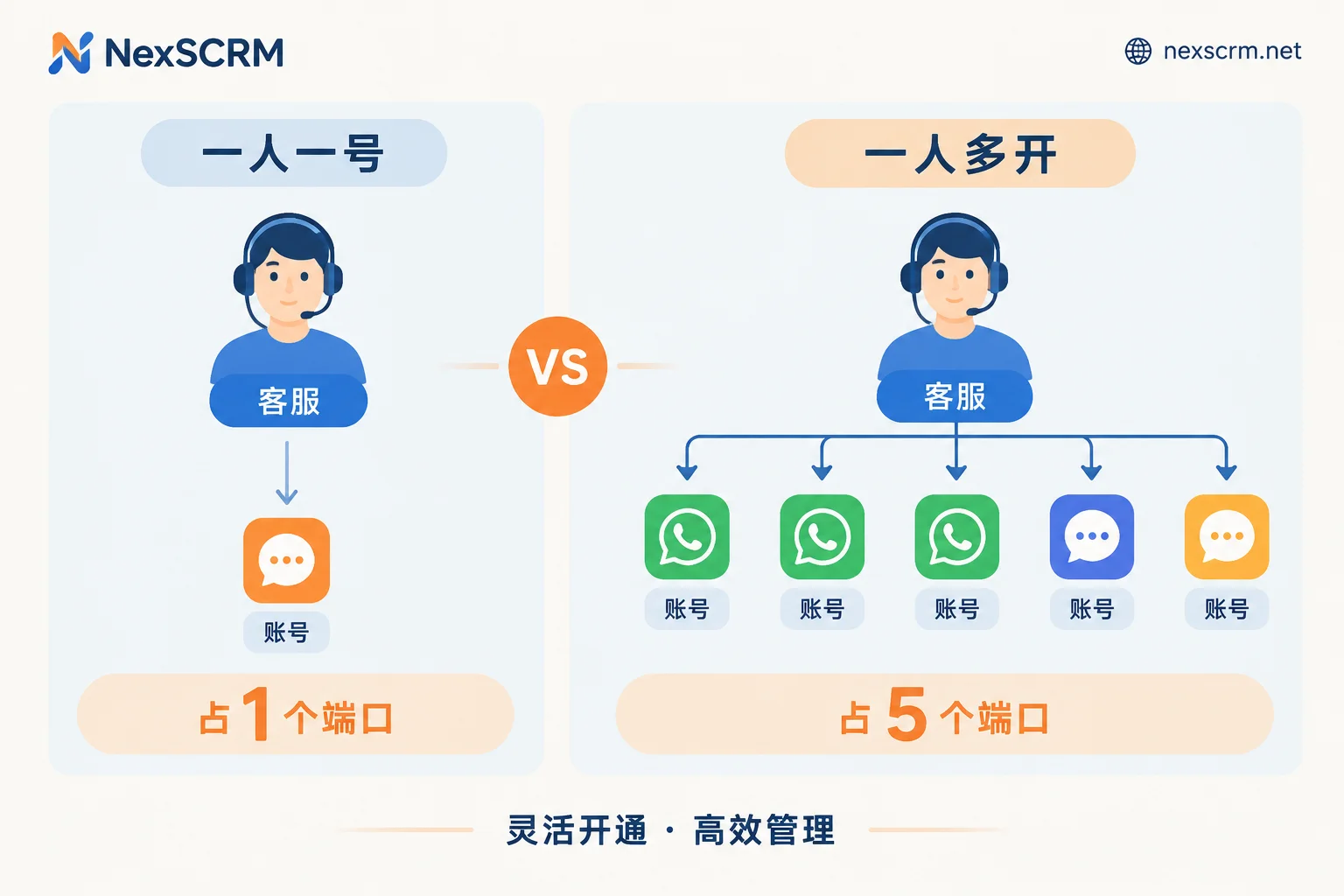
So the answer to "how many ports does one customer service agent occupy" does not depend on how many people you have, but on how many accounts this person needs to keep online at the same time to handle customers. One person with one account uses 1 port; an operator simultaneously keeping 3 WhatsApp accounts and 2 LINE accounts for traffic diversion uses 5 ports.
Why It's Easy to Misunderstand
Three common misconceptions to clear up first:
Misconception 1: Thinking it's a network port. When procurement sees "billed by port," they instinctively think of server ports like 80 or 443 and worry about having IT configure firewalls. It has nothing to do with that; it's just a metering term borrowed by the industry, meaning "access slot."
Misconception 2: Thinking it's buying seats per person. This is the most costly misunderstanding. With per-seat billing, 10 agents buy 10 seats; with per-port billing, if 10 agents each handle one account, that's 10 ports—the numbers coincidentally match. But as soon as someone manages multiple accounts, the two billing methods diverge. Conversely, if 3 people take shifts handling the same 4 accounts, the number of accounts online remains 4, not doubled because more people are watching.
Misconception 3: Thinking offline accounts also require ports. A port is concurrent capacity, measuring "how many are online at the same moment." If you have 20 accounts stored, but only keep 8 online for service daily and rotate the rest as backup, you count 8, not 20.
How Many Ports One Agent Occupies: Match by Working Mode
Mode 1: One person, one dedicated account. Agent A only handles one WhatsApp account, and all inquiries come through it. This uses 1 port. Suitable for B2B foreign trade with high order values requiring long-term follow-up of the same customers; the account is bound to the person, and handover responsibilities are clear.
Mode 2: One person, multiple accounts in parallel. Common in ad-driven teams: the same person keeps 3 WhatsApp accounts online to handle leads from different landing pages, plus 2 LINE accounts for Japan and Thailand. This uses 5 ports. The criterion is straightforward—do these 5 accounts all need to be active simultaneously waiting for messages? If yes, it's 5.
Mode 3: Division by language or platform. One person handles English and Spanish lines, each with one account, plus a shared after-sales account on rotation, totaling 2-3 ports. Note a detail: if you distinguish languages by switching accounts, the port count grows linearly with languages; if you distinguish customers by session-level language settings on the same account, the port count doesn't increase. For the difference between these approaches, see How to avoid language mix-ups when one account serves customers from multiple countries. Your choice directly affects how many ports you need to buy.
How to Estimate Total Team Ports
Don't multiply headcount by a coefficient; count accounts by name. Four steps:
Step 1: List all front-end accounts that need to be online simultaneously. One account per line, noting platform, purpose (lead capture / existing customer maintenance / after-sales / testing), and responsible person.
Step 2: Cross out those that don't need to be online constantly. For example, backup accounts only activated during peak promotions, new accounts being warmed up, or accounts purely for content publishing that don't receive messages (if they don't need to send/receive in the workbench). These don't count toward concurrency.
Step 3: Count the remaining lines. This number is your base port requirement. For example: 4 sales each with 1 WhatsApp (4), 1 operator with 3 lead-capture accounts (3), 1 shared after-sales account online all day (1) = 8 ports total.
Step 4: Leave buffer capacity. Account restrictions requiring temporary swaps, new hires, or sudden campaign additions all require ports to be added immediately. Keeping 1-2 buffer ports is easier than ad-hoc purchases later; configure tiers according to the official website.
What Comes Behind a Port—Don't Just Compare Unit Prices
Even if called the same "port," different software offers vastly different things, affecting price comparability.
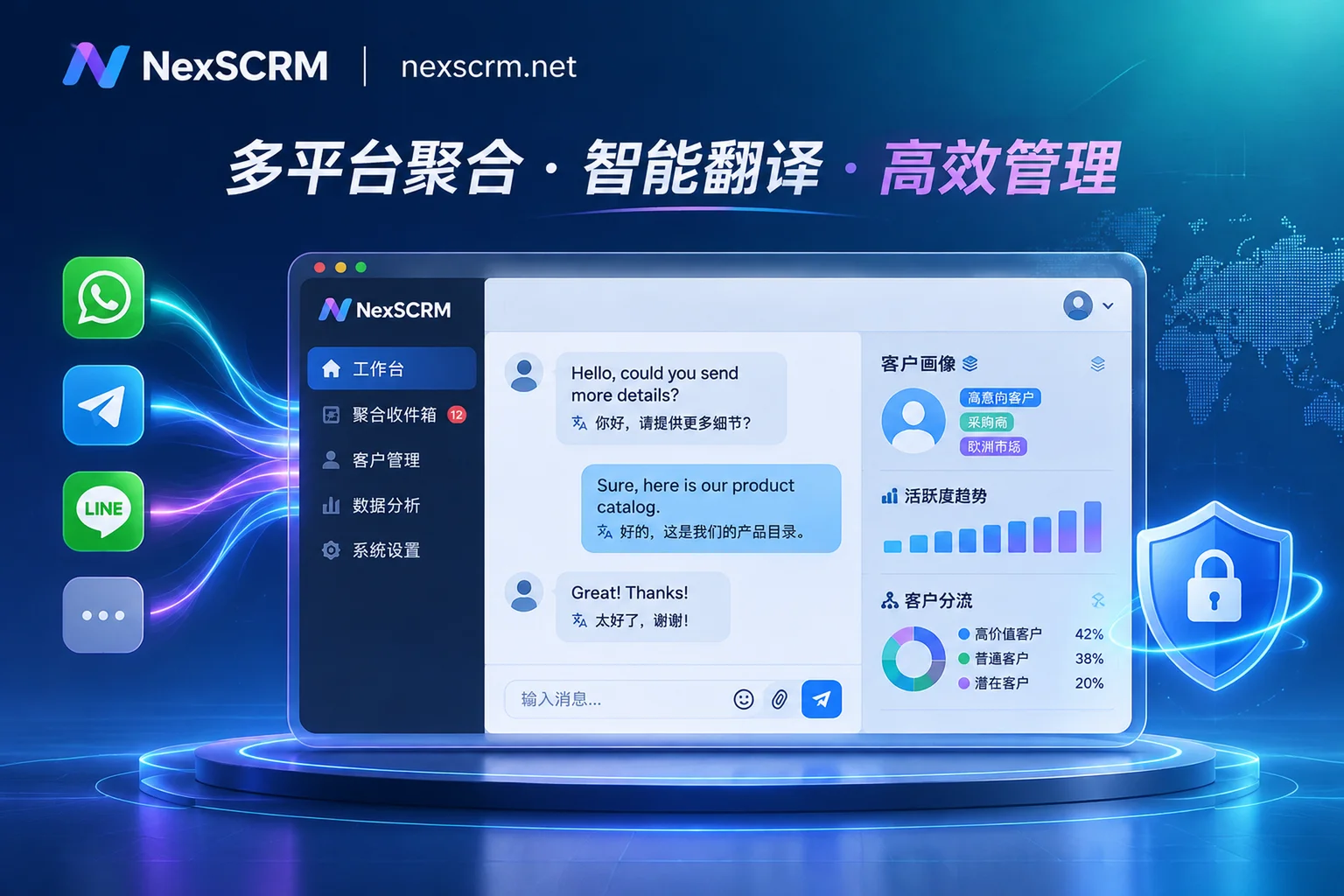
In NexSCRM, each connected account is equipped with an independent fingerprint environment and can bind a session-level proxy—meaning the account's network egress and environmental characteristics are isolated from other accounts in the workbench, preventing cross-contamination from multi-accounting. This is a basic condition for parallel multi-accounting, not an optional extra. If you haven't configured proxy binding yet, see How to configure different proxy IPs for each social account for parameters and checkpoints. The specific form of sending/receiving across multiple platforms and accounts in one workbench with unified message inflow is explained on the Multi-Account Aggregated Management page.
Other capabilities not billed per port but affecting how many ports you actually need:
- Cloud chat history backup and search: When swapping accounts or handovers, history can be retrieved, so you don't need to keep old accounts online just to "preserve context," saving ports.
- Contact deduplication and customer profiling: The same customer coming from two accounts can be merged into one, reducing account redundancy from duplicate follow-ups.
- Quick reply templates and keyword auto-replies: One person can reliably handle more accounts, maximizing port usage instead of being bottlenecked by message volume.
In other words, port count is determined by work methods, which are determined by tool capabilities. Define processes first, then count ports; reversing the order often leads to overbuying.
Things to Confirm Clearly Before Ordering
Below are differentiated by version and tier; don't infer from experience:
- Minimum purchase tier: The minimum number of ports to start with.
- Concurrent limit per client: How many accounts a single Windows PC can keep online simultaneously, affecting the feasibility of the one-person-multiple-accounts mode and whether extra machines are needed.
- Feature versioning: Whether capabilities like translation lines, sensitive word monitoring, data masking, and payment control are included in all ports or only higher versions.
- Port transferability between personnel: When employees leave or accounts change hands, do ports follow the person or the account?
- Add-on and downgrade rules: How mid-term port additions are billed.
For current answers to these, refer to the official website. NexSCRM offers a free trial. Recommended verification: Load your actual account list for a full day, check if simultaneously online account count, single-machine load, and translation responsiveness meet expectations, then decide on the tier. For specific tiers and pricing, see Pricing and Free Trial.
One-Sentence Recap
When counting ports, the question to ask yourself is not "how many customer service agents do we have" or "how many accounts do we have on hand," but—at this moment, how many accounts must be online? That number is the port count you need to buy.