 NexScrm官方博客
LINE Official Accounts cannot search for people and add friends unilaterally in bulk like personal accounts. The friend count can only grow when users click a link, scan a QR code, or tap a button to join. To increase your friend count, you need to do three things at once:
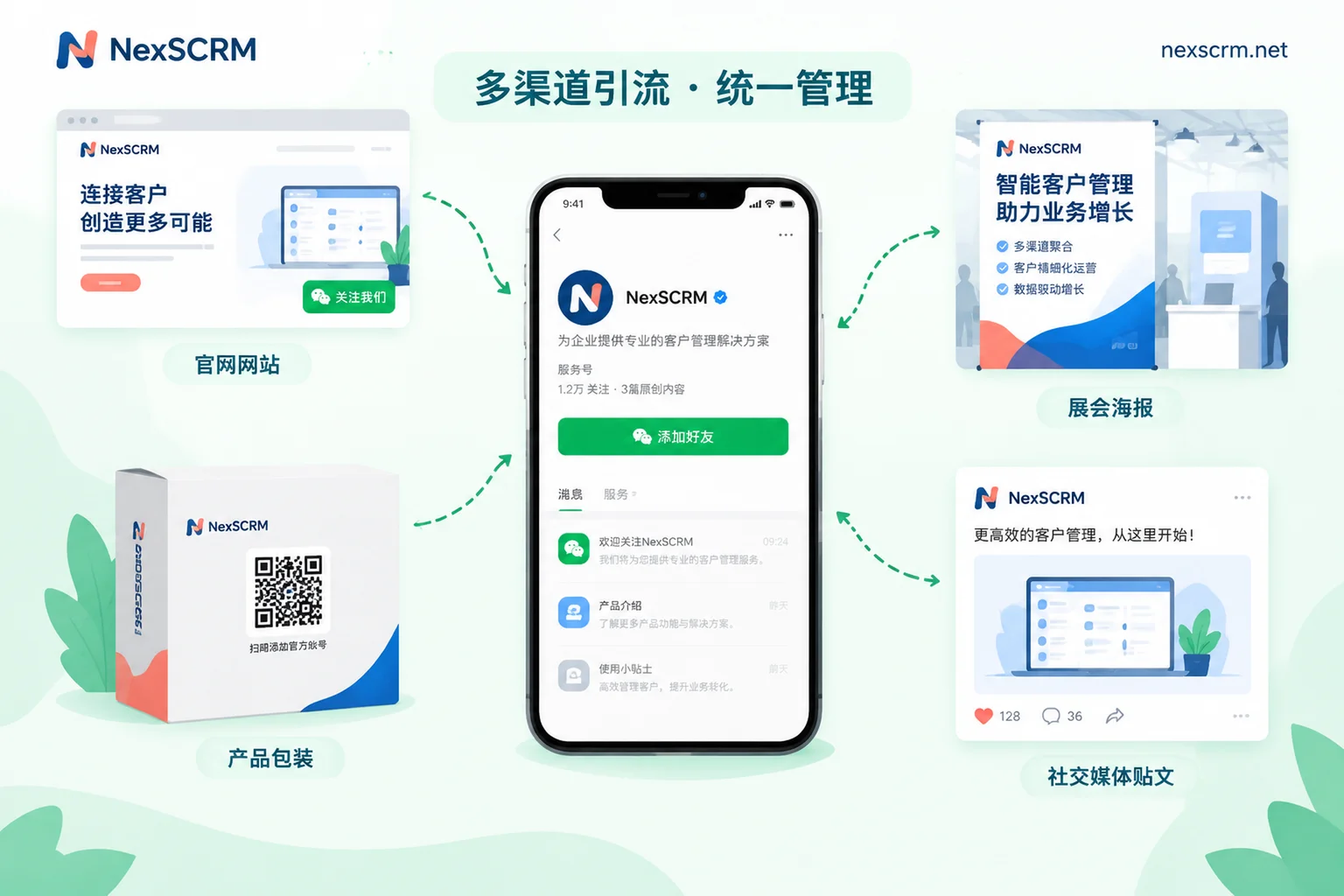
- Let customers see the join entry point in more places: Put it on your website, social media, emails, packaging, and exhibition materials.
- Give a clear reason to join: An offer, a resource, or access to a dedicated contact.
- Don’t disappoint after they join: Deliver what you promised in the welcome message and respond promptly to questions, or they will block you quickly.
We recommend building in this order: first set up free entry points with separate tracking for each channel, then add incentive tools, make sure your reception can keep up, and only then consider paid ads.
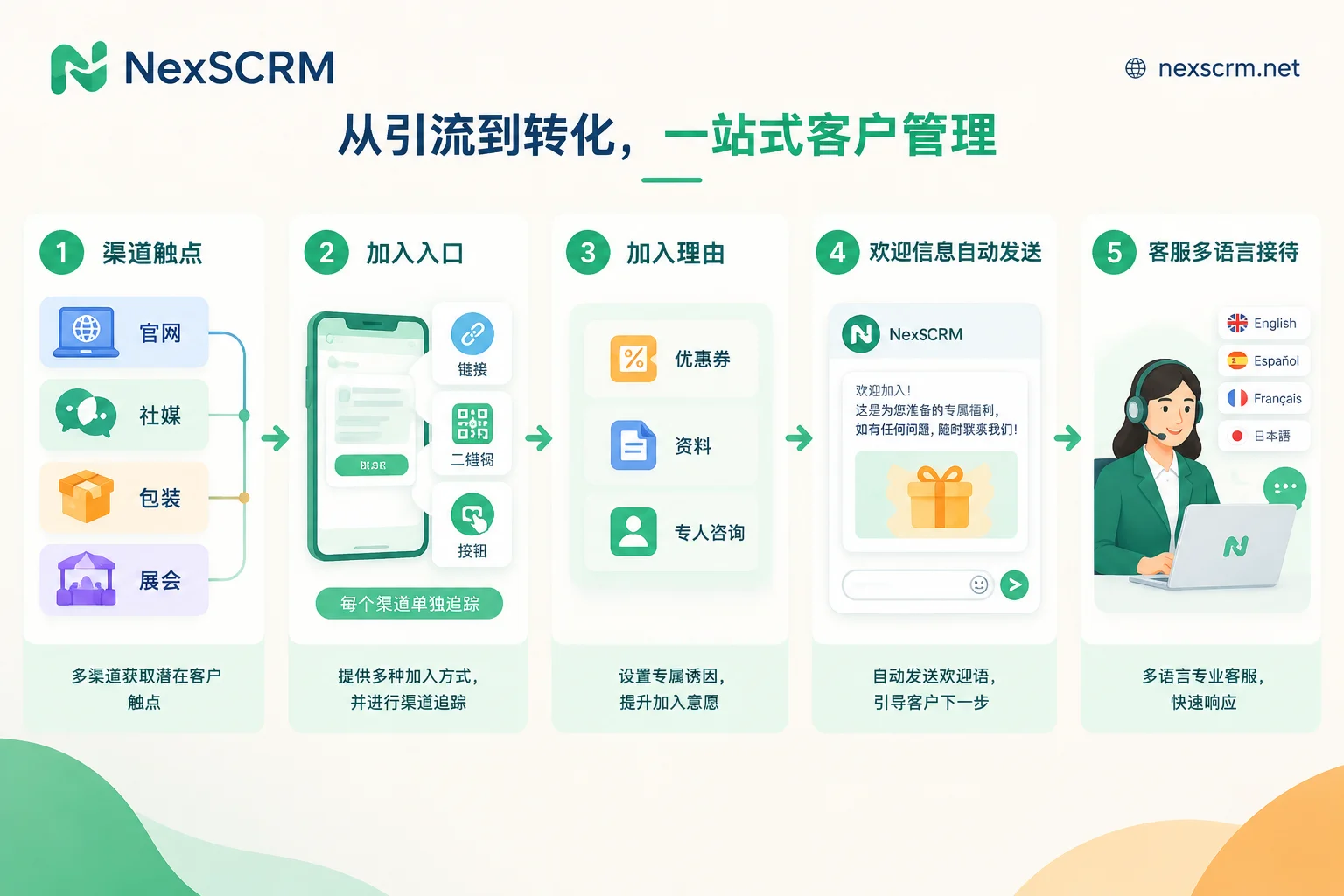
Step 1: Get entry points from the backend and place them by scenario
In the LINE Official Account Manager backend, under the add-friend related features, you can get three types of entry points:
- Add friend URL: Suitable for social media profile bios, posts, EDM, email signatures, thank-you pages on your website, and chat replies on other platforms.
- QR Code: Suitable for product packaging, manuals, business cards, exhibition roll-ups, and in-store posters—places where people are offline and it’s convenient to scan with a phone.
- Add friend button (HTML embed code): Suitable for website headers and footers, contact pages, and next to product detail pages.
The principle is to place the entry point where customers are most likely to have a question. For example, next to a product page’s spec table, write “Questions about specs or MOQ? Add us on LINE and ask directly.” This is usually more clickable than putting it in a footer corner.
Create separate tracking for each channel. The backend has a “Set add friend channel” feature that can generate independent tracking sources for a website banner, a specific social post, or a specific store poster. Later, in the “Analytics” page, you can see how many friends each channel brought in. If all channels share the same QR code, you won’t know which one is driving growth.
Separate channels also have another use: the backend can group friends from a specific channel into an “add channel audience” and later send messages grouped by source. Customers who scanned at an exhibition and those who came from an ad often care about different things. For details on how to segment lists, see How to set up LINE segmented broadcasts more precisely.
Step 2: Give customers a reason to join
Just placing a QR code and writing “Welcome to join” usually doesn’t get many joins. The official platform provides several incentive tools:
- Coupons: Users automatically join the official account when they claim one. Suitable for retail or brands with a first-order discount.
- Point Cards: Also automatically add friends when claimed. Suitable for stores or consumer goods with repeat purchases.
- Greeting Message: Automatically pushed after a user joins. Can include a first-purchase discount code, free resources, or a dedicated contact entry.
B2B export teams may not be suited to coupons. Instead, replace the incentive with something customers actually need, such as a product catalog PDF, certification documents, a sample request channel, or “dedicated quote response during business hours.”
Pay special attention here: Deliver whatever you promise in the welcome message. If you write “Join to get the catalog,” make sure they can actually get it when they click. If you write “dedicated one-on-one support,” someone must be online. Users discovering that promises are broken right after joining is one of the common reasons for “join and block.” If blocks are concentrated shortly after joining, you can troubleshoot item by item based on the timing in What causes a high LINE block rate.
Step 3: Consider paid add-friend ads
When free channels are limited, you can consider LINE Ads Platform (LAP) Gain Friends Ads. These ads have several characteristics:
- Placements: Include above the LINE chat list (Smart Channel), LINE TODAY, LINE VOOM, etc.
- Billing: Cost per friend (CPF). You are charged only when a user actually joins the official account.
- Eligibility threshold: Usually requires a verified official account (blue shield) or a corporate official account (green shield). Unverified gray shield accounts face restrictions.
So before running ads, confirm your account’s shield status. If it’s still gray, go through the verification process first. Different countries and regions (e.g., Taiwan, Japan, Thailand) have different verification requirements and CPF unit prices. Refer to the official LINE Biz documentation for your market.
Also, run ads only after steps 1 and 2 are working smoothly. Paying per friend means every new friend costs money. If your welcome message and reception aren’t ready, friends bought with money may block you quickly.
Step 4: Keep up with reception after new friends join
A growing friend count doesn’t mean the job is done. New friends are most likely to ask questions right after joining. If replies are slow, you can’t understand their language, or you answer the wrong question, all the earlier effort is wasted. Several practical issues to handle:
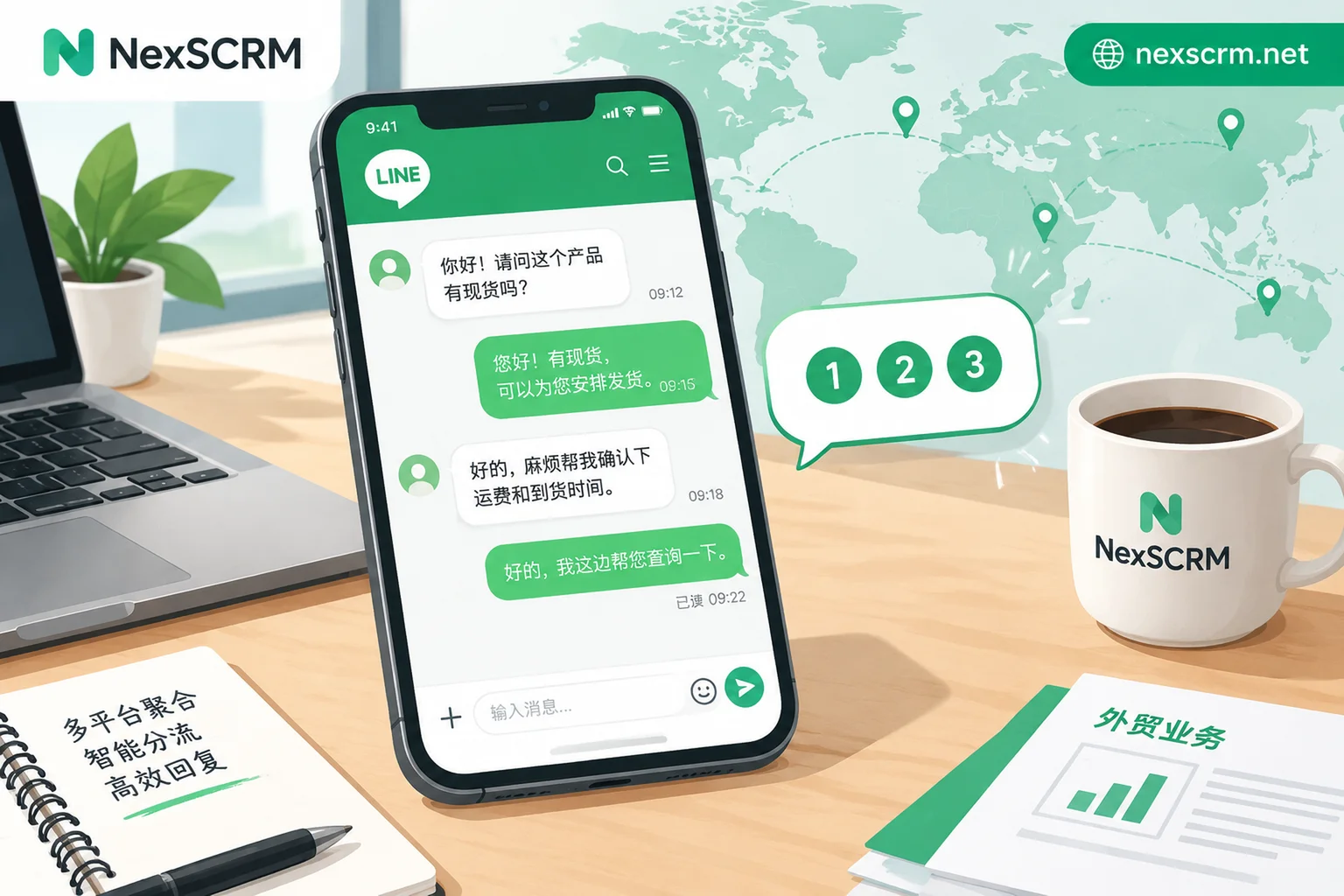
- Multilingual replies: Teams going global face customers in different languages. Relying on customer service to look up translations on the fly slows responses and increases errors.
- Multiple agents and accounts: During campaigns, joins concentrate and need to be assigned to different people. Handovers must show previous conversations.
- Consistent welcome scripts: Different agents giving different answers to the same question easily confuses customers.
- Channel-based counting: Besides LINE backend channel data, the team also needs to know who each channel’s leads went to and whether anyone followed up.
If your team uses multiple accounts and platforms to serve overseas customers at the same time, you can handle this part with NexSCRM. Multiple accounts send and receive messages in one workspace, messages can be translated in real time both ways, and the original and translated text are kept side by side so agents can verify the meaning before replying. Quick reply templates can unify welcome messages and FAQs. The fan counter and split link statistics can show joins and assignments by channel. Note that this tracks joins and reception, not revenue attribution. The counting and split features are explained in Counter and backup, and the translation feature in Real-time translation. Features vary by plan; refer to the official website for details.
People joining but not speaking is another issue. See What to do when LINE friends don’t interact.
When friend growth stalls, check in this order
- Are there enough entry points? Check whether your website, social media, emails, and packaging all have entry points, and whether they are placed where customers want to ask questions.
- Which channel has no volume? Look at each channel’s data in the “Analytics” page. If a channel is consistently zero, adjust the entry point’s placement or accompanying copy.
- Is the reason to join valid? Does the incentive appeal to your target customers? B2B customers usually care more about resources and response speed; discounts may not work.
- Are you losing friends after they join? If friend count is rising but blocks are also rising, revisit your welcome message and first replies.
- Do you need ads to supplement volume? Only consider add-friend ads after the first four are fine and your account is verified.
Troubleshooting in this order usually helps you find whether the problem is “no one sees the entry point,” “they see it but don’t want to join,” or “they join but leave,” and then decide where to spend money and manpower.


Comments(0)