 NexScrm官方博客
When a customer adds you on LINE but doesn't speak, don't rush to send another "Are you there?" First, distinguish which type of "no interaction" it is, as the handling differs greatly:
- Always shows unread: First suspect the message wasn't seen at all, common with personal accounts' one-way friends or when the other party has enabled "Block messages."
- Read without reply: The message was delivered, but the other party doesn't know how to respond, or sees no reason to reply.
- Added as friend but never spoke: Lacks a low-threshold way to start, and lacks an immediate benefit.
Next, confirm the type of account you're using. The Welcome Message (Greeting Message), Rich Menu, and keyword auto-reply mentioned below are features of LINE Official Account (OA); with a personal account, you can only manually send the first message and follow up to achieve the same.
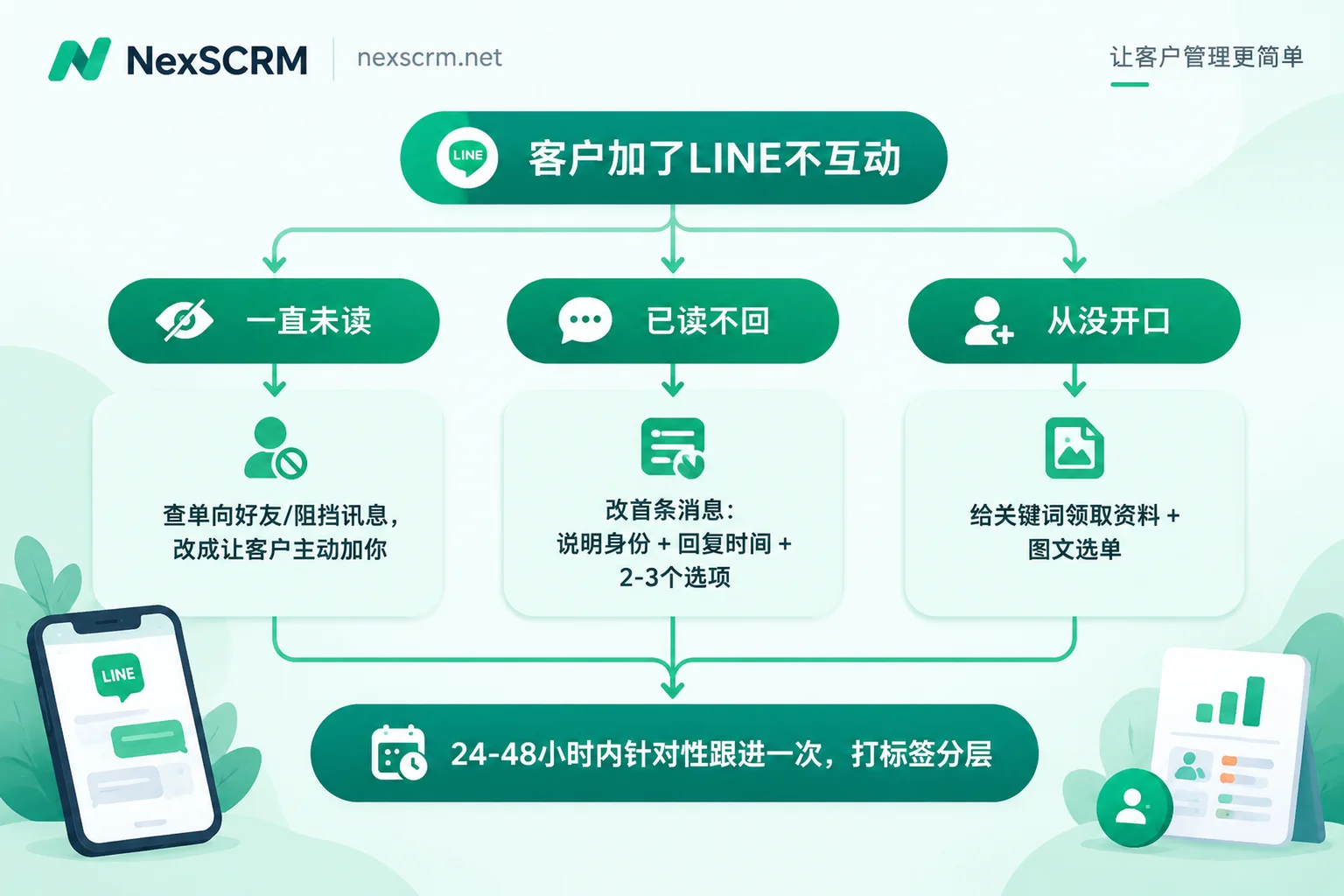
Always Unread: First Confirm If the Message Was Seen
In personal account communication, "customer doesn't reply" is partly "customer didn't receive notification."
Scenario 1: Only you added the other party unilaterally. From their perspective, you're not a friend yet, and your message may be sorted into a separate list like "Invitations from non-friends" rather than popping up as a normal chat notification. LINE has strengthened the identification and management of such stranger messages in recent years to prevent fraud; customers won't see it unless they actively check.
Scenario 2: The other party has enabled "Block messages" (block non-friend messages). In this case, messages from non-friends are directly blocked, and no matter how many you send, the other party won't receive them.
Handling method:
- Stop sending repeatedly. When messages aren't delivered, sending repeatedly is useless; when the other party sees it, it's a long string, which looks worse.
- Switch to letting customers add you proactively. Place your LINE QR code or add-friend link in email signatures, quotes, business cards, and exhibition materials, so customers can scan to add you. When the customer initiates the addition, it's less likely to fall into the non-friend message column.
- If already unilaterally added, send a reminder through the original channel. For example, tell the customer via email or other chat tools: "I sent you the product catalog on LINE; it might show up in non-friend messages on your end. Add me back to see it directly."
Confirm both parties are friends and the message shows as read, then proceed to the next step.
Read Without Reply or Added but Silent: Change the First Message
In the first few minutes after a new friend joins, their attention is highest and they're most willing to respond. The first message they receive determines whether they'll speak up.
Common problems are two types: one is empty pleasantries like "Hello, nice to serve you," leaving the other party unsure what to say; the other is sending a long product introduction and price list right away, making the other party feel sold to and simply not replying.
A better first message usually contains three things:
- Who you are and how you can help, clearly in one sentence.
- When a human will take over. This is especially important for cross-timezone communication, such as telling the other party your working hours and how soon someone will reply.
- 2–3 options they can directly reply to, letting them just reply with a number or letter.
An English example, which can be translated into the corresponding language by market:
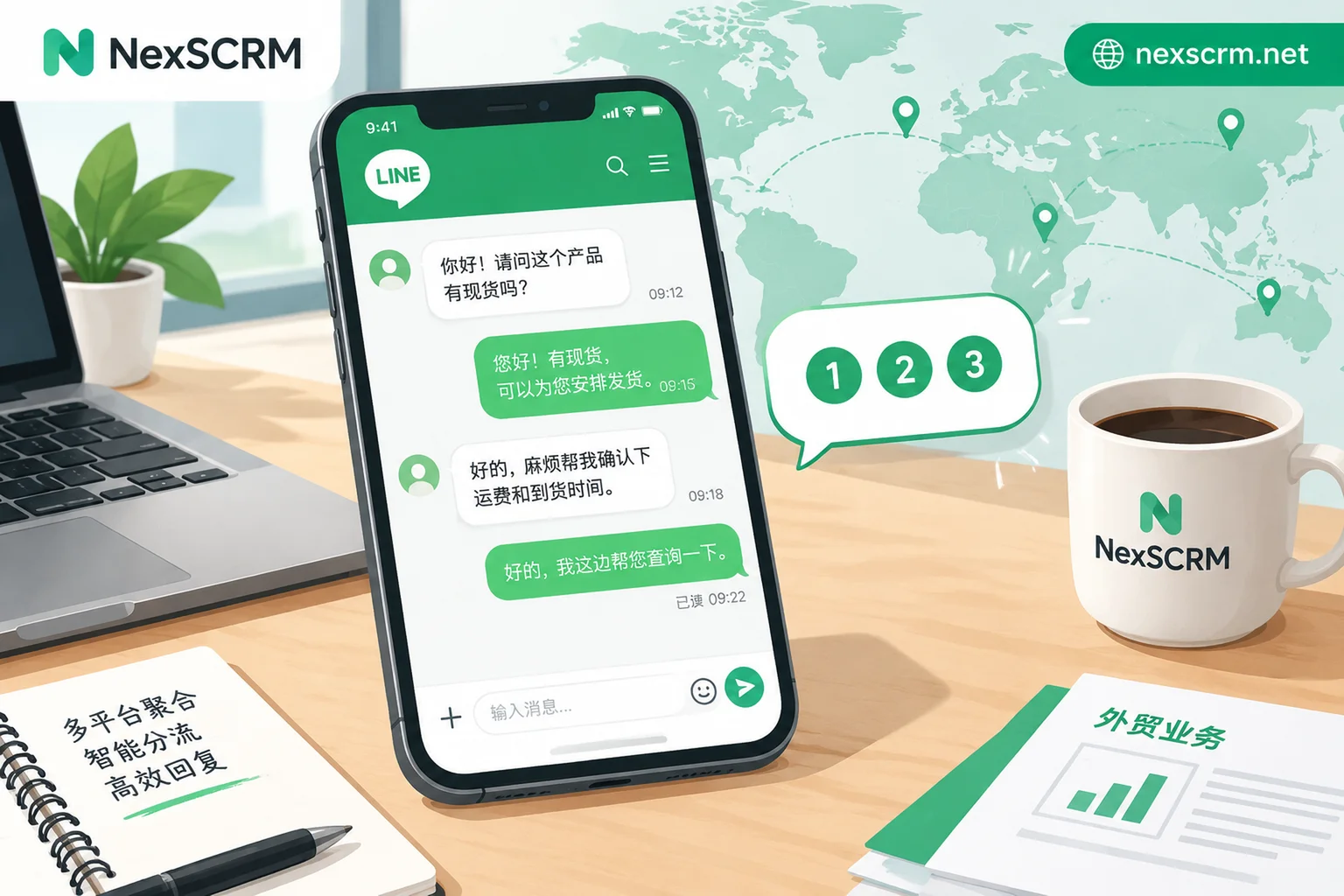
Hi, this is Lisa from XX Packaging. Reply with a number and I'll send it right away:
1 – Product catalog (PDF)
2 – Price for your quantity
3 – Free sample request
Our team replies within 2 hours (Mon–Fri, GMT+8).
If using an official account, set this as the friend-add welcome message and configure keyword auto-replies for each option. If using a personal account, save it as a fixed first message and send it immediately when a customer adds you.
If you promised "add friend to get catalog" or "add friend for discount" during lead generation, the first message must deliver. If a customer added you for a promise and the first message is still pleasantries, it's easiest to lose them at this step. For how to prepare for new friends, refer to the section on entry points and welcome information in How to Increase LINE Official Account Friends.
Give Customers a Reason to "Get Something by Replying Just One Word"
Many customers don't interact because they don't see what replying will bring. Reduce the cost of speaking to the minimum and make the reply immediately rewarding:
- Reply "CATALOG" to get the product brochure PDF
- Reply "SAMPLE" to enter sample application
- Reply "CODE" to get a new customer discount code
- Reply "GUIDE" to get industry buying guide or certification materials
Here's a prerequisite: after replying, there must be something sent back immediately. If a customer replies with a keyword and waits with no response, they'll be even less likely to reply next time. Official accounts can use keyword auto-replies to ensure immediacy; personal accounts require scheduling duty staff or preparing materials and scripts in advance for one-click sending.
Customers Who Dislike Typing: Catch Them with Rich Menu (Official Account)
Some customers just aren't used to typing in the chat box, especially those still comparing suppliers. Official accounts can configure a rich menu at the bottom of the chat room as a permanent mini-portal, featuring:
- FAQs (lead time, MOQ, payment methods)
- Product category entries
- Qualifications and certifications, factory introduction
- Inquiry form
Customers don't need to type; clicking a button can trigger auto-replies. You can also infer from what they click whether they care about price, qualifications, or lead time. After the menu goes live, check the click-through rates of each section in the backend; for specific paths and metric meanings, see How to Read LINE Rich Menu Click-Through Rate.
Second Follow-Up: Within 24–48 Hours, a Targeted Light Touch
If the first message gets no response, follow up once within 24 to 48 hours after the customer joined. This time should be more specific than the first, not a repeated greeting:
- If the customer selected an option or clicked the menu, continue that topic. For example: "I sent you the catalog last time; the style on page 12 is currently in stock. Want me to quote based on your quantity?"
- If there's no response at all, switch to a lighter angle, such as asking a yes/no question: "Are you mainly looking at Series A or Series B this time?"
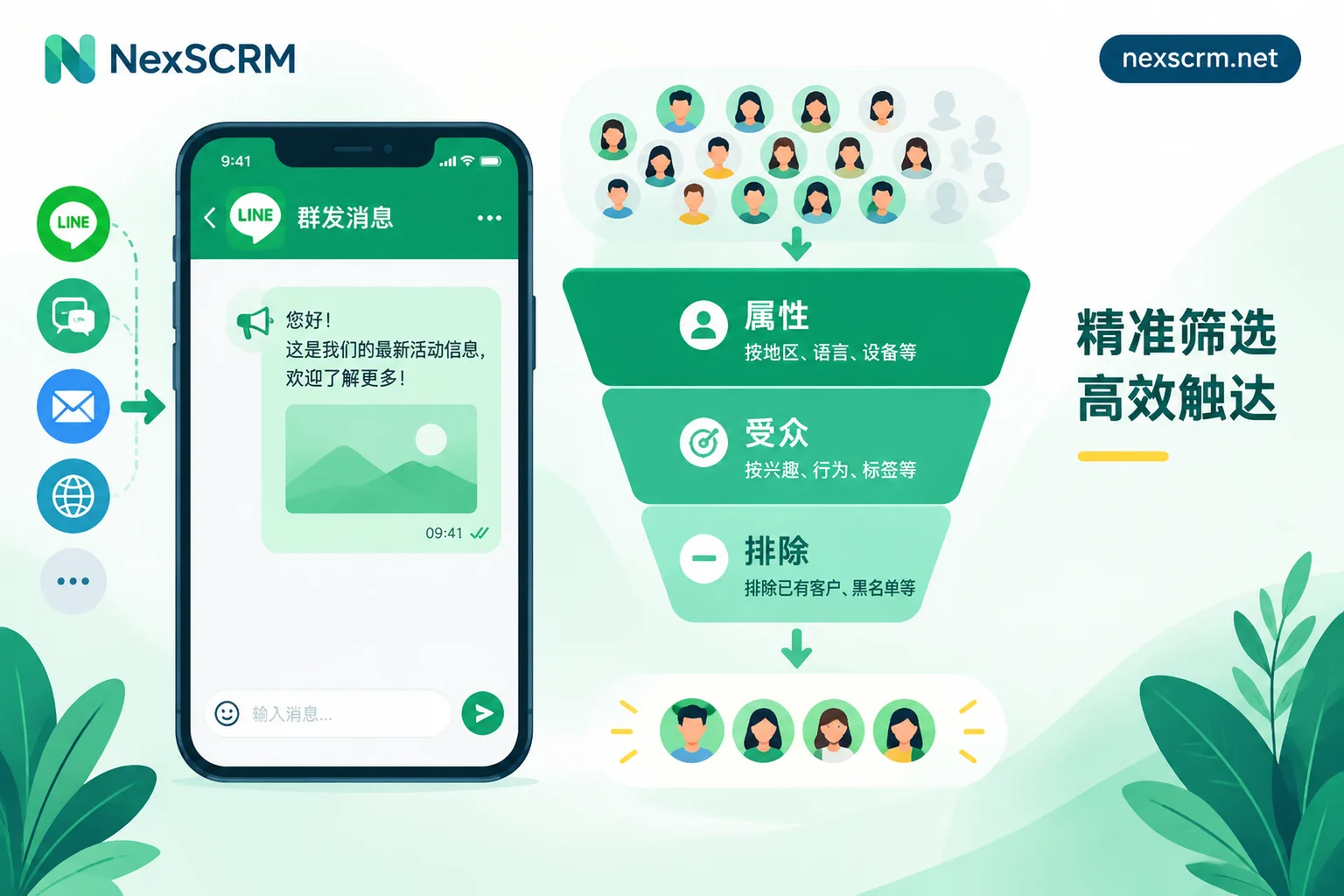
If there's still no response after this, mark the customer as to be nurtured and don't repeatedly push ads. Sending high-frequency hard ads to all silent friends is a common reason read-without-reply turns into blocking. If official accounts want to reach this group again, group them by interest first before pushing; for methods, see How to Set Up LINE Segmented Broadcast More Precisely. If the block rate is already high, refer to What Causes High LINE Block Rate and troubleshoot item by item based on when the block occurred.
After the Customer Speaks: Reply Quickly and Don't Lose Context
Everything above is to get the customer to reply with the first sentence. When they actually reply, teams easily drop the ball in three places: foreign languages not understood, slow replies; multiple LINE accounts held by different people, leading to duplicate contact or no one responding; when handing over, no one knows what was discussed before.
In NexSCRM, you can handle this stage as follows:
- Multiple LINE accounts in one workspace for sending and receiving, so customer replies won't be scattered across devices and missed.
- Real-time two-way translation, supporting text, images, and voice, with both original and translated text retained. Messages from customers in Japanese or Thai can be understood directly, and your replies in Chinese can be translated into their language before sending, with the original still available for checking terms. For translation routes and usage, see Translation Feature Page.
- Quick script templates: Save the first message, keyword replies, and second follow-up scripts as unified team templates, so new staff can receive with the same tone.
- Customer profiles and tags: Tag customers as "read without reply," "catalog sent," "pending quote," etc., with follow-up reminders, so you remember to do the second follow-up within 24–48 hours. When someone else takes over, they can see from tags and chat history where the conversation stands, and avoid two salespeople contacting the same customer simultaneously. This part is in Profile, Deduplication, and Script Feature Page.
If your customers are in different countries and have different acceptance of business messages, it's best to write the tone and length of the first message separately by market, not send one script to everyone.


Comments(0)