 NexScrm官方博客
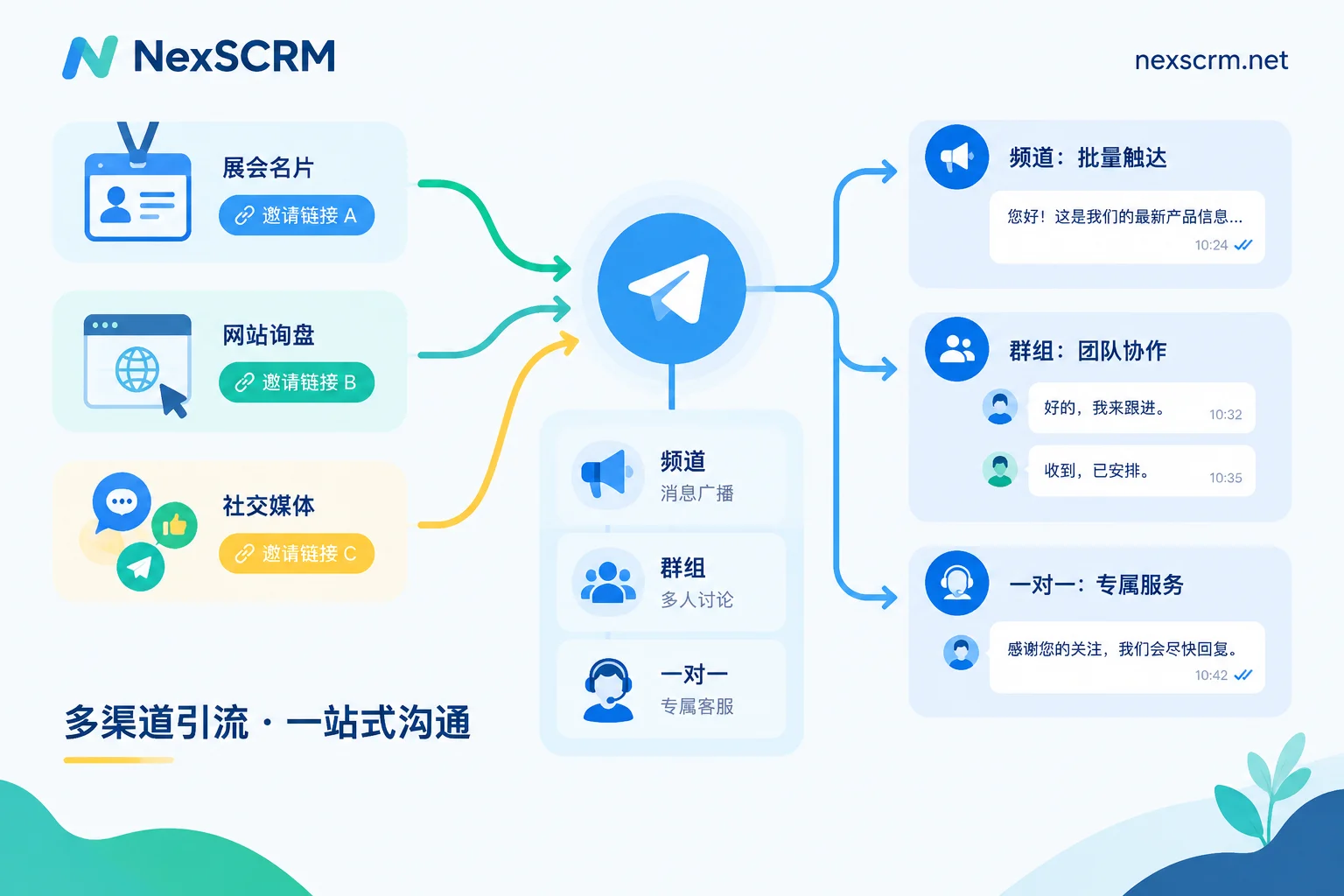
Suppose you have several traffic sources: exhibition business cards, inquiry buttons on your independent site, overseas social media pages. Now you want to direct these people into Telegram, where a few customer service reps will follow up long-term.
A relatively stable approach is a three-layer reception: channels handle accumulation and broadcasting, discussion groups or topic groups handle interaction and Q&A, and customer service private chats handle quotes and closing deals. Generate a separate invite link for each traffic source so you can see where people come from. The platform has risk controls against proactively messaging strangers, so try to let customers initiate the conversation and have customer service respond.
The following explains each step in the setup order, along with the conditions to watch out for.
1. What Each of the Three Layers Handles
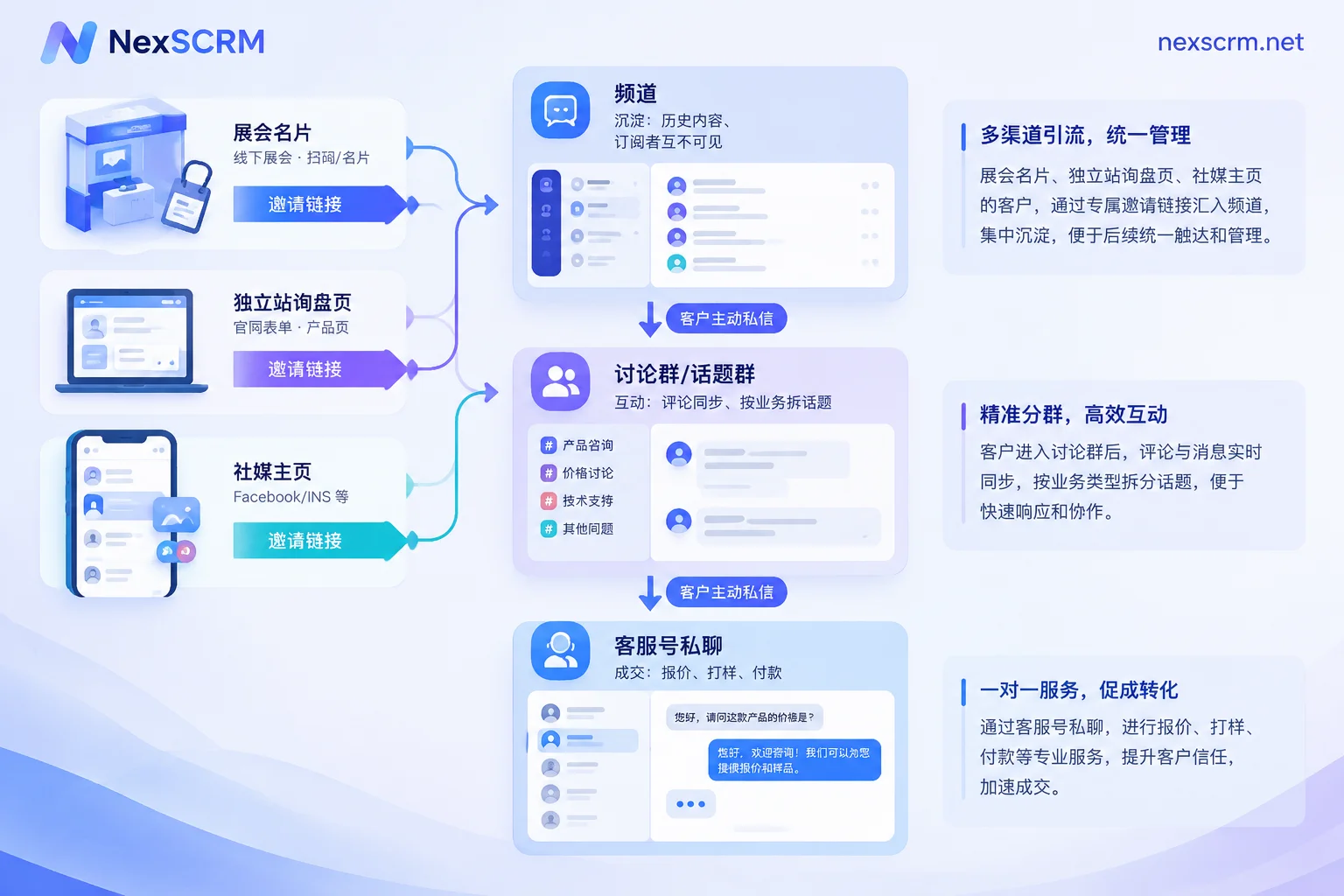
Channel: accumulation layer. There is no upper limit on channel subscribers, and content is published in the channel's name. New subscribers can see the complete history, making it suitable for product catalogs, certifications, shipping cases, and new product announcements. Customers can browse and learn about you. Subscribers cannot see each other, so competitors cannot directly poach your customers from the member list. Note that administrators can only actively add the first 200 subscribers; after that, users must join via public links or private invite links. Therefore, channel growth must rely on traffic entry points, not manual additions.
Group: interaction layer. Groups have a limit of 200,000 members, and all members can speak. You can assign different permissions to administrators, enable slow mode, and set pinned messages. A channel can be linked to a dedicated discussion group. Each channel post will have a comment entry, and comments will sync to the group. This way, when a new product announcement is posted, customer questions will concentrate in the discussion group, and customer service can answer them all in one place.
Customer service private chat: closing layer. Quotes, samples, payment terms, etc. are not suitable for public discussion in a group and should be moved to one-on-one private chats. It is recommended to place the private chat entry in the channel description and group pinned message, letting customers come to you proactively. See Part 3 for the reason.
2. Specific Settings for Channels and Groups
- Enable Topics in large groups. Split a large group into several discussion sections by business, such as "Pre-sales Consultation," "Logistics Timeliness," "After-sales Issues." If the customer volume is sufficient, you can also split by language. Different issues won't mix in a single message stream, and customer service can claim sections.
- Pin two things. One is brief answers to common questions, and the other is the customer service account entry. Many repetitive questions can be blocked by the pinned message.
- Enable slow mode for groups with many people and frequent messages to avoid flooding pushing important questions up.
- Assign administrator permissions separately. Publishing content, deleting messages, and approving joins should ideally be handled by different people. It is also easy to revoke permissions when someone leaves.
3. Where Do Joins Come From: One Invite Link per Channel
Private channels and groups can generate multiple tagged invite links. It is recommended to use them as follows:
- Generate one per channel with a clear name, e.g., "2025 Canton Fair Business Card," "Independent Site Inquiry Page," "A Social Media Page." Telegram tracks the number of joins per link, so you can see which channel brings more people at a glance.
- Use single-use links for important customers or distributors. A link can only be used once, making it less likely to be forwarded and spread.
- Enable Join Requests for private groups that need screening. Take a look at the profile before approving; obvious competitors or advertising accounts can be rejected directly.
This tracks "which link the group join came from," not "who placed an order." When reviewing, don't directly treat the number of joins as revenue brought by the channel.
Besides groups and channels, there is another traffic source: customers who directly add the customer service account for private chat. Native link tracking does not cover this part. If multiple customer service accounts are receiving people, you need to count separately. If a count is missed one day, you can refer to the method of supplementing followers to make it up.
4. Boundaries of Proactive Private Messaging: One Report Can Lock Your Account
This step is the most prone to problems, so it is discussed separately.
If you proactively send a private message to a stranger who has not saved you as a contact, and the content is promotion, advertising, or group links, the other party can click "Report Spam," and your account may be restricted. After being restricted, you can no longer proactively private message non-mutual contacts (i.e., people who have not mutually saved each other's contacts), but you can still reply normally to users who come to you proactively.
A few practical implications:
- Let customers speak first. Put the customer service account entry in the channel and group pinned messages. When customers click and private message you, subsequent conversations are not affected by this restriction. Private domain reception should inherently be "customers come to you, customer service responds." Don't rely on customer service accounts to cast a wide net.
- The official safe frequency has not been published. What is certain is that risk control is related to account registration age, historical activity, and report history, but there is no official fixed number. The widely circulated "how many messages per day is safe" has no basis.
- If restricted, check the reason first. You can use the official bot @SpamBot to inquire about the reason, and apply for review if you believe it is a misjudgment. If a violation is confirmed, it generally cannot be lifted early. Therefore, the main customer service account in the closing layer should not be used for reaching out to strangers.
5. Customer Service Reception: Use Official Features First, Then Tools for Teamwork
After enabling Telegram Business features, you can set business hours, location, automatic welcome messages, away greetings, quick reply phrases, and add colored labels to chats. At the stage where one customer service rep manages one account, these are enough for initial reception and classification. For specific wording of welcome messages and keyword replies, refer to auto-reply settings for various platforms.
However, Business features do not have native multi-agent collaboration or sub-account permission isolation. Once the following situations arise, official features alone become strenuous:
- Several customer service reps each manage several accounts, and the supervisor wants to see all conversations in one place;
- Customers come from different countries, and customer service needs to translate while chatting;
- A customer is handed over from A to B, and B needs to see the complete previous chat and quotes.
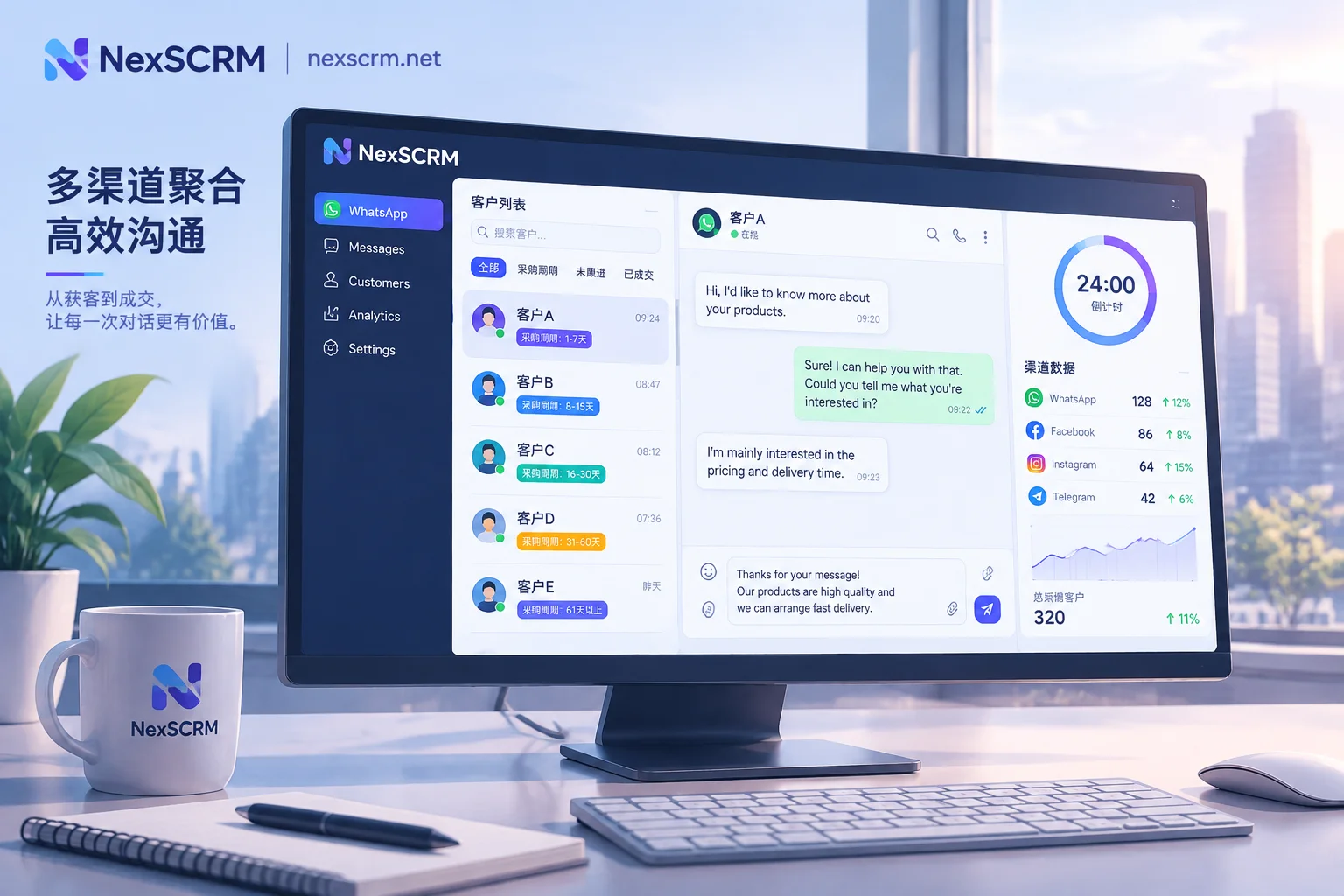
In NexSCRM, these are handled as follows: multiple Telegram accounts are aggregated into one workspace for sending and receiving, each account uses an independent fingerprint environment and can bind a session-level proxy to avoid multiple accounts being associated with each other in the same environment (for proxy parameter configuration, see this configuration step). During chats, real-time two-way translation can be enabled for text, images, and voice, with multiple translation routes available. The original text and translation are kept simultaneously, so numbers and model numbers in quotes can be checked against the original. The language used by the customer can be locked to that session, making it less likely to mix languages when one account serves customers from multiple countries. For specific Telegram integration methods, see NexSCRM's Telegram solution, and the differences between translation routes are explained on the translation feature page.
6. Four Things for Daily Refined Operations
- Tagging. After a customer enters private chat, tag them by source channel, language, and intent stage. The same customer may have asked questions in the group and also private chatted, so deduplicate contacts; otherwise the profile will be split into two.
- Set follow-up reminders. For customers who have received a quote but haven't replied, set a follow-up time for them; don't rely entirely on customer service to remember.
- Handover with full records. Back up chat records to the cloud. During handover, the new customer service rep can search by keywords to find previous quotes and commitments, without making the customer repeat everything.
- Review two sets of numbers weekly. One is the number of joins from each invite link, and the other is the number of followers per customer service account. They reflect which channel and which entry point are bringing people, and are used to adjust traffic acquisition.
When just starting, you can first use one channel plus one discussion group, and one customer service account to get the process running. When the number of customer service reps and languages increases, then integrate multi-account and translation. Get the process smooth first, then scale; it is easier to manage than spreading many accounts from the beginning.


Comments(0)