 NexScrm官方博客
Store client language, source, and follow-up stage as independent fields in a team-visible system first, rather than only modifying contact notes within the Telegram client. Many foreign trade salespeople think they've segmented customers by changing notes, but Telegram native lacks the color-coded tagging system of WhatsApp Business. Notes are single-line text and isolated per account. To solve the problem of how to tag and segment Telegram customers, the key is to structure and externalize front-end information capture using the native features updated in August 2026.
Where do Telegram customer notes actually live: the isolation mechanism of account-level cloud contacts
Modifying a contact note in the Telegram client essentially writes a single line of plain text into the cloud contacts of the currently logged-in account. This text synchronizes across the devices where that specific account is logged in (like phone and computer), so your customer notes persist after a phone switch, but only for that same account. Once team collaboration enters, the problem appears: when Agent A and Agent B handle the same customer using separate Telegram accounts, their contact lists are completely physically isolated. Agent B still sees the original username; Agent A's notes are invisible to him. This mechanism makes "my colleagues can't see my notes" the norm and explains why relying solely on client-side notes cannot support team-level customer asset management. Since there is never an official CRM grouping or tag export interface, any claim of achieving cross-account tag synchronization via native features is a misinterpretation of the cloud backup mechanism.
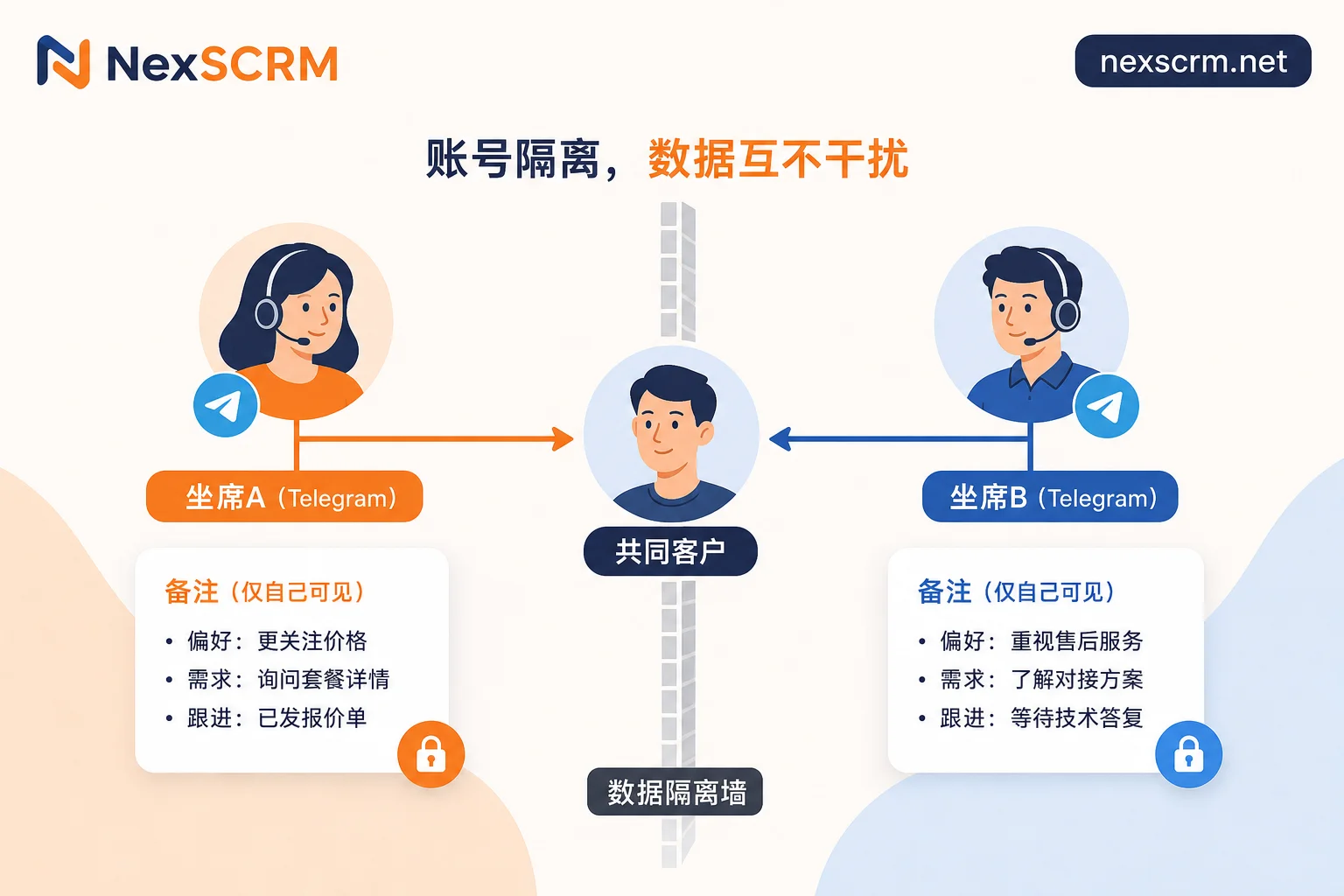
First narrow down segmentation dimensions: language/region, source entry, follow-up stage
For cross-border private domain operations, the fields that truly drive subsequent actions are actually very limited. It is recommended to strictly control segmentation dimensions within three mutually exclusive options: first, the customer's primary language and region, which determines the language template and sending time slots; second, the source entry, clarifying whether the customer came from a group, channel, or specific promotional link; third, the follow-up stage, marked as "first contact", "negotiating price", "closed", or "dormant". Without database storage support, adding too many custom fields only increases the recording burden on agents, leading to lower data completion rates. Keeping dimensions lean ensures that this key information can be captured and transferred in a standardized manner.
Group first contact and transfer to private chat: what do welcome messages, interactive buttons, and deep link parameters capture?
In the 13th anniversary update released on August 25, 2026, Telegram officially launched native Welcome Messages and Buttons in Messages. Group and channel owners can configure a custom rich-text welcome card that is only visible to new members, without disturbing others. Combined with the Ephemeral mechanism, bots can return results visible only to specific operators, enabling initial Q&A without flooding the chat. Furthermore, utilizing the Deep Linking feature supported by the Bot API, formatted as t.me/<bot_username>?start=<parameter>, with parameters up to 64 characters, allows automatic source attribution at the moment a customer clicks to jump. Inline Keyboard callback_data can capture intent categories. This means the answer to whether Telegram's welcome messages can collect customer information is yes; with proper configuration, most structured fields can be automatically captured without manual recollection.
| Capture Point | Technical Method | Auto-captured Fields | Manually Supplemented Fields |
|---|---|---|---|
| Upon group entry | Welcome Messages + Buttons | Source group ID, initial intent option | Real purchasing role, budget range |
| When transferring to private chat | Deep Linking (start parameter) | Specific promotional link source, ad slot ID | Decision cycle, specific spec requirements |
| First interaction | Inline Keyboard callback_data | Clicked product category, language preference | Contact verification, company background |
Key differences between client notes and external conversation fields
To better understand why fields should be externalized, we must compare the essential differences of the two storage methods. Traditional client-side notes belong to "personal memory", while external conversation fields belong to "team assets".
| Dimension | Client-Side Notes (native way) | External Conversation Fields (system-deposited) | Examples of Aggregator Tools like NexSCRM |
|---|---|---|---|
| Visibility scope | Only the personal devices of the currently logged-in account | Real-time visibility to all authorized agents in the team | Aggregated multi-account conversations, unified view |
| Device change performance | Syncs within the same account, lost across accounts | Data stored on server, not lost with device | Fields and conversations in same database, permanent retention |
| Offboarding handover | Profile disappears as the account is retrieved | Fields fully retained, seamless transfer | Translations coexist with originals, history accessible |
| Filtering capability | Cannot filter contacts by fields | Precise filtering by language, source, stage | Language field directly drives reply actions |
| Search efficiency | Only chat content keyword search | Structured fields support advanced combined queries | Real-time bidirectional translation and linked search |
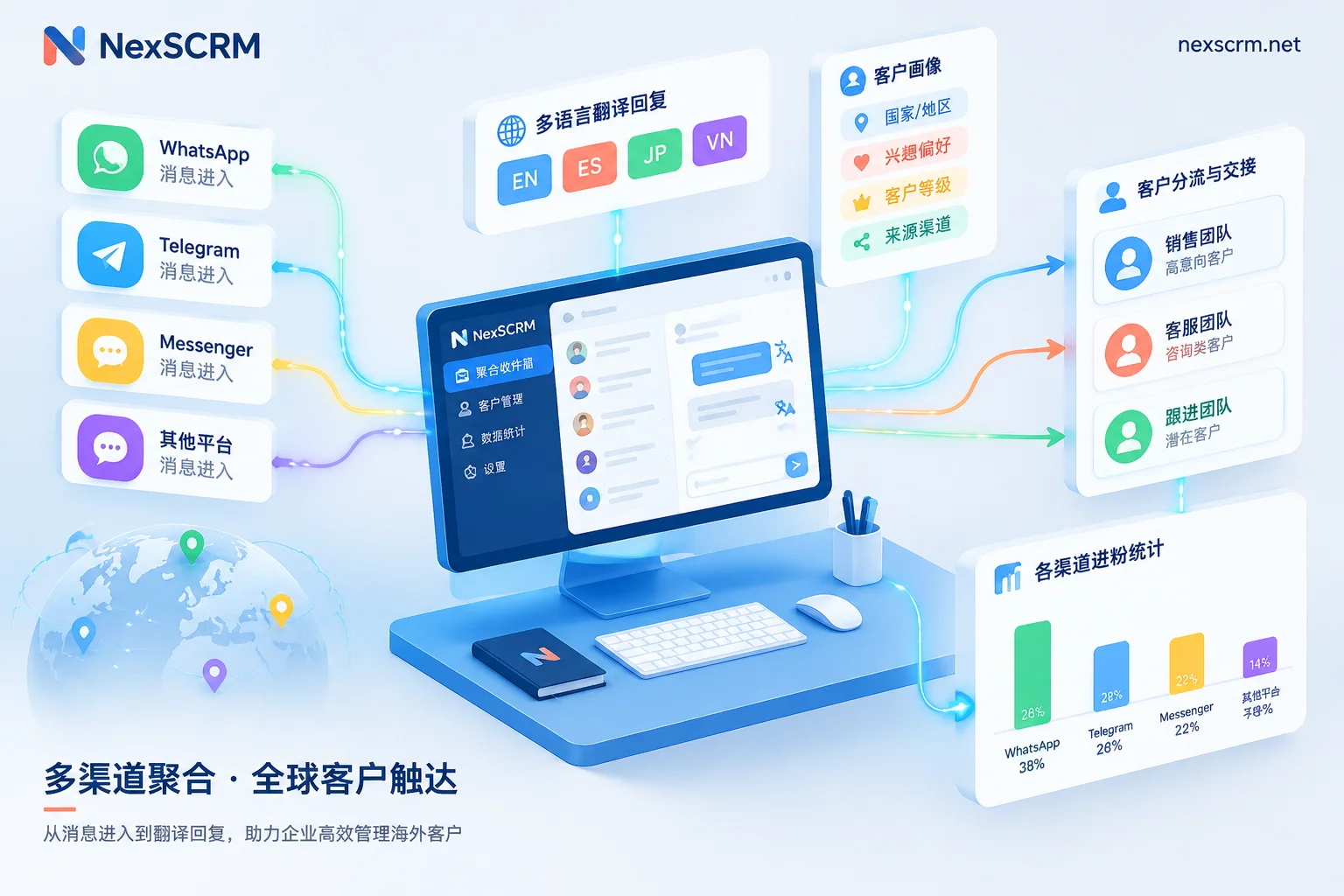
Under this architecture, tools like NexSCRM, by storing aggregated multi-account conversations and customer fields in the same database, allow the language field to directly connect with real-time bidirectional translation engines, keeping translations and originals together, thus solving the problem where native clients cannot drive business actions based on fields.
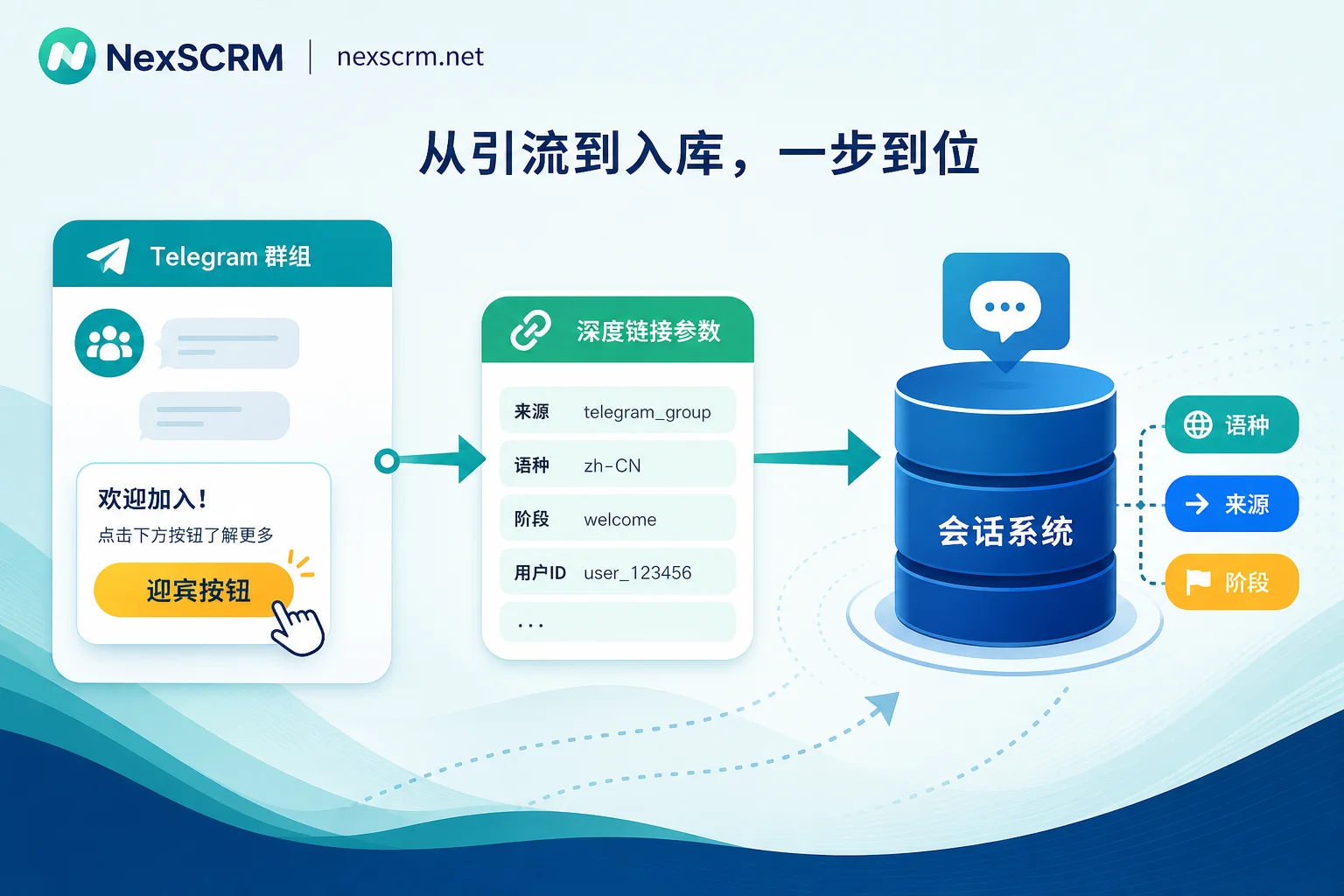
When multiple agents handle the same customer, why do notes always fail to align?
In real foreign trade social media operations, a common erroneous practice occurs: prefixing notes with country codes and intent codes, thinking it achieves team segmentation. This confuses "personal account multi-device sync" with "enterprise multi-agent collaboration". When an employee leaves and their Telegram account is retrieved or deleted, all notes attached to that account's contact list vanish, and the customer profile disconnects. Information that exists only in one agent's account is not a company asset. If the team exceeds three members or uses shift work, you must realize that the note field is not a database; it cannot bear the context sharing required for collaboration.
Choose segmentation approach based on customer source and team size
Different team sizes should adopt different segmentation strategies to avoid over-engineering or management gaps.
| Team Size/Scenario | Recommended Approach | Boundary and Cost | Signal to Upgrade |
|---|---|---|---|
| Up to 3 people / repeat purchases | Fixed note format + external Excel sheet | Low cost, but data fragile, relies on human discipline | Context lost after each handover |
| Around 10 people / public domain traffic | Welcome buttons + deep link parameter auto-capture | Requires bot setup, manual supplement only for intent, quite efficient | Same customer followed by two agents redundantly |
| 30+ people / multilingual | CRM system with fields and conversations in same database | Higher investment, but achieves full auto-attribution and collaboration | High error rates in less common language replies |
For small teams, the key is absolute format consistency. For medium-sized teams, leverage the automation chain in Telegram group and bot operations to reduce manual entry. When business reaches the point of fine-grained control, you can refer to WhatsApp customer tagging and management methods and migrate the logic to the Telegram environment, as the underlying data structure mindset is similar.
FAQ
What to do if Telegram lacks a customer tag feature
Telegram indeed has no native color tag feature like WhatsApp Business. The solution is to use the welcome message buttons and bot deep link parameters from the August 2026 update to automatically capture source and intent fields at the first moment a customer enters private chat, and sync this data to an external conversation management system visible to multiple agents, rather than relying on client notes.
Will customer notes remain after changing phone?
If you log into the same original Telegram account on a new phone and cloud sync is enabled, the contact notes for that account will sync and persist. But if the new phone logs into another backup account used for collaboration, or a colleague takes over, the original account's notes will not appear in the new account's contact list.
How can multiple Telegram agents share the same set of customer notes?
Native Telegram does not support sharing a single set of notes among agents because each agent uses an independent account with isolated contact lists. To share, you must abandon client notes and switch to a third-party aggregated chat tool or a self-built conversation management system, storing customer profile fields in a central database accessible to all authorized agents.
Can group welcome messages collect customer information?
Yes. By configuring Telegram's official Welcome Messages and interactive buttons, new members see a dedicated card upon joining; clicking a button or replying via ephemeral messages automatically records their product interest or country, without requiring manual inquiry by admins or spamming the group.
How to know where a customer came from when they jump from a group to private chat?
Use deep linking with parameters. Embed links formatted as t.me/bot?start=group_id in group announcements or buttons. When a customer clicks to jump, the Bot receives the start parameter as a source identifier, and the system can automatically tag it as "from group X", achieving attribution without user friction.


Comments(0)