 NexScrm官方博客
The core of coordinating Telegram groups and Bots lies in task segmentation: public expression and high-trust negotiations go to humans; structured guidance and preliminary screening go to Bots. The Bot API 10.3 and 13th anniversary updates released in August 2026 provide native technical support for this division through the introduction of the can_send_welcome_messages permission and Ephemeral temporary private message mechanism.
Three-Question Decision Tree: Should an In-Group Action Go to a Human or a Bot?
When deciding the ownership of an action, first ask whether it must be publicly visible to the entire group. Communications that build trust, such as quotes and shipping notifications, must be delivered by humans in the public chat because transparency is the foundation of cross-border transactions. Next, ask whether it can be structured into options or buttons. Standardized processes like new member onboarding and intent screening are more efficiently handled by Bots. Finally, ask whether it needs to be recorded as a field in the system. Structured data collection, such as source group, language preference, and selected intent items, facilitates subsequent allocation.
Take four specific actions as examples:
- Shipping notification: Requires public transparency – belongs to humans;
- Quotation negotiation: Involves complex bargaining and trust – belongs to humans;
- New member onboarding: High-frequency and repetitive, no need for full/group visibility – belongs to Bots;
- Intent selection: Structured data collection – belongs to Bots.
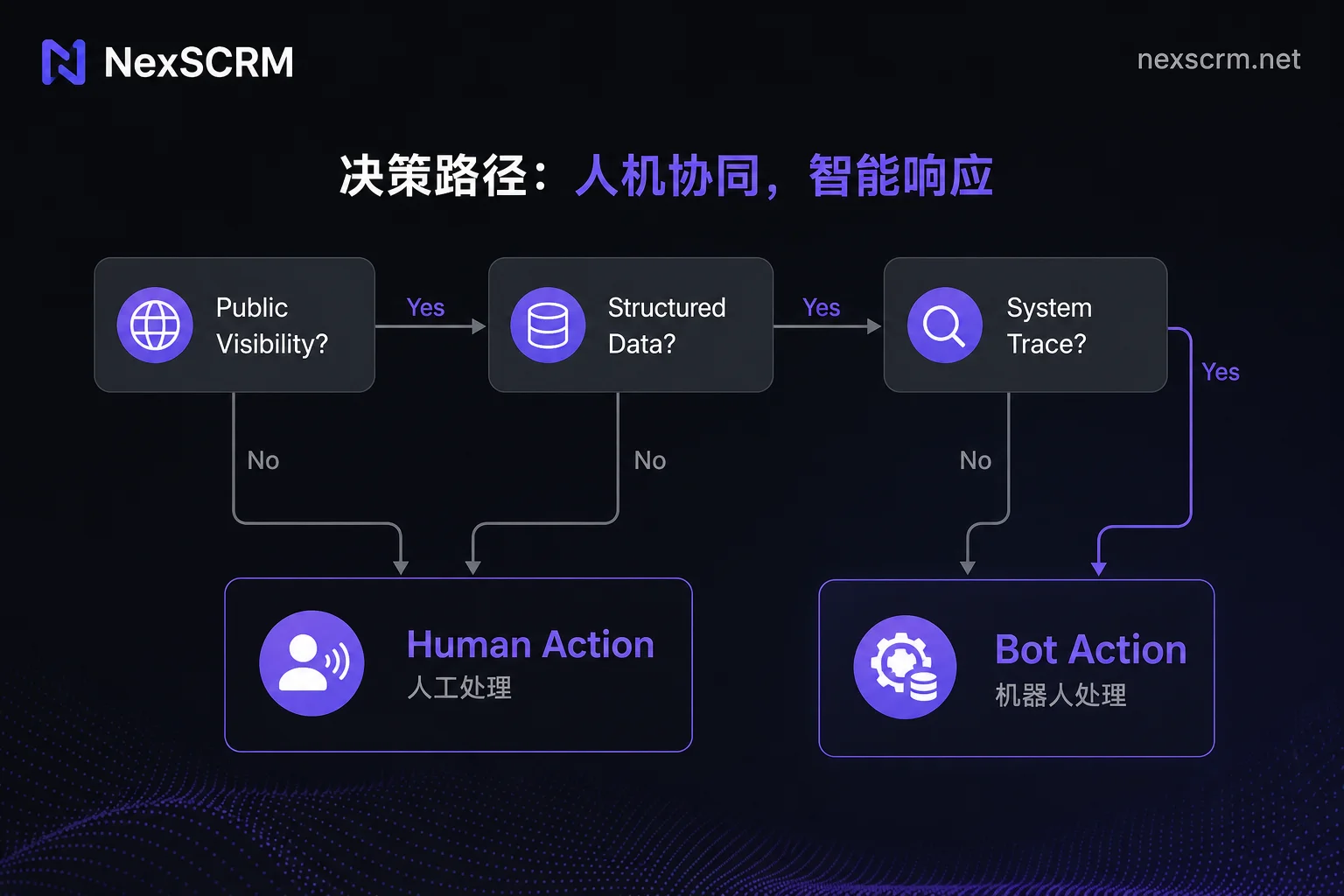
Scenarios Requiring Human Presence in Groups: Q&A, Quotations, and Group Change Confirmations
Price negotiation, customized quotations, order change confirmations, and complex customer complaints are high-trust scenarios. Industry practice generally regards these as high-risk areas for over-automation. In these contexts, human involvement is not only a need for emotional connection but also to avoid escalation of misunderstandings due to mechanical responses.
When humans step in, only conclusive information or progress updates should be shown on the public screen. Sensitive privacy such as complete shipping addresses and detailed order cost breakdowns must never be publicly disclosed. For actions involving multi-party interest adjustments like order change confirmations, always move from the public chat to a one-on-one private conversation to protect customer privacy and avoid unnecessary price comparison or disputes among other group members.
How to Set Bot Welcome Messages Without Spam: Private Welcome and Permission Configuration
Previously, Bot welcome messages often caused public screen spam and disrupted normal communication. This pain point was addressed in Bot API 10.3. The newly added administrator permission parameter can_send_welcome_messages allows administrators to configure this permission separately in promoteChatMember or ChatAdministratorRights. Meanwhile, group temporary private messages were unified and refactored into EphemeralMessageParameters, enabling Bots to send welcome cards and command responses visible only to newly added members, completely eliminating disruption to existing members.
Regarding permission configuration, Telegram enables Group Privacy Mode by default. This means Bots cannot read ordinary chat messages that are not commands. If you need the Bot to have stronger contextual understanding, you must grant it administrator rights or disable privacy mode in BotFather. It is recommended to follow the principle of least privilege: only enable welcome messages, system message cleanup, and necessary command response permissions. Avoid granting high-risk permissions like deleting messages or banning users unless there is a clear automated governance need.
| Permission Type | Configuration Location | Use Case | Risk Notes |
|---|---|---|---|
| can_send_welcome_messages | promoteChatMember | New member private welcome | None |
| Delete Messages | ChatAdministratorRights | Clean up ad spam | May delete important announcements |
| Ban Users | ChatAdministratorRights | Kick violating accounts | May cause user complaints |
| Read All Messages | BotFather Settings | Full-group semantic analysis | Privacy leak risk |
What Rich Message Buttons and Foldable Blocks Can Handle in Groups
The Rich Messages component system includes rich text buttons (RichMessageButton/RichTextButton), compact tables (is_compact), and expandable/collapsible quote blocks. By combining sendRichMessage method with ephemeral_message_parameters, Bots can build lightweight intent-screening interfaces within groups. Multiple members can independently click buttons simultaneously without cluttering the public screen with a mass of messages.
This interaction method is well-suited for collecting basic intents such as product type preferences or budget ranges. However, its boundaries are clear: it can handle initial structurization of information but cannot manage complex logical judgments or emotional support. Once a user clicks “Consult Details” or submits an initial form, subsequent customer service automation starting with which part requires more powerful backend system support.
| Functional Module | What In-Group Bot Can Do | Point That Must Be Handed Over | Example of Handling Tool |
|---|---|---|---|
| Intent Screening | Display options, record clicks | Complex objection handling | - |
| Identity Verification | Receive verification codes, mark status | Manual review of abnormal accounts | - |
| Session Archiving | Trigger jump links | Original and translation aggregation, tag management | NexSCRM |
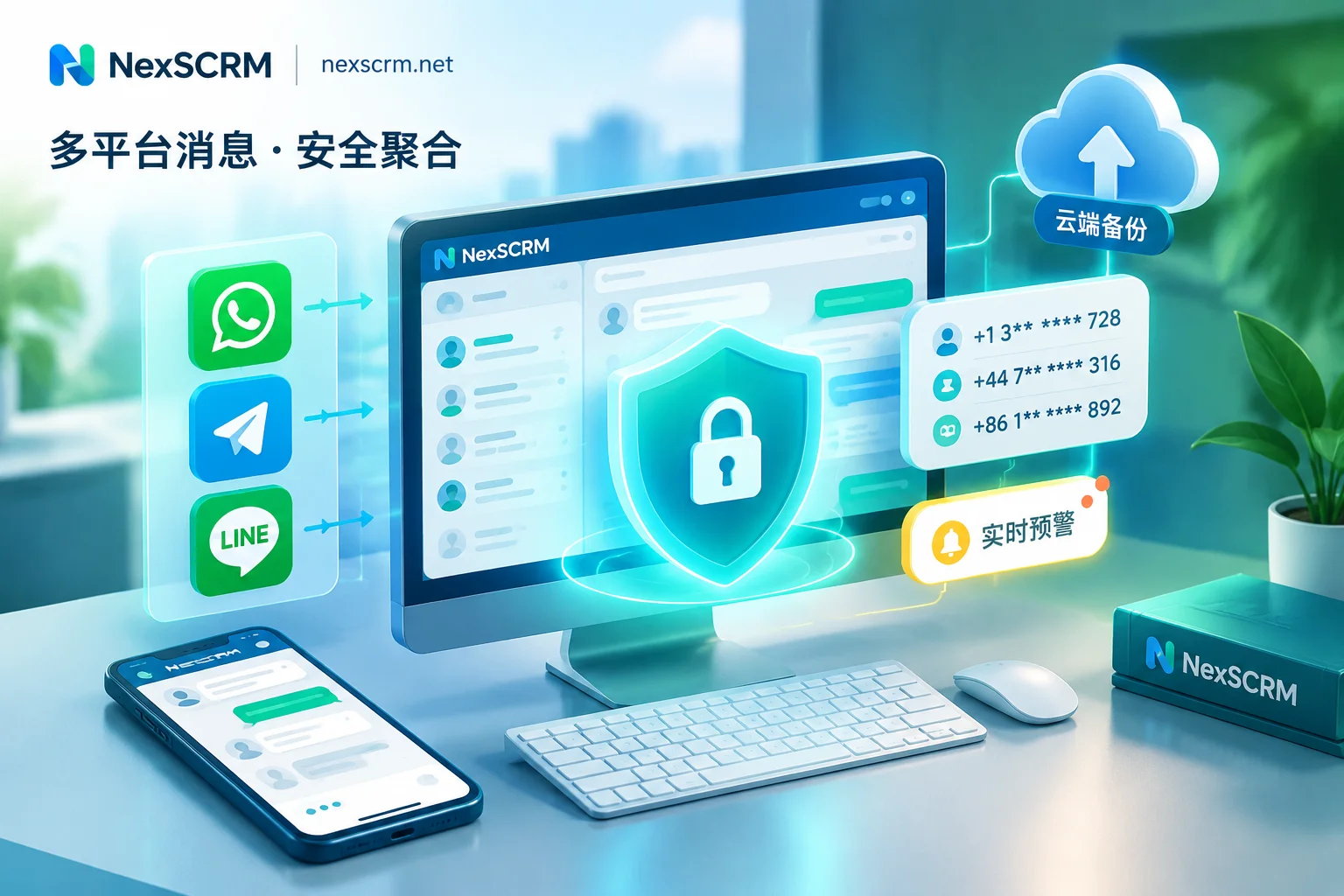
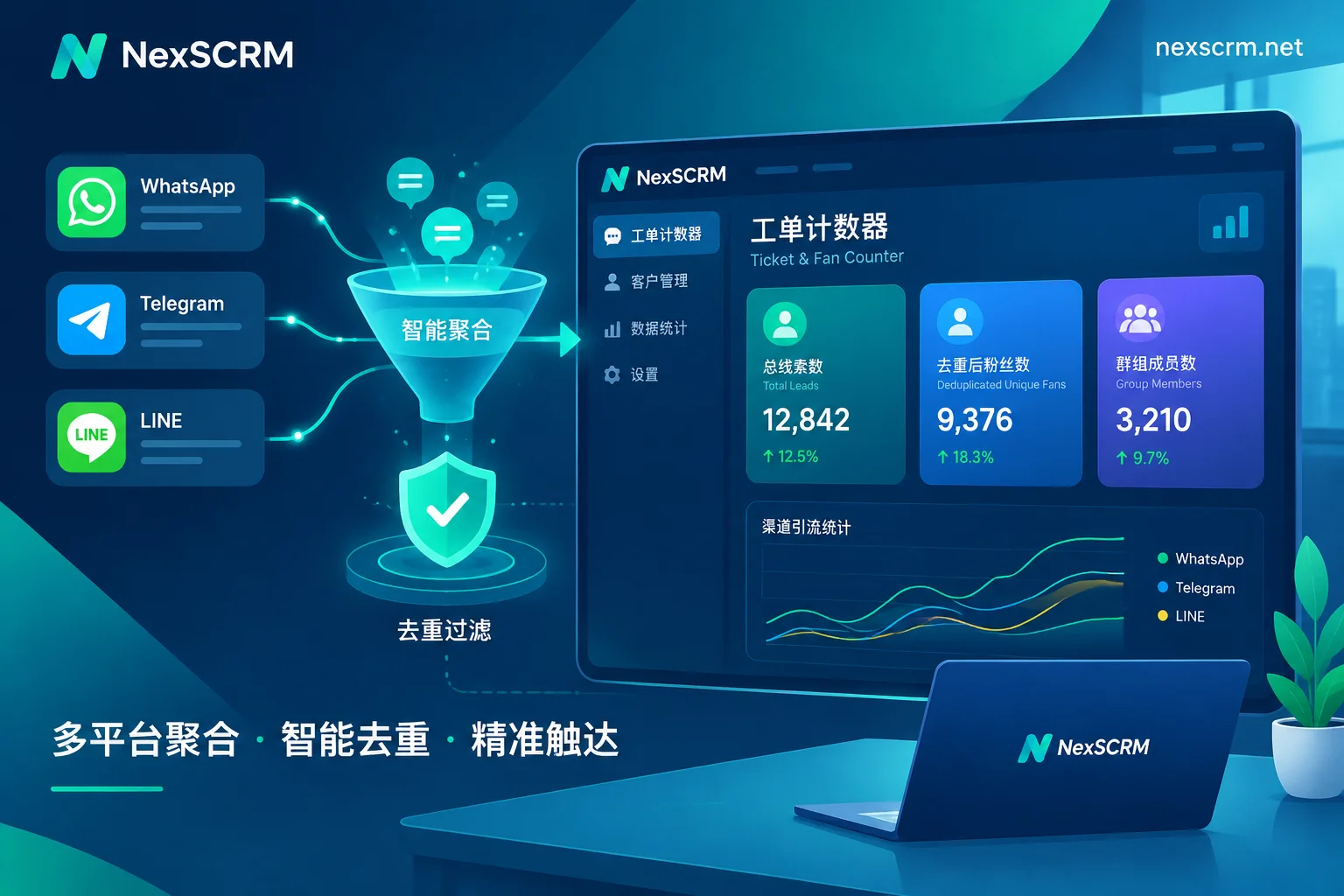
At this stage, NexSCRM's multi-platform consolidated sessions and real-time bidirectional translation capabilities exactly fill the data gap between Bot trigger and deep human follow-up.
Transferring Group Members to One-on-One Private Chat: start Parameter Deep Links
The key to converting group traffic into private domain assets lies in a smooth jump chain. The core mechanism is to configure Deep Linking via inline buttons, formatted as t.me/yourbot?start=PARAMETER. Telegram's official protocol supports start parameters up to 64 characters. Operators can use Base64 encoding to encapsulate source group ID, campaign number, intent tags, and other information.
When a user clicks the button to open the Bot's private chat window, the Bot's /start handler automatically parses these parameters, tags the user immediately, and pushes a targeted opening message. Note that a Bot must never proactively message users who have not interacted with it. Therefore, button copy in groups must clearly inform users of the result of clicking, such as “Click to get a custom quote,” to lower the barrier to trying.
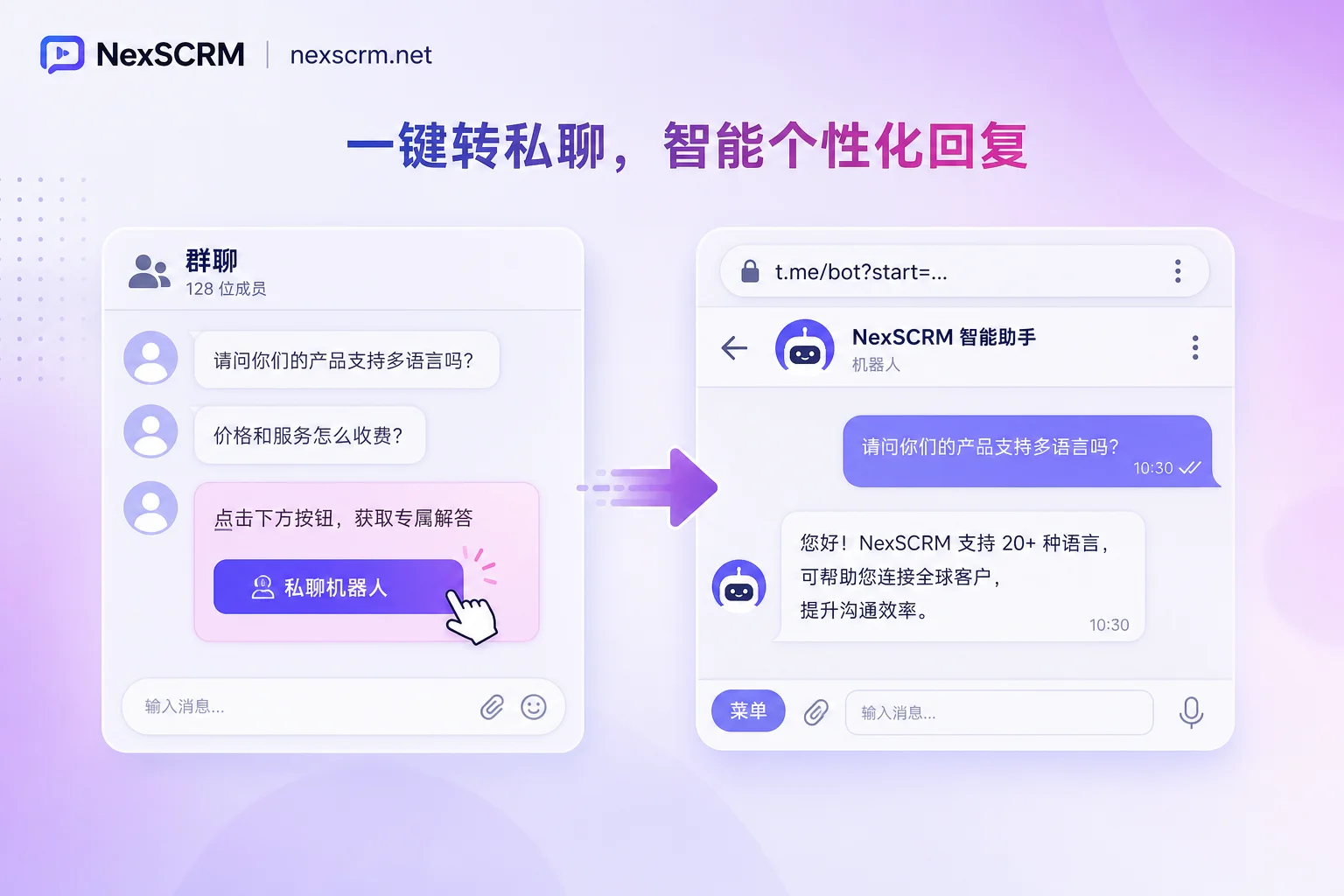
Minimal Field Set Collected by Bots: Source Group, Language, and Intent Items
The quality of data collection during this jump from group interaction to private chat determines the efficiency of subsequent conversion. It is recommended to consistently collect the following five types of fields: source group or activity ID, entry path, customer language, selected intent items, and time of first interaction.
Fewer but stable fields are easier to maintain than many. If the “source group” field is missing, you cannot evaluate the performance of different channels during later analysis; if the “language” field is missing, customer service assignment may be mismatched, leading to skyrocketing communication costs. These basic fields form the backbone of fine-grained private domain customer management. Any additional non-standard fields should be added with caution to avoid increasing the complexity of front-end interactions.
Spot-Check Checklist for Group and Bot Configuration for 3-Person, 10-Person, and 30-Person Teams
For teams of different sizes, configuration strategies and spot-check priorities differ. Small teams focus on closing the loop, while large teams focus on permission isolation and process standardization.
| Check Item | 3-Person Team Focus | 10-Person Team Focus | 30+ Person Team Focus | Rollback Action If Failed |
|---|---|---|---|---|
| Bot Permissions | Only enable welcome and cleanup | Add specific command responses | Strictly isolate admin permissions | Revoke all non-essential permissions |
| Welcome Visibility | Confirm only new member visibility | Test display consistency across devices | Monitor public noise ratio | Switch to plain text private messages |
| Deep Links | Manually test parameter parsing | Sample check tagging accuracy | Automated log monitoring | Simplify start parameter structure |
| Human-Bot Boundary | Verbally agree on handover timing | Set keyword auto-transfer | Deploy intent recognition models | Force all complex issues to human |
| Private Chat Handling | Immediate response by responsible person | Shift coverage during main hours | Establish timeout fallback mechanism | Enable offline message pool |
Frequently Asked Questions
Will the robot greeting new members disturb the whole group when they join?
No. Since Bot API 10.3, by configuring the can_send_welcome_messages permission and using EphemeralMessageParameters, the bot can send a temporary welcome message visible only to the new member. The old full-group broadcast mode is no longer the only option; proper configuration enables silent greetings.
What admin permissions should I enable when adding a bot to a group?
Usually, only the can_send_welcome_messages permission is needed to support private welcome. If you need the bot to read non-command messages for smarter replies, you must disable group privacy mode or grant admin rights, but this increases privacy compliance risks and should be enabled cautiously.
Is it feasible to let clients click options in a group to collect needs?
Absolutely. Using the button components in Rich Messages, you can create multiple-choice or single-choice questionnaires. Multiple users can click simultaneously and independently without interfering, and results can be retrieved directly via callbacks, avoiding the chaos and information loss of traditional text-based Q&A.
How can group members jump to a one-on-one chat with customer service in one step?
By embedding a deep link button with the start parameter (such as t.me/botname?start=source_group_id) in the group message, users click to directly open a one-on-one private chat window with the bot, while the bot can automatically identify the source and provide targeted reception.
What is the difference in responsibility between a bot and an automatic push in a channel?
Group bots focus on interactive services such as Q&A, initial screening, and personalized guidance, emphasizing two-way communication. Channel bots focus on one-way broadcasting for announcements and promotional messages, lacking complex interaction capabilities. In the private domain funnel, they respectively serve as “converters” and “amplifiers.”


Comments(0)