 NexScrm官方博客
If you are currently managing seven, eight, or even dozens of WhatsApp accounts and your customers speak several languages, the conclusion can be stated upfront: the official client cannot do it; you need an aggregated customer service tool on Windows desktop. When choosing, confirm the four gates in order—environment isolation, translation form, aggregation and handover, internal controls and cost. The order cannot be reversed, because if the first gate is not passed, the functions of the latter three gates will not be usable for more than a few days.
First Confirm the Boundaries of the Official Client
Many teams start looking for tools only after encountering the following:
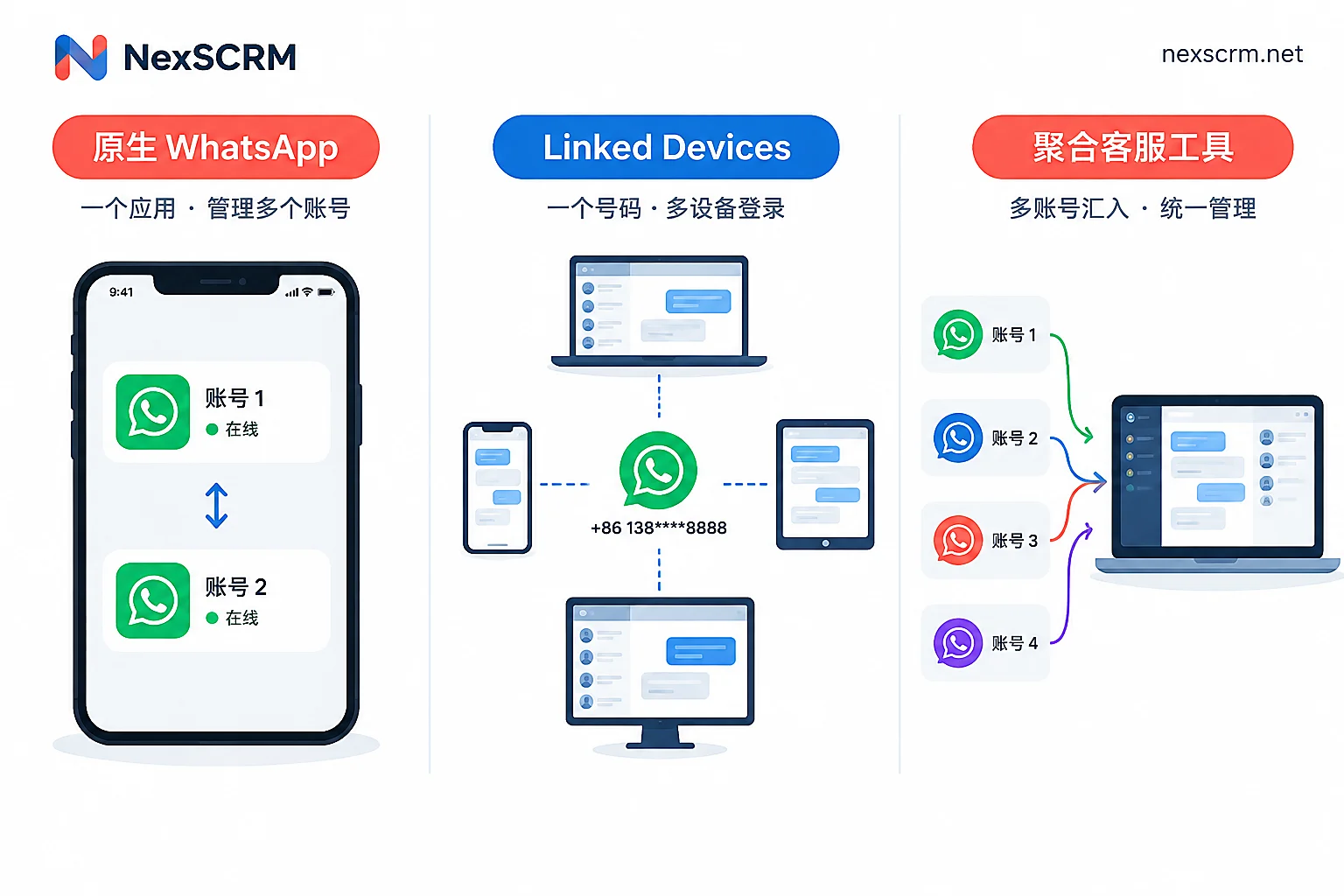
- Native WhatsApp allows adding and switching between at most 2 accounts on one device. The iOS beta is testing expansion to 3, but this is still "switching", not seeing new messages from all accounts simultaneously in one view; moreover, the WhatsApp Business app does not currently support this kind of free multi-account switching.
- Linked Devices (multi-device) solves the problem of using a single number on multiple devices. A business number can be linked to 4 devices, and up to 10 with a Meta Verified subscription. It is about splitting a single account across multiple seats, and cross-account aggregation is outside its capability.
- The official app has no workspace-level two-way side-by-side translation. Received text, images, and voice messages are not automatically shown with Chinese translation, and outgoing Chinese is not automatically converted to the customer's language. Cross-language daily interaction currently relies on third-party tools or API integrations.
So the judgment is simple: if the number of accounts is 2 or fewer and customers speak a single language, the native client is sufficient; as soon as the number of accounts grows and more than two languages are involved, you need to look at third-party desktop tools.
First Gate: Can Environment and IP Be Isolated per Account
This gate is placed first not because it is mentioned most often, but because it determines whether the accounts still exist.
Two things need to be confirmed: whether each account has an independent device fingerprint environment, and whether it can bind an independent session-level proxy. A common failure mode is logging into a dozen accounts on one machine, sharing the same environment characteristics and the same exit IP. The platform side can easily identify these accounts as the same batch and impose controls. This risk is unrelated to your scripts or sending frequency; it is purely an environmental issue.
When selecting, ask specifically: Is the environment one per account or one for the entire client? Is the proxy a global setting or can it be precise to each session? When switching to another account to log in, will the environment and proxy switch along with it? NexSCRM does this at the account level; each account has an independent fingerprint environment and can bind a session-level proxy separately. Configure per account in multi-account aggregation. For how to fill in proxy parameters and which checks are most easily missed, see How to configure different proxy IPs for each social account.
The division of labor should be clear: the proxy lines themselves and independent browser environments belong to other product categories. The customer service tool is responsible for correctly binding accounts to these environments and maintaining isolation. Do not expect one client to cover everything.
Second Gate: Is Translation Two-Way, Side-by-Side, and Covering Images and Voice?
The phrase "supports translation" can hide a huge gap. Check against the following four points:
Two-way. Incoming customer messages are automatically translated into Chinese; when you type Chinese, it is translated into the customer's language before sending. Tools that only translate incoming messages and require manual copy-paste for sending will not last half a day under actual reception pace.
Original and translation retained simultaneously. This is more important than translation quality itself. Machine translation can get model numbers wrong, distort numeric units, or translate a place name into another country. Keeping the original on the interface allows customer service to immediately cross-check, and provides evidence in disputes. An interface that only shows the translation and overwrites the original is hiding errors.
Multiple translation routes switchable. Daily greetings and quotation negotiations have different translation requirements—the former needs speed, the latter needs accuracy, especially when quoting numbers and negotiating terms. For whether the tool allows switching routes and when to switch, see Which translation route to use for daily reception and quotation negotiation.
Forms must cover images and voice. In foreign trade scenarios, customers often send not paragraphs of text but a handwritten or screenshot quotation, a photo of a specification sheet, or a 30-second voice message. Tools that only translate plain text will leave a significant proportion of messages outside their capability each day. For which fields in images should not be translated and how to handle voice, these two articles go into more detail: How to translate a quotation image sent by a customer, Can a customer's voice message be directly translated into Chinese.
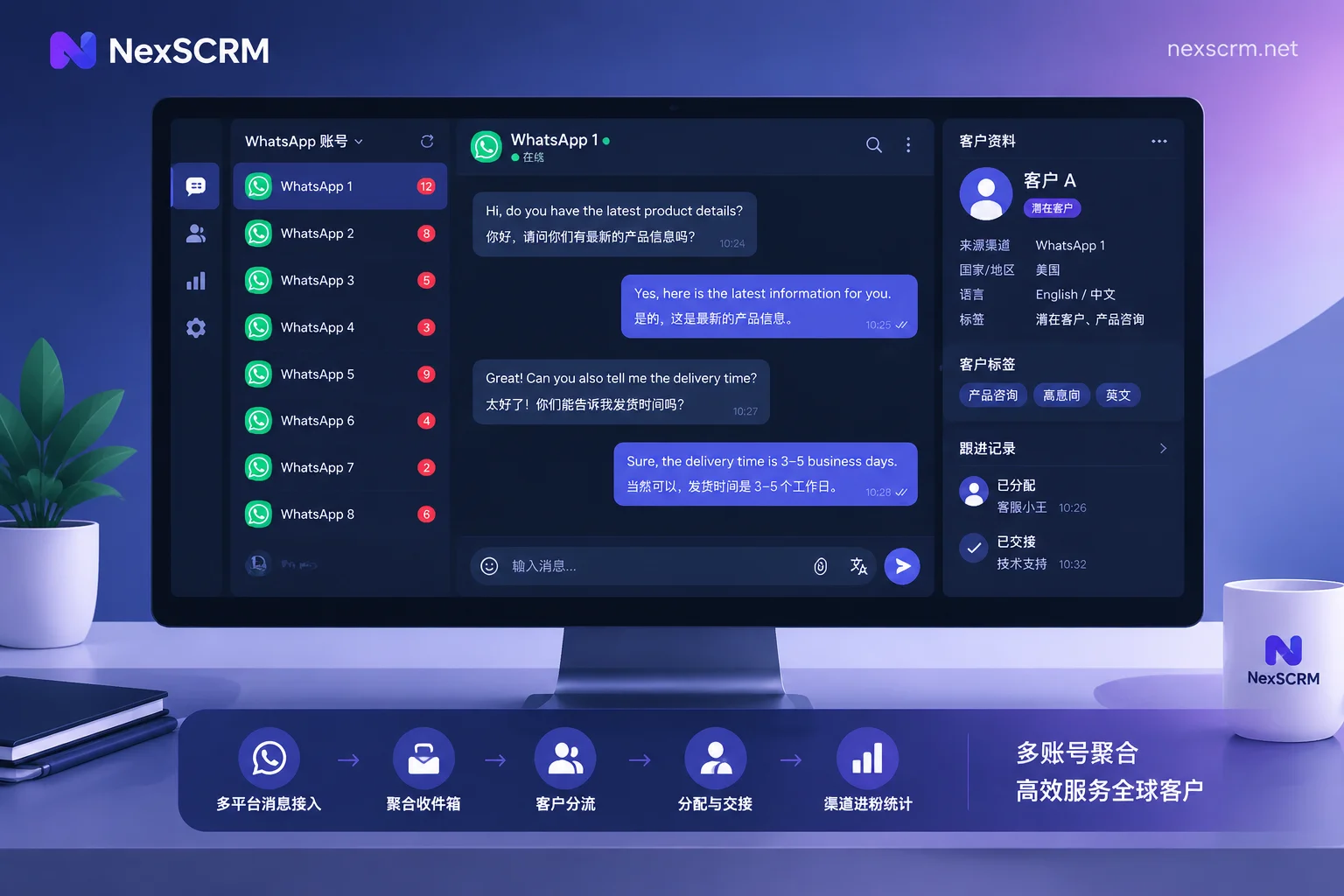
NexSCRM's real-time two-way translation covers text, images, and voice, provides multiple switchable routes, and retains both original and translation in the conversation.
Third Gate: Can One Workspace Send and Receive Simultaneously Without Losing Context on Handover
The value of aggregation is not just saving the action of switching accounts, but giving a single answer to "who is handling this customer". Confirm three points:
- Can new messages from all accounts be listed in one list sorted by time, rather than having to click into each account to know if anyone has replied?
- Is the language of each conversation locked to the conversation? When one account handles customers from multiple countries, it is easy to reply in Spanish to one message and mistakenly use an English template for the next. For solutions, see How to avoid language mix-ups when one account handles customers from multiple countries.
- When customer service shifts change or an employee leaves, are chat records backed up in the cloud and searchable by keyword? Do customer profiles have deduplication and persona tags? Context breaking on a local computer is the most common cause of handover problems.
Fourth Gate: What Level of Internal Controls and Statistics Are Needed
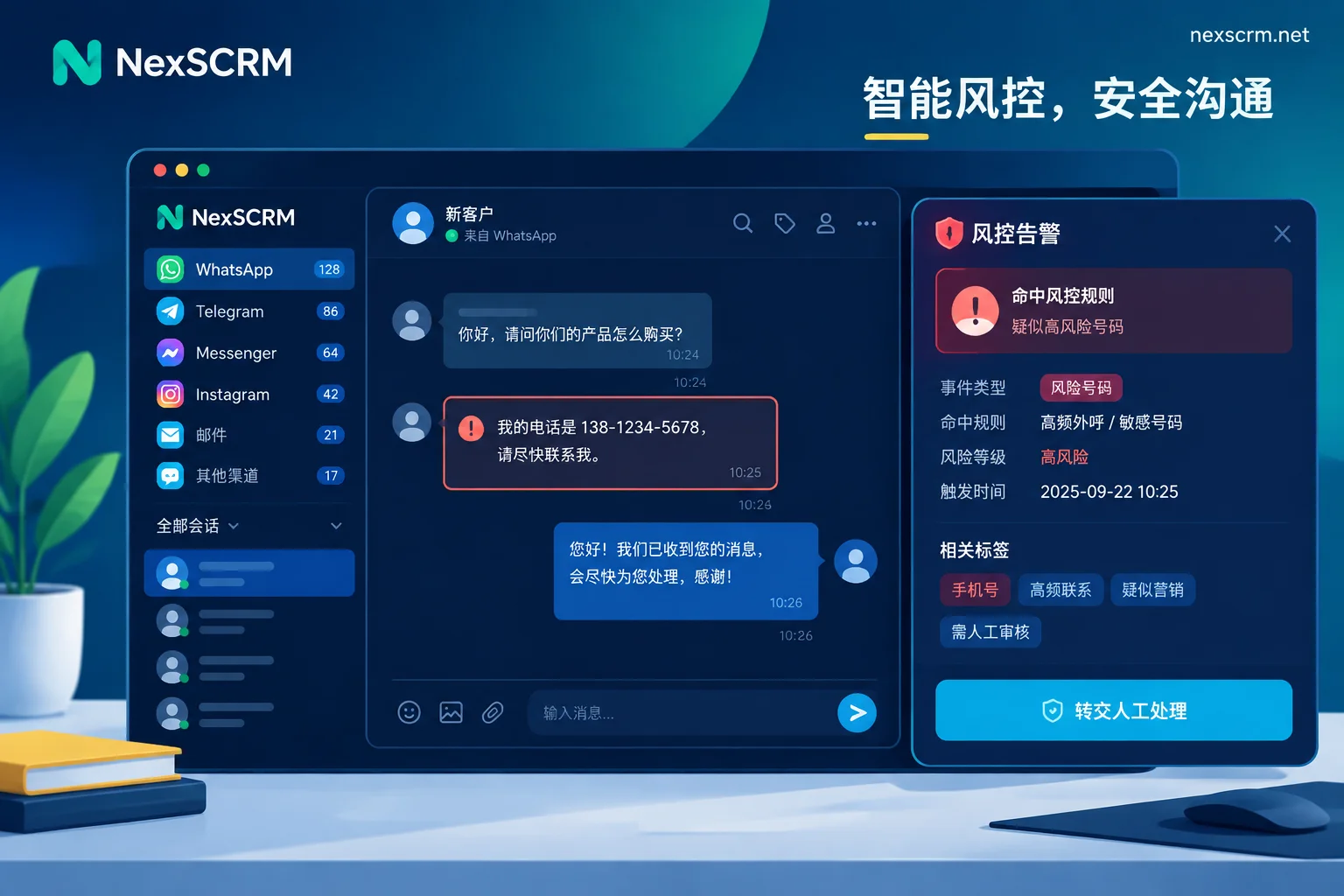
This part should be balanced according to team size; not every team needs everything. Managers overseeing multiple people and accounts typically look at: sensitive word and sensitive behavior alerts, payment information masking, ticket deduplication (to prevent two agents from handling the same customer simultaneously; for methods, see How does ticket deduplication prevent two agents from following the same customer), and lead statistics for distribution links.
One point to clarify in advance: distribution link statistics count how many people come in from each channel and which account they are assigned to. It is a lead metric, not equal to conversion attribution. Using this data to directly estimate how much revenue each channel contributed will lead to wrong conclusions.
Cost Is Calculated by Port; Start by Testing with Your Most Difficult Messages
Such tools generally bill by port. The number of ports is the number of accounts that can be online simultaneously, not the total number of accounts you have registered. When estimating, use the actual peak number that needs to be online at the same time: some accounts are only used during specific periods and can be staggered, so you do not need one port per account. For concepts and calculation, see What does port mean? How many ports does one customer service agent occupy.
During the trial phase, do not test with a simple "hello". Pick three messages that normally give you the most trouble: a text mixed with Chinese and English plus a product model, a quotation image with numbers and units, and a customer voice message longer than 30 seconds. At the same time, observe four things: whether the translation is correct, whether the original is still there, how long it takes to produce a result, and whether you can reply directly. Also confirm the client's system requirements; currently most such tools are Windows-based, so team members using Macs need to plan ahead.
After confirming these items, decide how many ports to invest in. NexSCRM offers a free trial; you can choose a tier based on the number of simultaneously online accounts needed on the Pricing and Trial page.


Comments(0)