 NexScrm官方博客
Introduction: WhatsApp and Telegram integrate translation into their apps simultaneously—why cross-border teams need to re-evaluate their choices
In September 2025, the official WhatsApp blog announced the launch of on-device message translation (Message Translations); less than six months later, the official Telegram blog released the native AI Editor for v12.6. These two updates have pushed real-time chat translation to the native feature level of apps. In the past, cross-border sales had to rely on browser extensions, third-party translation software, or even human translators to handle inquiries; now, WhatsApp can directly translate after receiving a message, while Telegram can translate and rewrite as you type in the input field.
But the logic behind these two features is not the same: one is more about "understanding after receiving," and the other is more about "polishing before sending." Neither is designed for multi-account team workflows. If you manage a dozen WhatsApp and Telegram business accounts simultaneously, and two customer service agents in the same office are each staring at different phones, the translation here is just an island. This article lays out the actual boundaries of these two updates to help you determine: can the platform's built-in capabilities truly support the translation needs of cross-border customer service?
WhatsApp Native Message Translation: Long-press to translate, Android auto-translate for entire conversations, and the boundaries of on-device processing
First, let's talk about WhatsApp Message Translations, which entered the public eye earlier. Its operation logic is very simple: after receiving a foreign-language message, long-press that message to translate; on Android, there is a toggle for auto-translating entire conversations, but the official announcement did not specify the exact scope and language settings of this toggle. This is exactly what many users are searching for when they look up "how to enable WhatsApp real-time chat translation." According to the official WhatsApp blog, the iOS version covers more than 19 languages, and translation is done locally on the device, which is cited as a privacy protection measure; further details on data handling are not specified officially.
However, the coverage of this feature still has boundaries. It is an aid on the "receiving side": everything happens after the counterpart's message is delivered. The official description only covers message translation on the receiving side and does not involve assistance with composing messages before sending. Based on product positioning, Message Translations performs translation within the current device's conversation and does not officially state whether it supports cross-device or multi-agent sharing of translation settings and terminology. In short, WhatsApp's native translation is clearly positioned to help individuals quickly understand incoming messages but does not participate in your "sending" process.
Telegram AI Editor: Two-tap translation in the input field, grammar correction, and 7-tone rewriting to solve the other half of the problem
In the spring of 2026, Telegram integrated AI capabilities directly into the input field with the v12.6 update. This tool, called AI Editor, according to the official statement, can trigger grammar correction, 7-tone rewriting, or multilingual translation with just two taps in the input field; the official announcement did not detail the menu hierarchy. The official Telegram blog states that privacy protection relies on the Cocoon Network, but the official announcement did not specify the exact data processing path.
If you ask "how to use Telegram AI Editor translation," the usage path is to invoke the AI Editor in the conversation input field, which handles "pre-sending" actions—opposite to WhatsApp's message translation. That is, Telegram cares more about helping you write well, rather than helping you understand what the other party said. Therefore, to complete an English quote on Telegram, you can first draft in Chinese, then let the AI Editor polish it into formal English business expressions and adjust the tone as needed—this is directly valuable for scenarios requiring customer relationship maintenance.
However, Telegram AI Editor's official description focuses on the writing process within the input field; it does not state whether it handles received messages or maintains a unified translation memory for teams. From product positioning, it is also a personal tool attached to the input field; rewritten phrases are only visible to the current account and cannot be accumulated into a unified company quotation standard.
Cross-comparison table: differences from four dimensions—trigger method, processing stage, coverage, and team usability
If you want a direct comparison between WhatsApp and Telegram translation features, just look at the table below:
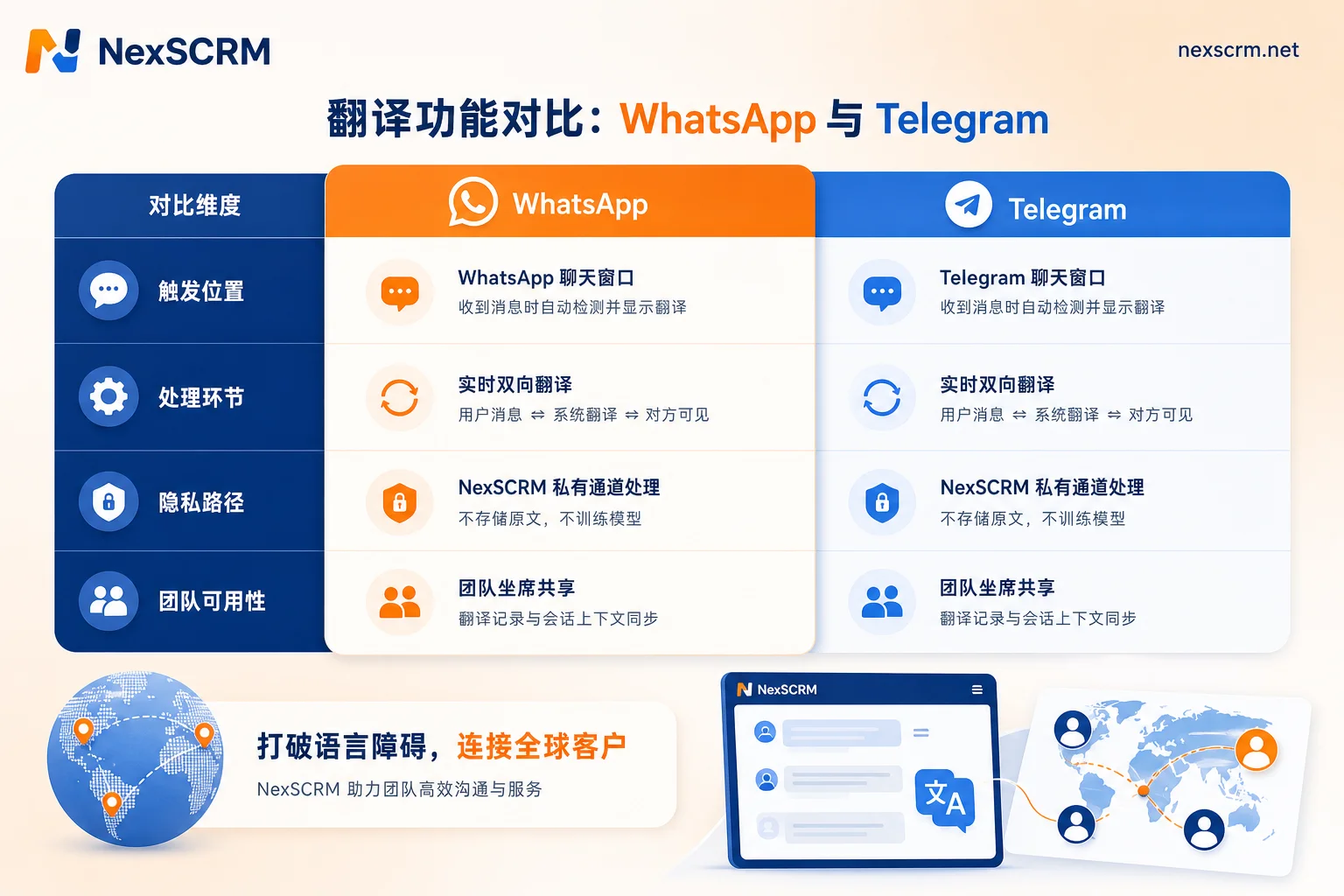
| Dimension | WhatsApp Message Translations | Telegram AI Editor |
|---|---|---|
| Trigger method | Long-press a single message; Android can enable auto-translate for entire conversations | Tap a button in the input field (described as "two taps") |
| Processing stage | After receiving, translate within the conversation | Before sending, edit in the input field |
| Additional capabilities | Pure translation | Translation + grammar correction + 7-tone rewriting |
| Computation and privacy path | On-device processing | Cocoon Network |
| Coverage | iOS supports 19+ languages; Android auto-translate for entire conversations | Official announcement does not specify language count |
| Team usability | Designed for single-user scenarios (inferred) | Designed for single-user scenarios (inferred) |
Looking at this table, it's clear they are not substitutes for each other. WhatsApp solves "reading," Telegram solves "writing." If you think of "real-time chat translation" as a complete loop, each covers half without overlap. The official descriptions of both updates do not involve multi-account aggregation, translation record sharing, or agent collaboration (not officially stated), which brings us to the team-level gaps discussed in the next section.
Are native phone translations sufficient for teams? Three enterprise-level gaps
The personal features described in the previous two sections look nice individually. But once placed into the real workflow of a cross-border e-commerce customer service team, three gaps immediately surface. The following points are inferred based on product positioning, not official statements.
Gap 1: Multi-platform, multi-account switching, and translation actions cannot be batched. A cross-border fulfillment customer service agent typically maintains two WhatsApp numbers, one Telegram number, and possibly business on LINE or Zalo. Each time a new message comes in, they must long-press or open a translated interface; with many messages, repetitive actions become burdensome. More realistically, if a customer follows up on the same order on two channels simultaneously, the agent cannot quickly compare translations across both apps.
Gap 2: Shift handover and supervisor audits lack a unified view. Translations only exist on the individual's phone screen. During shift handover, colleagues cannot see how the previous agent interpreted the customer's message, and supervisors who want to check tone and wording have to use their own phones to translate on the spot—a slow and uncontrollable process.
Gap 3: Terminology and tone cannot be unified. For high-frequency terms like product models, prices, and terms, personal tools lack a shared dictionary. Although Telegram AI Editor's tone rewriting is flexible, if different agents rewrite independently, the same product can be described differently to different customers, leading to a lack of professionalism and potentially causing pricing misunderstandings. Are native phone translations sufficient for team use? Based on these three gaps, the answer is: sufficient for individual scenarios, but inadequate for team collaboration.
From personal translation to system-level real-time two-way translation: how to implement workflows for cross-border teams
So, what should a team's real-time chat translation workflow look like? Here, it's essential to distinguish between personal efficiency and system efficiency. The former is each individual's point-and-tap operations on their phone; the latter is embedding translation into a unified workbench, so that the messages agents see, the replies they send, and the records they save are all in the same language context.
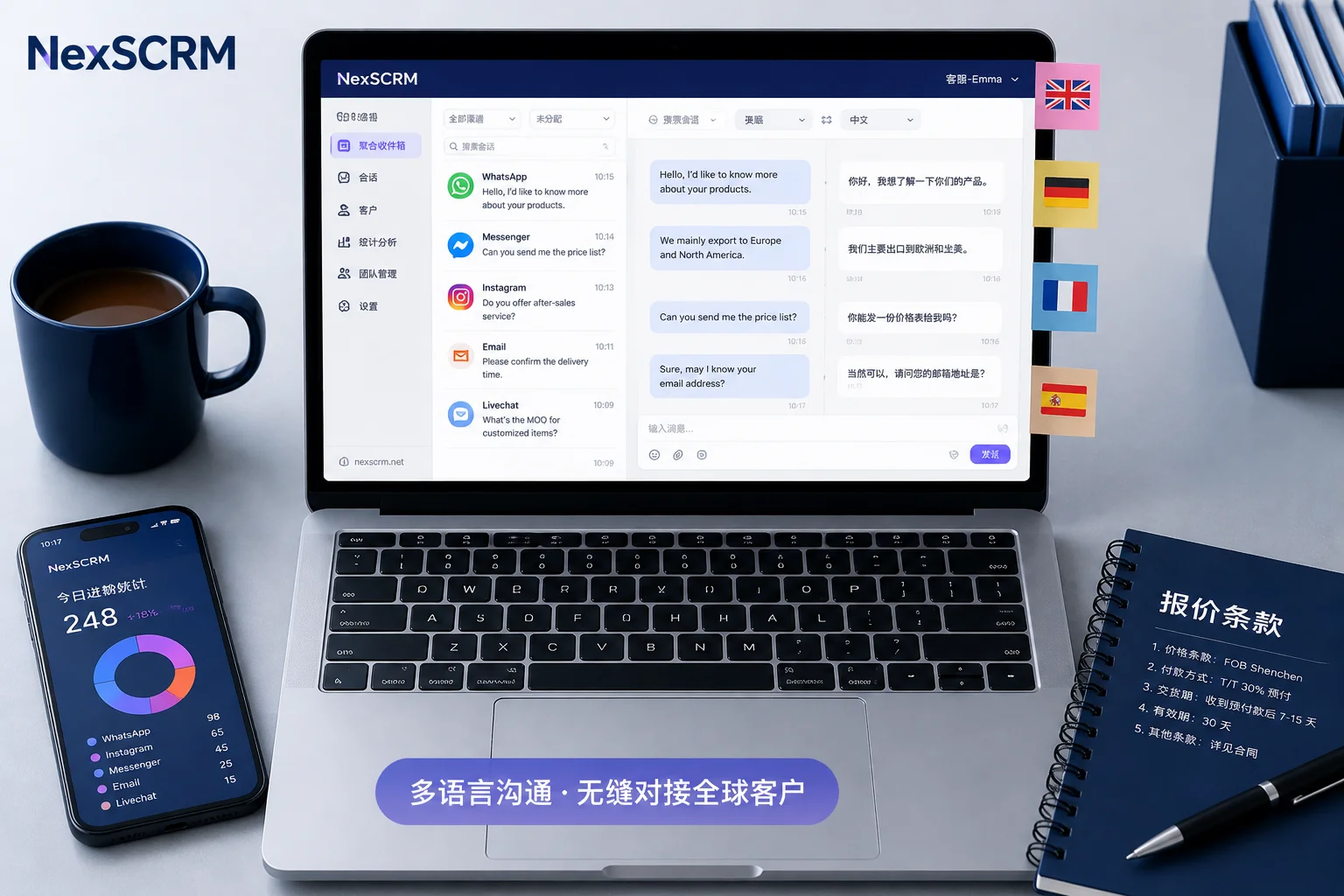
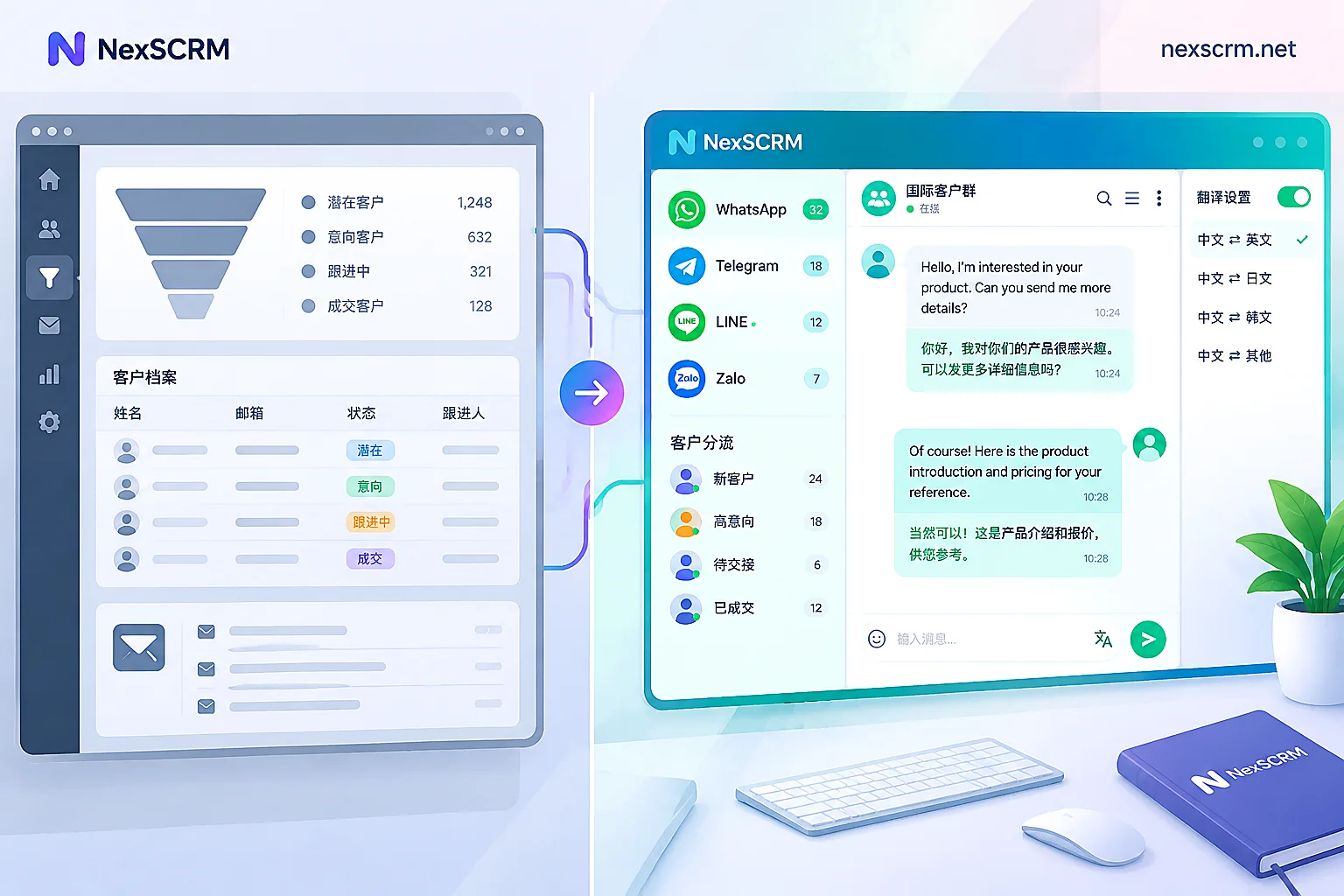
Taking NexSCRM as an example, it provides real-time two-way translation at the aggregation layer: agents can simultaneously connect multiple accounts across WhatsApp, Telegram, LINE, Zalo, etc., in one workbench. Incoming and outgoing messages can be presented in the same workbench with real-time two-way translation, and replies can be drafted quickly with AI-assisted response, eliminating the need to switch to another translation app. Moreover, messages and marketing data statistics, along with message backups, exist at the system level—during shift handover, the previous agent's conversation records are fully retained; supervisors can see the entire translated conversation in a unified context during reviews.
At this stage, native translation remains suitable for personal on-the-go viewing, while system-level solutions handle the team collaboration backbone. It's a team collaboration layer on top of native translation—aggregating the scattered translations and conversations on individual phones into a unified, handoff-ready, reviewable workflow. Moving from "personal translation" to "team translation workflow" isn't about abandoning native capabilities but filling the collaboration gaps that native features cannot cover.
Selection self-check checklist: when are native features enough, and when should you adopt a system-level solution?
Finally, on how to choose real-time chat translation tools for cross-border customer service, here's a checklist you can use for team self-assessment. Answer the following 7 questions; if any answer is "yes," it's worth considering a system-level real-time chat translation solution:
- Do you manage more than 3 WhatsApp/Telegram accounts simultaneously?
- Do you have more than 2 agents who need to reply according to the same messaging standards?
- Does the language variety of customers exceed the language skills actually mastered by your team?
- During shift handover or supervisor audits, would you like to see the full historical chat with translations?
- Do product models and quotation terms need to be strictly unified across the team?
- Do you need to retain chat records on the company side to avoid losing context when an employee leaves?
- Do you also operate other channels like LINE, Zalo, or email?
If all 7 answers are "no," your team is still in the stage of single-person, low-volume conversations, and the native features of WhatsApp and Telegram can handle daily needs. But once multiple answers are "yes," the practice of each individual translating on their own phone will start to hold you back. In that case, it's advisable to seriously evaluate aggregation platforms like NexSCRM to see if their real-time two-way translation, multi-account management, and backup capabilities match your agent structure. Remember, the key to selection isn't whether a particular word is translated accurately, but whether translation has been embedded into a collaborative, traceable process.


Comments(0)