 NexScrm官方博客
For teams engaged in overseas community lead generation, Web3 project operations, foreign trade B2B inquiries, and cross-border e-commerce private domain, Telegram has long been a core customer retention platform. However, as business expands into Russian-speaking regions, the Middle East, Latin America, and Southeast Asia, language barriers have become a watershed determining conversion rates.
Many teams initially rely on the official built-in translation feature or free web plugins when looking for Telegram translation software. But in actual high-concurrency business scenarios, customer service and sales staff quickly discover that understanding channel broadcasts is easy, but truly closing deals in group interactions and 1-on-1 private chats is restricted everywhere.
Previously, we discussed the basic comparison of official membership, translation bots, and desktop two-way translation solutions. Today, starting from the practical interaction blind spots that frontline customer service finds most troublesome, we will look at how cross-border teams can build a truly smooth cross-language communication workbench when facing high-frequency short-phrase replies, mixed-language customer chats, and image/voice inquiries.
I. Frontline Practical Troubleshooting: Why Can't Built-in Translation Handle High-Frequency Private Domain Conversion?
In recent feedback from many cross-border teams, there are several obvious "gaps" between Telegram's native translation mechanism and commercial customer service scenarios:
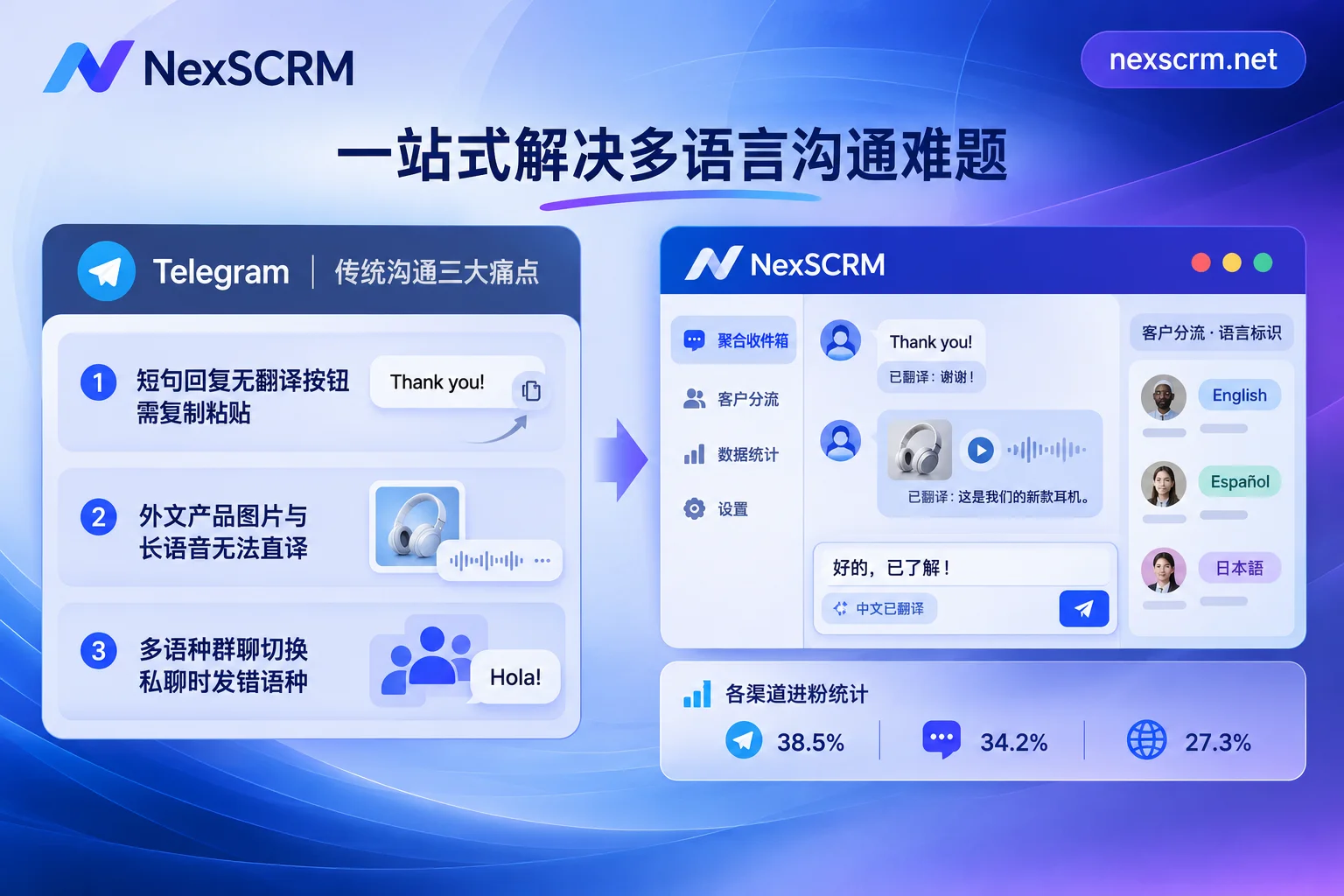
1. "Can translate what you see, but hard to translate what you send" – High-frequency short-phrase communication gets stuck
In Telegram, regular accounts can only translate received messages one by one by clicking; even with Premium membership unlocking "auto-translate entire chats," it mainly solves the "reading input" problem.
When customer service needs to send messages, the official AI editing and translation buttons often require three or four lines of text to trigger, and there are strict daily limits for free accounts. In real business negotiations, high-frequency short replies like "Okay, let me check the inventory for you right away" or "Please verify this deposit bill" account for over 80%. Customer service has to fall back to external translators to "copy-paste," completely interrupting the closing rhythm.
2. Images and voice messages become "order-leakage disaster areas"
Foreign trade and cross-border e-commerce customers rarely send plain text when inquiring. Middle Eastern and Latin American customers are used to sending 60-second voice messages directly; B2B buyers prefer to send a screenshot of a warehouse label, payment receipt, or competitor parameter table in local language.
Telegram's native translation only works on plain text, captions, and polls; text inside images remains untouched. Voice-to-text requires membership and the workflow of transcribing and then translating is extremely cumbersome.
3. "Language confusion" when switching between large multilingual groups and private chats
In a 5,000-member Telegram福利群 (benefits group), there might be buyers discussing in English, Russian, Spanish, and Turkish simultaneously. When customer service identifies potential customers from the group and moves to 1-on-1 private chat, traditional web translation plugins often only allow setting a single global target language. If customer service forgets to manually switch the plugin language after replying to a Russian customer and switches to a Spanish customer window, they might accidentally send Russian to the Spanish customer – extremely unprofessional.
II. Breakthrough Approach: Four Core Capabilities a Professional Telegram Translation Software Must Have
To completely eliminate screen-switching copy-paste and language confusion, cross-border teams need to upgrade from a "single-point translation tool" to a desktop workbench that integrates multilingual real-time translation and customer management capabilities. Taking NexSCRM's Telegram dedicated solution as an example, it mainly helps teams connect the following four aspects in practice:
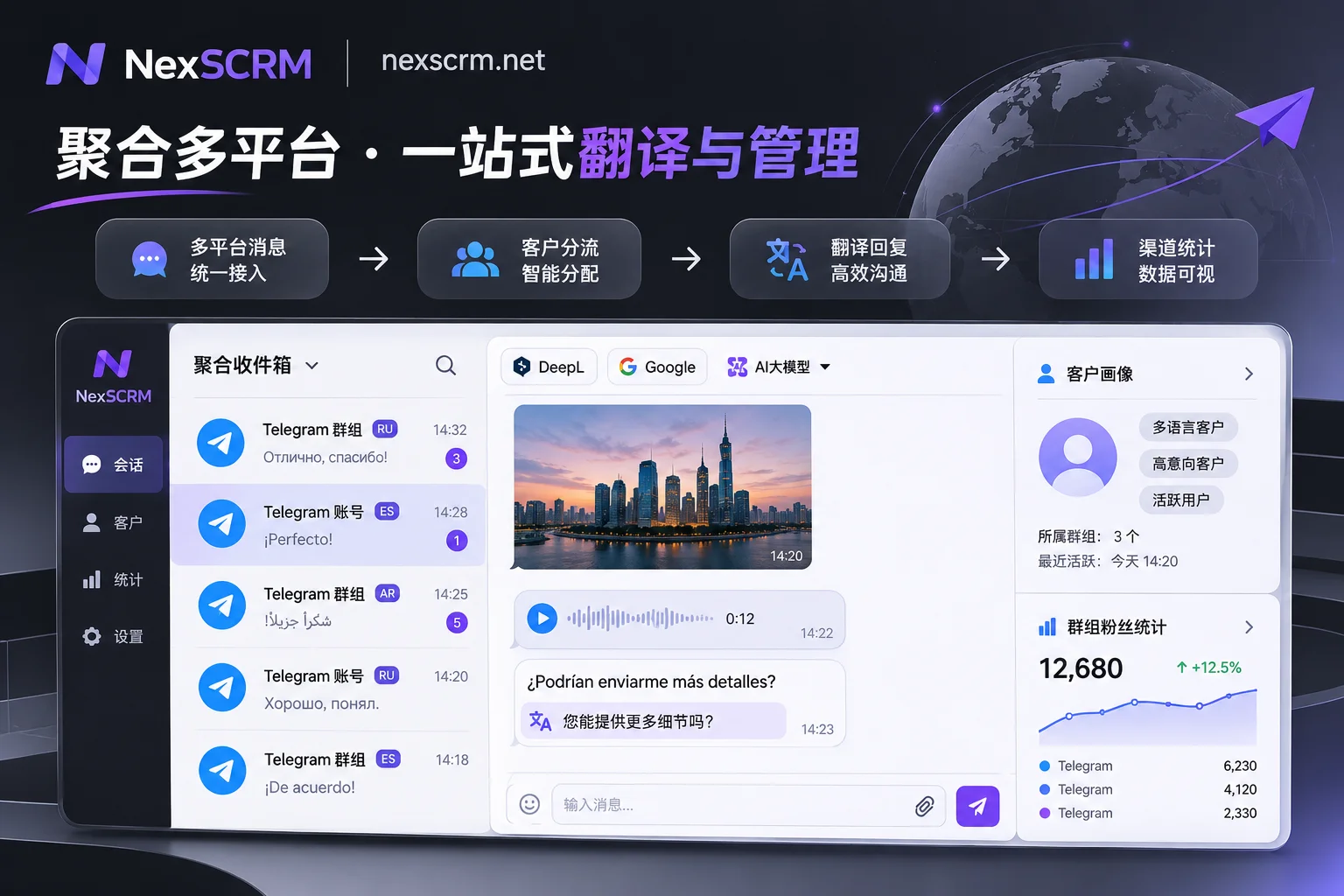
1. Built-in two-way automatic translation in the client, send short or long messages with Enter
Unlike web scripts that easily fail due to browser updates, NexSCRM embeds translation capabilities directly in the desktop client.
- Receiving end: Foreign language messages from customers are automatically identified and instantly translated into Chinese; both original and translated text are retained in the chat box, allowing sales staff with some language knowledge to cross-check at any time.
- Sending end: Whether it's a brief confirmation of one or two words or a long quotation clause, customer service only needs to type in Chinese in the input box and it will be translated in real-time into the other party's language and sent. Completely free from official input character thresholds and cumbersome copy-paste.
2. Independent language binding per contact, no cross-talk in multilingual chats
In response to Telegram's characteristic of coexisting multilingual customers, NexSCRM supports setting translation language individually per contact.
When customer service handles three Telegram private chat customers from Russia, Brazil, and Thailand simultaneously, the system automatically remembers the target language for each conversation window. Customer service only needs to focus on communication logic in their native language, and when switching windows, the translation engine automatically adapts to the corresponding language, fundamentally eliminating the embarrassment of "sending the wrong language."
3. Free scheduling of multiple translation lines, conquering image and voice blind spots
General machine translation often produces laughable sentences when encountering industry jargon, minor language slang, or business contract terms (for how to improve translation naturalness, refer to How to Say Goodbye to "Machine Translation Feel" in Real-Time Chat Translation).
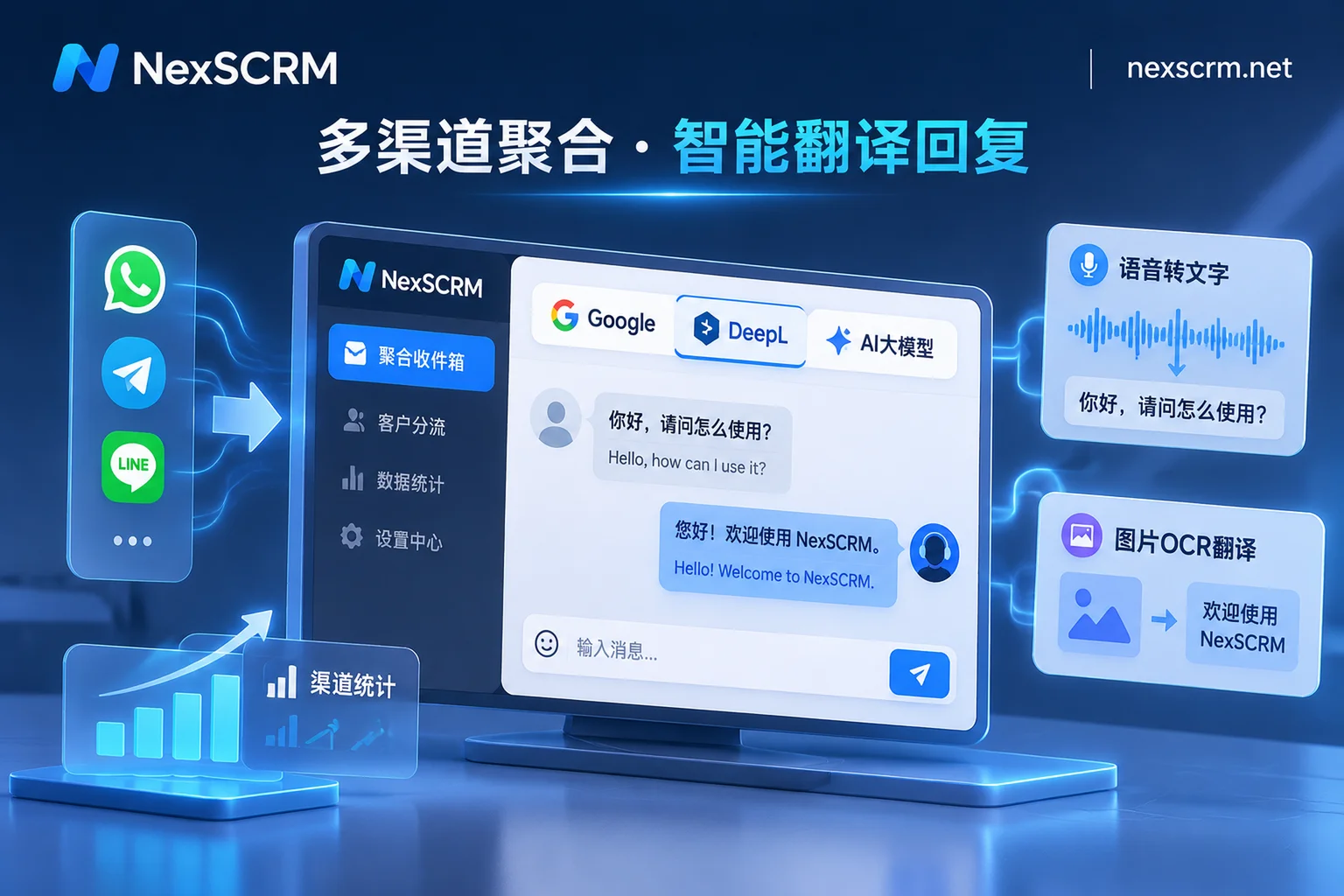
- Multi-engine switching: NexSCRM integrates multiple translation lines from Google, Microsoft, DeepL, and AI large models, and teams can switch at any time based on language characteristics and business scenarios.
- Full modality support: Besides text, the system also supports image and voice message translation (available by version). Foreign currency transfer screenshots or long voice messages sent by customers can be directly read in the workbench without exporting to mobile apps for secondary recognition, greatly shortening first response time.
4. AI script collaboration, moving from "accurate translation" to "smart replies"
Understanding customer questions is only the first step; how to close deals with high emotional intelligence is key. Combined with NexSCRM's AI scripts and auto-reply features:
- When new customers are directed from channel links to private messages, the system can trigger automatic welcome messages for first-time inbound customers, or AI can automatically greet them;
- For complex after-sales or price negotiation issues, AI can generate reply suggestions based on customer questions and historical conversations; customer service can confirm or fine-tune and then send with one click translation; excellent scripts can also be directly saved to the public script library to empower the entire team.
III. Calculating Team Management Costs: Why Can't "Pure Translation Plugins" Save Matrix Operations?
For team leaders with more than 3 customer service staff and a dozen Telegram main accounts and lead generation accounts, choosing Telegram translation software must not only consider translation itself but also account security and operational closed-loop.
| Evaluation Dimension | Official Telegram Premium | Browser Web Translation Plugin | NexSCRM Desktop Workbench |
|---|---|---|---|
| Translation Direction and Form | Focuses on receiving end full-page reading, limited short phrase sending, does not support text in images | Supports web text two-way translation but often fails due to DOM structure updates | Built into client, supports text, image, voice two-way translation, original and translation on same screen |
| Multi-Account Management | Limited number of account switches per client, multiple instances require multiple folders or virtual machines | Relies on multiple browser tabs, prone to memory overflow, lag, and disconnection | Single workbench multi-account aggregation, independent fingerprint environment + session-level proxy IP |
| Lead Generation and Performance Statistics | No statistics, manual counting | No statistics | Built-in lead counter, supports main account/group fan counting and ticket deduplication |
| Asset Retention and Risk Control | Accounts in employees' hands, difficult to trace if they delete data and leave groups | Data stored in local browser, difficult handover upon resignation | Cloud automatic chat history backup, supports sensitive word/private payment monitoring and number masking |
1. Say goodbye to web lag and association risks, stabilize multi-account matrix
Using browser with a dozen Telegram Web plus translation plugins not only makes computer fans roar but also easily leads to account abnormalities due to environment mixing. NexSCRM supports aggregating multiple accounts from over 10 mainstream platforms including Telegram, WhatsApp, LINE, Zalo in one workbench. Each account runs in an independent fingerprint environment and can bind session-level proxy IP; login status is automatically saved, no need to re-scan QR code after restarting software, unread messages are uniformly reminded, and chat windows can be freely split, merged, or hidden.
2. Accurate counting for groups and main accounts, clear traffic sources
Telegram operations often involve a large number of channel placements and group fission. Through the built-in lead counter and data dashboard, teams can not only count main account fan counts in real-time but also accurately capture group fan counts (this is consistent with the logic we mentioned in the automated fan counting and traffic tracing guide). Combined with cross-sub-account ticket deduplication, diversion link statistics, and fan supplementary recording, media buyers and operators no longer need to manually dig through Excel sheets amidst screens full of foreign language group chats.
3. Customer profile retention and pre-emptive internal control defense
On highly anonymous platforms like Telegram, if employees clear two-way chat records when resigning, enterprises will directly lose high-value customers. NexSCRM, through customer operations and internal control modules, saves chat records, media files, customer tag notes, and follow-up records in real-time to the enterprise cloud. Meanwhile, the main account can enable data masking, sensitive word and sensitive behavior monitoring (e.g., private contact addition, private payment alerts), ensuring that after customer service resigns, customer assets remain intact within the team.
IV. Conclusion: Give Time Back to Business, Let Communication Return to Nature
Choosing a handy Telegram translation software is essentially purchasing "response speed" and "professional trust" for cross-border teams. When customer service is no longer trapped by copying and pasting foreign language short phrases, no longer staring blankly at foreign language images and voice messages, and no longer anxious about switching and disconnecting dozens of accounts, the team's reception conversion rate will naturally see a qualitative improvement.
NexSCRM adopts a flexible subscription mechanism based on ports (number of simultaneous online accounts), and comes with unlimited-time translation character packs that can be stacked, supporting upgrades and downgrades at any time. If you are facing efficiency bottlenecks in Telegram multilingual community operations or private chat reception, why not visit the NexSCRM download page to get the Windows client and start a limited-time free trial (no credit card required), and experience the smooth cross-language communication workbench firsthand.