 NexScrm官方博客
Let's give the direct conclusion first: Cross-border SCRM (also often called overseas SCRM) is not the "overseas version" of domestic WeCom private domain tools. It is a system specifically designed to aggregate multi-account conversations from overseas social platforms such as WhatsApp, Telegram, LINE, Zalo, Instagram, Messenger, etc., into a single desktop workspace, with built-in real-time two-way translation, multi-account environment isolation, fan acquisition counters, and employee anti-fraud internal controls. If you only have 1 English WhatsApp account and receive a few inquiries per day, the official app is enough, and there's no need to spend this money. However, as soon as your team starts operating multiple accounts across platforms, encounters inquiries in less common languages, or faces pain points like "advertisers can't calculate real fan acquisition and employees leave and take old customers with them," relying on phones plus web translation plugins and Excel will start to leak orders and even trigger risk controls. At that point, you need to carefully choose a reliable cross-border SCRM.
Many bosses or operators new to this term are most likely to buy in the wrong direction at the first selection step, or only look at the surface monthly fee and miss hidden costs. Let's thoroughly sort this out in four steps.
1. Don't Buy the Wrong Category: How Does Cross-Border SCRM Differ from WeCom SCRM and Foreign Trade CRM?
There are many software products with "CRM" or "SCRM" in their names. The cost of buying the wrong one is usually one or two months of wasted effort and then starting over. Before placing an order, clarify the boundaries of the three types of tools:
| Tool Type | Core Operating Platform | Real Problem Solved | Common Consequences of Using It to Manage Overseas Social Media |
|---|---|---|---|
| Domestic WeCom SCRM | WeChat and WeCom official interfaces | Tagging WeCom friends, community SOPs, Moments reach | Overseas buyers don't use WeChat; not a single WhatsApp/LINE message can be received |
| Traditional Foreign Trade/General CRM | Email, opportunity stages, contract forms | Quotation flow, sales funnel, order and payment records | Does not directly handle instant chats; salespeople still have to switch back to a dozen apps to chat (for detailed comparison, see What's the difference between traditional CRM and cross-border social media SCRM) |
| Cross-Border SCRM | Desktop aggregation workspace for mainstream overseas social media | Multi-platform, multi-account sending and receiving on one screen, real-time two-way translation, fan acquisition deduplication, chat order internal control | Directly embeds "translation, profiling, statistics, risk control" into the chat window, reducing tool switching |
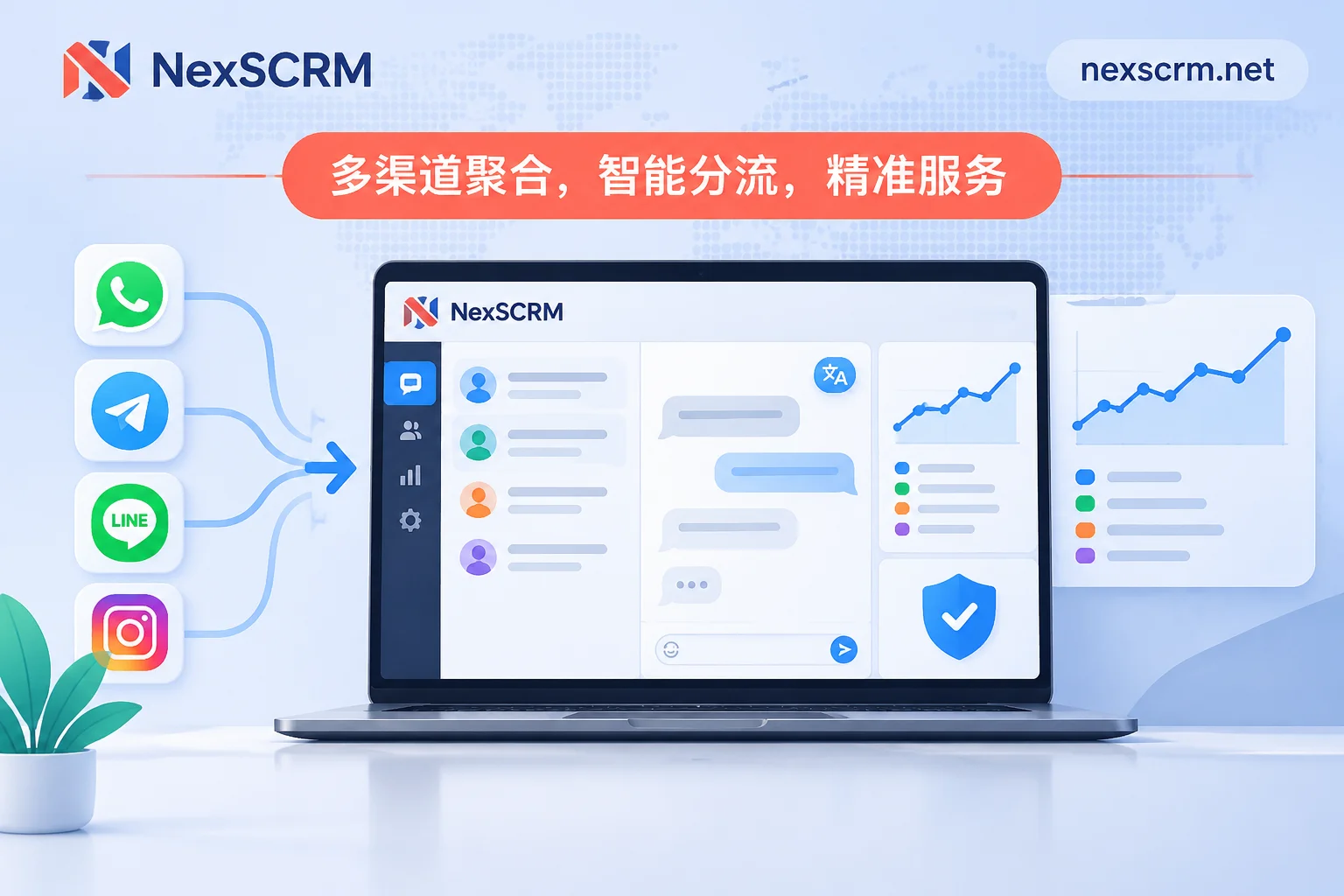
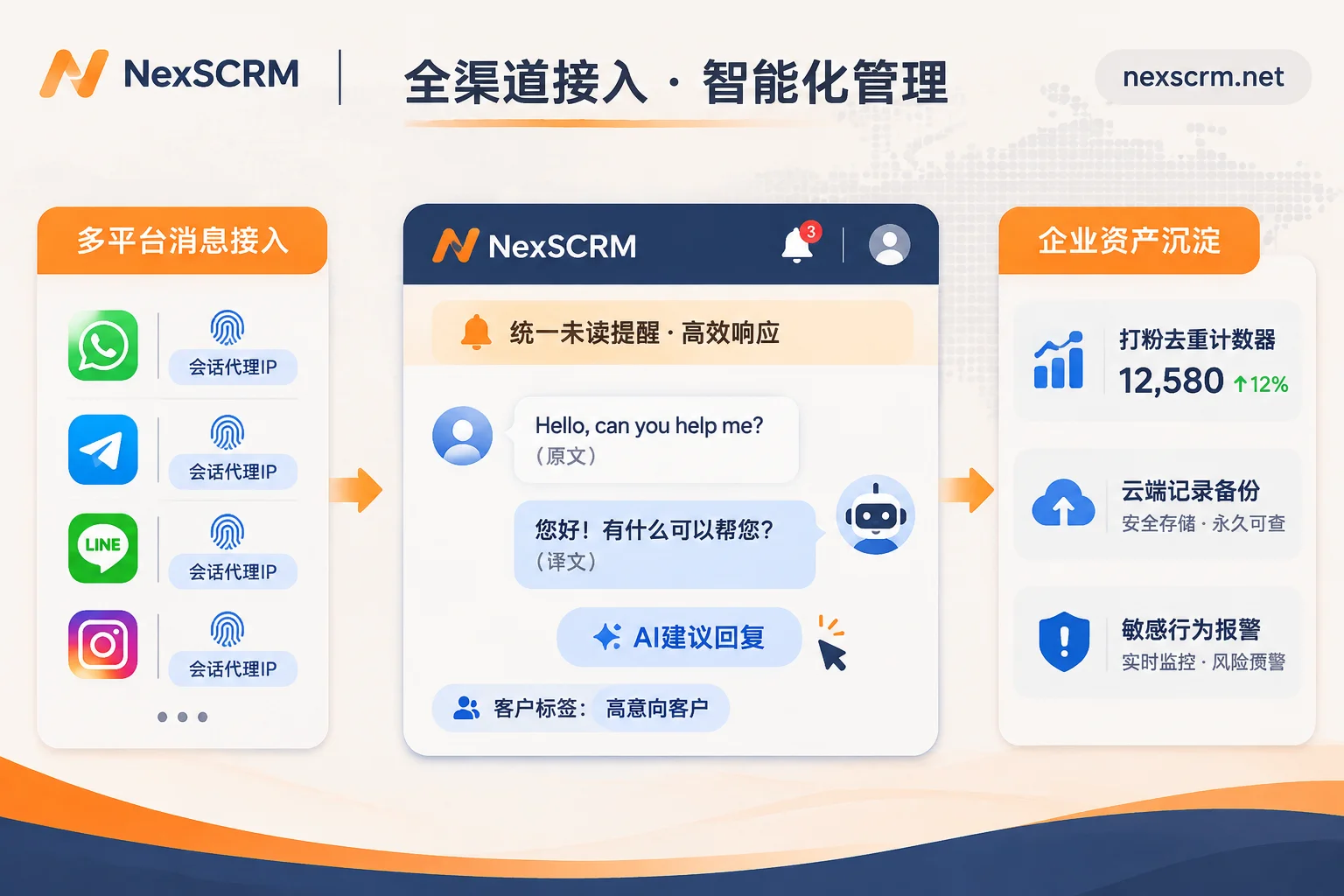
Take NexSCRM, designed specifically for cross-border teams, as an example. It is positioned as a cross-language social SCRM desktop software. One workspace can aggregate and send/receive messages from mainstream overseas channels such as WhatsApp (both regular and Business accounts can log in), Telegram, LINE, Zalo, Facebook, Messenger, Instagram, TikTok, X (Twitter), Discord, Signal, Google Voice, etc., so customer service doesn't have to switch back and forth between the computer and several work phones.
2. Self-Check Thresholds: Is Your Current Scale Really Worth Buying?
Not all teams doing foreign trade or independent sites must immediately adopt a system. You can honestly judge based on the following two lines:
1. Three Situations Where You Don't Need to Rush to Buy
- Solo order handling with no language barrier: You only use 1-2 English WhatsApp accounts or email to communicate with customers throughout, and receive fewer than 10 new inquiries per day.
- Purely fulfilling orders via on-site tickets or Amazon messages: All transactions and after-sales occur in the e-commerce platform backend, and buyers are hardly ever directed to private messages or social media.
- No stable customer acquisition channel yet: At this stage, what you lack most is traffic and product, not handling efficiency.
2. Cross These 4 Signal Lines, and You'll Keep Losing Orders Without a Tool
- Accounts and platforms start to fragment: You have more than 4 chat windows open on your desktop at the same time, and you rely on staring at red dots to see which platform has new messages, often missing replies when busy.
- Less common languages slow down first response due to copy-paste: You start receiving customers from Japan/Taiwan (LINE), Vietnam (Zalo), Latin America Spanish, or Russian (Telegram), and customer service switches back and forth to web translation, dragging first response time from a few minutes to over ten minutes.
- High ad spend but unclear fan acquisition accounting: The ad backend shows many clicks, but several customer service accounts and groups each keep their own numbers, duplicate fan additions are counted as two acquisitions, and at the end of the month you can't review which ad link was effective.
- Customer assets remain on personal phones: Salespeople log into work accounts on their own phones, chat records are not retained, private payments or deleted records cannot be prevented, and when they leave, customers disappear with them.
3. Calculate the Total Cost: Besides the Software Subscription Fee, What 3 Budgets Should You Reserve?
Many teams only focus on the "starting monthly fee" on the homepage during selection and only realize the accounts don't add up when they start using it. To evaluate the annual cost of a cross-border SCRM, be sure to calculate the following three items in the same table (for pitfalls in billing details, refer to How multilingual customer service systems charge to avoid pitfalls):
- Check whether billing is by "port" or by "seat"
Per-seat billing charges per logged-in employee; per-port billing charges per simultaneously online social account. If your team has a few customer service staff managing a dozen social media accounts at the same time, or multiple people take shifts managing the same batch of accounts, per-port billing is usually easier to control. For example, NexSCRM uses per-port billing (a port is the number of simultaneously online accounts, and you can upgrade or downgrade at any time). The main account can allocate ports and permissions, and sub-accounts support multi-device login with role-based visibility. - Translation character quota and large model invocation costs
Many low-priced plans include very few basic translation characters, or only a single traditional machine translation route, which easily translates incorrectly when encountering industry terms and colloquial abbreviations. Before ordering, confirm whether multiple routes can be switched, and whether there is a translation character pack that does not expire and can be stacked with the subscription, to avoid sudden translation interruptions in the middle of peak season negotiations. - Independent proxy IPs and computer system compatibility (the most easily overlooked external condition)
Most cross-border SCRMs do not bundle and sell proxy IPs; instead, they provide an isolated environment for you to bind your own clean IPs. For example, NexSCRM supports providing an independent fingerprint environment for each social account and binding a session-level proxy IP, but the proxy IP itself needs to be prepared separately and included in the total budget. In addition, before downloading, confirm your team's computer systems: NexSCRM currently offers a Windows client (the macOS client is marked as "coming soon" on the official download page). Teams using Macs across the board need to coordinate a test machine in advance or wait for the corresponding version.
4. Don't Just Send a Couple of "Hello" Messages During the Free Trial: Run This 5-Step Inspection Checklist in 30 Minutes
Reputable cross-border SCRMs generally offer trials (for example, NexSCRM official website download offers a limited-time free experience without requiring a credit card). Don't just log in with one account, send a "Hi," and rashly pay. Follow the 5 steps below with real business scenarios, and you'll see the underlying capabilities in half an hour:
Step 1: Test Multi-Account Concurrent Login and Restart Without Rescanning
Log in to at least 2 accounts from different platforms or the same platform (e.g., WhatsApp regular + Business + Telegram) simultaneously, completely close the software and restart it, and observe whether the login state is automatically saved and whether you need to repeatedly take out your phone to scan. Frequent rescanning and switching environments across locations are common triggers for many teams' accounts being risk-controlled just as they start to mature (for the underlying connection architecture and security boundaries, see Will social media aggregated customer service get accounts banned or lose records).
Step 2: Test Translation with Real Long Sentences, Abbreviations, and Voice/Images
Don't test with textbook English. Find a few real historical messages from customers—including product specifications, quotation terms, and even Southeast Asian colloquialisms with spelling abbreviations—and check whether the system does three things: keep both original and translated text (for easy verification of numbers and proper nouns), lock the translation language separately for each contact (to prevent language mix-ups when the same account serves customers from multiple countries), and support switching between Google, Microsoft, DeepL, or AI large model routes for comparison and polishing before sending. If your business often receives voice messages or product screenshots from overseas buyers, also confirm whether the current version has image and voice translation enabled (NexSCRM includes multilingual real-time two-way translation, where image and voice translation are released by version; specific entitlements can be checked on the NexSCRM pricing page).
Step 3: Scan the Same Traffic Routing Link with Two Accounts to Test Fan Acquisition Counting and Duplicate Checking
Create a traffic routing link yourself, add it with two test accounts, and then try to add the same test account to two sub-accounts. Focus on whether the system can automatically assign customer service by source channel, customer tag, and history, and whether it can perform ticket deduplication and system duplicate checking across a single or all sub-accounts based on the main account fan count and group fan count; whether it supports fan supplementation for missed counts, and whether statistics tables can be directly exported for the advertising team to reconcile.
Step 4: Switch to the Admin View to Test Desensitization, Sensitive Behavior Monitoring, and Offboarding Inheritance
This step helps bosses and supervisors verify the bottom line. Use a sub-account to simulate two high-risk actions: sending a payment QR code or private contact information in the chat window, and exporting or viewing raw customer information. Go back to the main account backend and check:
- Whether data desensitization masks customer fields that shouldn't be exposed;
- Whether sensitive word monitoring and sensitive behavior monitoring can catch private contact additions or private payments and trigger custom alerts;
- Whether chat records and media files are automatically backed up to the cloud, and whether you can quickly search by time, contact, or keyword, ensuring that customer profiles and follow-up records remain fully on the enterprise side after customer service leaves (you can check the corresponding functional modules on the NexSCRM data backup and employee internal control page).
Step 5: Let Frontline Customer Service Run Real Reception for Half a Day to Test the Idle Index
Many systems have beautiful feature lists but end up gathering dust in the team, often because they are too cumbersome to operate (for implementation bottlenecks, see Foreign trade customer management system bought but salespeople don't use it). Let customer service try it themselves for half a day: whether chat windows can be split, merged, or hidden according to habits; whether quick reply templates with variable replacement and a public script library are easy to use; whether AI can generate reply suggestions based on customer questions and historical conversations for customer service to confirm before sending (saving typing time and avoiding fully automated bots quoting wrong prices). Only when frontline staff find it more convenient than the native app is the system truly bought to life.
5. Implementation Advice: First Run One Business Line, Then Gradually Expand Ports
After passing the inspection, the most stable rollout rhythm is not to buy dozens of ports for the whole company on day one, but to first select one business line with the most obvious pain points (e.g., multilingual independent site pre-sales customer service, or the WhatsApp sales group with the highest ad traffic), use limited ports to smoothly run "traffic routing and fan acquisition → two-way translation and quick script handling → tagging, profiling, and internal control backup" for 1-2 weeks, confirm that first response speed and channel reconciliation efficiency have steadily improved, and then upgrade port tiers at any time.
Finally, a pragmatic reminder: cross-border SCRMs, including NexSCRM, have core strengths in solving front-end multi-social media aggregated communication, fan acquisition deduplication, follow-up conversion, and team anti-fraud, and do not directly replace back-end order revenue attribution, ERP inventory, or financial ROI accounting (NexSCRM backend statistics mainly cover front-end metrics such as conversation volume, fan acquisition count, tickets, replies, and conversions). Only by clarifying which part each tool manages can you spend every bit of your software budget wisely.