 NexScrm官方博客
Bottom line first: WhatsApp multi-account itself does not directly lead to a ban. As of 2026, official WhatsApp on both Android and iPhone natively supports adding and switching between 2 accounts within the same app; combined with a separately installed WhatsApp Business, you can stably manage 2 to 3 different phone numbers on mobile via official channels. Although there is still no official multi-account switching entry on PC, as long as environment isolation is done properly, parallel logins can be safe.
What actually gets accounts banned is usually not the act of "multi-account" itself, but using unofficial modified clients, multiple accounts sharing unstable IPs triggering association risk control, or new accounts sending high-frequency bulk messages being reported by customers. Below, based on your actual number of accounts and usage scenarios, we explain the official limits, ban boundaries, and safe implementation practices in one go.
How many accounts does WhatsApp officially support in 2026?
Many users searching for "multi-account" actually confuse "logging multiple different numbers on one device" with "using one number on multiple devices simultaneously". The official rules in 2026 are as follows:
1. Mobile: Official single-app limit is 2 accounts
- Native dual-account switching: The Android version introduced the "Add account" feature as early as late 2023; the iPhone version was announced in March 2026 and officially rolled out globally via the App Store starting June. Currently, the official WhatsApp app on the same phone has a fixed limit of 2 accounts, with independent chat histories, avatars, and notification alerts.
- With WhatsApp Business: Since WhatsApp Business is a separate app, you can keep your personal account in regular WhatsApp and put your work account in WhatsApp Business (some Android versions of Business are also gradually opening dual accounts).
- Hard prerequisite—one card per number: Each account must be bound to an independent phone number that can receive SMS or voice verification codes (dual-SIM or eSIM both work). The same phone number cannot remain logged in on both the regular and Business apps simultaneously.
- One account, multiple devices (linked devices): If you just want to sync the same account to multiple phones or computers, the official limit allows up to 4 linked devices per account; but note that if the primary phone is not connected to the internet for more than 14 consecutive days, all linked devices will be automatically logged out.
2. PC: Official multi-account in a single window is still not supported
Whether on the Windows desktop client or the browser version (WhatsApp Web), officially there is currently no account switching feature. The web version works by storing login credentials in the local storage of the current browser profile—one browser profile can only hold one session. If you scan a second account in the same browser tab, the first account will be immediately kicked offline.
Why do some people use multi-account without issues while others get banned upon login?
Under the tightening risk control mechanisms in 2026, Meta's detection no longer only looks at sending frequency but also comprehensively evaluates client compliance, environment characteristics, and interaction quality. The main ban triggers in multi-account use are three:
- Downloading unofficial modified versions or third-party cracked clones: To bypass mobile quantity limits, downloading so-called "multi-account enhanced versions" or "cracked clone APK/IPA" directly violates WhatsApp's Terms of Service. WhatsApp explicitly warns that using fake or modified clients not only leads to temporary or permanent account bans but also risks chat data theft.
- Mixed environments and frequent IP jumps across regions: Using unstable nodes on the same computer to switch and log in to a dozen accounts back and forth, or using virtual machines/emulators with obvious features to batch-register accounts on mobile, easily triggers abnormal device fingerprint recognition and "automation abuse" risk control, requiring strong verification or direct bans.
- High-frequency bulk sending or blindly adding strangers right after multi-account setup: Meta's stated top reason for bans has always been "bulk sending without consent and high complaint rates". Especially for newly registered numbers, if there is no normal social activity in the first few days and you start sending marketing messages to a large number of strangers or frequently creating groups in a short time, the system often triggers restrictions within tens of minutes.
Choose a solution by number of accounts: personal dual accounts vs team multi-account
Scenario 1: Only 2 accounts (personal + work)—use the official free solution directly
If your need is just to separate life and work accounts, you do not need third-party multi-account tools at all:
- Mobile: Update WhatsApp to the latest version, go to Settings → Account → Add Account, enter the second phone number and complete verification; or install regular WhatsApp and WhatsApp Business separately.
- Light PC office work: Install one official desktop client on your computer to log in to the main account, then open a browser to log in to WhatsApp Web for the second account; or create two independent "user profiles" in Chrome and scan codes separately, so they do not overwrite each other.
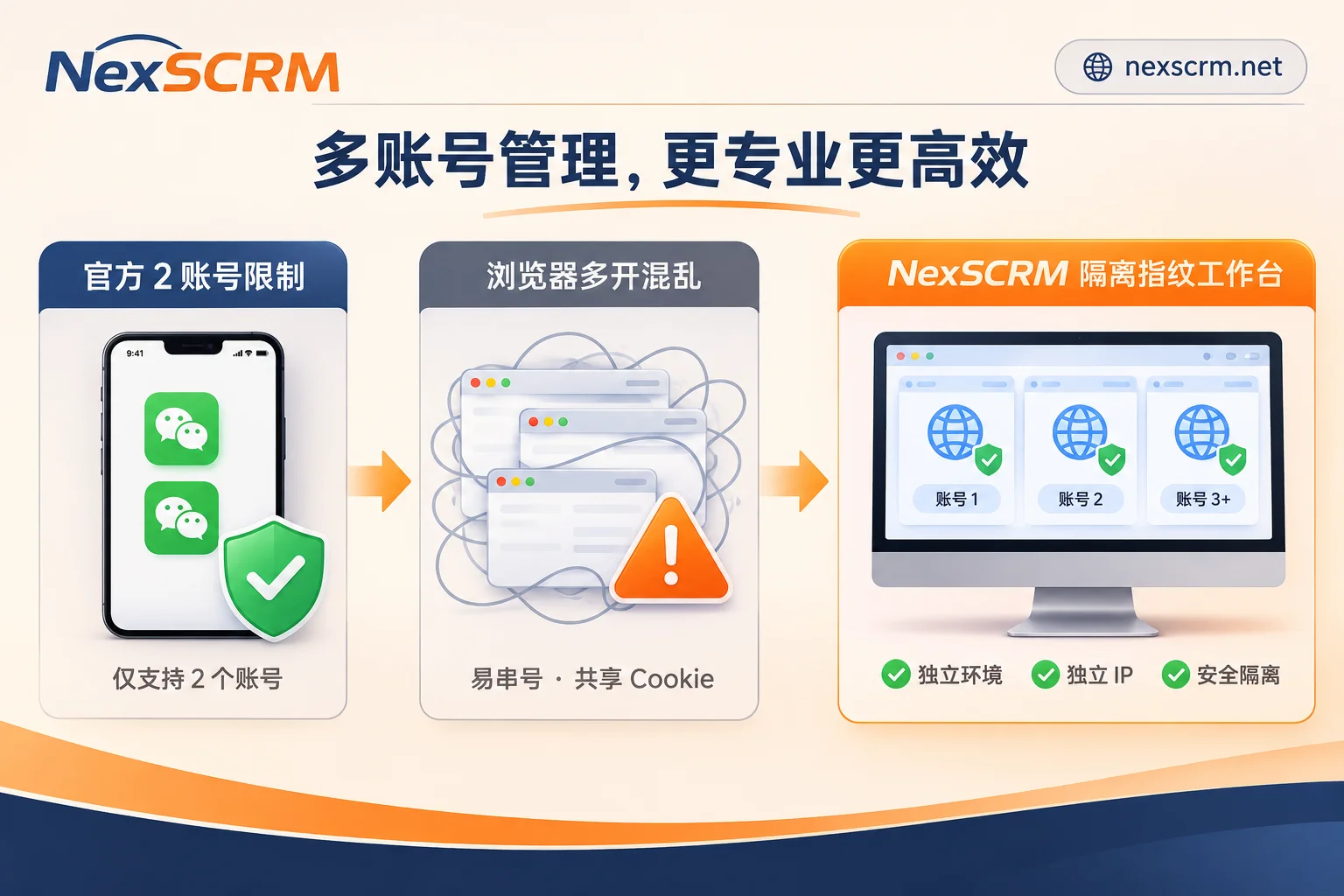
Scenario 2: More than 3 accounts (foreign trade business / cross-border customer service teams)—the hidden bottleneck of browser multi-account
Once you need to manage 3, 5, or even a dozen accounts simultaneously (e.g., by country market, by product line, or a supervisor needs to consolidate multiple customer service accounts), the crude method of "opening a bunch of browser windows" quickly becomes unsustainable:
- Messages scattered and easy to send wrong: The desktop is filled with four or five browser windows, new message notifications are scattered, and when busy it is easy to miss replies to customers or even send customer A's quote to customer B;
- Translation plugins conflict and fail: When encountering inquiries in minor languages, you rely on browser translation plugins, which often lag or fail in multiple windows; customers send image quotations and voice messages that need manual export and translation;
- Account association and logout risks: Ordinary browsers lack strict fingerprint and IP isolation; logging multiple accounts on the same computer carries hidden risks of association, and clearing cache requires re-scanning with the phone;
- Customer assets not retained: Chat records are all stored in personal browsers or salespeople's private phones; once an employee leaves, customer contact information and follow-up history are taken away.
For a comparison of common paths to expand from 2 to 20 accounts on PC, you can also read "How to Do WhatsApp Multi-Account on PC Without Chaos? Comparison and Practice of Three Solutions from 2 to 20 Accounts".
Scenario 3: Team-level security solution—independent environment isolation + aggregation workbench
For cross-border e-commerce and foreign trade teams that require multi-person collaboration, cross-language communication, and account security, a more reliable approach is to use a desktop aggregation workbench that supports session isolation, such as the WhatsApp multi-account solution NexSCRM, which focuses on cross-border private domain communication:
- Independent fingerprint environment and session-level proxy IP: In NexSCRM's multi-account aggregation workbench, each WhatsApp account (both regular and WhatsApp Business are supported) runs in an independent fingerprint environment, and supports binding a separate session-level proxy IP for each account (using your own proxy), minimizing the risk of account crossover and IP cross-contamination. Login status is automatically encrypted and stored locally, so you don't need to repeatedly scan with the primary phone after restarting the client. (For proxy parameter checks, refer to "How to Configure Different Proxy IPs for Each Social Account")
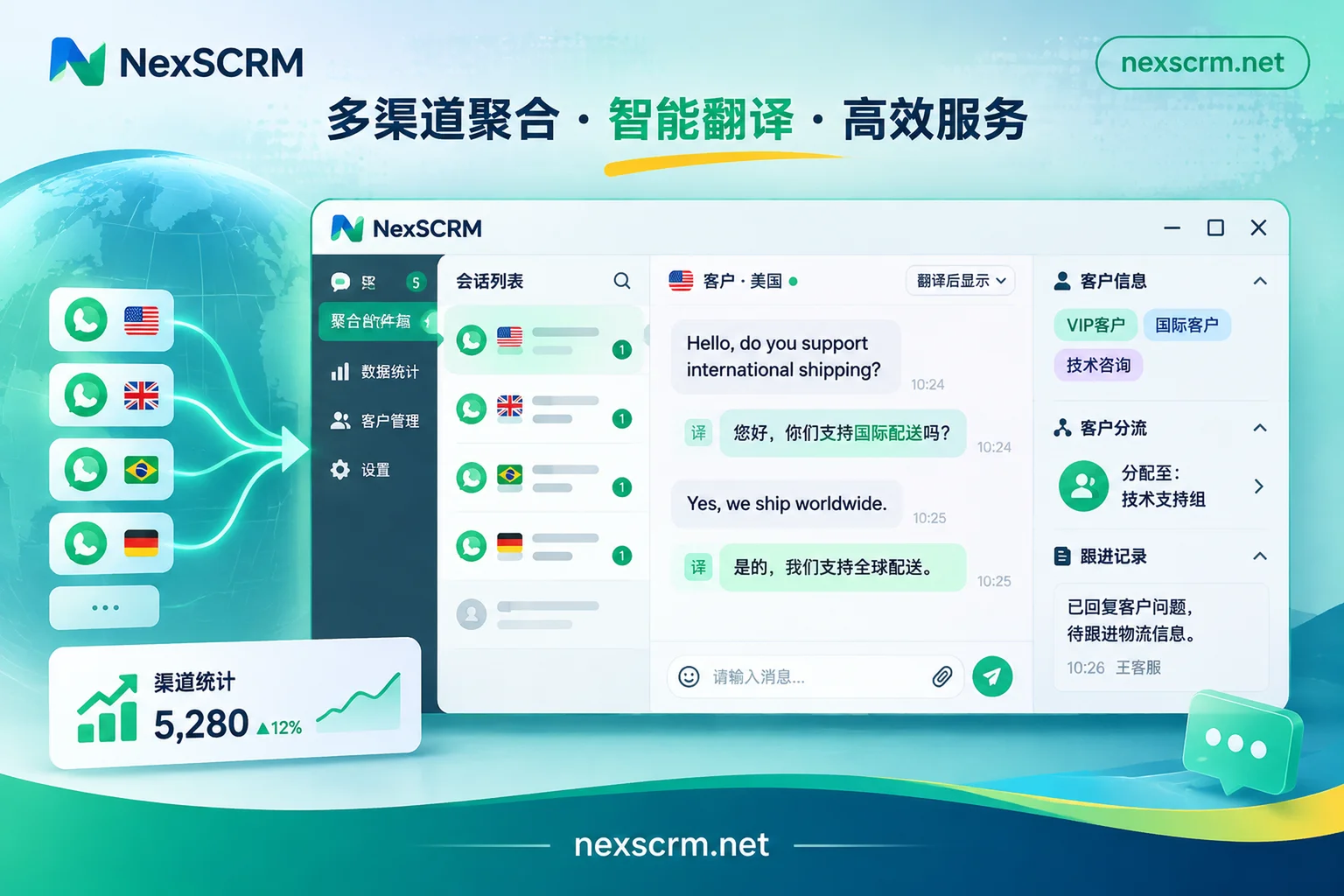
- Multi-account and multi-platform messages in one screen: Multiple WhatsApp accounts as well as accounts on Telegram, LINE, Zalo, Instagram, etc., can be aggregated and managed in the same Windows client, with unified unread message alerts, and chat windows can be split, merged, or hidden.
- Built-in two-way real-time translation, no more browser plugins: No more hassle with browser plugin failures. The built-in translation feature supports automatic language detection, switching between Google, Microsoft, DeepL, and AI large model routes, retains original and translated text on the same screen, and can lock translation language per contact (image and voice message translation available by version).
- Team internal control and customer asset retention: The main account can flexibly assign permissions to sub-accounts by "ports" (i.e., number of simultaneously online accounts), supporting multi-device login; communication records and media files are automatically backed up to the cloud, combined with AI reply suggestions, public script library, and sensitive operation monitoring, so even if customer service personnel change, customer profiles and historical communications remain on the enterprise side.
Selection tip: NexSCRM currently offers a Windows desktop client (macOS version is being rolled out), billed by the number of simultaneously online ports, and officially provides a limited-time free trial without binding a credit card. Teams can first check version differences on the pricing and versions page before testing.
4 practical bottom lines for daily multi-account ban prevention
Choosing the right tool solves the "clean environment" problem, but daily operating habits determine how long accounts survive. Whether you use official dual accounts or an aggregation workbench, it is recommended to stick to the following 4 bottom lines:
- One device, one card, one real-name verification: Use stable physical SIM cards or legitimate eSIMs for registering or binding accounts as much as possible, and enable two-step verification (PIN) immediately for new accounts.
- Fixed network, no frequent region jumps: Try to fix each business account to a stable local residential or common office network IP; do not show Singapore in the morning and Germany in the afternoon.
- New accounts: "nurture" before "chat": For the first 3 to 7 days after registration, engage in normal two-way text communication with acquaintances or existing customers; avoid importing contacts in bulk or frequently creating groups right after going online.
- Restrain one-way cold-start bulk sending: If customers have not proactively provided information or consented to receive messages, do not use multiple accounts to take turns doing indiscriminate bulk blasts; maintaining a natural reply rhythm and a high two-way interaction rate is the key to extending account lifespan.
Summary: For personal use with 2 accounts, the latest 2026 official "Add Account" feature or the "WhatsApp + Business" dual-app approach is safe enough; for cross-border sales or customer service teams with more than 3 accounts, the focus should be on using independent fingerprint environments and session-level proxy IPs for isolation, and consolidating scattered windows into a unified workbench, so as to prevent bans without missing orders.