 NexScrm官方博客
If you've been thinking about an AI customer service assistant lately, you're probably stuck on the same question: the internet is full of tutorials showing how to build an intelligent customer service bot with Coze, Dify, or n8n in half an hour, looking almost zero-cost; but when it comes to buying ready-made software, quotes vary widely—should you build it yourself or buy a ready-made tool?
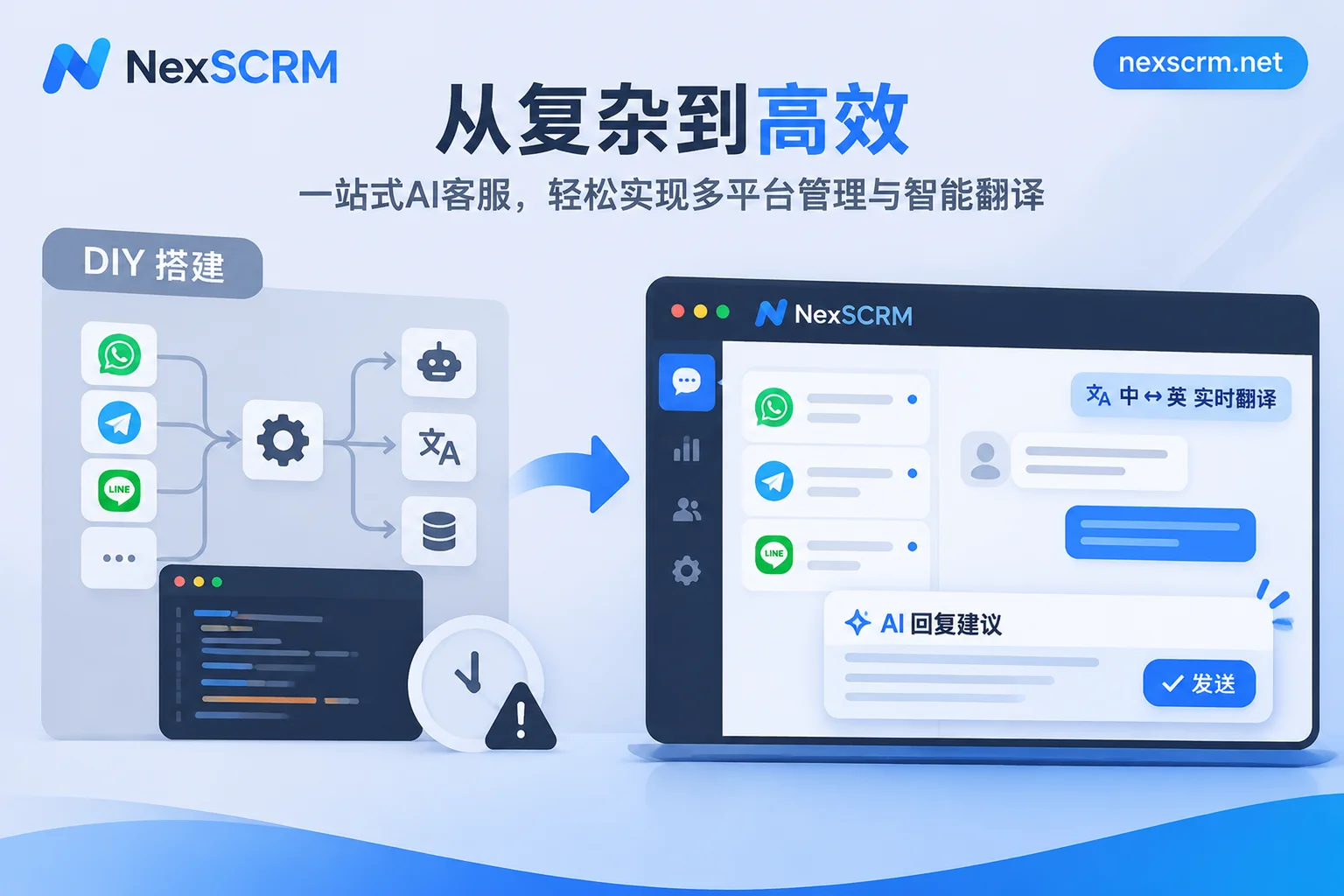
Let's put the conclusion first: If your inquiries are all on website pop-ups or a single Chinese channel, mainly handling standard FAQs, and your team has technical staff who understand APIs and daily maintenance, building it yourself with a low-code platform is indeed flexible and cost-effective; but as long as your customers are scattered across multiple social media accounts like WhatsApp, Telegram, LINE, Zalo, Instagram, or you need real-time multilingual translation, multi-person collaborative reception, and customer asset retention, self-built workflows often get stuck at the "account integration" and "human takeover" stages, and choosing a ready-made aggregation tool is actually more cost-effective and stable.
1. Why Do Demos Look Amazing but Fail When Connected to Real Business?
Many teams have tried feeding product manuals and FAQs to large models, asking a few questions in a test dialog box, and getting very fluent answers—thinking they can immediately go live and replace staff. But when it comes to actual integration, they realize that large model inference and knowledge base retrieval only account for 20% of the entire customer service engineering; the remaining 80% that determines whether it can be used at all lies in the engineering support on both ends.
A customer service system that can truly go live includes at least four layers: stable integration of front-end multi-platform accounts with anti-ban measures, intent routing and human takeover during conversations, accurate handling of cross-language, image, and voice messages, and post-launch account permissions, customer asset backup, and risk monitoring. Self-built workflows often do a beautiful job at the "understanding and Q&A" layer but leave big holes in the other three layers.
2. Before Deciding to Build or Buy, Check These 4 Real Barriers
Barrier 1: Channel Integration—Once the Workflow Is Built, How Do You Connect It to the Chat Accounts You're Using?
This is the first big pitfall for most foreign trade, cross-border e-commerce, and overseas private domain teams.
If you just put a chat window in the bottom right corner of your website, a self-built AI assistant can be embedded with a few lines of code. But overseas customers communicate almost entirely through social media chat apps. To connect a self-built workflow to WhatsApp or LINE, you usually face a dilemma:
- Using official APIs (like WhatsApp Business API): Compliant and suitable for standardized Webhook integration, but personal accounts cannot directly connect to the API. You often need to prepare enterprise certification qualifications, apply for interface access through service providers, configure callback services, and comply with template message and session billing rules. It's hard to seamlessly migrate the customer relationships accumulated in old accounts.
- Using unofficial crawlers or plugin hacks to force account connection: Although it can barely enable personal accounts to send and receive messages automatically, it easily triggers platform risk control. Once flagged as abnormal, you may face disconnection and re-scanning, or worse, account ban and loss of chat history and customer contact information.
We've detailed the security differences of different integration architectures in "Will Social Media Aggregation Customer Service Cause Account Bans or Lost Records? 3 Underlying Architectures and Security Boundaries for Multi-Platform Account Integration".
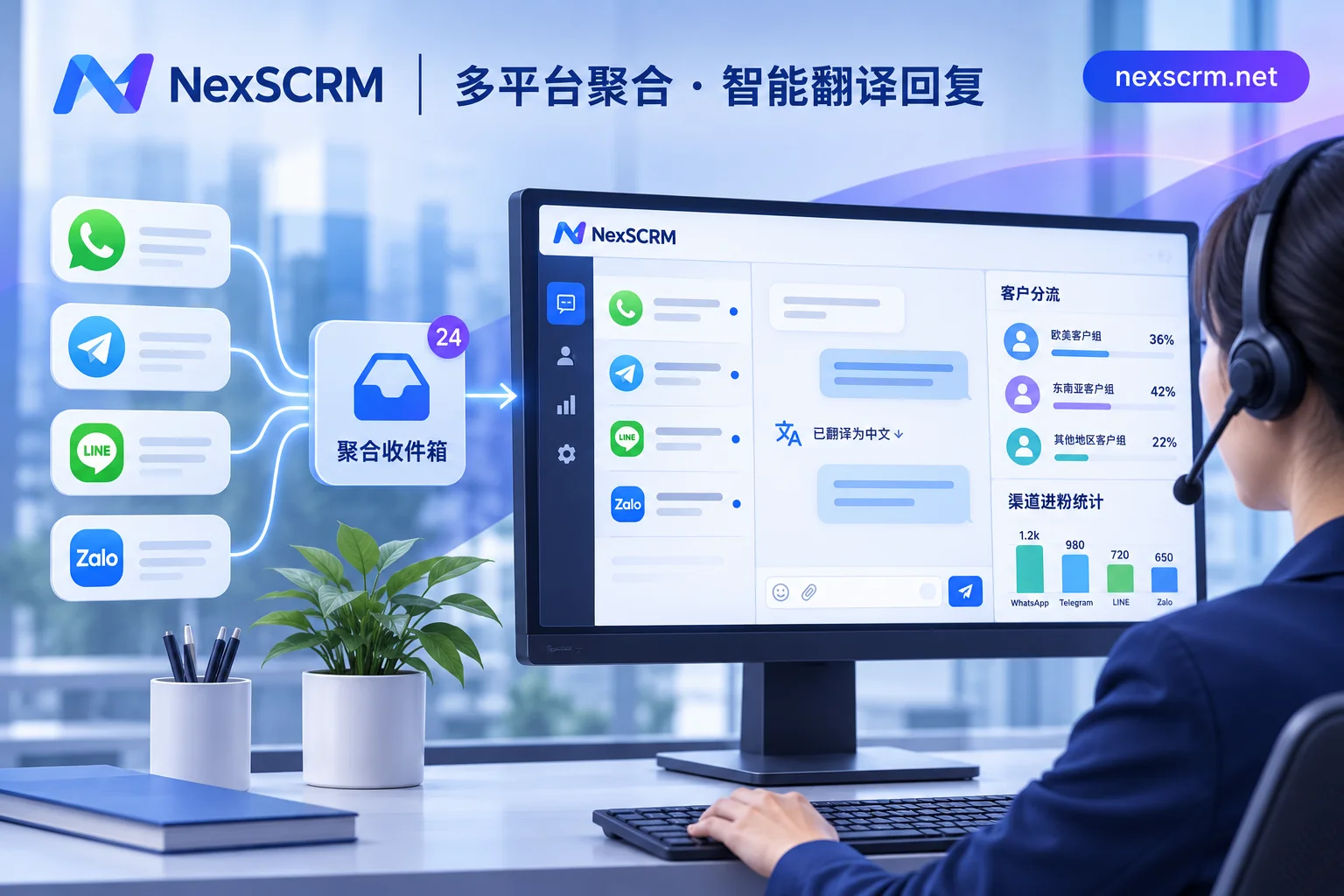
If your team is operating multiple old social media accounts simultaneously, a more reliable approach is to directly use an aggregation workbench designed for multi-account social media scenarios. For example, NexSCRM (Windows desktop client) builds independent fingerprint environments into the software's core and supports binding proxy IPs per session (proxy IPs need to be configured by yourself). It can aggregate and log in to multiple platform accounts simultaneously in one workbench, including WhatsApp (both regular and Business accounts), Telegram, LINE, Zalo, Facebook, Messenger, Instagram, TikTok, X, Discord, Signal, etc. Restarting the software doesn't require repeated QR code scanning, and you don't have to force old customers to switch to new accounts just to integrate AI (for details, see Multi-Account Aggregation Solution).
Barrier 2: Human-Machine Handover—Is It "Fully Automatic Direct Send" or "AI Drafts + Human Confirms"?
The most common default setting in purely self-built workflows is "receive message → retrieve knowledge base → auto-send". But in high-ticket inquiries, price negotiations, and after-sales complaints, fully automatic messaging is extremely risky: if the AI occasionally hallucinates, quotes the wrong delivery date, or mechanically apologizes to an angry customer, the deal is basically lost.
To implement "AI writes a draft, customer service reviews and edits a few words before sending" or "automatically pop up a human takeover prompt when a customer asks about refunds/complaints" in a self-built system, you still need to develop a chat backend with state synchronization, doubling the engineering effort.
A more practical approach is to separate outreach automation from core negotiation assistance. Take the built-in AI Customer Service Assistant capability of NexSCRM as an example—it follows a "human-machine collaboration" route:
- New customer first response and high-frequency rules: When new customers who are directed to private messages come in, AI can automatically greet them, or cooperate with keyword auto-replies and first-time welcome messages to stabilize first response time;
- Smart suggestions during conversations: After entering formal communication, AI generates reply suggestions based on the customer's current question and historical conversation context. Customer service confirms or fine-tunes before clicking send, saving time on looking up information and typing, while completely closing the door on "AI making random promises";
- Public script accumulation: High-quality opening lines and scripts generated by AI can be directly edited and saved to the public script library. Combined with personal/public quick reply templates (supporting variable replacement and keyword triggers), the entire team can reuse high-conversion wording.
If you want to further design the boundaries of human-machine division of labor, you can refer to "How Can Cross-Border Teams Make Good Use of AI Customer Service Assistants? Avoid the "Fully Automatic Hallucination" Trap and Build a High-Conversion Human-Machine Collaboration Loop".
Barrier 3: Multilingual and Multimodal—What About Voice Messages, Image Quotations, and Foreign Slang?
When the business only targets a single language market, the large model's inherent multilingual capabilities are sufficient. But as soon as you start receiving customers from different countries speaking English, Spanish, Japanese, Vietnamese, Arabic, etc., the complexity of self-built workflows increases exponentially:
- When a customer sends a voice message with an accent or an image quotation with model parameters, the self-built workflow needs to additionally chain speech recognition (ASR) and optical character recognition (OCR). If one link times out, the entire reply gets stuck;
- If AI directly answers in foreign languages, domestic customer service supervisors or order trackers can't understand the context themselves, making it impossible to quality-check and take over midway;
- If you temporarily rely on browser translation plugins, you often encounter issues like plugins failing after version updates or conflicts with multi-instance cloning.
In such high-frequency multilingual communication scenarios, the advantage of ready-made tools integrating the translation foundation with the chat window is very obvious. In NexSCRM's Multilingual Real-Time Translation module, translation capabilities are built directly into the client, with no need for additional browser plugins: messages are automatically translated bidirectionally, and both the original text and translation are retained. It automatically detects the other party's language and can lock the translation language per contact. It also supports switching between multiple routes like Google, Microsoft, DeepL, and AI large models at any time (AI routes are more natural for daily greetings, switch to rigorous engines for verifying quotation parameters). Text, image, and voice messages are translated according to version support. Customer service can confidently handle inquiries from various countries while watching Chinese.
Barrier 4: Accounting and Sovereignty—Self-Building Saves Software Fees but Easily Overlooks "Management and Risk Control Costs"
Many people only look at the surface when calculating costs: self-building only requires paying large model token fees, while ready-made software requires monthly payments. But if you extend the view to half a year, the hidden ledgers of the two are completely different:
- Hidden costs of self-building: API and Webhook disconnections require technical troubleshooting; when product prices change or promotions shift, if no one continuously cleans the knowledge base, frequent wrong answers occur; more importantly, self-built Q&A bots usually don't handle employee internal control—which customer service privately sent their own payment code or contact information, which account's new followers were missed in counting, how to recover chat records from phones or computers after customer service resigns—self-built workflows can't solve any of these.
- Avoiding pitfalls in ready-made pricing: When choosing ready-made tools, also understand the billing logic. Some AI customer service tools on the market charge by "resolution count" (bills skyrocket for high-frequency low-ticket inquiries), while others bundle high AI quotas by "seat". Before selecting, it's recommended to apply "How to Choose an AI Customer Service Assistant? 4 Criteria + Single Conversation Cost Formula" to calculate the cost per conversation first.
In contrast, NexSCRM uses subscription by port (i.e., number of simultaneously online accounts), supports upgrading or downgrading at any time, and can be combined with unlimited-time translation character packs (specific tiers, character quotas, and feature version differences are subject to the NexSCRM official website pricing page). At the same time, on the management side, it directly fills in backup, counting, and employee internal control: chat records and media files are automatically backed up to the cloud and support retrieval by time and keywords; the main account/group new follower counter supports ticket deduplication and split link statistics; combined with sensitive word monitoring, sensitive behavior monitoring (such as privately adding contact information or private payments), data masking, and operation log auditing, it ensures that customer profiles and communication records always remain on the enterprise side, and assets are not lost even when employees leave.
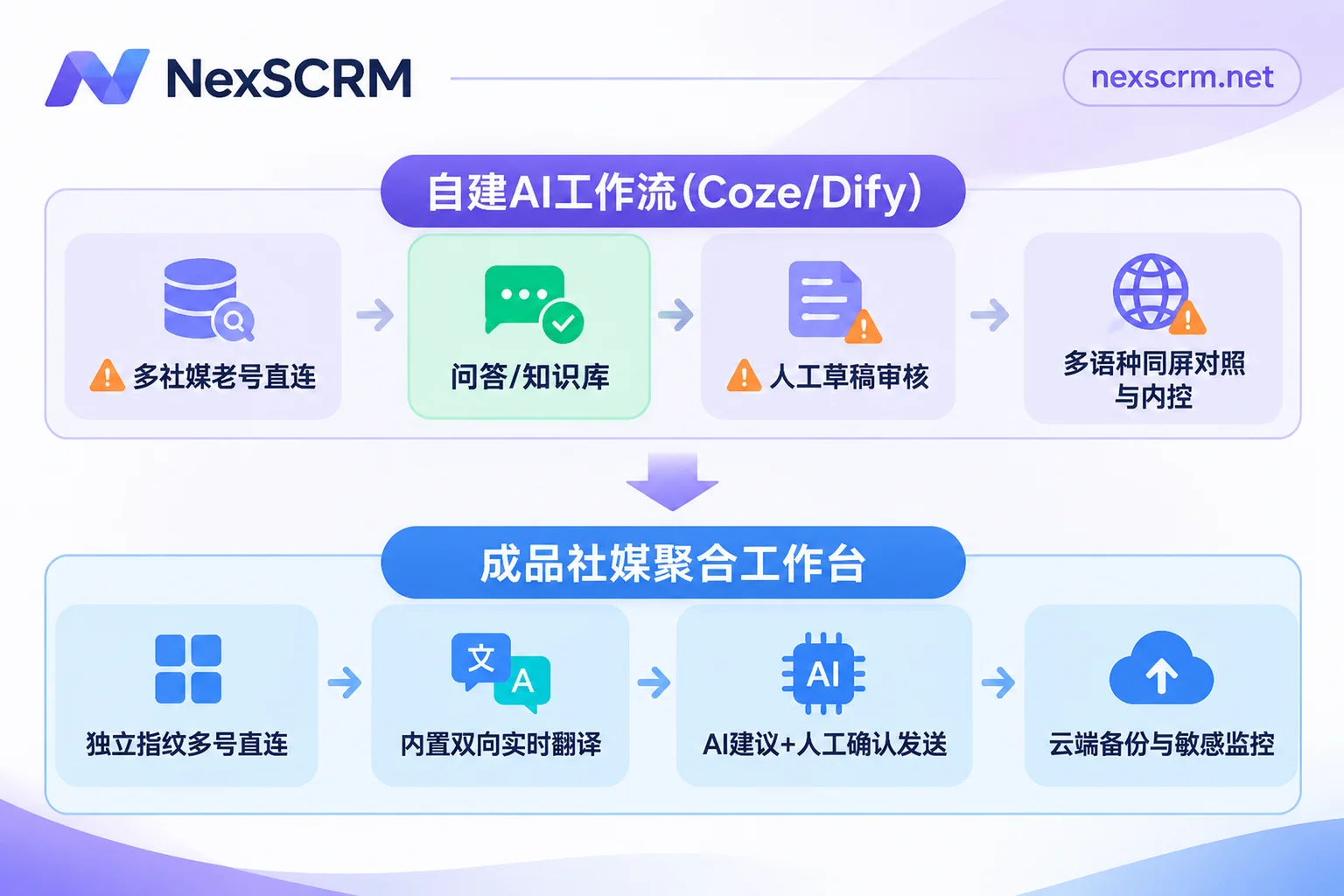
3. One Table to Clarify: When to Build Yourself, When to Use Ready-Made?
By comparing the following 6 dimensions, you can determine in 1 minute which path your team should take now:
| Comparison Dimension | Self-Built Workflow (Coze / Dify / n8n, etc.) | Ready-Made Social Media Aggregation Workbench (e.g., NexSCRM) |
|---|---|---|
| Core Applicable Channels | Website online window, single official API channel, or internal knowledge Q&A | WhatsApp (regular/Business accounts), Telegram, LINE, Zalo, and other multi-platform overseas social media multi-accounts |
| Technical and Maintenance Threshold | Requires API/Webhook debugging, knowledge base governance, and exception fallback | Windows client out-of-the-box, main account with permissions, sub-accounts can get started directly |
| AI Participation Mode | Leans toward fully automatic rule flows or Q&A bots; semi-automatic human-machine interaction requires self-developed interface | AI auto-greeting/keyword replies + context-based reply suggestions, customer service confirms before sending |
| Multilingual and Multimedia | Requires self-assembling multilingual prompts, ASR speech, and OCR interfaces | Built-in bidirectional real-time translation in client (retains original and translation), multiple engines switchable, supports text/image/voice (per version) |
| Anti-Association and Account Security | Relies on third-party API channels, personal social media account integration easily restricted or risk of ban | Independent fingerprint environment + supports binding session-level proxy IPs, login status automatically saved |
| Team Internal Control and Retention | No new follower counting, employee sensitive control, or resignation handover system; requires separate CRM | Built-in lead counting deduplication, cloud chat backup, data masking, sensitive behavior monitoring, and customer service dashboard |
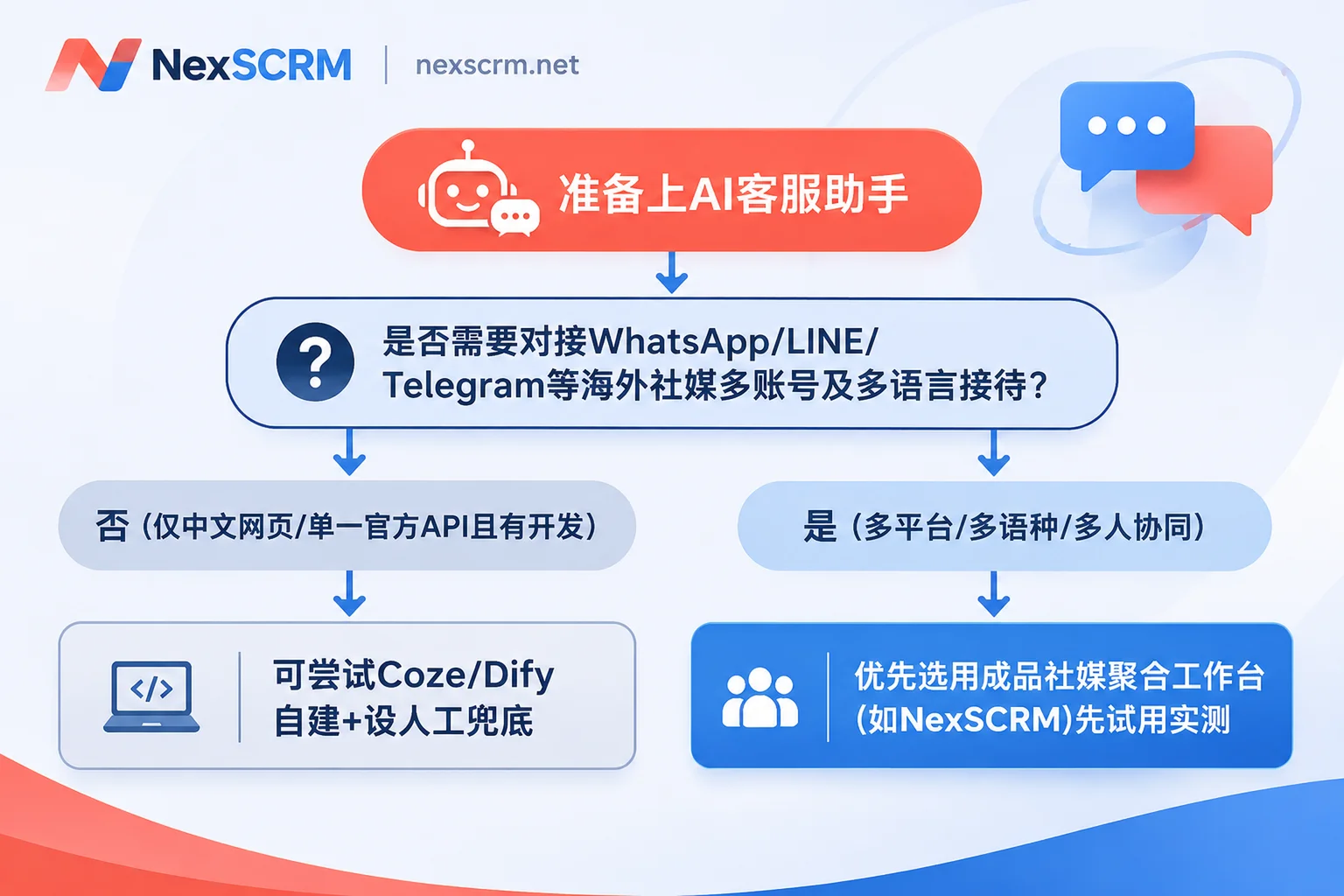
4. A 3-Step Validation Checklist You Can Implement Today
Regardless of whether you ultimately lean toward self-building or purchasing ready-made, before spending big money or investing weeks of development, it's recommended to first conduct a small-scale test according to these 3 steps:
- Take stock of current accounts and entry points: List the customer service platforms your team is using, number of accounts (distinguish regular accounts vs. official API accounts), main languages, and daily new follower/conversation volume in a table. If accounts are scattered across more than 2 overseas social media platforms, prioritize "no account switching aggregation" and "bidirectional translation" as must-haves.
- Blind test with 20 real historical difficult conversations: Don't test with simple questions like "What time do you work?". Pick 20 real records from past history that include abbreviations, slang, image quotations, voice messages, price haggling, and after-sales complaints. Test whether the tool can accurately understand context and hand control to humans when it shouldn't answer randomly.
- Start with "first response + assisted drafts", then look at efficiency data: Don't let AI fully take over old customers on day one. First do a low-cost gray-scale comparison—for example, NexSCRM's official website offers a limited-time free trial with no credit card required. You can directly go to the NexSCRM download page to install the Windows client, mount 1-2 commonly used accounts and run for a few days. Compare the team's response time and deal follow-up efficiency before and after enabling AI reply suggestions, quick script library, and real-time translation, then decide how many ports to officially configure.