 NexScrm官方博客
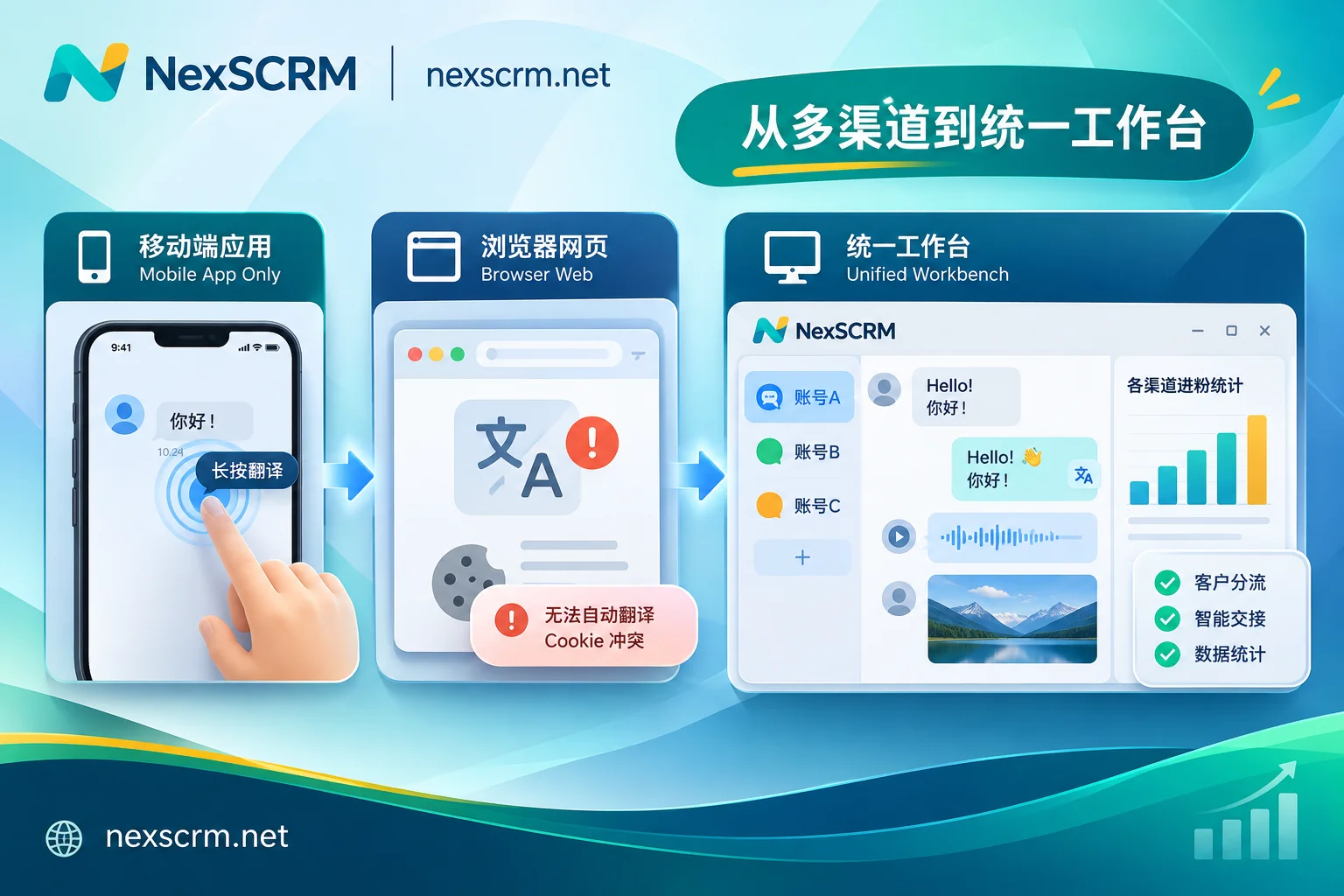
Let's give the direct conclusion first: Instagram's official native DM translation feature (long-press a message bubble and tap "Translate") currently only supports the iOS and Android mobile apps. The desktop web version (instagram.com) does not have this native button. Moreover, even if you switch back to the mobile app, the official feature only solves "understanding plain text sent by others." It will not automatically translate your Chinese into a foreign language for sending, nor can it translate voice messages or product screenshots in DMs.
If you only occasionally check one or two personal DMs on your phone, you can just enable it in the latest app (for specific enabling and troubleshooting steps, refer to "How to Enable Instagram DM Translation" and "What to Do When Instagram DM Translation Doesn't Show Up or Slang Is Translated Inaccurately"). But if you are a salesperson or customer service rep sitting at a computer handling a large volume of cross-border inquiries, needing to check inventory and price lists while replying to messages, the following directly explains workable desktop solutions and how to avoid pitfalls with voice, images, and foreign language replies.
1. Why Does Official Translation Fail on Desktop or with Voice and Images?
Although Meta launched built-in DM message translation for global users in 2025 (supporting 99 languages), its design intent is lightweight social reading on mobile, not high-frequency commercial reception on desktop. When actually taking orders on a computer, you will hit four walls:
- No native translation entry on the desktop web version: Instagram's Help Center explicitly limits native message translation instructions to the mobile app. After opening
instagram.com/direct/inboxin a browser, right-clicking or hovering over a message bubble will not show the official "Translate" option. Incidentally, the web inbox is also divided into three tabs: Primary, General, and Requests. Many inquiries from overseas new buyers who you don't follow each other with land in Requests, with no prominent notification by default, making them easy to miss. - Only handles "reading," not "writing": Official translation can only translate foreign text sent by the other party into the system language currently set in your app. When you want to compose in Chinese and then convert it to Spanish, Portuguese, French, or Arabic to reply to a customer, the official feature will not translate and send it for you.
- No translation button for voice and image screenshots: Overseas buyers often directly send a product screenshot with foreign parameters, a photo of a shipping label, or hold down and send a voice message. In Instagram DMs, screenshots and voice messages are not "ordinary text bubbles that can be long-pressed to translate," so no translation option appears in the native menu.
- Manual tap per message, no conversation-level language locking: The same account may receive English customers in the morning and Brazilian Portuguese customers in the afternoon. Relying on long-pressing each message to read translations, once messages flood in, context is easily lost.
2. Comparison of 3 Desktop Approaches for Instagram DM Translation
When sitting at a computer and wanting to reply to overseas DMs quickly and accurately, there are three common paths on the market, with very different applicable scenarios:
| Comparison Dimension | Mobile App Long-Press + Computer Screen Switching for Reference | Chrome Full-Page Translation / Lightweight Web Plugins | Desktop Aggregated Workbench (e.g., NexSCRM) |
|---|---|---|---|
| Direct Use on Desktop | Not supported; need phone to view messages and computer to check tables | Can run on instagram.com web version | Runs as a built-in client, independent of web plugins |
| Two-Way Send/Receive Translation | Only supports understanding single received text | Mostly focused on translating inbound; writing replies still requires frequent switching or language selection | Automatic two-way translation for send/receive, original and translation preserved side by side |
| Image and Voice Support | Not supported | Ordinary web translation cannot recognize text in images or voice | Supports image and voice message translation (available by version) |
| Multi-Account Isolation | Slow to switch accounts back and forth, easy to reply to wrong person | Switching accounts in the same browser may conflict or mix up languages | Independent fingerprint environment + conversation-level proxy IP isolation |
| Target Users | Personal accounts with a few messages per day | Temporary emergencies, single-account low-frequency communication | Cross-border e-commerce customer service, foreign trade sales, multi-account operation teams |
1. Why Not Recommend Relying on Browser "Full-Page Translation"?
Many people's first reaction is to right-click in Chrome and select "Translate to Chinese." But the Instagram web chat box is dynamically asynchronously loaded:
- Easy to miss translations or mess up the interface: Newly popped-up messages often do not automatically trigger full-page translation; instead, timestamps, button names, and even customer usernames get translated into awkward Chinese.
- Easy to mix environments when switching multiple accounts: If you manage a brand main account, regional sub-accounts, or influencer outreach accounts simultaneously, repeatedly logging out and back in within the same browser not only easily misses unread notifications from other accounts but may also trigger account new-device verification risks.
- Customer information cannot be retained: After chatting on the web, everything scatters in the browser. Which customer asked about which product, what price was quoted, which post they came from—once you log off or hand over to someone else, it's gone.
2. How to Merge Translation and Reply into One Step for High-Frequency Desktop Reception?
If you need to monitor multiple Instagram accounts on your computer every day, or if Instagram is just the front-end for lead generation and customers need to be transferred to WhatsApp, Telegram, or LINE for further follow-up after a few messages, a more reliable approach is to connect the accounts directly to a desktop aggregated workbench. Take the Windows desktop software NexSCRM as an example (the macOS version is marked as coming soon on the official website). It combines several troublesome tasks for Instagram DM translation and desktop reception:
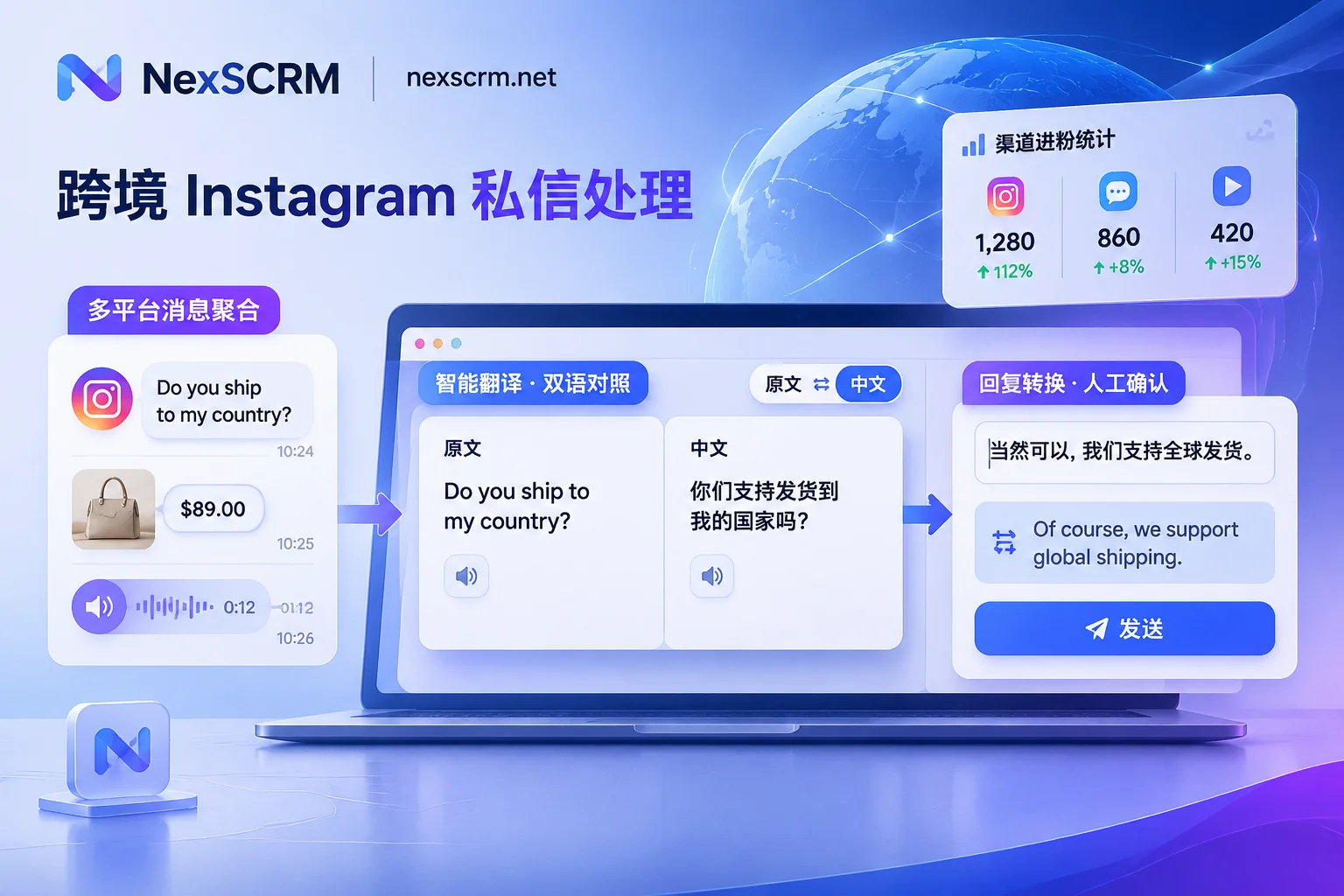
- Built-in two-way translation in the client, no browser plugin needed: DMs from customers in English, Spanish, Portuguese, French, Arabic, etc., are automatically language-detected with translations preserved below the original text. You can type Chinese directly in the input box, and it will be automatically translated into the other party's language when sent—no need to switch to a translation website and copy-paste back and forth.
- Independent fingerprint environment and proxy isolation for each account: All IG accounts are displayed side by side in the workbench, with unified reminders for unread messages. Login status is automatically saved, so you don't need to log in repeatedly after restarting the software. Each account can run in an independent fingerprint environment and bind a conversation-level proxy IP, avoiding interference between multiple accounts on the same machine.
- Translation routes switch by scenario, not one-size-fits-all: NexSCRM has multiple built-in routes: Google, Microsoft, DeepL, and AI large models. For daily greetings and "are you there?" use regular routes for speed; once customers start asking about specific materials, MOQs, return/exchange terms, or price negotiations, you can switch anytime to AI large model routes that better understand context, reducing misunderstandings caused by colloquial abbreviations (for specific switching strategies, refer to "Which Translation Route to Use for Daily Reception and Quotation Negotiation").
3. Three High-Frequency Scenarios That Most Easily Get Stuck in DMs—How to Handle Without Losing Orders?
Even with translation tools installed, when actually closing cross-border private domain deals, the following three things most easily drag down response speed:
Scenario 1: Customer Sends a Foreign Language Image Screenshot and Asks "Is This Still in Stock / How Much Is Shipping?"
Many overseas buyers can't be bothered to type and directly screenshot your product poster, a hangtag with foreign labels, or even a competitor's screenshot and send it in a DM. Ordinary translation software cannot copy the text in the image, and manually typing it is slow and prone to mistyping model numbers.
- Low-frequency approach: On mobile, you can use the system's built-in gallery image translation, or ask the other party to resend the key model number in text.
- High-frequency reception approach: In NexSCRM versions that support image message translation, you can directly translate the text in foreign language screenshots when received. At the same time, circle out SKU numbers and tracking numbers that don't need translation for comparison (for verification tips, refer to "How to Translate Image Quotations Sent by Customers"), avoiding machines mistakenly translating model numbers into other words.
Scenario 2: Customer Directly Holds and Sends a Foreign Language Voice Message
Buyers in Spanish, Portuguese, and Southeast Asia are particularly accustomed to sending voice messages asking about sizes and shipping times. Because the platform's native text translation does not cover voice bubbles, encountering unfamiliar minor language voice messages can easily cause a deadlock.
- Fallback principle: If the voice message involves shipping address, bank account, custom dimensions, or delivery time, even if the translation tool converts it to text, be sure to politely ask the other party to type and confirm the key numbers in the target language, keeping a written record.
- Efficiency solution: Use a desktop solution that supports voice message translation (NexSCRM offers voice message translation by version). It can directly translate the other party's voice into Chinese, allowing you to quickly understand the customer's core needs, give a first-round response, retain the customer, and then further verify order details.
Scenario 3: Worried That Your Chinese Is Written Too Quickly and the Meaning Changes When Translated and Sent
In DM quotations and after-sales, the biggest fear is "free shipping over $100" being translated into an ambiguous expression, or "need 3 business days for stocking" being translated as "delivered in 3 days." To reduce such mistakes, don't type and translate on the fly for every customer:
- Save high-frequency terms as public quick reply templates in advance: Size comparison descriptions, shipping thresholds, return/exchange policies, payment methods—these exact terms that cannot be changed—should be verified with precise translations in advance and stored in NexSCRM's public quick reply template library, supporting keyword triggers and variable substitution, so the whole team sends proofread versions uniformly.
- Lock language and customer profile by contact: Automatically tag each IG customer you've chatted with by language, source channel, and intent. When the customer comes back next time, the workbench automatically uses the language set for that contact, so customer service doesn't need to rely on memory to reselect the language.
- Keep chat history and customer assets within the team: The biggest hidden danger of Instagram's native mobile app is that customer service chats on a work phone, and when they leave, records are deleted and all customers are lost. With cloud backup on the desktop, all historical conversations, image materials, and follow-up records remain on the enterprise side. Later, whether transferring to WhatsApp for repurchase or a new customer service rep taking over, they can open the records and search by time or keyword to pick up the conversation.
4. How to Choose Now Based on Your Account Scale?
Don't overcomplicate the tools—just match based on how much time you spend in Instagram DMs each day:
- Personal account / just a few foreign language DMs per day: No need to bother with third-party software. Update the iOS or Android Instagram app, long-press a message in the chat and tap "Translate" to understand it. When only browsing temporarily on a computer, be careful not to miss the Requests inbox.
- Single account selling / also using browser operations: You can use the Chrome web version with a dedicated DM translation plugin, but be sure to test whether dynamic loading is stable, and do back-translation verification before sending amounts, sizes, and delivery times.
- Cross-border sales, independent site customer service, or multi-account matrix teams: It is recommended to run the entire process directly on a Windows computer with NexSCRM (the official website offers a limited-time free trial without binding a credit card, supports flexible increase/decrease based on the number of simultaneous online ports, and has unlimited-time translation character packs that can be added). First, connect your main account and frequently problematic "voice/screenshot" test accounts and run them for a few days to see whether two-way translation speed, AI reply suggestions, and cross-platform (Instagram + WhatsApp / Telegram / LINE) same-screen collaboration are smooth, then decide on the team's port configuration.