 NexScrm官方博客
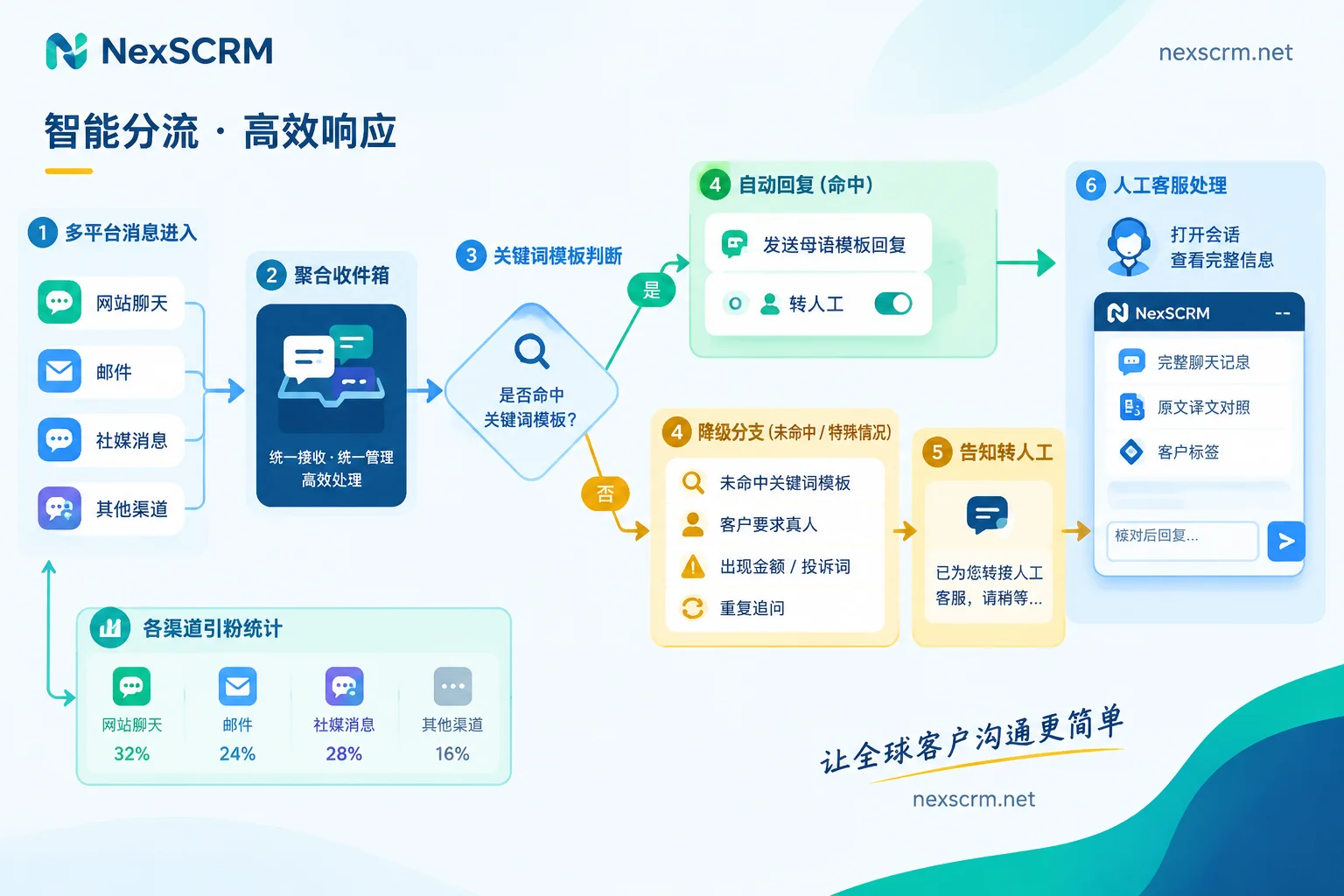
When implementing multilingual automated customer service, the reliable approach is not to have the bot handle as many inquiries as possible, but to let it only handle the parts it can answer correctly, and hand off the rest to a human as soon as possible, passing along the context. In practice, this comes down to four things:
- Define boundaries: Automation only handles initial greetings and high-frequency standard questions. Price negotiations, after-sales disputes, and emotional messages go to humans.
- Use vetted scripts: Automated foreign-language messages should use pre-approved script templates, not ad-hoc machine translation at send time.
- Keep an exit: State clearly in the first message that it's an automated reply, and tell customers how to reach a human at any time.
- Handoff with context: When transferring to a human, pass along chat history, translation history, and customer tags. Before replying, the human should cross-check the original text against the translation.
Below, in launch order, we explain how to do each step and what to watch out for.
First, understand where the experience breaks down
Research shows that over 70% of cross-border buyers prefer to receive service in their native language. Among those dissatisfied with chatbots, more than half cite two main reasons: the bot can't understand complex contexts, and it's difficult to reach a human. In multilingual scenarios, four common bad experiences are:
- Machine-translation tone: Replies are first written in English or Chinese and then sent through a layer of machine translation. Colloquialisms, industry terms, abbreviations, and tonal shifts in minor languages are easily mistranslated, making customers uncomfortable or even misunderstanding the opposite meaning.
- Irrelevant answers: The customer asks about A, but a keyword happens to match B, so the bot replies with something unrelated.
- Transfer loop: The customer asks for a human three times but is still looped back to the menu.
- Repeated statements: Finally transferred to a human, but the agent's first sentence is "What issue are you experiencing?"
The six steps below address these gaps.
Step 1: Define the scope automation can handle
Review chat records from the past one to two months by question type, and select questions that meet three conditions simultaneously for automation: frequently asked, fixed answers, and low cost of wrong answers. Typical examples include business hours, basic product specifications, minimum order quantity, logistics inquiry methods, and sample policies.
The following should be left to humans by default:
- Quotes, bargaining, payment terms, and anything involving amounts or delivery commitments;
- Complaints, returns/exchanges, quality disputes;
- Messages with obvious emotion, or questions the customer has already asked once.
Don't aim for automation to handle all inquiries. Industry practice suggests a reasonable proportion is around 40-50% of total inquiries, but the actual number depends on your inquiry structure. In B2B inquiries, customization and bargaining are high, so automation will handle less—this is normal.
Step 2: Use vetted templates for foreign-language replies, not live machine translation
The most error-prone part of automated replies is sending real-time translations directly. A more stable process is:
- Write the base script: Write replies to each standard question in Chinese, stating facts clearly. Avoid words like "as soon as possible" or "approximately", which become more vague when translated into minor languages.
- Translate and vet: First use machine translation for a draft, then have a native-speaking colleague or contract translator review it, focusing on product terms, units, numbers, and level of politeness.
- Store by language: After vetting, store templates by language, each marked with applicable languages and corresponding trigger keywords.
- Organize keywords by language: Trigger keywords should also be organized separately by language, including common abbreviations, colloquial expressions, and spellings without accents or tone marks. Otherwise, customers typing as they normally do won't trigger them.
For languages not yet covered by the template library, it's better to send an English template first, plus a line like "For service in your language, please reply with a number", than to let the system temporarily translate a message no one has reviewed and send it directly.
In NexSCRM, this step is done using quick reply templates and keyword auto-replies: vetted scripts in various languages are saved as templates, and all team accounts use the same set, avoiding each agent writing their own version. For how to organize and use templates, see Customer Profiles and Script Features. WhatsApp, Telegram, and LINE have different trigger mechanisms; for platform differences, refer to How to Set Up Keyword Auto-Replies and Welcome Messages.
Step 3: State in the first message that it's an automated reply, and keep an exit
The initial automated message should clarify three things: this is an automated reply, which options can be selected directly, and how to reach a human at any time. A structure to consider:
Hello, this is the automated assistant of XX. Please reply with a number: 1 Products & Specifications 2 Logistics Inquiry 3 Sample Policy 0 Contact Human Support
Human support hours are local time... Messages left outside working hours will be replied to in order after work resumes.
A few details:
- Don't let the automated reply pretend to be human. The trust lost when customers find out is greater than the loss from waiting a few extra minutes.
- Use numbers or short words for options. This way customers don't have to type long sentences in a minor language, avoiding recognition failures.
- Keep "0 for human" in every round of automated replies, not just the first.
- Clearly state the time zone for working hours, or convert directly to the customer's local time.
Step 4: Set fallback conditions so customers don't get stuck in the bot
If any of the following occurs, automated replies should stop and transfer to a human:
- The customer explicitly requests a human, including common local-language terms for "human", "real person", or "support";
- No keyword matches, or the customer asks the same question a second time;
- The message contains words like amount, refund, complaint, negative review, or sends images/voice that automated rules can't handle;
- After two consecutive automated replies, the customer is still asking.
When transferring, give the customer a clear statement: already transferred to a human colleague, approximate response time during working hours, and when it will be handled outside working hours. Don't promise timeframes you can't meet.
Step 5: Human handoff with context, cross-check original and translation before replying
Fallback is only half the job; the other half depends on whether the human agent can get up to speed immediately. When a human agent opens the conversation, they should at least see:
- The complete exchange between the customer and the automated replies, including the customer's original text and corresponding translation;
- The customer's language, country, existing tags, and follow-up records;
- If the account or agent changed midway, the previous chat history.
This way the human's first sentence can be "I see you're asking about shipping costs for model X to port Y; let me confirm," and the customer doesn't have to repeat everything.
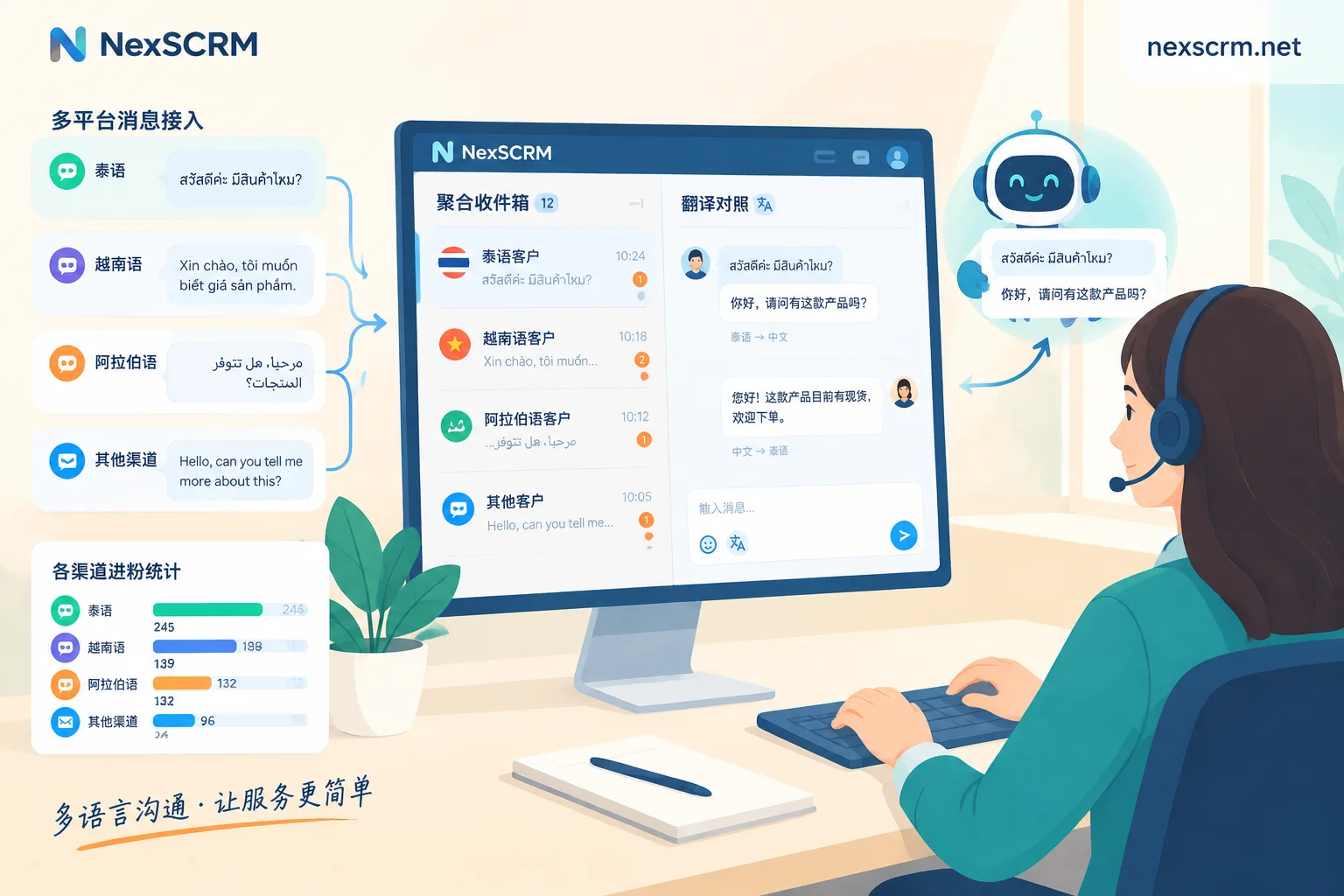
When replying to customers in minor languages, displaying both original and translation is crucial. Numbers, model numbers, and dates in the customer's original text should be checked one by one against the translation, and before sending, review whether your reply's translation conveys the correct meaning. For quote terms, you can switch to a more accurate translation route; for when to switch, see Which Translation Route to Use for Daily Reception and Quote Negotiations.
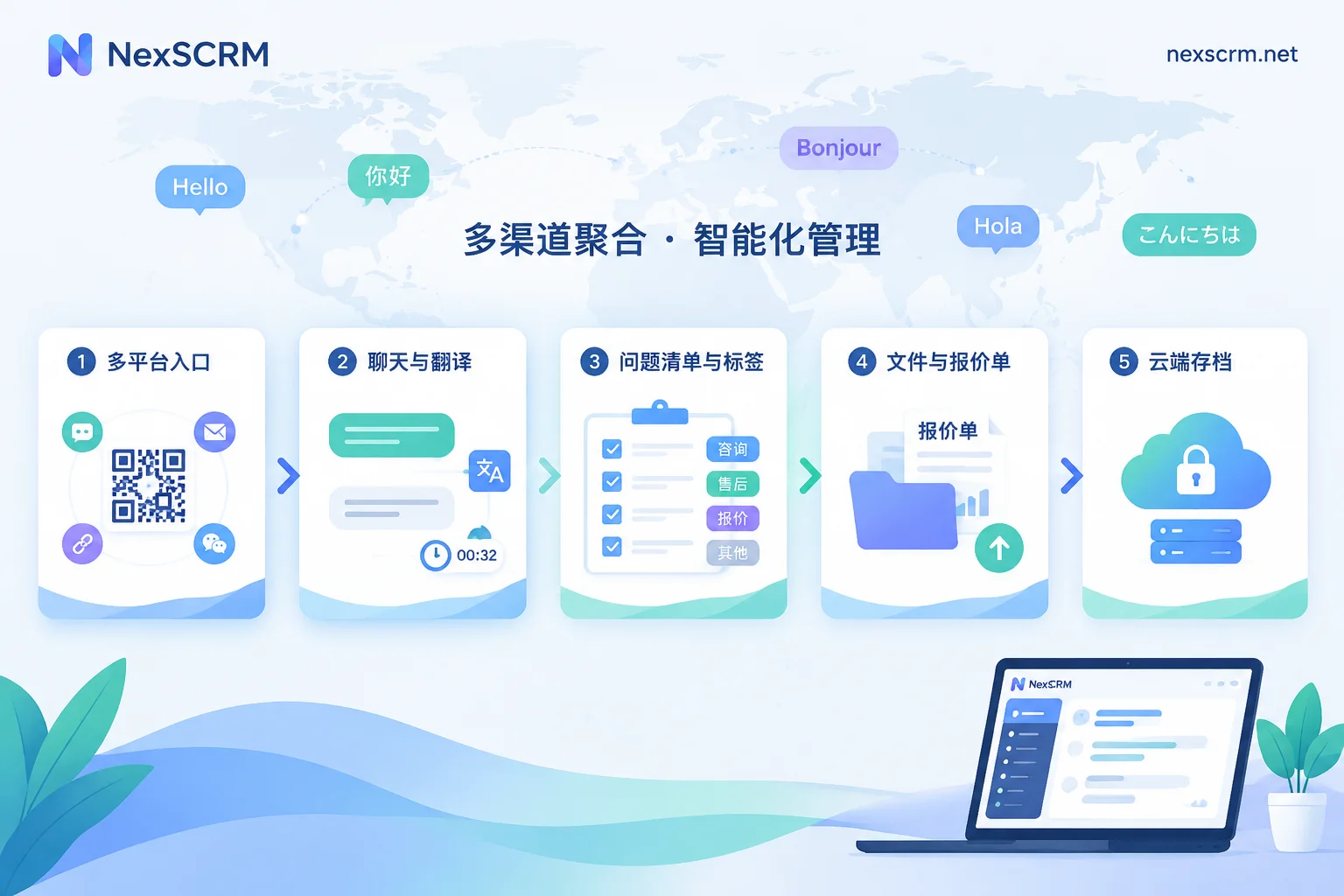
NexSCRM's real-time two-way translation supports text, images, and voice, retaining both original and translation, with multiple translation routes available. Chat history can be backed up and searched in the cloud, customer profiles and tags follow the contact, and context is preserved when conversations are transferred to other colleagues. Multi-platform, multi-account conversations are handled in the same workbench, making it easy to uniformly assign fallback conversations. If the same account serves customers from multiple countries, lock the language on the conversation first to avoid language mixing; for how to do this, see How to Avoid Language Mixing When One Account Serves Multiple Countries.
Step 6: After launch, review handoff reasons weekly
After setting up automated customer service, continuous adjustments are needed. It's recommended to review three types of situations weekly:
- Questions repeatedly transferred to humans: If the answer is actually fixed, add it to the template library.
- Customers asking follow-ups or saying they don't understand after automated replies: Often the template translation is problematic; send it back to a native-speaking colleague for re-review.
- Falsely triggered keywords: Narrow the keywords or change to option-based guidance.
Additionally, expression taboos vary greatly across markets, especially in Thai, Indonesian, Arabic, and other markets. Existing general materials rarely cover these details; it's best to ask a colleague or local partner responsible for that market to compile a separate checklist for template vetting. The checklist will grow more complete with real conversations, and the scope automation can handle can gradually expand.


Comments(0)