NexScrm官方博客
When you're handling inquiries from seven or eight countries at once, the biggest fear isn't translation that's not idiomatic enough—it's sending a Spanish message meant for a Mexican customer into a Saudi customer's chat window. And this kind of mistake isn't obvious in the moment: you see Chinese in your UI, but the customer receives a foreign language they can't understand. By the time they reply with a question mark, half the trust you've built is gone.
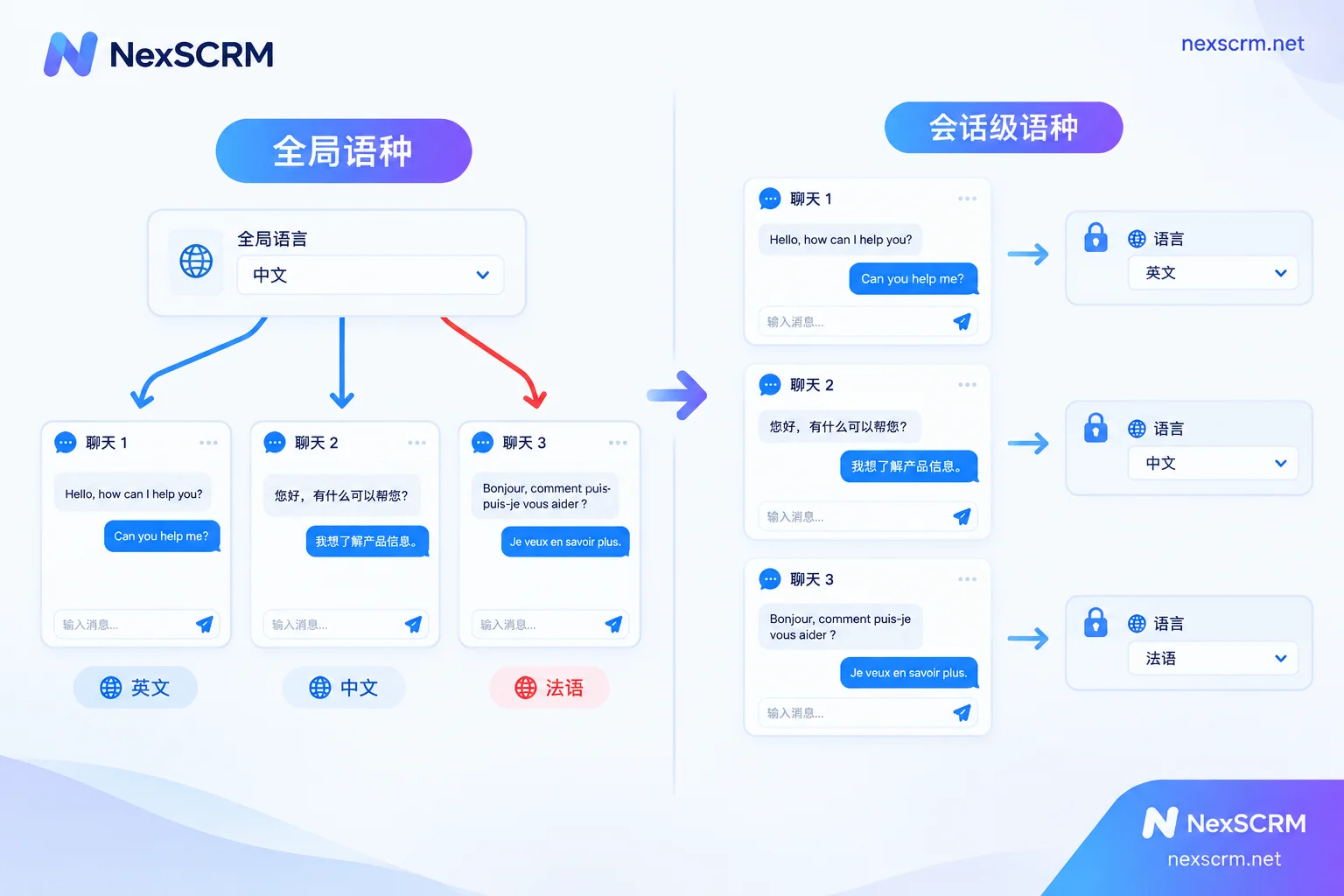
Here's the fix: bind the translation target language to the contact/conversation, not to the software or browser, and add a pre-send check comparing source and translated text. Do these two things, and "mixing languages" drops from "a matter of time during peak hours" to "only possible when the customer switches languages themselves." Below I'll explain why and in what order to set this up.
First, identify which failure path you're on
Mixing languages basically comes from three ways of working, with different risk levels:
- Global browser translation or webpage translation plugins: The entire page shares one language setting, and it doesn't change when you switch to the next conversation. Highest risk.
- Clipboard-style external translation tools: Copy Chinese → select language in a small window → translate → paste back into the input box. The language dropdown is global; it doesn't change when you switch windows, and you have to remember to change it manually.
- Manually copy to a translation website and paste back: Same as above, plus an extra chance to paste into the wrong window.
The common thread is clear: language is a global variable, but you have dozens of conversations. One value serving multiple windows makes errors structural when switching at high frequency—it's not about someone being careless. So the solution isn't "remind agents to remember to switch," but to change that variable from one to one-per-conversation.
Four mechanisms, set up in this order
1. Confirm the language on first contact, then lock it to this conversation
When a new customer comes in, first let the system automatically detect the incoming language, then cross-verify with the phone number's country code, landing page source, and the country the customer mentions. After confirmation, write the language into this contact's attributes; when you switch back to this window later, the input box defaults to that language.
Why "confirm once and lock" rather than re-detecting every message? Because short messages are unreliable to detect. If a customer replies with OK, Yes, 👍, a string of model numbers, or pure digits, automatic detection can easily misclassify it as English or fail entirely. If the system dynamically changes the language per message, it might actually switch languages mid-conversation. A fixed value + manual override is more stable than full automation.
There's a must-keep exception: country ≠ language. Canada has English and French regions; Belgium, Switzerland, India, the Philippines, Malaysia, and Singapore are multilingual environments; many buyers in the Middle East and Southeast Asia habitually do business in English. If you switch them to Arabic or Thai based on country, you're actually making things worse. The order of judgment should be: the language the customer actually writes in > the preference the customer explicitly states > country/country code inference. Country code is only corroborating evidence, not a conclusion.
2. Two-way auto-translation—both directions must be covered
Translating only incoming messages and not outgoing ones leaves half the risk to manual work; translating only outgoing ones means agents struggle to understand foreign source text and during peak hours will still carry over context from the previous customer. The complete approach: incoming foreign text is translated to Chinese in real time, and when the agent types Chinese it's automatically converted to the target language locked to that conversation—all without leaving the chat window.
It's also worth thinking about translation providers in advance. Different engines perform quite differently on low-resource languages and industry terminology. If you can switch providers, you can switch to another one when a particular market's translation feels awkward, instead of copying the whole foreign text elsewhere to re-translate—that copy-paste step itself is a high-incidence point for mixing languages.
3. Keep both source text and translation visible on the interface
This is the last gate and the one most easily skipped. Pure automatic replacement before sending has a fatal flaw: if the language is wrong or the meaning is off, the agent has no way to notice on their own screen. Keeping both the Chinese source and the foreign translation in the input box and chat history has three benefits:
- Before hitting send, a quick glance—even if you can't identify which language it is, you can at least recognize "this isn't the same one as before"—catches the mis-send on the spot;
- For key information like quotes, quantities, and delivery dates, you can check against the Chinese source to see if numbers were altered in translation;
- During handovers or reviews, the next person can read the whole context in Chinese without having to run the history back through a translator.
If your tool only shows the translation and not the source, you have no fallback when the first two mechanisms fail.
4. Tag customers by language, and group scripts by language too
The first three steps handle the current message; this step handles the team and peak hours. Tag country, time zone, and native/communication language in the customer profile. Store common templates—quotes, logistics, after-sales, follow-ups—grouped by language and market. During peak hours, an agent clicking the wrong template and clicking the wrong language are the same type of error; narrowing the candidate range through grouping significantly reduces it.
If templates contain variables like customer name or country, make sure the variable values and language come from the same customer record. Otherwise you'll get awkward results like French body text with a salutation spelled according to English conventions. For specifics, see How to use variables in quick reply templates to auto-fill customer names and How public script templates keep the whole team's answers consistent.
Handling languages in images and voice messages separately
Once the text channel is sorted out, there are still two leaks:
- Images. Screenshots of quotes, spec sheets, and customs documents that customers send aren't covered by text translation. You need OCR translation for text within images, and be careful with fields that shouldn't be translated—model numbers, currency codes, units. See How to translate a quote image sent by a customer.
- Voice. Voice messages are a very common way for customers in many countries to communicate, especially in the Middle East and Latin America. Native platform features usually only do speech-to-text; the cross-language part needs a separate solution. See Can a customer's voice message be translated directly into Chinese?.
If these two types of content still need to be exported elsewhere for processing, you're back to the old copy-paste path, and the risk of mixing languages returns.
When switching people, accounts, or merging contacts, don't lose the language
The language attribute should follow the customer, not the agent or account. Three common loss scenarios:
- Handover: If a customer is transferred to a colleague and the language setting is stored in the original agent's local tool, the new person starts with a blank slate and the first message is likely to go wrong.
- Same customer across multiple channels: If they've reached out via both WhatsApp and Telegram, when merging into one record the language tag and historical context must be carried over together. Otherwise the merge actually loses the basis for judgment. See How to automatically merge duplicate contacts into one.
- Multiple agents clashing on the same customer: Two agents both engaging the same customer set different target languages, and the conversation will show languages jumping back and forth. First block this at the assignment layer; see How ticket deduplication prevents two agents from following the same customer.
What to do if the customer switches languages mid-conversation
This is the only case where "locking" hits a wall. The principle: switch to the language the customer has most recently used consistently, manually change the locked value, and don't rely on the system to auto-follow every message.
Be patient with judgment—a customer occasionally slipping in an English sentence (giving a model number in English, saying "Thanks") doesn't mean they've switched languages. Only after two or three consecutive messages in another language, or an explicit "just use English," should you change the conversation's target language and update the customer profile so the next handover doesn't revert to the old setting.
How to do this in NexSCRM
If you're choosing a tool, you can map the four mechanisms above to capabilities. NexSCRM's real-time translation covers text, images, and voice, offers multiple switchable translation providers, and keeps both source and translation—that's what makes the third gate (pre-send comparison, post-handover review) work. Where exactly to set and lock the conversation language in the client depends on the actual version's interface; it's best to run through your own real conversations in a free trial before deciding.
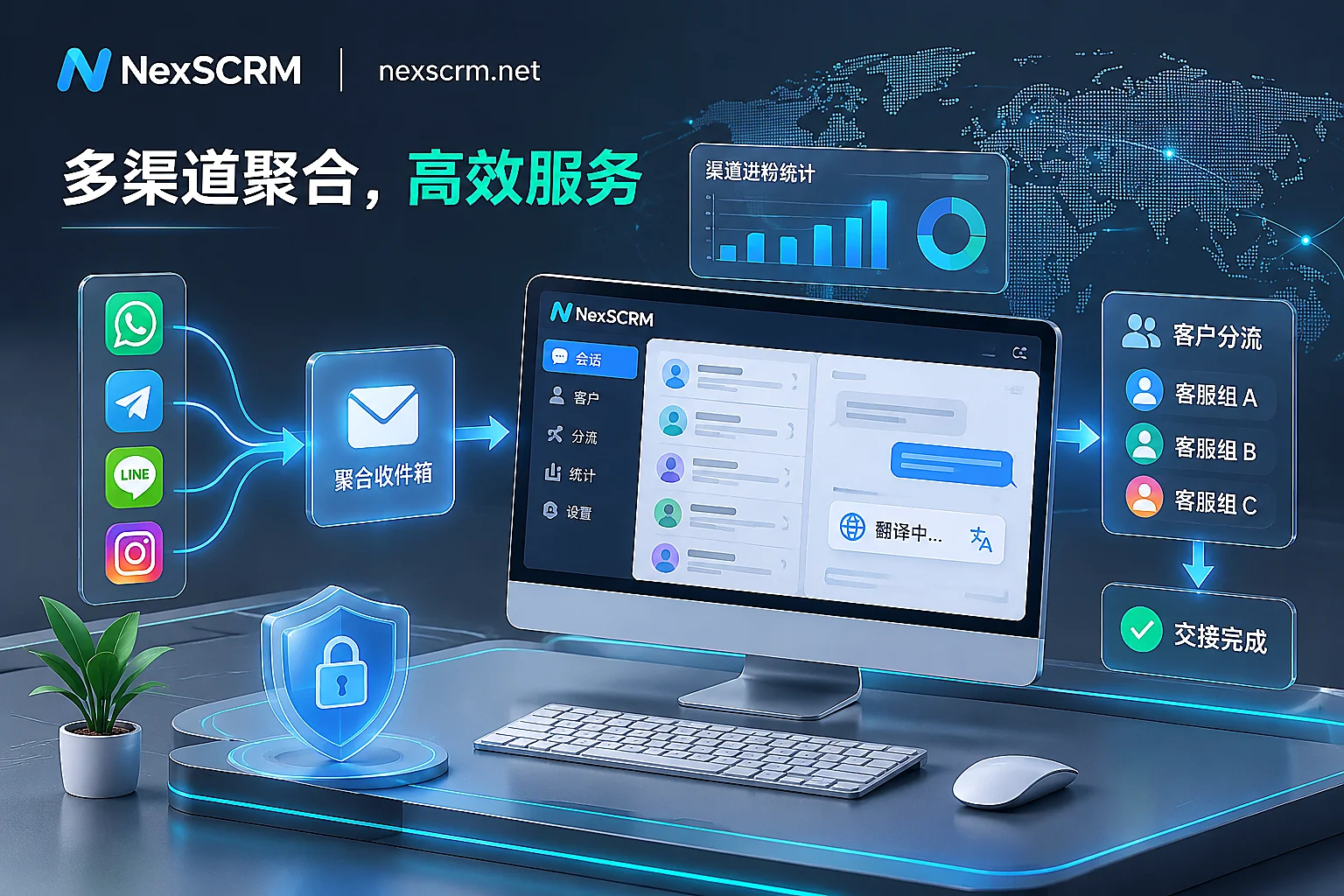
On the multi-account layer, multi-account aggregation brings multiple accounts from WhatsApp, Telegram, LINE, Zalo, and other platforms into one workspace for sending and receiving. Each account has an independent fingerprint environment and can be bound to a conversation-level proxy. It solves an adjacent problem: agents don't have to jump between multiple client windows, and window switching itself is a major trigger for mis-sends. Billing is per port, and the number of ports equals the number of accounts you can have online simultaneously. For specific tiers and feature differences across versions, check the official website.
Pre-launch self-check list
After switching tools or changing processes, run through these before using them with real customers:
- Open two conversations in different languages and switch back and forth five times—does the input box language follow each time?
- Before sending, can you see both the Chinese source and the foreign translation?
- Transfer a customer to a colleague—is the language setting there when they open the conversation?
- When a customer sends
OKor pure digits, does the conversation language get changed? - Can you understand image and voice messages in the same window without exporting them elsewhere?
If all five pass, what's left is just translation quality tuning—not order-losing incidents.