 NexScrm官方博客
When driving traffic from your website and overseas social media to WhatsApp, Telegram, LINE, tracking should be viewed in two segments. Before the customer clicks the link, use Google Analytics 4 (GA4) with UTM parameters and short link tools to record which channel they came from and how many clicks. After the customer enters the chat tool, rely on the receiver-side follower count and contact deduplication to count actual new contacts.
Currently, no single tool can connect these two segments on its own. A viable approach is: use the same set of channel naming for both segments, then align the numbers from both sides by channel.
Why Click Counts and Follower Counts Never Match
After a customer clicks a WhatsApp or Telegram link, they jump from the browser into the chat app. Tracking cookies on the web page cannot follow them there. GA4 and short link tools can only see "clicked"—whether the person sent the first message or added as a friend happens inside the chat app, which they cannot see.
So click counts are usually higher than follower counts, for these common reasons:
- Accidental clicks;
- Opened the chat window but didn't send a message;
- The same person clicked multiple times.
Conversely, the same customer might come from two channels, and both sides record it. Looking at only one segment's numbers can easily misjudge channel performance.
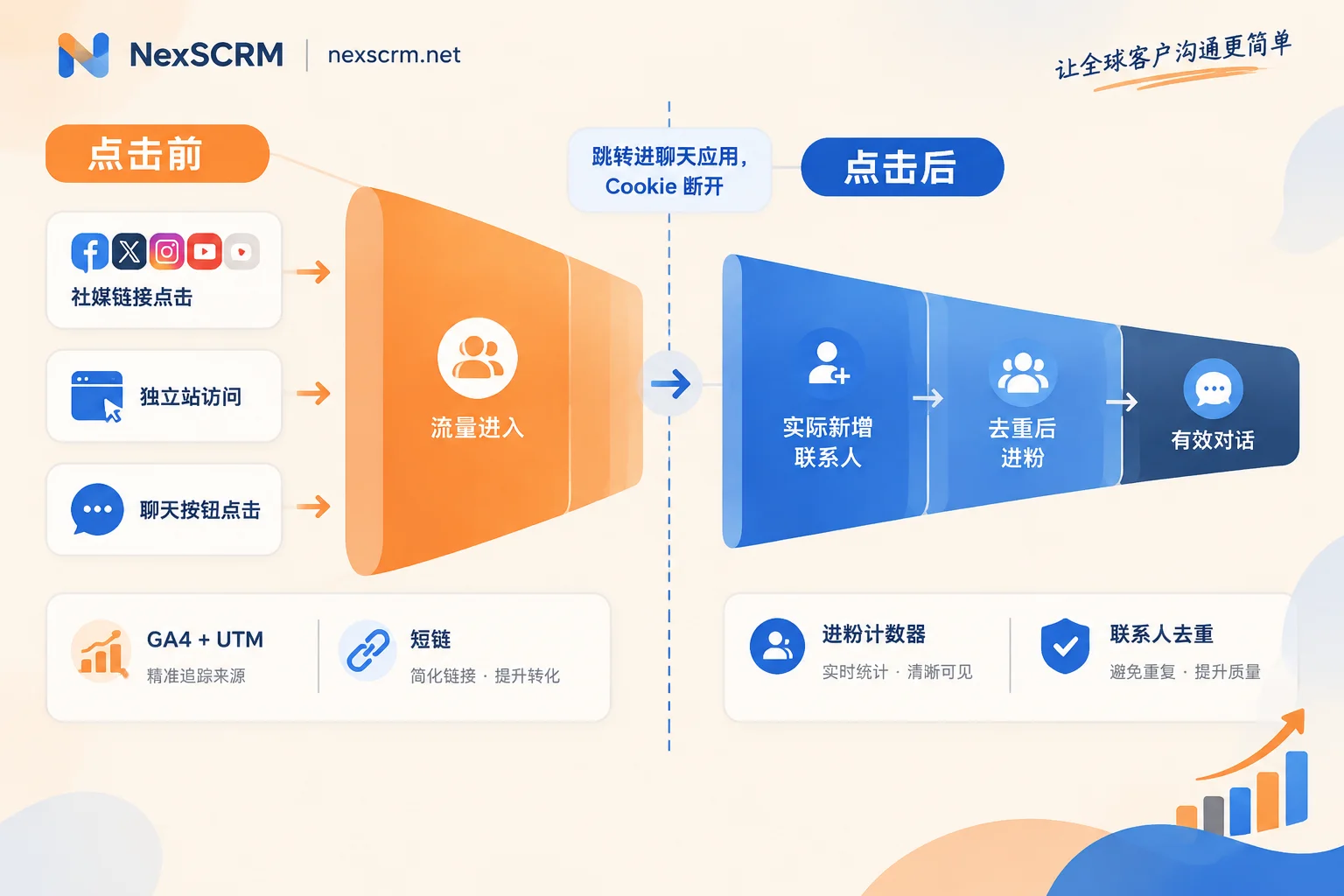
Segment 1: Track Sources Clearly on Your Website and Social Media
Add UTM parameters to every ad link. The three commonly used parameters are divided as follows:
utm_sourcefor platform, e.g., tiktok, facebook, instagram;utm_mediumfor traffic type, e.g., bio, post, ad, influencer;utm_campaignfor campaign name.
You can use Google's Campaign URL Builder to generate links, example:
https://example.com/product-a?utm_source=tiktok&utm_medium=bio&utm_campaign=spring_saleNaming rules should be defined and documented before launching ads, e.g., all lowercase, one spelling per platform. Otherwise, TikTok and tiktok will be split into two sources, and non-standard traffic may be classified as Unassigned or Direct, making it impossible to reconcile by channel later. Also, don't add UTM to internal links between pages, as it will overwrite the visitor's original source.
Customer first visits your website, then clicks chat button: In GA4, set clicks on WhatsApp, Telegram, etc. chat buttons as events. This shows how many "chat clicks" each UTM channel brought. Note that this number is still clicks, not follower adds.
Social media profile directly jumps to private domain, without going through your website: This traffic is invisible to GA4. You can configure a separate short link or split link for each channel to record clicks. The short link name should ideally match the UTM source and campaign for easy merging later.
Segment 2: Count Actual Follower Adds on the Private Domain Receiver
The receiver needs to track "how many new contacts were actually added." Before starting tracking, define the criteria:
- What counts as a follower add: New contact, or first incoming session; the team should use one consistently;
- How to deduplicate: Same number or account counted only once, no duplicate counting across customer service accounts;
- What dimensions to track by: Count by receiving account, then aggregate by channel.
How to know which channel the follower came from? Two common methods:
- Assign different split links or receiving accounts for different channels. The account where the follower lands corresponds to the channel.
- Use preset greeting text. For example, WhatsApp chat links can include a pre-filled message, with slightly different opening lines per channel. However, customers can delete or modify the pre-filled content, so this method is only an auxiliary clue, not suitable as the sole basis.
Platforms like Telegram and LINE have limited attribution capabilities for off-platform, non-paid traffic; specific permissions are subject to each platform's official documentation.
When multiple customer service reps and multiple accounts receive traffic, traffic distribution also needs consideration. If all traffic from one channel is concentrated on one account, it may be overwhelmed; if several reps each post links, order conflicts may occur.
In NexSCRM, this step corresponds to split link statistics and follower counter. For public domain ads, use split links to distribute traffic to different WhatsApp, Telegram, LINE, etc. receiving accounts. These accounts are aggregated in one workspace to send and receive messages, allowing you to view new followers by account, combined with contact deduplication to avoid counting the same customer multiple times. Chat records are backed up in the cloud, so you can review original conversations when checking follower quality for a channel. Split rules, supported platforms, and counting criteria vary by version; see Follower Counter and Split Link Statistics. If deduplication rules are not yet defined, refer to How to Automatically Merge Duplicate Contacts into One.
Align the Two Segments: Create a Funnel Table by Channel
Each segment's data is tracked separately; merge them into one table by channel weekly or monthly:
| Channel (UTM / Link Name) | Link Clicks | Website Chat Button Clicks | Actual New Contacts (After Dedup) | Effective Conversations |
|---|---|---|---|---|
| tiktok_bio | ||||
| instagram_post | ||||
| facebook_ad |
When reading the table, you can judge as follows:
- Many clicks, few followers: First check the redirection step, e.g., slow landing page, unobvious button placement, link not opening in some apps.
- Many followers, few effective conversations: The problem is more likely in the channel audience or ad copy, not much related to tracking tools.
- Align the tracking periods and time zones of both segments. Otherwise, the same batch of traffic may be split into different periods.
This table answers "how many real contacts each channel brought." To calculate conversions and revenue attribution, you need transaction records and a longer follow-up period; it's not advisable to directly estimate from follower counts.
Choose Tool Combinations Based on Team Situation
- Mainly website inquiries, only one or two chat accounts: GA4 + UTM + chat button events are basically sufficient. With few receiving accounts, manually recording new contacts can still reconcile.
- Multiple social media profiles directly jumping to private domain, many channels: One short link per channel to record clicks, receiver counts actual followers by channel.
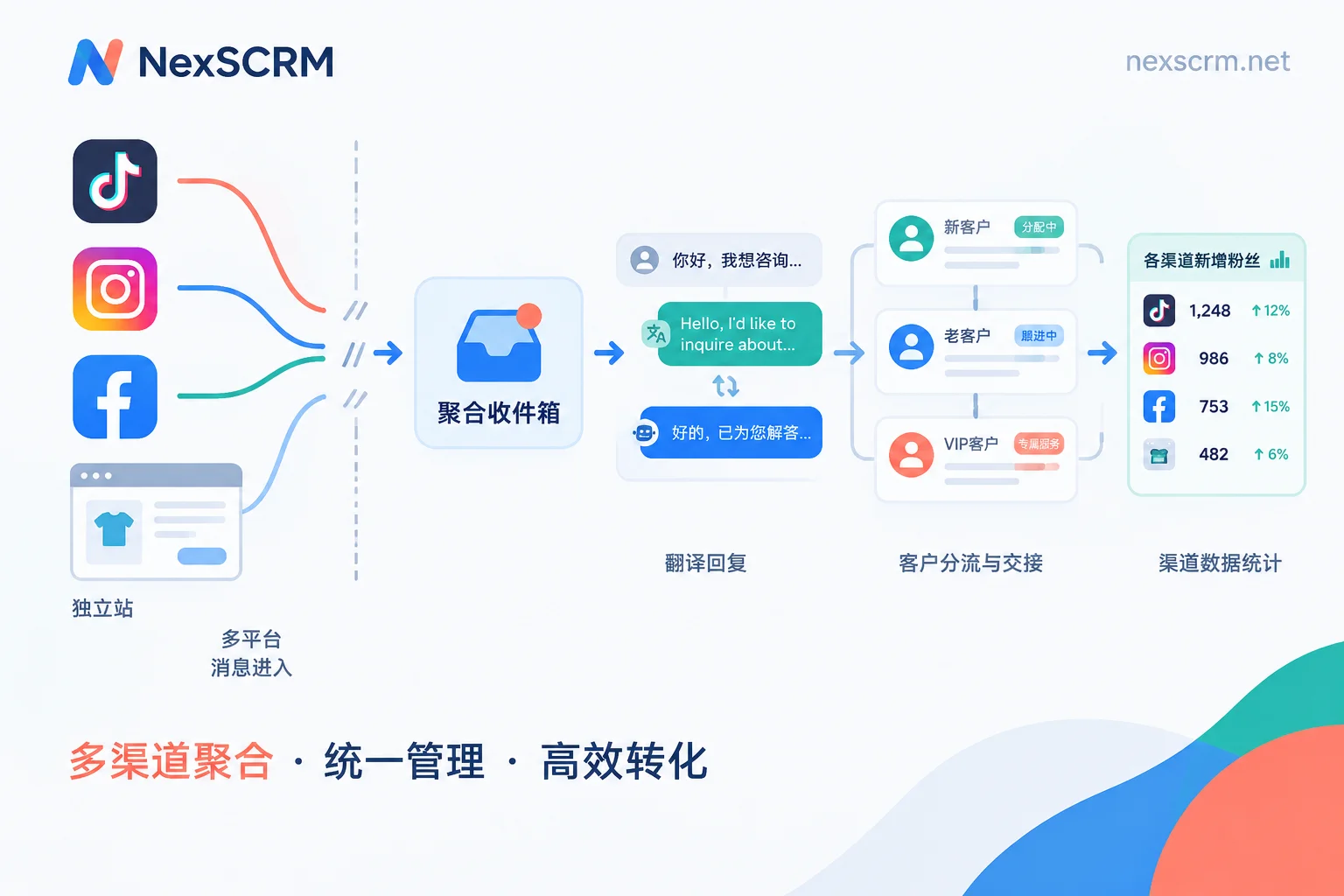
- Multiple customer service reps, multiple accounts receiving simultaneously: Suitable for an aggregation tool with split links, follower counting, and contact deduplication, so allocation, counting, and deduplication happen in one place. Such tools usually charge by number of concurrently online accounts; you can first check How Ports Are Calculated, then estimate how many you need.
Define channel naming and follower criteria first, then choose tools. Without unified naming and criteria, no matter which tool you switch to, the numbers won't match.



Comments(0)