 NexScrm官方博客
The core of WhatsApp foreign trade customer tagging and classification is simple: only real-time status that needs to be seen at a glance in the conversation list stays in native tags, while static attributes and business attributes are all externalized to system fields. The hard limit of 20 colored tags per account is the origin of this rule. If your customer list spans multiple countries, comes from different channels, and is at different purchasing stages, then 20 slots are simply not enough—resulting in chaotic classification, exhausted tags, and loss when changing devices. To solve this, the key is not learning how to create new tags, but breaking down customer classification into five independent layers: language/region, source channel, purchasing stage, category intent, and follow-up priority. Each layer decides whether to stay in native tags or be externalized to system fields, making this method truly actionable.
First, distinguish two things: tags are for people, fields are for systems
Many foreign trade teams stuff all customer attributes into tags, making the tag bar longer and longer, but harder to find what they need. The judging standard is simple: frequently changing status that needs to be seen at a glance in the conversation list is worth occupying native tag slots; while static attributes (such as country, language) and business attributes (such as category, amount) should be externalized to system fields. According to official current rules, a single account can create up to 20 colored tags, with names up to 60 characters, and WhatsApp is promoting the evolution from Labels to Lists. This reminds us that tag quantity is a scarce resource, so limited tag slots must be reserved for information that needs visual cues the most. This is the first judging rule of WhatsApp foreign trade customer tagging and classification: tags only carry real-time status.
Official capability boundaries: 20 tags, manual tagging only, cannot export
The following four items come from WhatsApp's official Help Center (August 2026):
- Tag quantity limit: Up to 20 colored tags per account, each name no more than 60 characters.
- Manual tagging: Can only manually tag individual chats or specific messages; no automation rules.
- Cannot export: The native app does not support exporting tagged contacts and chat records directly to Excel or CRM.
- Broadcast restriction: Broadcasts initiated by tags can only reach individual contacts, not groups.
These three boundaries limit your classification dimensions, tagging efficiency, and data assetization ability. Therefore, relying solely on native tags cannot support foreign trade customer management with multiple languages, multiple marketing channels, and long purchasing cycles. Additionally, WhatsApp is officially upgrading Labels to Lists, but the launch time, coverage, and specific field capabilities have not been announced; this article does not speculate.
Why combining “country + channel + category + stage” into one tag inevitably fails
Some online tutorials suggest combining multiple dimensions into composite tags, such as “USA - Independent Site - Machinery - Quoted”. The consequences are disastrous: assuming you have 5 countries, 3 channels, 4 categories, and 5 stages, the combinations are 5×3×4×5=300, far exceeding the 20-tag limit. Moreover, when you want to filter “all machinery customers from independent sites”, such composite tags cannot filter by a single dimension, making broadcast targeting difficult. Industry best practice is to completely decouple: use flat tags for real-time status and put multi-dimensional attributes into structured fields.
Layer 1: Language and region, the static attributes that should be externalized most
Language, timezone, and country/region are almost static properties. If placed in tags, a customer might be “US region”, “English”, and “Eastern timezone” at once, instantly occupying three tag slots. Recommendation: Design as system fields, not occupying native tags. Usage: 1) Assign seats by language during scheduling; 2) Match language-specific templates for scripts; 3) Compare conversion rates by region. For cross-language follow-up, you can use NexSCRM's real-time two-way translation to send and receive within the same conversation without switching apps.
Layer 2: Source channel, how to mark ads, independent sites, and trade show lists
The source channel (such as ads, independent sites, trade shows) is a record of the first touchpoint; once written, it should not be overwritten by subsequent follow-ups. Under native tags, the common problem is “source gets pushed out by stage tags”, making it impossible to track channel effectiveness. Approach: Write the source into a system field or the first line of notes, with a fixed format like “Source: Independent Site - Whitepaper Download”. This way, even if tags are occupied, channel information remains. Also, source fields should be mutually exclusive and unique, avoiding one customer having multiple sources.
Layer 3 Purchasing stage: How to tag foreign trade customers by purchasing stage
This layer is the most worthy of occupying native tag slots because the purchasing stage needs to be visible at all times. It is recommended to set the following single-select state machine and follow three rules:
| Stage Value | Meaning | Judging Standard |
|---|---|---|
| New Inquiry | First inquiry | Received inquiry, no quote sent |
| Quoted | Quote provided | Quote sent |
| Sample/Sent | Sample confirmed | Sample sent or feedback received |
| Negotiation Contract | Business negotiation | Discussing price, terms |
| Closed | Order placed | Order confirmed |
| Repeat Purchase | Bought again | Same customer orders again |
| On Hold | Paused follow-up | Customer explicitly paused or long-term no response |
Rules: 1) Single-select, mutually exclusive; a customer can only be in one stage; 2) Can only move forward or explicitly regress (e.g., customer cancels order and moves back to “On Hold”); 3) Every change must have a timestamp. The stage layer has a fixed set of 7 values; remaining tag slots are allocated according to team needs.
Layer 4: Category and intended amount, when to go to notes instead of tags
Category and amount are high-cardinality dimensions; for example, the product line might have 50 types, and the amount range is indefinite. This information is not suitable for 20 tag slots and should be written into structured fields or a note template. It is recommended to use a fixed format: Category: Mechanical Parts; Intended Amount: $10,000-50,000; Last Quote: 2026-08-01. This way, you can search notes for statistics later without occupying tag slots.
Layer 5: Follow-up priority and silent signals, who to wake up, who to freeze
Priority is not based on feeling but derived from the stage and silent days. Set the rules:
- High priority: Purchasing stage is “Sample/Sent” or “Negotiation Contract”, and no reply for 3 days.
- Medium priority: Stage is “Quoted”, no reply for 7 days.
- Low priority: Stage is “New Inquiry”, no reply for more than 14 days.
- Freeze: No response for more than 30 days, enters “On Hold” stage, no proactive follow-up.
This layer is also suitable for tags, such as “High Priority” or “Silent 30 Days”. But note, if all customers are high priority, there is no priority.
What to do when WhatsApp tags run out: merge, reduce dimensions, externalize in three steps
Whether the WhatsApp foreign trade customer tagging and classification method can run long-term depends on the processing order when tags run out. When tags are insufficient, follow this order:
- Merge: Combine synonymous or low-frequency tags, such as unifying “United States”, “US”, “USA” into “US”.
- Reduce dimensions: Turn multi-value dimensions into binary judgments, e.g., change “inquiry source type” to “whether from a trade show”.
- Externalize: Move static and high-cardinality dimensions (language, category, amount) entirely to system fields.
Note: Do not attempt to use third-party cracked clients to expand tag capacity; that is a violation and can lead to account ban and permanent loss of customer assets. There is no official paid channel to increase tag limits.
Multi-device and multi-agent: Can tags sync, and how to handle resignation handover
Answer to “Can WhatsApp Business tags sync to another phone”: In native mode, 1 primary phone can connect up to 4 devices (Meta Verified subscription can expand to up to 10), but linked devices cannot create and view broadcast lists. More critically, tags on different devices do not automatically sync across accounts, nor can they be filtered by rules or generate structured reports. This means that in multi-agent collaboration, tags on individual phones are like islands, and after resignation, customer data and tags are lost.
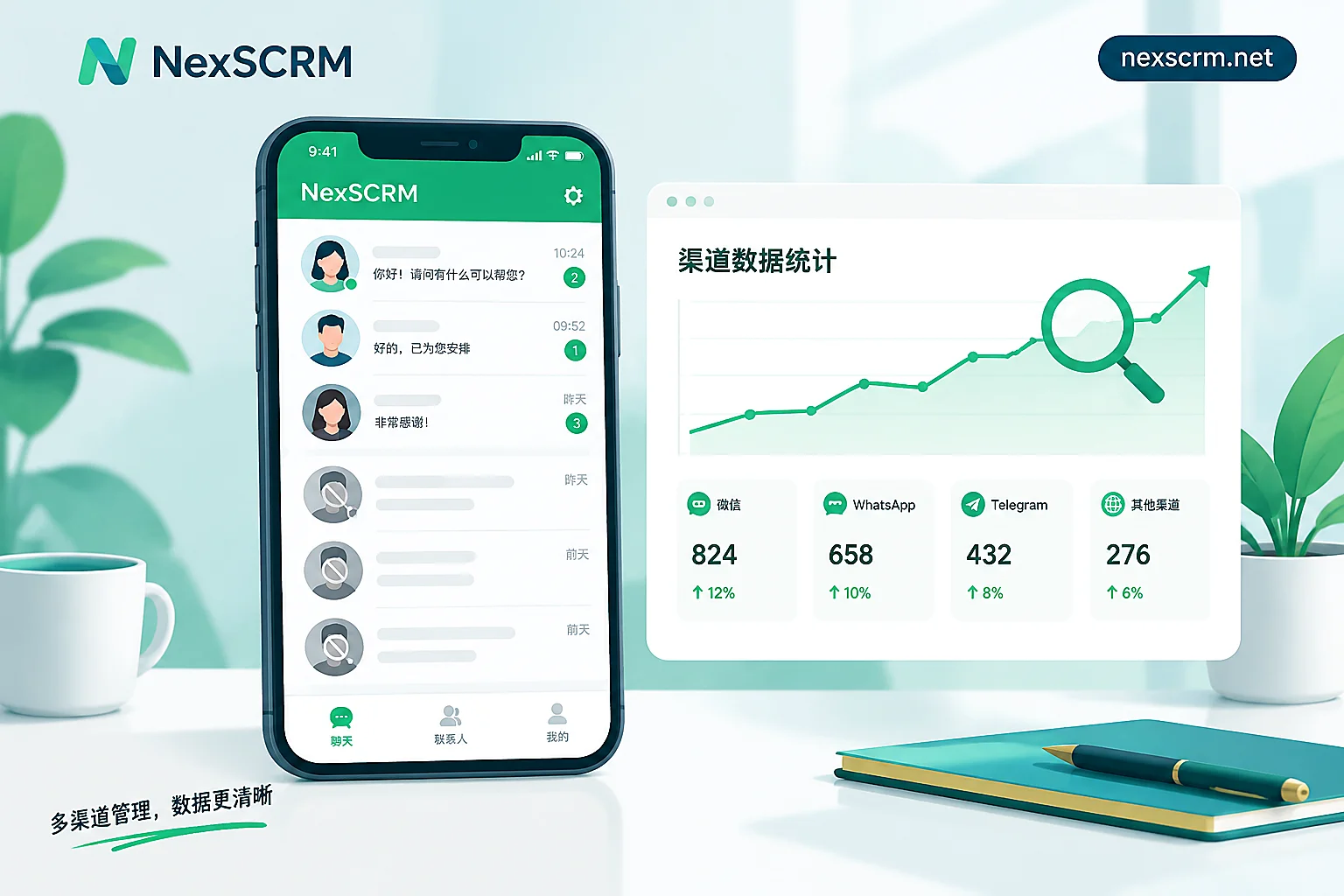
Therefore, handover must rely on system-layer records. It is recommended to store customer profiles, tag systems, and chat records in a foreign trade customer management system; NexSCRM's official website publicly documents its multi-platform, multi-account aggregated conversation management and message backup capabilities, allowing externalized fields and conversation records to be shared within the team. Additionally, the system can cross-filter by dimensions and combine with multi-account customer service management for agent layering and permission control.
Field configuration comparison for three team sizes
| Team Size | Suggested Tag Allocation | Suggested External Fields |
|---|---|---|
| 1-2 people | 7 stages + 3 priorities, remaining 10 slots for backup | Language, source, category, amount, notes |
| 3-8 people | 7 stages + 4 priority/silent + 3 ownership or urgent flags | In addition to the above, add owner agent field |
| 9-20 people | 7 stages + 4 priority/silent + several temporary campaign flags, total not exceeding 20 | Add customer tier, historical order amount, etc. |
The stage layer has a fixed set of 7 values; remaining tag slots are allocated according to team needs.
Launch self-check checklist:
- Are tag values mutually exclusive?
- Who has the right to modify customer stage?
- How often is the tag system reviewed?
- How to verify during resignation handover?
For multi-team collaboration, you can refer to foreign trade team WhatsApp customer service KPI metrics to design customer follow-up metrics.
FAQ
What is the difference between WhatsApp Lists and tags?
Lists are the upgraded form of tags that WhatsApp is promoting, but the official launch time and coverage have not been announced. The current mechanism is still tags (Labels), with a limit of 20 colored tags per account and names up to 60 characters. The specific field capabilities, launch time, and coverage of Lists have not been announced; this article does not speculate. For now, use the 5-layer field approach.
What to do when WhatsApp tags run out?
First merge synonymous tags, then reduce multi-value dimensions to binary judgments, and finally externalize static or high-cardinality attributes (such as language, category, amount) to system fields or note templates. Do not use third-party cracked clients to expand capacity; that leads to account bans.
Can WhatsApp Business tags sync to another phone?
In native mode, tags do not automatically sync across accounts. Linked devices (up to 4, or 10 with Meta Verified) cannot create and view broadcast lists, and tags on different devices are independent. To share, you must rely on system-layer records, such as storing data in a WhatsApp private domain marketing platform.
How to hand over WhatsApp customer tags after customer service resignation?
WhatsApp native app does not support exporting tagged contacts and chat records as tables, so handover can only be done at the system layer—keeping customer profiles, stage fields, and conversation records in an external system, and during handover, transferring system account permissions and reviewing key customer statuses.
How to group and manage WhatsApp customer lists neatly?
Group by purchasing stage (e.g., “New Inquiry”, “Quoted”) is basic, combined with priority and silence status. Simultaneously, externalize static attributes to system fields, enabling cross-filtering to avoid one group having multiple meanings. Regularly clean up unresponsive customers to keep the list healthy.
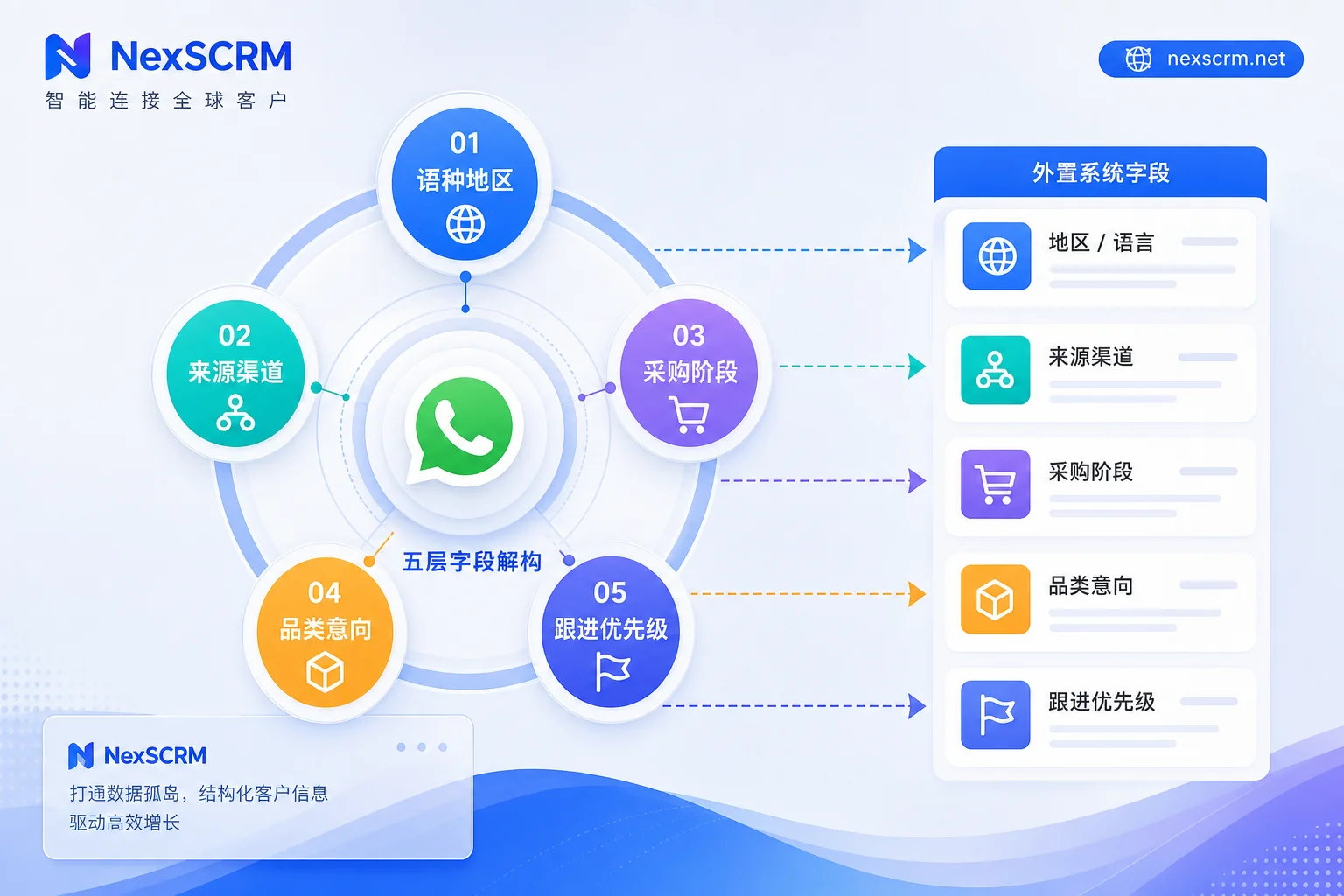
This five-layer field design is a reusable WhatsApp foreign trade customer tagging and classification method. Foreign trade teams can break through the 20-tag limit and keep customer classification organized. Start by checking existing tags, auditing against the checklist above, and then decide which layer needs to be externalized to the system. If multi-account, multi-agent collaboration is involved, you can further explore NexSCRM's aggregated conversation and data statistics capabilities to truly turn customer assets into team assets.


Comments(0)