 NexScrm官方博客
Start by turning your WhatsApp private domain marketing into an equation: monthly contact frequency per customer × cost per message. Calculate this number, and you'll know how many times you can contact each customer per month and which message types to use. Starting August 1, 2026, Meta will charge for AI replies based on tokens; from October 1, 2026, Service and Utility messages within the 24-hour customer service window will also be charged per message, meaning replies within the window are no longer free (source: Meta for Developers - WhatsApp Business Platform Pricing). Marketing templates are priced based on the recipient's country code and message category, with no tiered volume discounts. This means WhatsApp private domain marketing must first calculate per-customer cost, then plan contact frequency.
First, turn WhatsApp private domain marketing into an equation: monthly contact per customer × cost per message
Your monthly contact budget is the acceptable number of contacts per customer multiplied by the cost per message. What's "acceptable" isn't just avoiding being blocked, but rather the platform's quality rating allowing you to continue sending. WhatsApp Business Platform's marketing template messages are priced based on the recipient's country/region code and message category, with marketing being the highest priced and no tiered discounts for high volume. So, the first step in WhatsApp private domain marketing isn't choosing a tool, but setting a monthly contact budget per customer—for example, ≤8 times per month—then allocating it among first contact, follow-up, and re-engagement.
Monthly cost per customer = (Number of marketing template messages × template unit price) + (Number of Service/Utility messages within the window × corresponding unit price) (pricing based on recipient's country code and message category, subject to Meta's official pricing page)
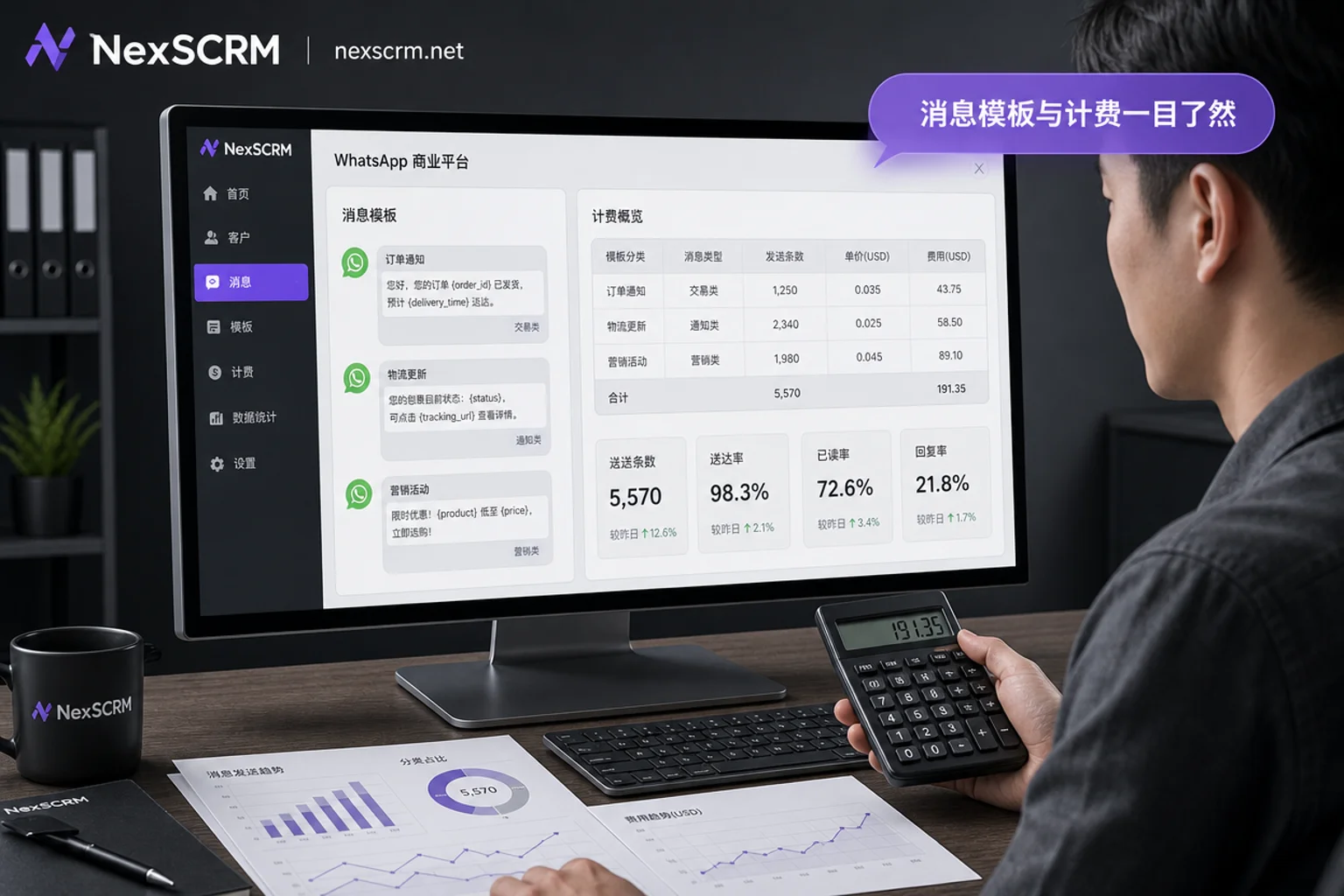
Step 1: Pooling – How do the quality of leads from inquiries, standalone sites, and social media differ?
List quality determines which contact level you can use later. Leads from inquiries typically have clear intent but may include invalid numbers; users registered on standalone sites have clear consent status but may mix languages; leads from social media may just have left their contact info casually and have a longer cooling-off period. When pooling, be sure to record four fields: source, language, consent time, and first interaction time. These fields determine whether they should be placed in "new customer no reply" or "existing customer for re-purchase" during segmentation, and directly affect your quality rating—low-quality lists can lower your rating, thereby narrowing your available contact levels (see Step 4).
Step 2: Segmentation – Split your list into four actionable groups by sales stage and language
How to segment your WhatsApp customer list for follow-up? My suggestion: split into four layers by sales stage, then overlay a language dimension. The following is operational experience, not platform rules. Segmentation is not just a preference for granularity but a necessary action under limited contact quotas—initial limit is 250 unique users per 24 hours; after business verification and quality rating are met, it automatically upgrades to 1K, 10K, 100K, and unlimited based on a 6-hour evaluation cycle (source: Meta for Developers - Messaging Limits and Twilio Help Center). With a starting quota of 250, without prioritizing, your WhatsApp private domain marketing won't work.
| Layer | Typical Signal | Preferred Message Type | Suggested Contact Frequency | Budget Weight |
|---|---|---|---|---|
| New customer no reply | No interaction after pooling | Marketing template | Day 3, 7, 14 each once | 40% |
| Interacted but no quote | Reply within window | 24-hour window reply | As needed | 20% |
| Quoting | Quote sent but no deal | 24-hour window reply | Once per week | 10% |
| Existing customer for re-purchase | Historical purchase | Marketing template | 1-2 times per month | 30% |
Step 3: First Contact – How to pair marketing templates with the customer service window, and how to write templates that get approved easily
For first contact, use a Marketing template to break the ice, then move to the 24-hour customer service window for follow-up. Marketing templates are message templates that require pre-approval and are used for proactive marketing outreach. There's a common misconception that replies within the window are free. Note: from October 2026, Service and Utility messages within the 24-hour customer service window will also be charged per message (source: Meta for Developers - WhatsApp Business Platform Pricing). (Service messages refer to customer service replies after a customer initiates a conversation, and Utility messages refer to transactional notifications like orders and logistics.) The follow-up stage also incurs costs. So, how much does a WhatsApp marketing message cost? The answer isn't fixed but "priced based on recipient's country code and message category," as per Meta's official pricing page.
When template approval fails, these are the three most common reasons, and the first things to fix: improper variable usage (e.g., setting the entire product name as a variable), promising information not on the landing page, or content mismatched with the business category. Self-check three things: whether variables are minimized, promises are deliverable, and landing page content matches the template. As for whether mass sending leads to a ban, the answer lies in the quota mechanism, see Step 5.
Step 4: Follow-up – Frequency caps and silent signal recognition for re-purchase and holiday outreach
Follow-up isn't "send on schedule" but "send after seeing signals." How often should you send to avoid being blocked? There's no fixed number, but there's a decision sequence: first, check if read but not replied—if more than 3 times, reduce frequency; second, if no interaction in two consecutive sends—stop marketing outreach, switch to passive replies within the window; third, if the user exits—stop sending entirely. The following is operational experience, not platform rules. Suggested follow-up intervals: existing customers 1-2 times per month, quoting customers once per week, new customers no reply on days 3, 7, 14. Because the quality rating is rolling (6-hour evaluation cycle, source: Meta for Developers - Messaging Limits and Twilio Help Center), the price of high-frequency, low-relevance contact is grade downgrade (e.g., from 10K to 1K), not just customer annoyance.
Step 5: Re-engagement – Test silent lists in batches, not all at once
When re-engaging dormant customers, the biggest mistake is sending to the entire list at once. Does sending bulk WhatsApp messages lead to a ban? To answer that, you need to look at the quota mechanism: Messaging Limits are uniformly applied at the Business Portfolio level, initially 250 messages per 24 hours, then dynamically upgraded based on quality rating (source: Meta for Developers - Messaging Limits and Twilio Help Center). The risk of mass sending isn't immediate banning, but rather a decline in quality rating and grade downgrade, making even normal contact impossible later. The right approach: test in small batches, e.g., 10% of the list per batch, with a single variable (e.g., copy A/B), observe reply and opt-out rates, then decide whether to expand. Limits are calculated at the Business Portfolio level, so adding accounts under the same portfolio doesn't double the unique users reachable in 24 hours; thus, batch sizes should be based on the portfolio's current level (250/1K/10K/100K), not multiplied by the number of accounts. We don't promise any "no ban" guarantee because risk control thresholds are dynamic.
Multi-account multi-language execution configuration: How to solve duplicate contact, translation distortion, and data not recorded
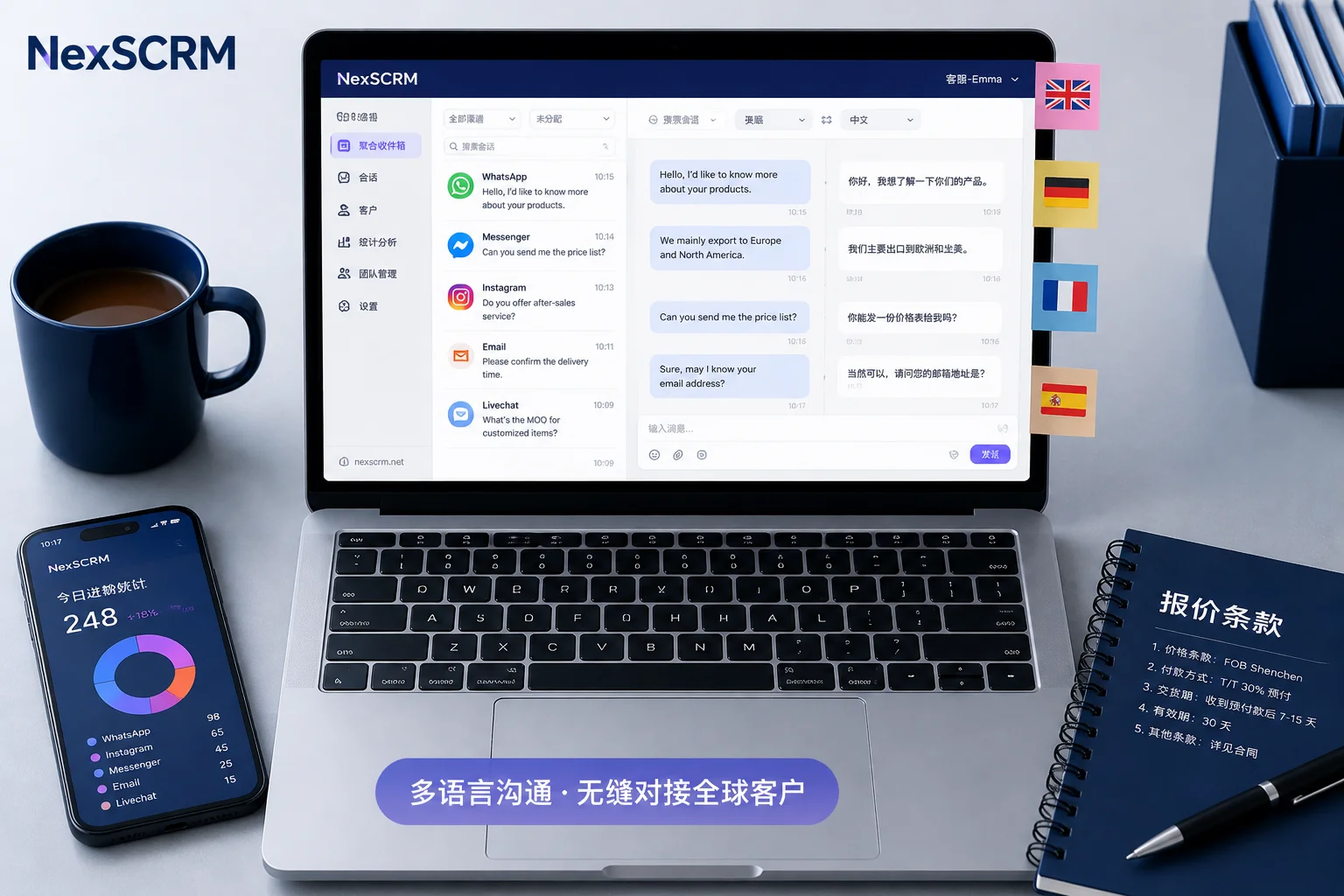
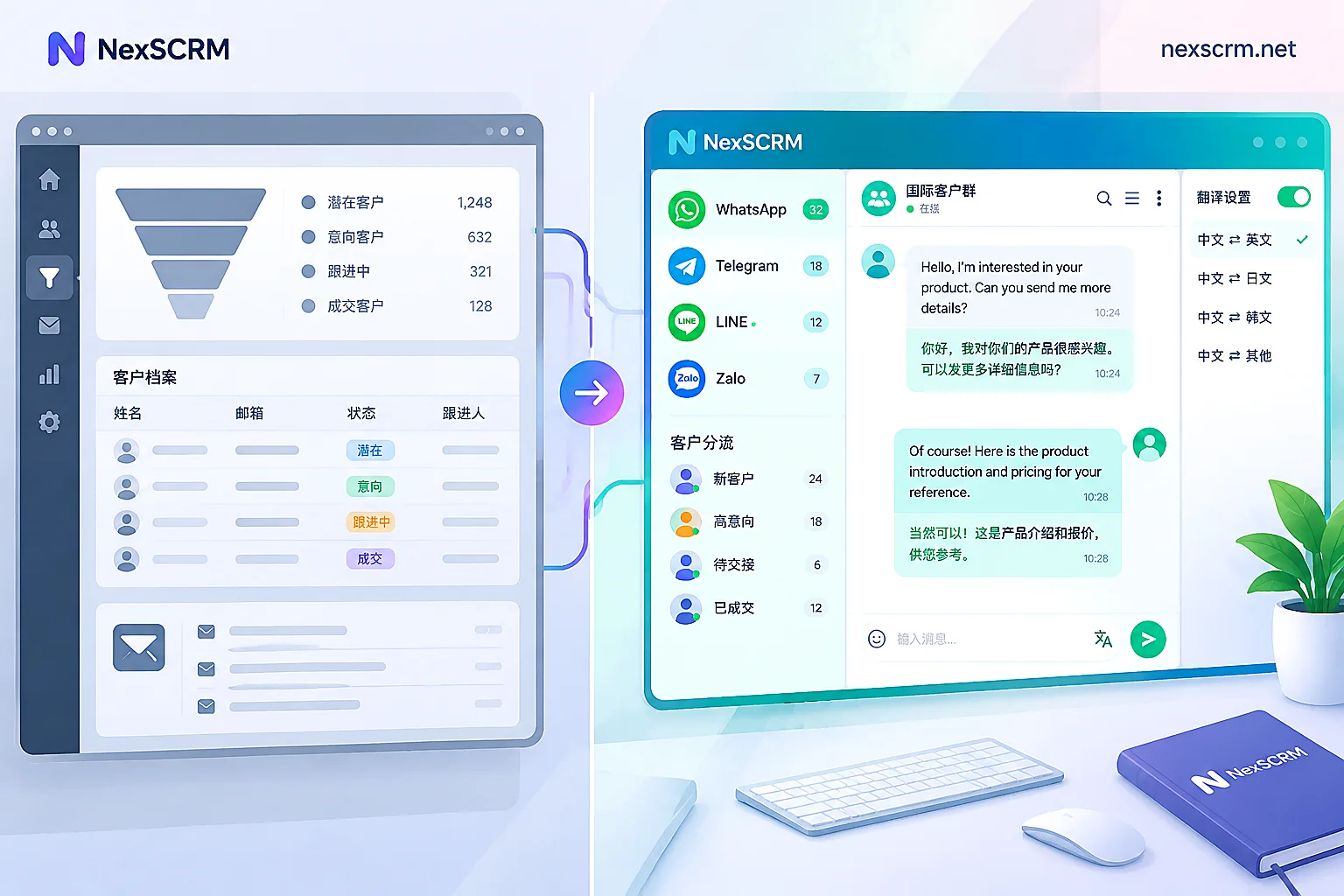
When you actually run your accounts and lists, the challenges often lie in execution, not strategy: with multiple accounts in parallel, the same customer may be contacted by different agents; first-contact translations in small languages may be distorted; and without tracking contact counts and reply rates, costs cannot be accurately calculated. These issues can be solved with tools, such as using an aggregator to consolidate multiple accounts into one dashboard, avoiding missed replies and duplicate contacts; real-time two-way translation ensures local-language first touches; and message and marketing data statistics make each list's contact count and reply rate traceable. NexSCRM is one implementation of such capabilities, addressing whether data can be traced; cost accounting must still be based on your own rates. If you don't want to switch tools now, you can manually record in a spreadsheet, but in the long run, without data recorded, costs remain a murky account. Once contact counts and reply rates are logged in an aggregator like NexSCRM, the equation from the first chapter can be calculated directly by layer. Additionally, if you want to understand other customer service metrics beyond tool efficiency, refer to WhatsApp Customer Service KPI for Foreign Trade Teams; if you're also doing multi-platform private domain, this Telegram Private Domain Operations complements it.
FAQ
Are replies within the 24-hour customer service window still free?
Not anymore. Starting October 1, 2026, Service and Utility messages within the customer service window are charged per message (source: Meta for Developers - WhatsApp Business Platform Pricing), with specific rates based on recipient's country code and message category, subject to Meta's official pricing page. So, replies within the window must also be counted in per-customer contact costs, not treated as free quota.
How to estimate the cost of a WhatsApp marketing message per message?
Marketing templates are priced based on recipient's country code and message category, with significant price differences across countries and no volume discounts. The estimation method: check the rate for your target country on Meta's pricing page, multiply by the estimated number of messages sent, then divide by the number of customers who convert, to get the cost per acquisition. Don't guess.
How to fix a WhatsApp template message that isn't approved?
First, check three things: whether there are too many variables (keep it to 1-2), whether the content promises information not on the landing page, and whether it matches the business category. Change full-width characters to half-width, remove enticing language, and resubmit. If it still fails, contact your BSP provider for the specific rejection reason.
How often can you send messages without being blocked?
There's no fixed cap, but you can refer to (the following is operational experience, not platform rules): for new customers, send on days 3, 7, and 14 after first contact; for existing customers, 1-2 times per month; for quoting, once per week. The key is to observe signals: if read but not replied more than 3 times, or no interaction in two consecutive sends, reduce frequency or stop. The quality rating will also force you to reduce frequency, otherwise your grade drops.
How to segment your WhatsApp customer list? Minimum number of layers?
Minimum four layers: new customers no reply, interacted but no quote, quoting, and existing customers for re-purchase. Use different message types and frequencies for each layer, e.g., new customers with marketing templates for ice-breaking, interacted customers with window replies. The finer the segmentation, the more precisely you use your initial 250-message quota, and the more controllable your costs.


attire l’attention des joueurs en quete d’une decouverte de casino en ligne sure et innovante [url=https://alexandercasino-8.pages.dev]alexandercasino[/url] .
Si vous souhaitez tester ce que propose Alexandercasino, souvent designe par Alexandercasino, cet apercu vous fournira un apercu exhaustif des services accessibles, des avantages et des aspects a prendre en compte avant de acceder.
Alexandercasino se distingue par son ensemble de jeux en ligne, comprenant des jeux de hasard, des parties de casino classiques et des parties de poker.
Le site est particulierement reconnu pour ses Alexandercasino bet, ou les parieurs peuvent engager sur des matchs athletiques ou des epreuves en direct.
Une des caracteristiques notables se maintient les promotions regulierement offerts aux nouvellement inscrits parieurs pour les pousser a s’enregistrer.
Ces offres tels que les Alexandercasino bonus sans depot, ou les offres de greeting, permettent d’amplifier considerablement le fonds de jeu des les tous nouveaux versements.
Pour joindre la zone, la enregistrement au site est simple et protegee.
Le site donne la priorite sur la fluidite et la facilite, offrant une experience souple pour divers niveaux de competence de joueurs.
Que vous vous trouviez de activites originals ou de avantages uniques, le casino francais propose une possibilite attrayante pour les amateurs de jeu en ligne.
En revanche, avant de se lancer a parier, il est crucial de controler la legalite du site dans votre territoire, specialement en territoire francais, ou les casinos en ligne doivent respecter des exigences strictes.
Confirmez aussi que le site est fiable et que vos donnees privees sont chiffrees lors de la authentification Alexandercasino.
En resume, Alexandercasino s’impose comme une option active, optimal pour ceux qui souhaitent des Alexandercasino bet varies et des chances de gains avec ses promotions.
Si vous vous trouvez a la recherche d’une experience de jeu gratifiante, ce site vaut une regard attentive, a pourvu que de bien s’assurer sa validite avant de s’inscrire.