 NexScrm官方博客
WhatsApp has become an indispensable communication tool for cross-border business, customer service, and private domain operations. As customer scale expands and markets extend, a single account often fails to meet daily operational needs: messages can easily get mixed up, responses are not timely enough, and team collaboration efficiency is low. Therefore, multi-account management has become a necessity. So, how can you manage multiple WhatsApp accounts more stably on one device? This article will systematically break down the implementation methods to help you improve operational efficiency.
What is WhatsApp Multi-Account Management?
Simply put, WhatsApp multi-account management is a method of using officially compliant access or professional aggregation systems to manage, distribute, and collaborate multiple accounts within a unified backend, thereby improving customer service response efficiency and enhancing account security.
WhatsApp multi-account management refers to a way to achieve unified login, centralized control, and collaborative operation of multiple WhatsApp accounts using officially compliant access or professional aggregation systems.
In essence, WhatsApp multi-account management mainly addresses three issues:
Traffic reception efficiency
Customer asset ownership
Team collaboration standardization
In other words, the purpose of multi-account management is not simply to "have multiple accounts open," but to improve efficiency, reduce risks, and support larger-scale operations.
Do You Need WhatsApp Multi-Account Management?
If you fall into any of the following categories, multi-account management is essentially a must-have capability:
- Cross-border e-commerce sellers: Need to configure independent customer service accounts for different sites (e.g., US, Southeast Asia) to promptly handle after-sales issues and order inquiries.
- Private domain operations teams: One account for traffic acquisition, one for conversion, and another for after-sales, leveraging refined operations to improve repurchase rates.
- B2B foreign trade companies: Sales, customer service, and after-sales use dedicated accounts for clearer division of labor and faster customer response.
- Overseas social media marketing teams: Need to operate in a matrix manner, using multiple accounts to handle inquiries and conversions after ad campaigns.
If you belong to any of the above scenarios, multi-account management is not just a nice-to-have optimization but a critical infrastructure for improving efficiency and driving business growth.
How to Implement WhatsApp Multi-Account Management?
Currently, there are roughly four common implementation methods, each suitable for users at different stages and scales. Below, we explain their advantages and limitations:
Option 1: WhatsApp Native Multi-Account Feature
WhatsApp officially supports adding a second account within the same app.
Steps (similar for Android/iOS):
Update WhatsApp to the latest version.
Open Settings, click the arrow next to your name → Find "Add Account."
Verify using a second independent phone number via SMS.
To switch accounts, click your profile picture or account list to quickly switch without logging out.
Advantages: Official feature, high security and stability; no need to install additional software.
Limitations: Only two accounts can be added, and they cannot be online simultaneously. To view messages from Account B, you must switch from Account A, which is not smooth and may cause missed customer messages.
Option 2: Use WhatsApp Business Account
You can install both WhatsApp Personal and WhatsApp Business on the same device and log in with different numbers.
Steps:
Download WhatsApp Business from the app store.
Register and log in with a second phone number.
Advantages: Official tools, relatively lower risk of account ban.
Limitations: Still only supports two accounts, and you need to switch between two apps.
Option 3: Enable Phone App Cloning
Some Android phones (e.g., Xiaomi, Huawei, OPPO) come with built-in features like "App Clone," "Dual Apps," or "Parallel Space," allowing you to clone WhatsApp and log in with a third number.
Steps: Go to phone settings, find "App Clone" or "Dual Space" options, then run two independent WhatsApp accounts simultaneously.
Advantages: Uses system-native capabilities, no need for third-party tools, safer and more controllable.
Limitations: Only available for Android users; cloned apps consume significant memory, potentially causing lag, overheating, or even system crashes.
Option 4: Use Professional Multi-Account Management Aggregation Tools
When team size increases and account numbers grow, the first three WhatsApp multi-open methods often fall short. In such cases, professional multi-account management aggregation tools are better suited for large-scale operations.
Professional aggregation tools offer capabilities beyond the first three methods:
Unified management of multiple accounts
Aggregated message processing
Team collaboration mechanisms
Automation capabilities
Customer data accumulation
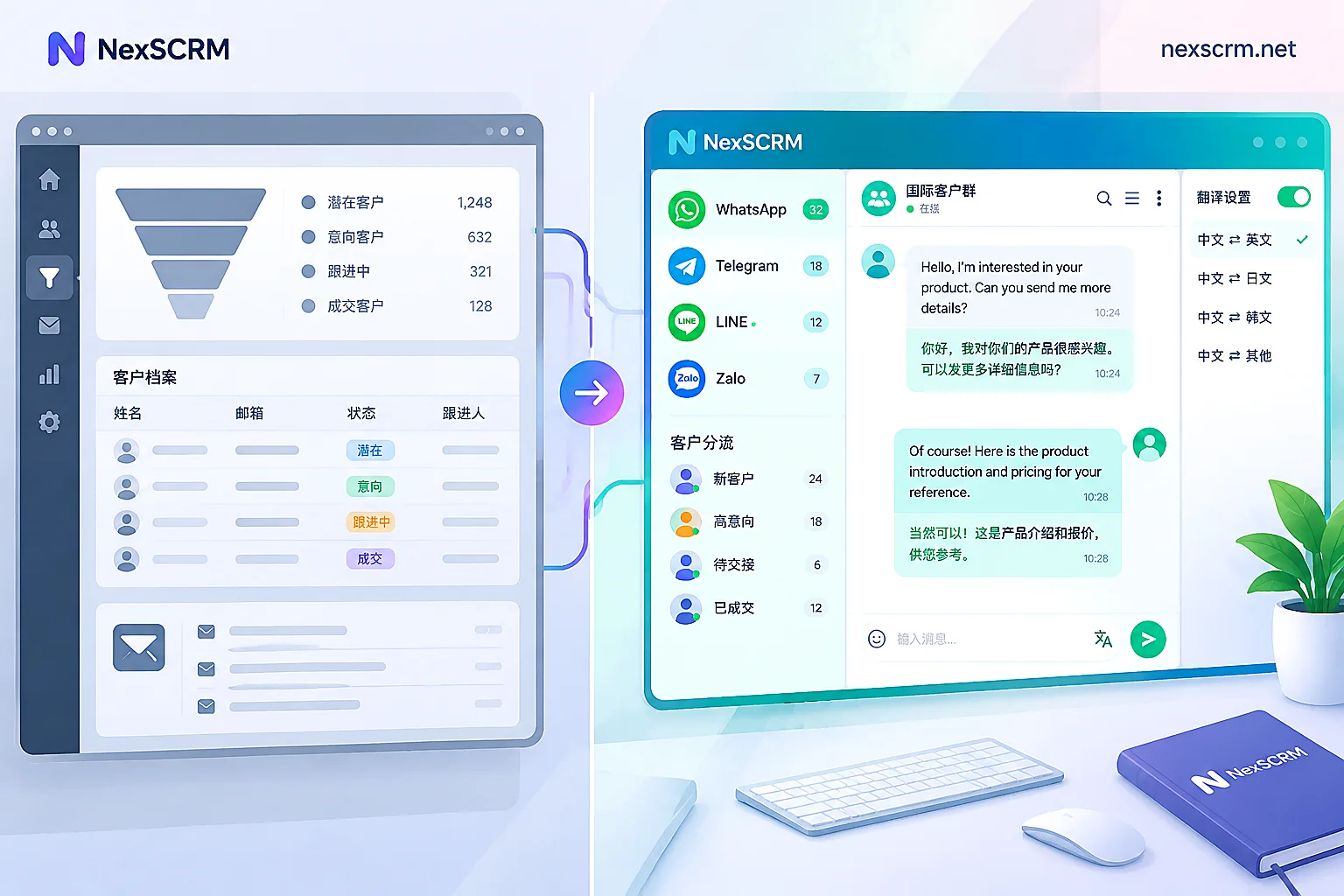
Nexscrm is a representative product in this field. It uses compliant API access to help users manage multiple WhatsApp accounts from a single interface, offering features like one-click switching, batch management, team collaboration, automation aids, and customer management.
Advantages:
Unlimited multi-account simultaneous online: Manage dozens or even hundreds of WhatsApp accounts through one client without frequent app or device switching, enabling timely viewing and response to new messages from different accounts.
Isolated environment: Each account can be configured with a separate proxy IP and browser fingerprint (20+ parameters including User-Agent, Canvas, screen resolution, etc.), ensuring network environment isolation and device fingerprint differentiation to significantly reduce account association and ban risks.
Automation aids: Built-in RPA automation can execute workflows and scheduled tasks such as mass messaging, auto-reply, fan counting, auto-routing, real-time translation, etc., improving multi-account operational efficiency.
Customer management: Supports adding tags, notes, and refined classification for customers, facilitating targeted marketing and private domain operations.
Team collaboration: Supports secure account sharing; team members can jointly manage the same account without interference; admins can set different permissions to ensure members only access authorized accounts, enhancing account security.
Disadvantages: Requires payment; choose a suitable plan based on actual needs.
Steps to use Nexscrm for multi-account management:
- Register and download the software: Go to the Nexscrm official website to register an account, then download and install the Nexscrm desktop client. Nexscrm currently supports Windows/Mac systems. After installation, log in to your Nexscrm account to access the main interface.
- Environment configuration: In the Nexscrm client, click on the WhatsApp option and select "New Session" > "Environment Configuration":
① In "Proxy Information," fill in the proxy IP address, port, username, and password obtained from your proxy provider. Click the "Check Proxy" button, and the system will test the proxy connection. If "Connection Successful" appears, the proxy IP is usable.
② In "Fingerprint Settings," configure multiple environment parameters such as browser timezone, language, User Agent, resolution, fonts, and hardware information like Canvas, WebGL metadata, Audio, etc. If no special requirements, submit with default options. - Add WhatsApp accounts: After configuration, start the session and scan the QR code to log in to your WhatsApp account. Once scanned, your WhatsApp account will be logged into Nexscrm. Repeat the same process to add multiple accounts; all logged-in accounts will be displayed in the left sidebar in order.
- Account grouping and settings: If you have many accounts, use Nexscrm's grouping feature to classify them for easier search and switching. You can also set nicknames or labels for each account to avoid confusion.
- Daily messaging: After adding accounts, you can send and receive messages just like using WhatsApp normally! Messages from multiple accounts are synchronized and processed in parallel, ensuring no customer messages are missed regardless of how many accounts are online.
- Use advanced features: During customer conversations, leverage Nexscrm's auxiliary capabilities to improve efficiency, such as real-time two-way translation, mass messaging, auto-reply, quick replies, AI replies, etc. These features are integrated into the Nexscrm interface and can be accessed via intuitive menus or buttons, with a low learning curve.
- Team collaboration (optional): If you have a customer service team, Nexscrm supports multi-seat collaboration. Under the same Nexscrm account, you can create multiple employee sub-accounts and assign different permissions for viewing or managing specific WhatsApp accounts. Admins can also view chat history and statistics for each account for team performance monitoring and chat quality inspection.
WhatsApp multi-account management is not just about "opening multiple accounts." It is about upgrading a scattered, chaotic, and inefficient multi-account operation model into a manageable, scalable, and value-accumulating business operation system. Whether you are a cross-border e-commerce seller just starting out or a B2B foreign trade company needing team coordination, choosing the right solution for your stage can bring significant efficiency improvements. And as your business grows to large-scale operations, professional aggregation tools like Nexscrm become key to helping you level up.


Comments(0)