 NexScrm官方博客
Let's get the conclusion straight first: when you write a placeholder in a quick reply template (the syntax varies by system; common ones are {{contact.name}}, {{first_name}}, or selecting from a field dropdown), the system will replace the placeholder with the real name based on the contact record associated with the current conversation and insert it into the input box.
But whether this works hinges on three prerequisites. Miss one, and you'll send Hi , or Hi 8613xxxxxxx, straight to the customer's face:
- Your tool must be able to parse variables, not just store a fixed string of text;
- The current conversation must be linked to a contact record that has a name;
- When the name is empty or garbled, the template must have a fallback.
Let's go through them one by one in configuration order.
First, confirm whether your tool supports variables
Many people try for ages to fill in a name in the native WhatsApp Business app and fail—not because they configured it wrong, but because the native feature simply doesn't have that capability. Native quick replies are triggered by typing /, and they save fixed text or media messages, with a limit of 50 per account. They do not parse syntax like {{name}}—whatever you type in, that's literally what gets sent, including {{name}}.
To automatically fetch and insert a customer name, you need a customer service workspace, SCRM, or API aggregation management software that has dynamic variable parsing. The test is simple: open the template editor and see if there is a button like "Insert Variable / Insert Field," or if the help documentation lists available fields. If yes, proceed with configuration; if not, don't write placeholders in your templates—switch to phrasing that doesn't rely on a name for safety.
Where exactly does the name come from?
This is the most easily overlooked step and the one most likely to cause embarrassment. The same customer usually has several "names" in the system:
- Platform nickname: The display name the customer set on WhatsApp, Telegram, or LINE (Push Name / Display Name). This field is out of your control—it could be a company name, a string of emoji, a single ".", or the platform might not return it at all.
- Account identifier: Phone number, user ID, Telegram @username. A username with an @ in front looks awkward when inserted directly into "Hi {name}".
- Remark name / name field in the customer profile: The name you or your colleagues manually maintain. This is the only controllable one.
In practice: treat the remark name as the single authoritative name field. Have the team agree that new customers get this filled in first, and have template variables prioritize it. If the system supports multi-level fallback, configure it as "remark name → platform nickname → generic salutation"; if it only allows binding to one field, bind it to the remark name and accept that unfilled cases will use the fallback.
There's also a cross-platform detail to note: Telegram names split into first name and last name—some people only fill in the first name, others use symbols for both; LINE display names often carry a store suffix. So don't assume "just use the full name." Whenever possible, choose first name—especially for Western customers. "Hi John" sounds natural; "Hi John Michael Smith" sounds like a mass mailing.
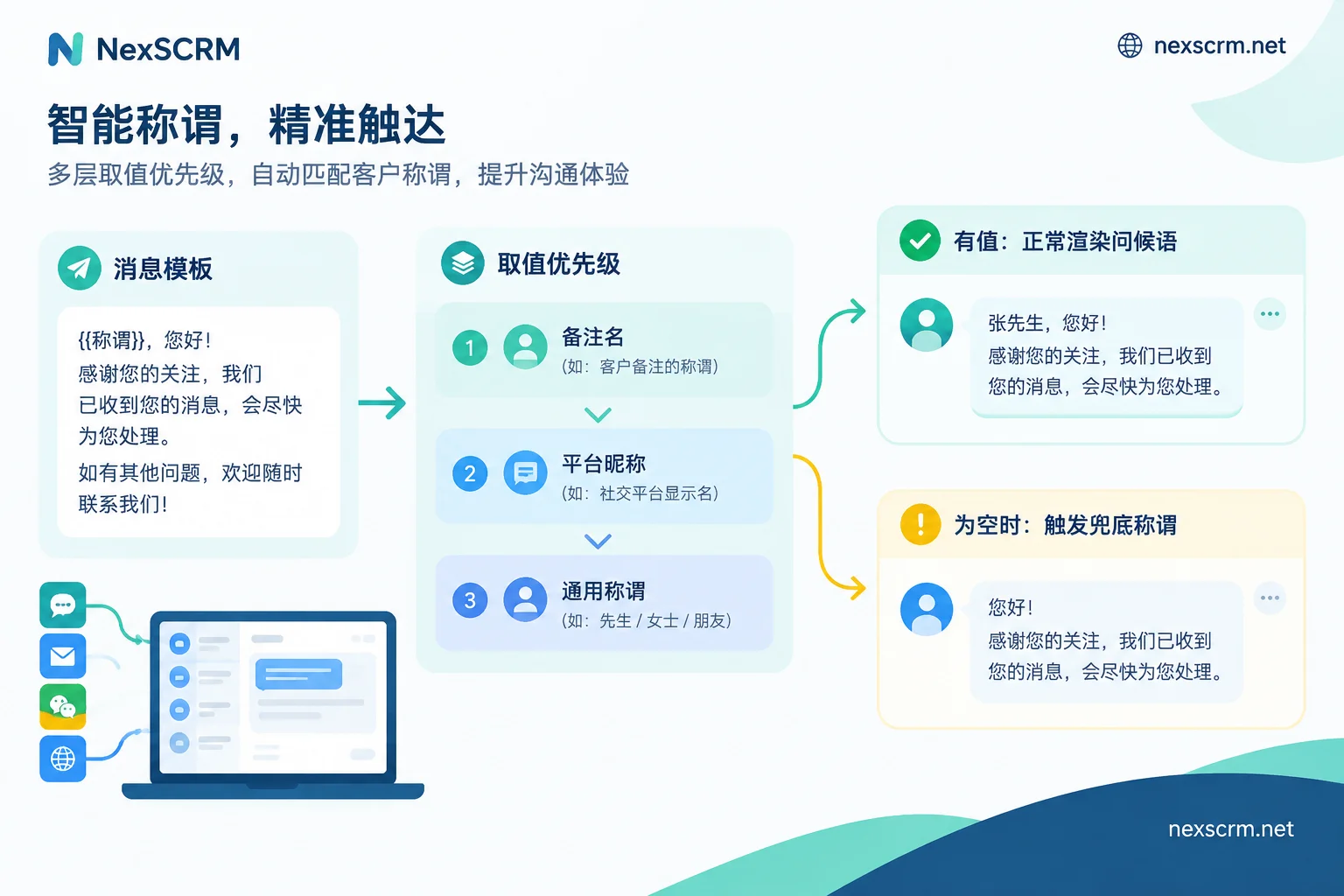
Configuration steps
Step 1: Define the field before creating templates. Decide which field to use for the name, who fills it in, and when (ideally right after the first reply). If fields aren't standardized before you bulk-create templates, every future change means reworking the entire library.
Step 2: When creating templates, insert variables using the editor's provided method. Don't type syntax from memory. Each system differs—some use double curly braces, some require clicking a field name to auto-insert. A single wrong character means it won't render. Before saving, check if the editor has a preview.
Step 3: Make shortcode names searchable. Commonly named by scenario: /greet opening, /price quote, /ship logistics, /refund returns/exchanges. With more than three people on the team, write a naming convention—otherwise you'll end up with three nearly identical templates like /hi, /hello, and /kaichang.
Step 4: Test with an empty-value conversation. Find a conversation with no remark name and no platform nickname returned, invoke the template, and see what it outputs: blank, skips the whole sentence, or shows the ID. Behavior varies by system—only by testing will you know how to write your fallback.
Step 5: Check post-invocation behavior. The better approach is for the template content to fill the input box with the cursor left inside, letting the agent scan it before hitting enter—not sending immediately on click. Templates with variables especially need that one-second human confirmation.
Fallbacks: four types of names that go wrong
- Empty value: The most common. Besides setting a default fallback (
Dear Customer,Hi there,您好), a more robust approach is to write template phrasing that reads naturally without a name—for example, open with "Hi there, thanks for reaching out" and place the name in the second sentence as a bonus. - Pure phone number or numeric ID: Worse than empty—the customer immediately sees it's machine-assembled. If the system supports conditional logic, add a filter for pure numbers; if not, rely on manually filling in remark names.
- Emoji and special symbols: A customer nickname like "🌸🌸🌸" renders as "Hi 🌸🌸🌸," which looks odd. Manually change the remark name for these customers upon entry.
- All-caps company name: "Hi SHENZHEN XX TRADING CO., LTD," is a classic sign of neglect. Put the company name in the company field and only put the person's name in the salutation field.
In multilingual templates, where do variables go?
For overseas communication, there's another layer: translating a Chinese template into multiple languages and then sending is different from directly maintaining multilingual templates.
Personal names should not be treated as translatable words—machine translation occasionally transliterates or rewrites names, especially when the name is a common noun (e.g., a customer named Rose or Lily). The safe approach: store a separate version of the template for each common language, with variables in the same position in every version, and when sending, directly invoke the version for that language rather than letting a translation engine handle a Chinese sentence with variables.
Sentence structure also differs: English and Spanish put the name at the beginning (Hi John,); Japanese and Korean place honorifics after the name (〜様 / 〜님), so leave space for the honorific after the variable; some languages sound more natural without a salutation in the greeting. Write templates per language—don't force one Chinese structure onto all.
For high-frequency scenarios like returns and logistics delays, it's worth building multilingual templates for all nodes at once. You can refer to the node breakdown in Cross-border E-commerce Returns & Exchanges Customer Service Communication Scripts and Multilingual Templates.
Where this step fits in NexSCRM
NexSCRM's quick script templates sit alongside customer profiles, tags, and contact deduplication. Configure in the order above: first define the name field in the customer profile and require the team to fill it in, then go to script templates to insert variables and set shortcodes. The exact variable insertion method and field list depend on the current client version. Before building the library, run a test conversation without a remark name to see actual empty-value behavior, then decide on your fallback.
One pitfall worth mentioning separately: the same customer stored as two records—for example, one for phone number and one for Telegram account—with the remark name filled on only one. The other record's conversation naturally won't retrieve a name when invoking the template. So whether variables fill reliably is directly tied to how clean your contact deduplication is. You can handle this together with contact deduplication and field merging practices. The feature entry is in Profiles, Deduplication & Scripts.
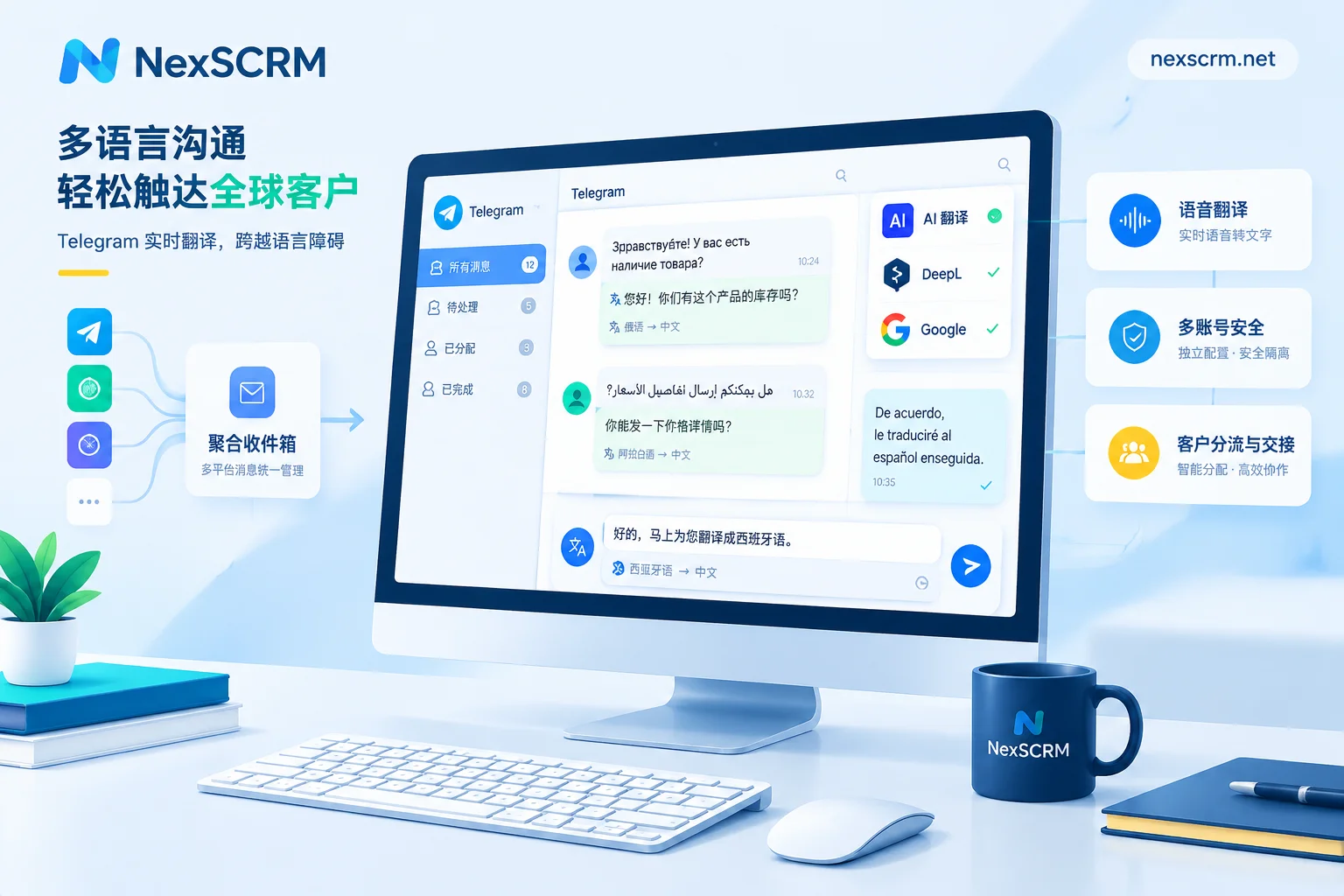
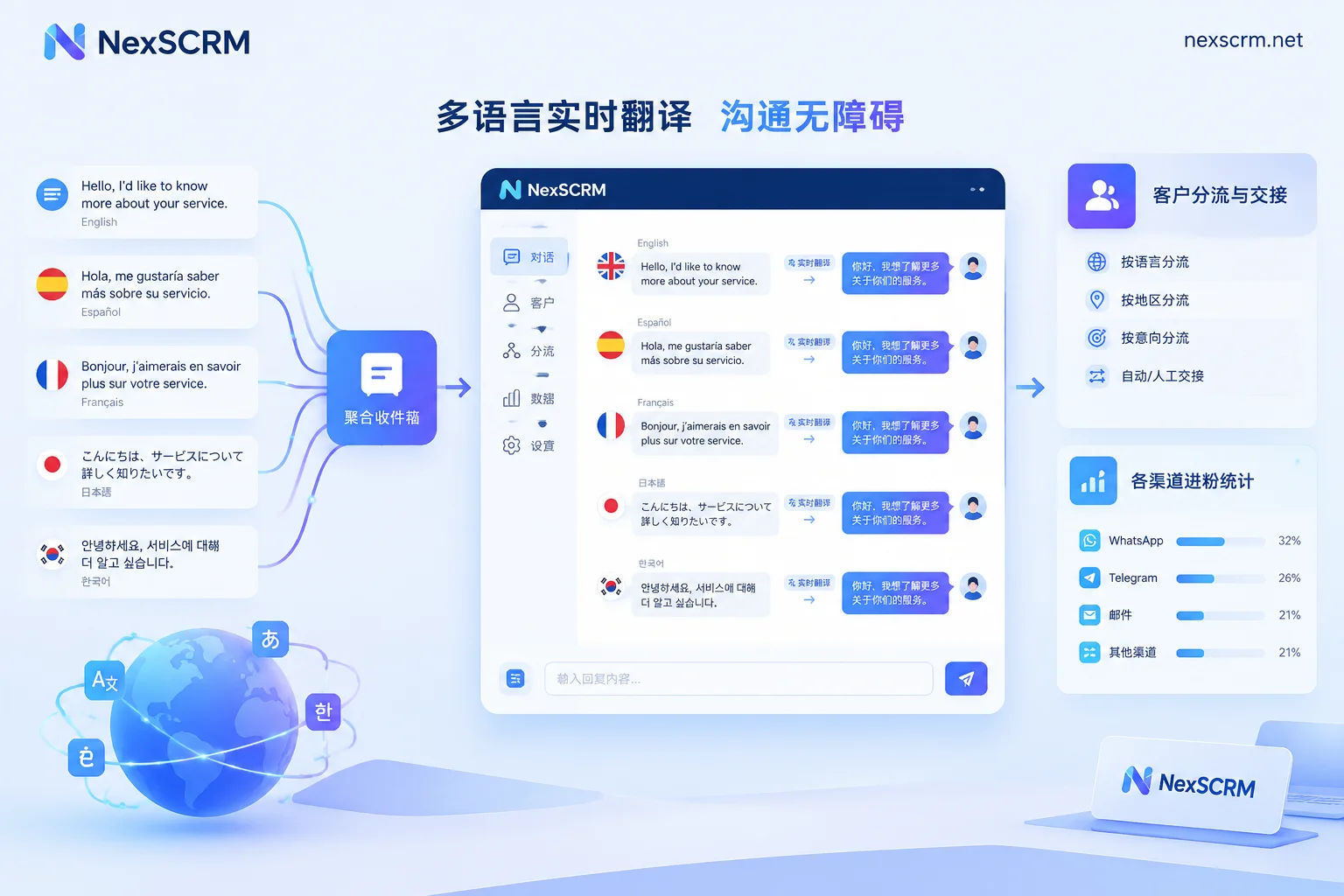
If your templates need to be reused across multilingual conversations, translation is a separate layer: keep both the original and the translation so agents can verify names weren't rewritten. Related details are in Real-time Two-way Translation.
Pre-launch checklist
- Variables in template editor are inserted from the field list, not typed manually
- Tested with a conversation without a remark name; output is acceptable
- Pure numbers and emoji nicknames have handling methods
- Each common language has a separate template with variables in the same position
- After invoking, the cursor stays in the input box and someone reviews before sending
- Clear division of who can add and modify templates, with shortcode naming conventions
Run through these six items, and variable name filling will basically stop causing incidents. Spend the remaining energy on the template content itself—getting the name right just makes the customer feel it's not a mass mailing; what really determines reply rate is whether the message itself is right.


Comments(0)